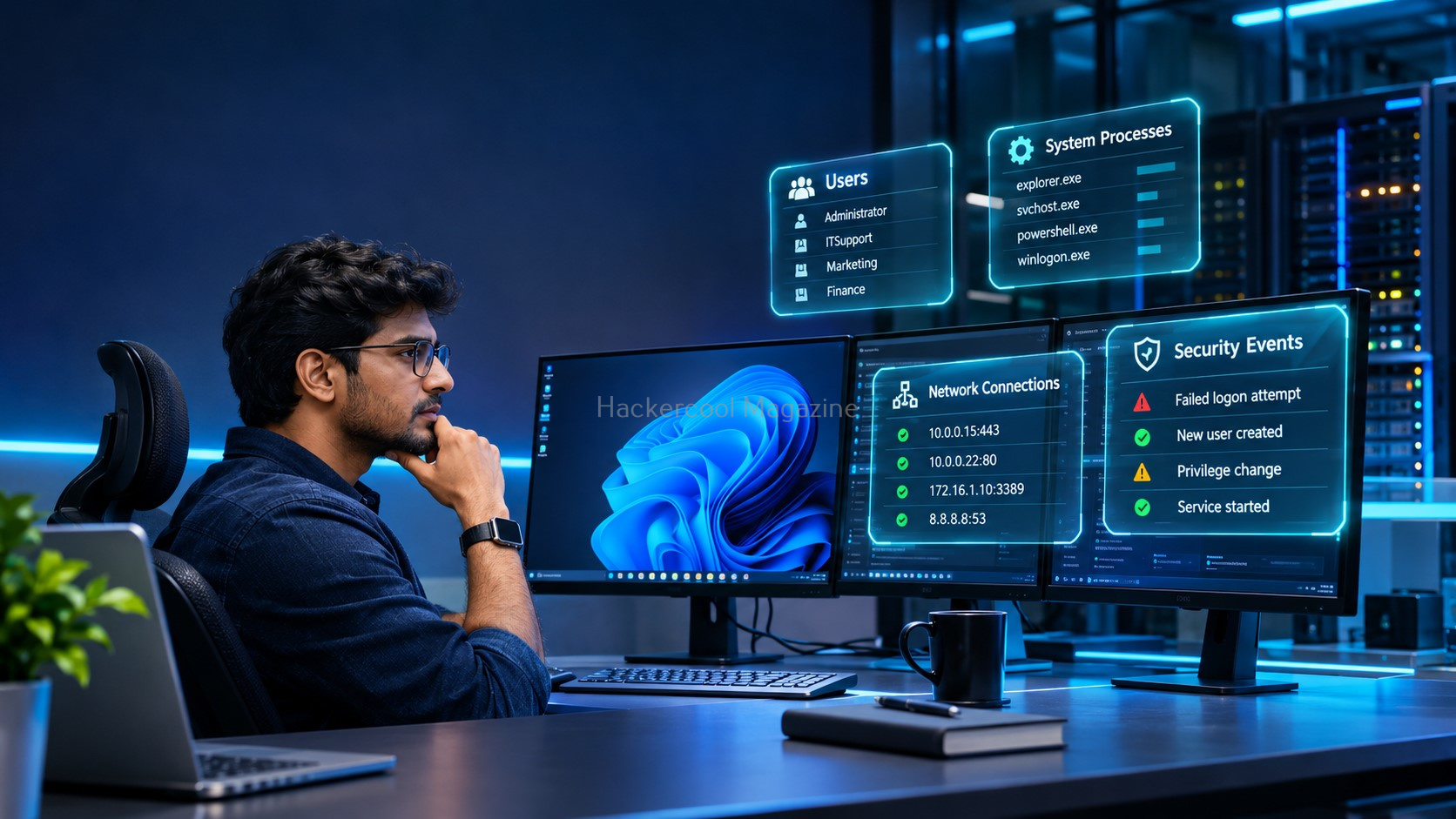
Windows is everywhere: personal computers, business networks, government organizations and enterprise IT environments. It also plays a major role in cybersecurity technologies such as Active Directory, Windows Server, PowerShell and Microsoft Defender.
For an aspiring ethical hacker, understanding Windows is not optional. Many real-world security assessments involve Windows workstations, servers, user accounts, network services and centralized identity systems.
But where should a beginner start?
Before exploring advanced penetration-testing techniques, learn how Windows works. Understand its users, permissions, processes, services, networking and security controls. These fundamentals will help you understand what security tools are examining and why certain weaknesses matter.
Let’s explore the essential Windows concepts every ethical hacking beginner should know.
NEW TO ETHICAL HACKING?
Start your ethical hacking journey with our FREE Beginner Ethical Hacker Starter Kit (2026 Edition).
Get beginner-friendly guidance to understand the fundamentals of ethical hacking and take your first steps into cybersecurity.
Understand the Windows Environment
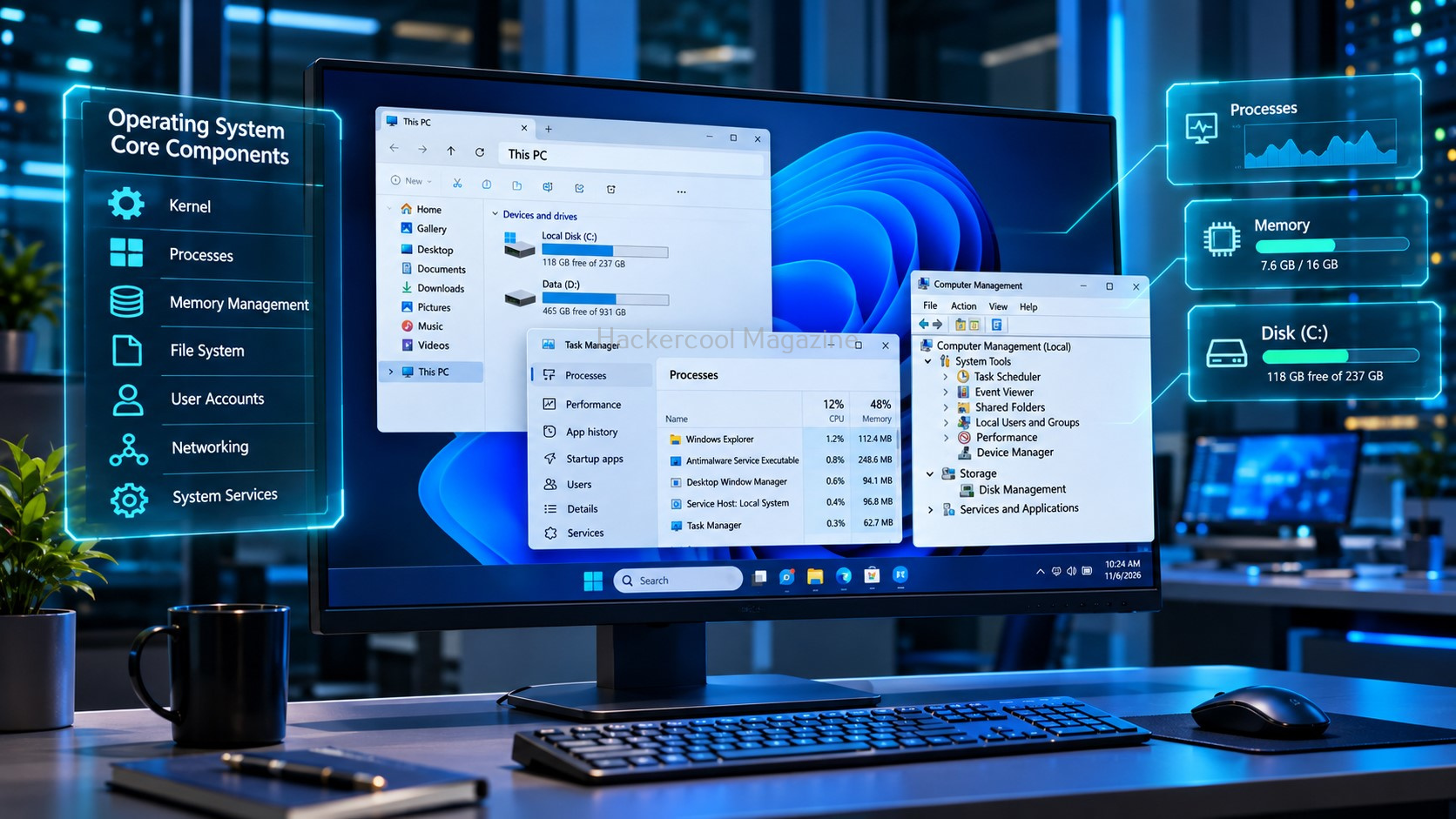
Windows is a family of operating systems developed by Microsoft. Common versions include Windows 10, Windows 11 and Windows Server.
In cybersecurity, you will encounter two broad environments:
- Windows clients: Desktop and laptop systems used by individuals and employees.
- Windows servers: Systems that provide services such as file sharing, authentication, applications and domain management.
A typical enterprise environment may contain hundreds or thousands of workstations connected to servers and managed through Active Directory. Understanding this environment is the first step toward learning enterprise Windows security.
Learn the Windows Filesystem
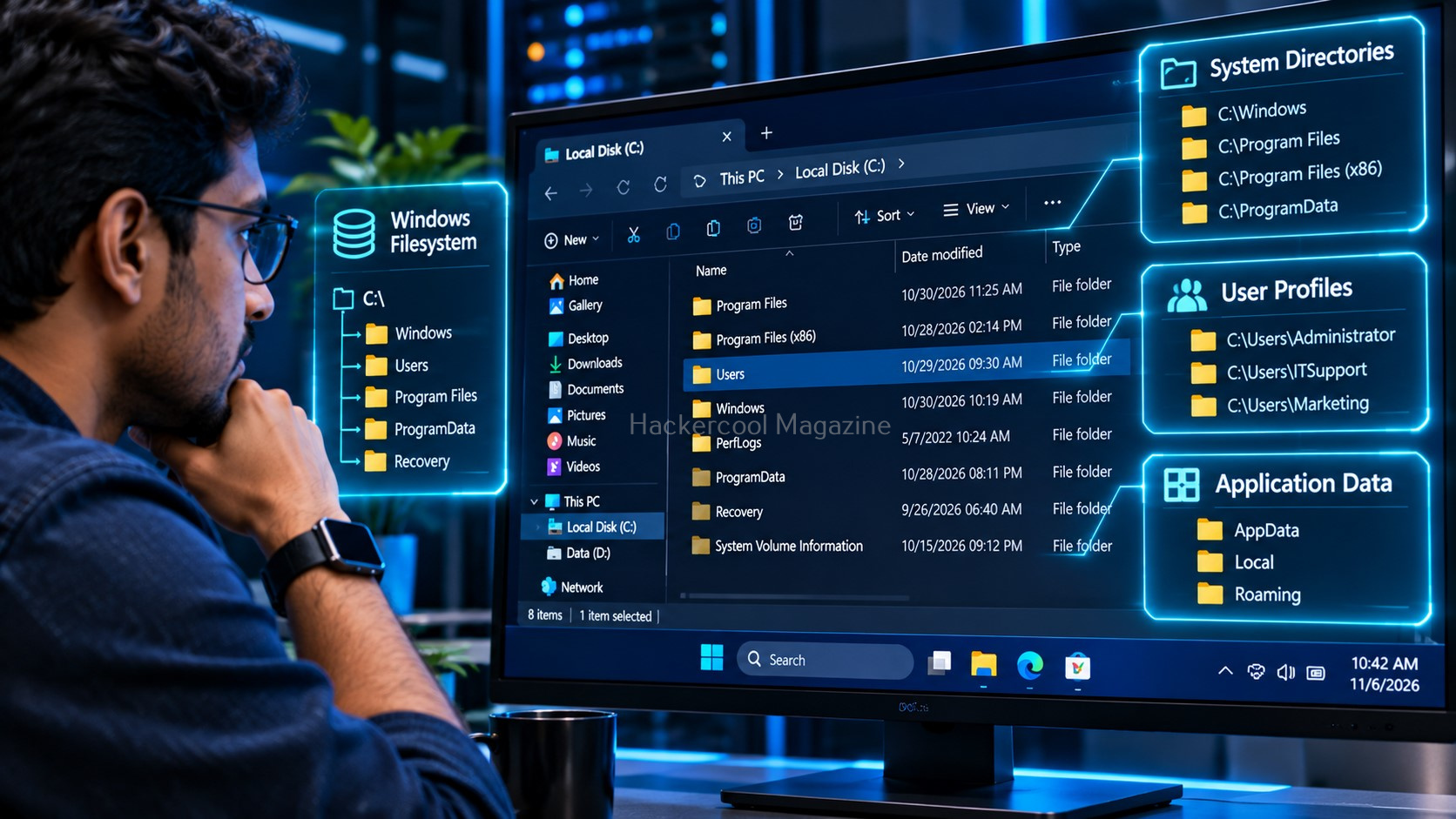
Windows organizes files and folders using a filesystem hierarchy. Unlike Linux, it commonly uses drive letters such as C:\.
Some important locations include:
C:\Windows– Operating system files.C:\Users– User profiles.C:\Program Files– Installed applications.C:\ProgramData– Application data shared across users.C:\Windows\System32– Important system utilities and components.
Why does this matter?
Security professionals often investigate executable files, application data, user profiles, temporary files and configuration information. Knowing where Windows stores these resources makes system investigation easier.
You should also recognize common file extensions such as .exe, .dll, .ps1, .bat and .log. Understanding file types is useful when reviewing unfamiliar files or investigating suspicious activity.
Understand Windows Users, Groups and Permissions
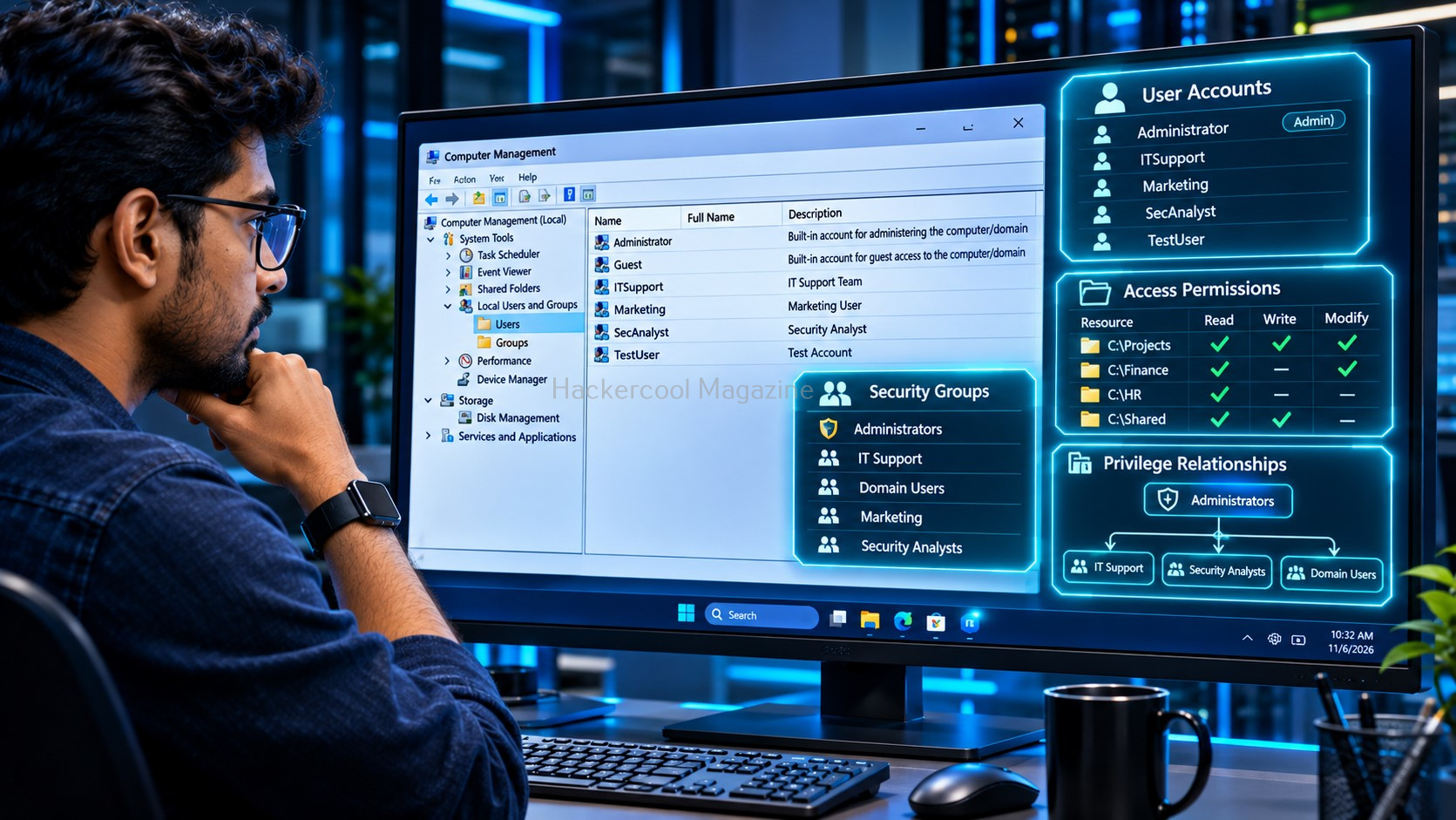
Every Windows user account has an identity and a set of permissions. These determine which resources the user can access and which operations they can perform.
Start by identifying the current account:
whoami
For more detailed identity and privilege information:
whoami /all
Windows also uses groups to simplify permission management. For example, the Administrators group contains accounts with elevated administrative privileges.
Another important concept is the difference between local and domain users. A local account exists on an individual computer, while a domain account is centrally managed through an Active Directory domain.
For ethical hackers, these distinctions matter because weak permissions, excessive privileges and poorly managed accounts can create security risks. Always understand the principle of least privilege: users should have only the permissions necessary to perform their jobs.
Learn Command Prompt Basics
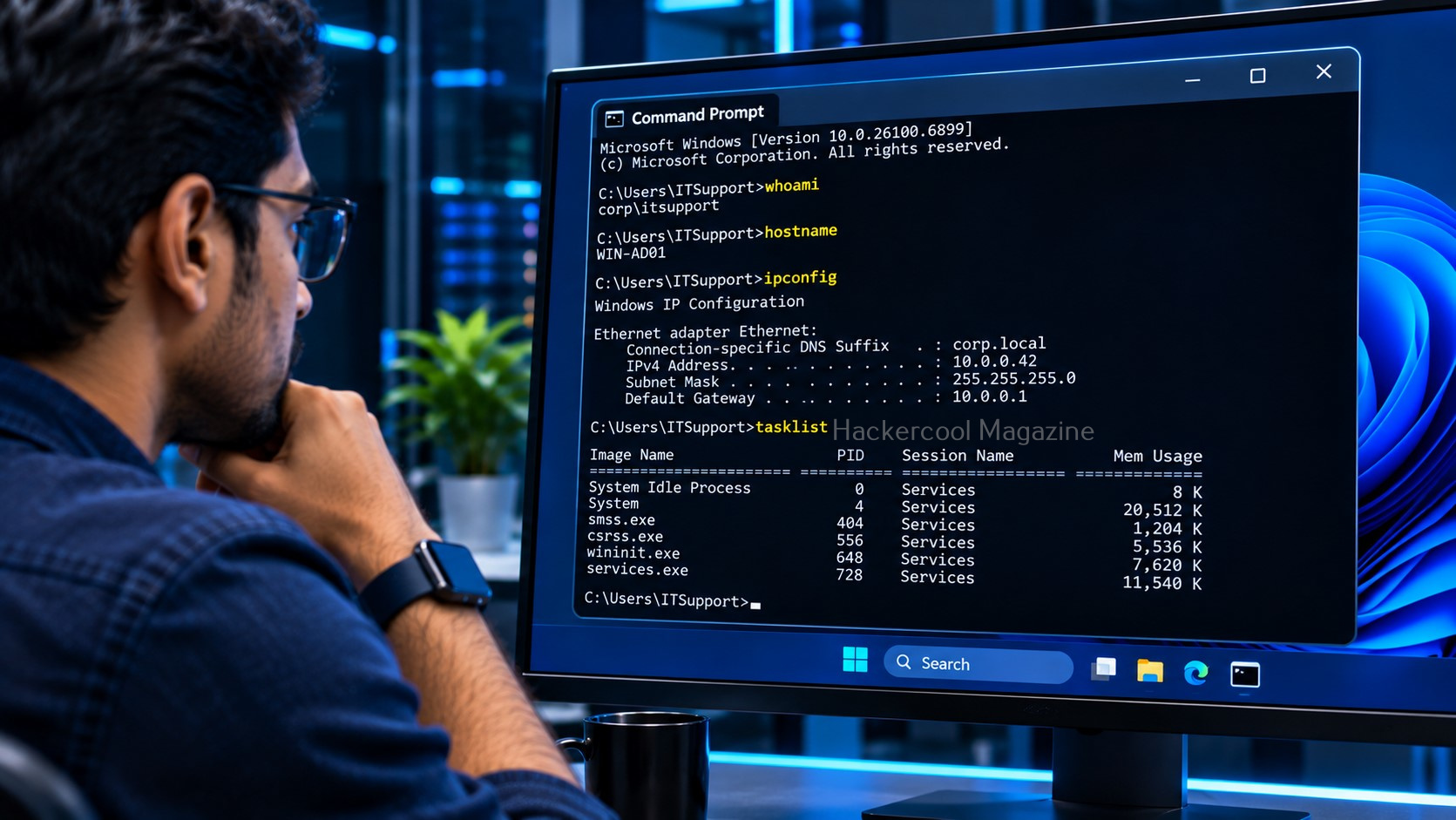
Windows includes a traditional command-line interface called Command Prompt or cmd.exe.
Although many beginners rely on graphical tools, command-line skills are valuable when investigating systems or working with remote environments.
Here are a few commands worth recognizing:
hostname
Displays the computer name.
systeminfo
Displays system information.
dir
Lists files and directories.
ipconfig
Displays network configuration.
tasklist
Lists running processes.
These commands provide a quick introduction to identifying a system, examining its files and understanding its current activity.
Why PowerShell Is Important
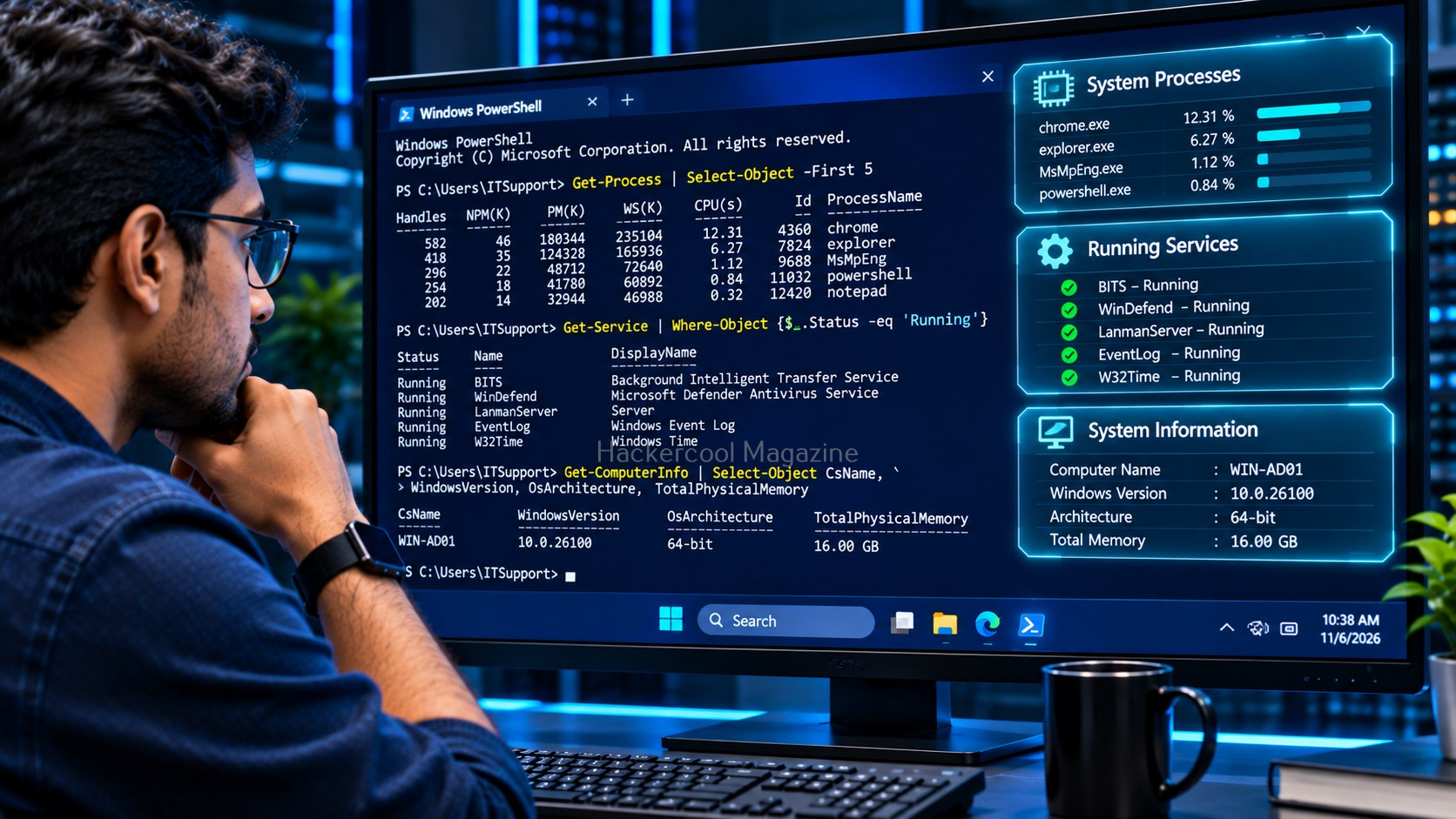
PowerShell is Microsoft’s command-line shell and scripting environment. It is especially useful for Windows administration, automation and cybersecurity investigations. Unlike traditional text-oriented command-line workflows, PowerShell pipelines can pass structured objects between commands.
Consider these examples:
Get-ComputerInfo
Displays computer information.
Get-Process
Lists running processes.
Get-Service
Lists Windows services.
You can also filter results. For example:
Get-Process | Where-Object CPU -gt 100
This filters process objects based on their CPU property.
PowerShell is important because security professionals use it to examine system information, investigate processes, query event logs and manage Windows environments.
While Windows provides CMD and PowerShell for system administration, Linux offers a different command-line environment with its own tools and commands. Understanding both environments is essential for ethical hackers.
READY TO BUILD YOUR ETHICAL HACKING FOUNDATIONS?
Go beyond the basics. Develop the essential knowledge every aspiring ethical hacker needs.
Your learning package includes:
Networking Fundamentals
Linux Fundamentals
Windows Fundamentals
Web Fundamentals
Command Line Essentials
Virtual Labs
$1 INTRODUCTORY TRIAL
6 Foundation Resources + Full Magazine Access
Trial terms apply. Post-trial subscription billing is manual.
Examine Processes and Services
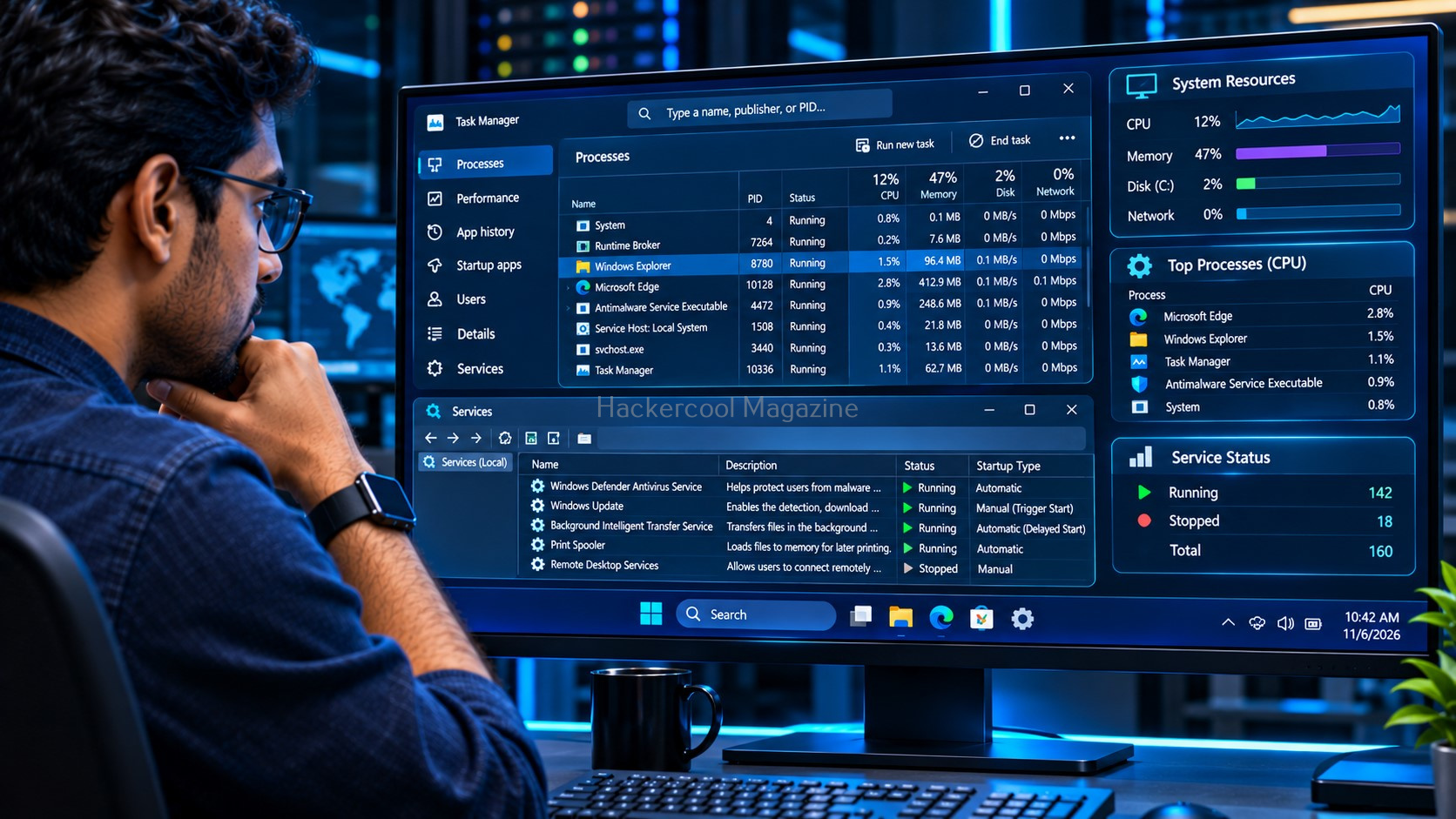
A process is a running program. Windows systems run many processes, including operating system components and user applications.
You can view running processes using:
tasklist
Or PowerShell:
Get-Process
Windows also uses background services to provide functionality such as updates, networking and security protection.
To list services using PowerShell:
Get-Service
From a security perspective, examining processes and services helps you understand what is running on a computer. Unexpected applications or misconfigured services may deserve further investigation.
Understand Windows Networking
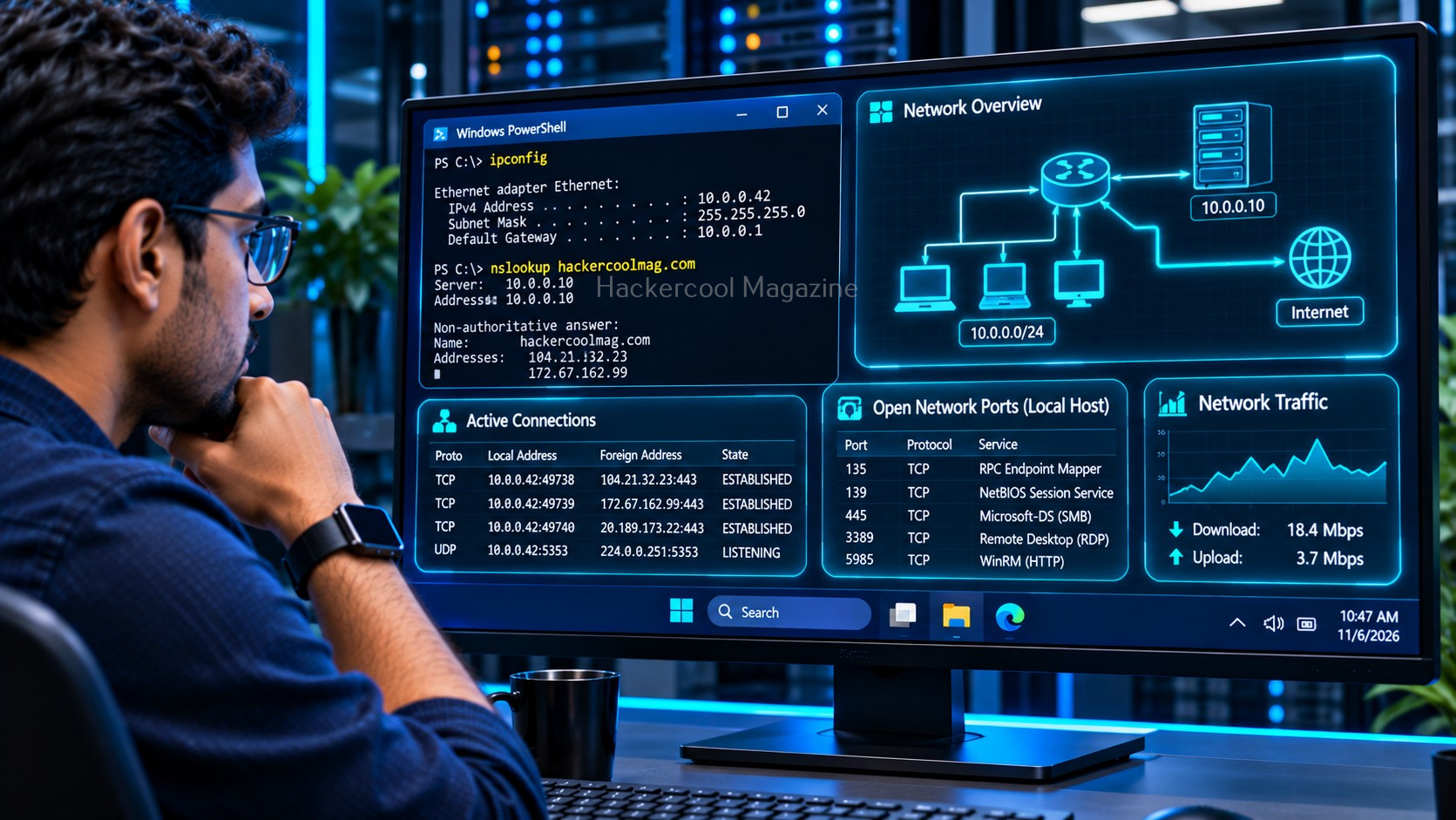
Windows computers communicate through network connections using protocols and services. Windows provides several built-in networking commands to inspect IP addresses, identify DNS configurations, examine active connections and troubleshoot network communication. Understanding IP addresses, ports and DNS is essential before moving into practical network assessments.
A few commands help you understand the network configuration:
ipconfig /all
Displays detailed network configuration.
ping example.com
Tests connectivity to a destination.
nslookup example.com
Performs a DNS lookup.
netstat -ano
Displays network connections and associated process IDs.
You should also become familiar with services such as SMB and Remote Desktop Protocol (RDP).
SMB is commonly used for Windows file and printer sharing while RDP provides remote desktop access. Both are important in enterprise environments and should be configured and monitored carefully. Remember that a port number alone does not prove which service is running. Always interpret network information in context.
Explore Windows Event Logs
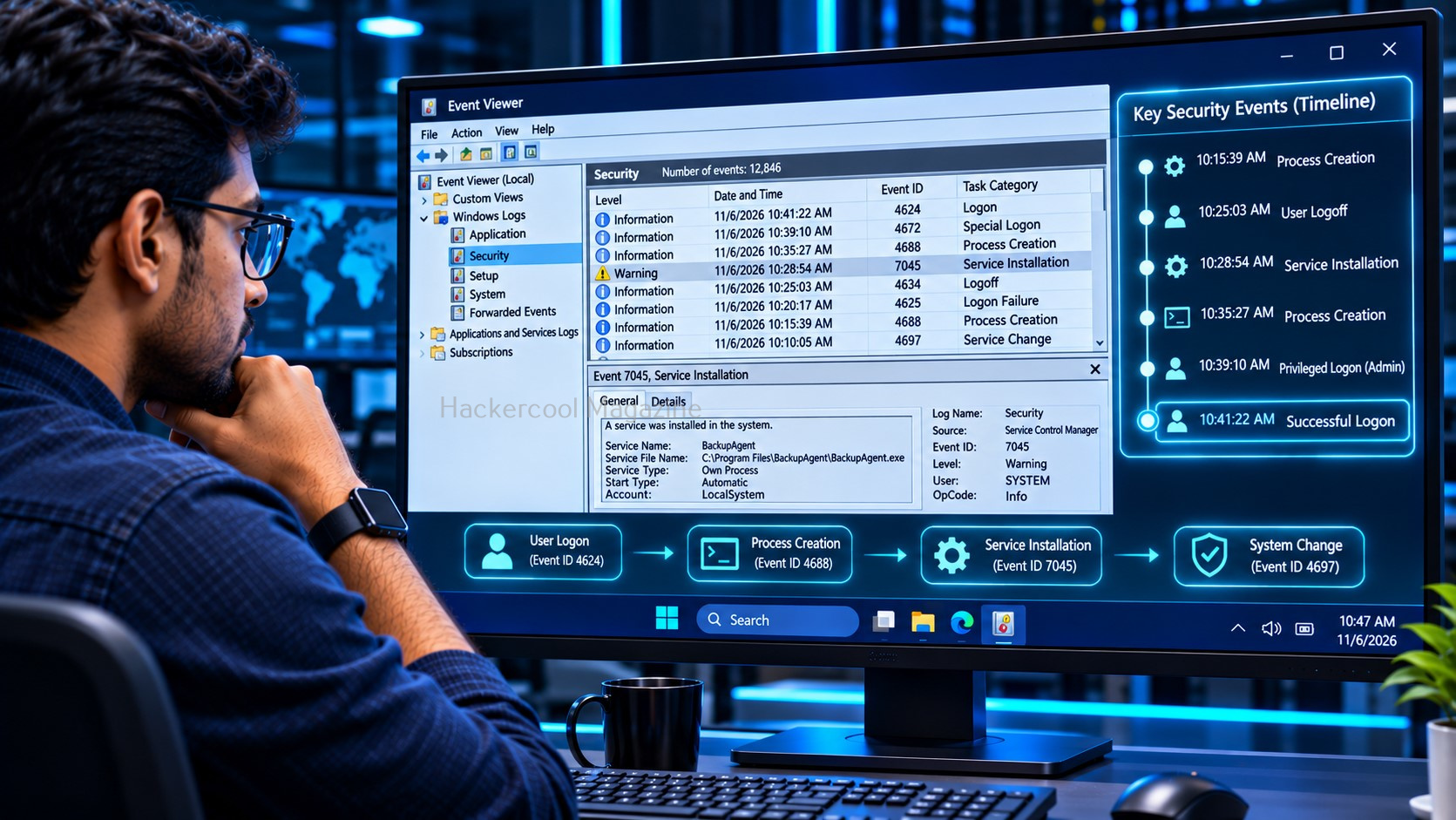
Windows records system and security activity through event logs. These records are valuable during troubleshooting and security investigations.
Event Viewer provides a graphical interface for examining logs. Important categories include:
- Application
- Security
- System
Some Windows Security Event IDs are particularly useful to recognize:
| Event ID | General meaning |
|---|---|
| 4624 | Successful logon |
| 4625 | Failed logon |
| 4688 | New process created |
| 4720 | User account created |
| 7045 | New service installed |
The availability of particular events depends on Windows configuration and auditing policies. Understanding event logs helps security professionals investigate account activity, process creation and other system events.
Understand Windows Security Controls
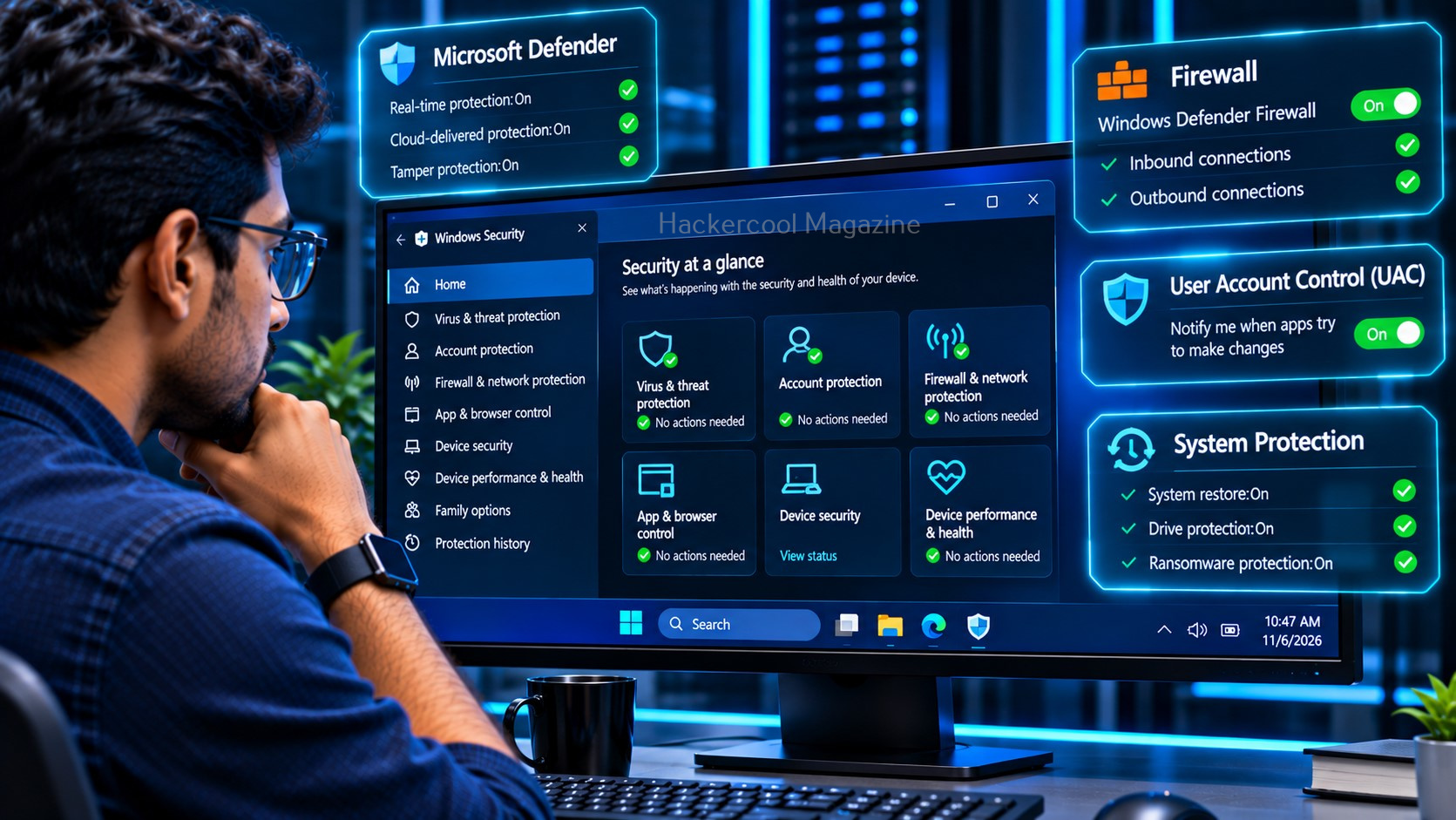
Windows includes several built-in security features.
Microsoft Defender Antivirus provides malware protection and threat detection.
Windows Firewall controls inbound and outbound network traffic according to configured rules.
User Account Control (UAC) helps prevent unauthorized changes requiring administrative privileges.
Windows Update delivers security patches and other system updates.
These controls work together as part of a broader security architecture. No single feature should be treated as complete protection. An ethical hacker should understand both what these controls do and how their configuration affects the security of a Windows system.
Why Active Directory Matters
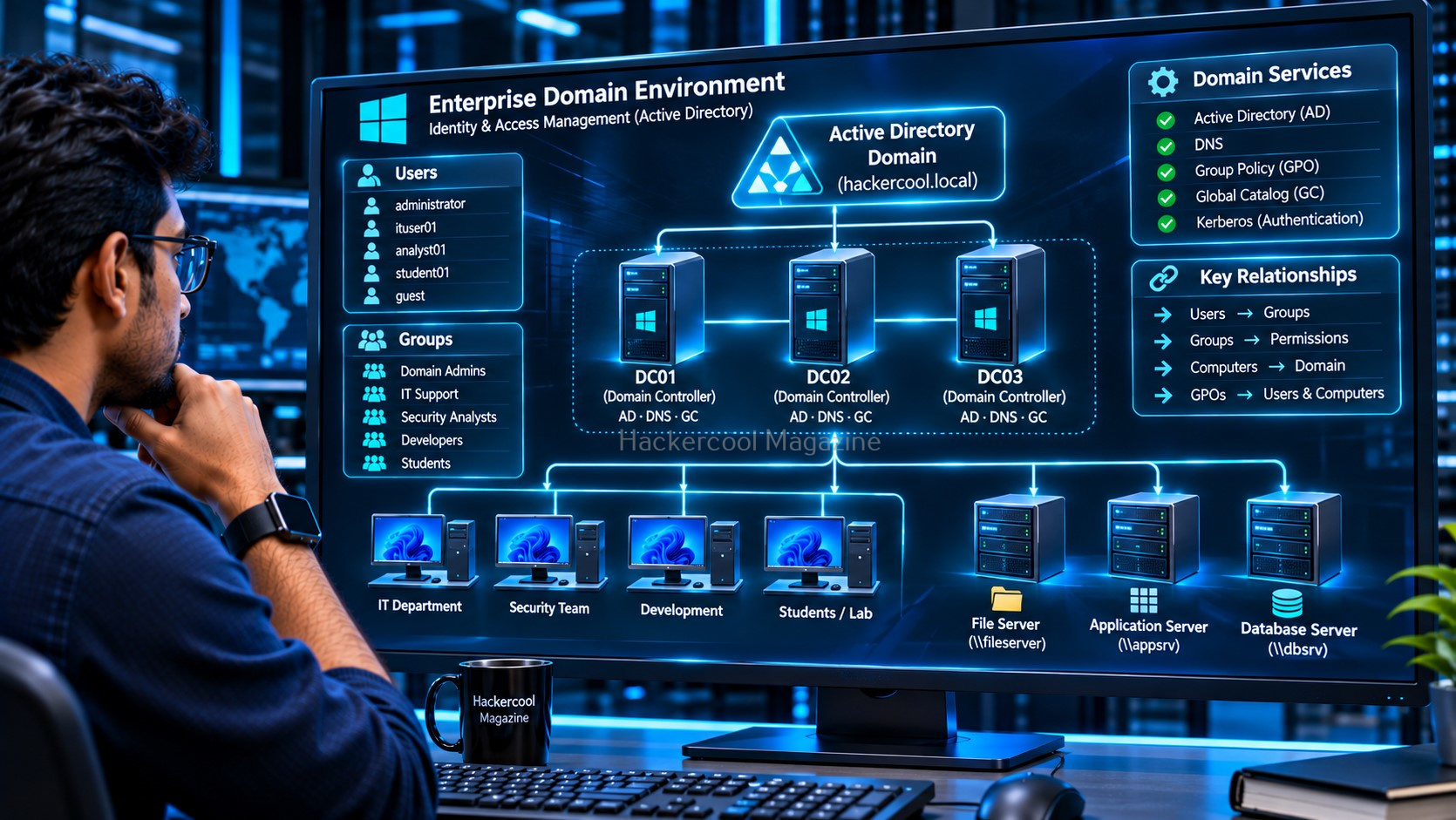
Active Directory Domain Services (AD DS) is Microsoft’s directory service used in many enterprise Windows environments.
It helps organizations centrally manage:
- User accounts
- Computer accounts
- Groups
- Authentication
- Organizational Units
- Group Policy
- Access to resources
A Domain Controller hosts Active Directory Domain Services and performs important identity and authentication functions. You will also encounter authentication technologies such as Kerberos and NTLM.
Active Directory is a major area of enterprise cybersecurity. However, beginners should first understand Windows users, groups, permissions, networking and authentication before studying advanced Active Directory security.
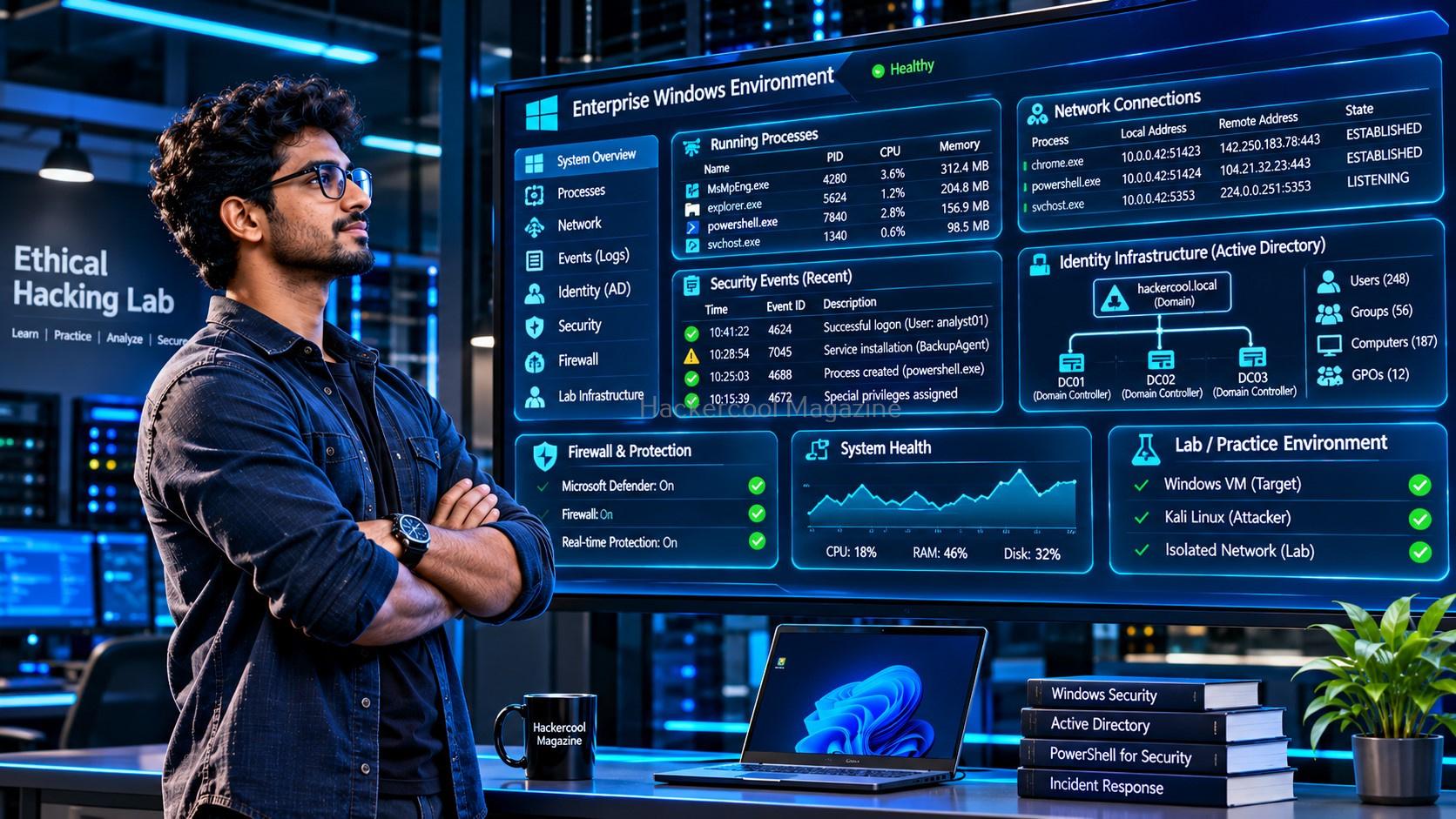
Build Your Windows Fundamentals Before Moving to Advanced Security
Windows security involves much more than antivirus software. It is an interconnected environment of users, groups, permissions, processes, services, network connections, configuration and logs.
A good beginner learning sequence is:
- Windows basics and filesystem.
- Users, groups and permissions.
- Command Prompt and PowerShell.
- Processes and services.
- Networking and common services.
- Registry and Event Logs.
- Windows security controls.
- Active Directory and enterprise security.
Practice these concepts in a virtual machine or an isolated lab. Only assess systems you own or have explicit permission to administer or test.
Want to build a stronger Windows foundation?
The Hackercool Magazine $1 Trial includes the complete Windows Fundamentals beginner resource. It takes you beyond this introduction with structured explanations of Windows concepts, Command Prompt and PowerShell references, security events, Active Directory fundamentals, a Windows security investigation workflow, a practical lab checklist and a knowledge check.
Don’t rush into advanced techniques without understanding the system first.
Start your Hackercool Magazine $1 Trial and build your Windows cybersecurity foundation step by step.
YOUR ETHICAL HACKING JOURNEY STARTS HERE!
Not sure where to begin? Download our FREE 18-page Beginner Ethical Hacker Starter Kit (2026 Edition).
Take your first step towards building practical cybersecurity knowledge.