
It is a dream of every hacker to bypass the antivirus solutions of their targets. Recently we have been learning about various payload generators that can bypass antivirus. In this howto, we will see one such payload generator which is designed to bypass antivirus. It’s named Shellter. To say in the words of its makers, “By using Shellter, you automatically have an infinitely polymorphic executable template, since you can use any 32-bit ‘standalone’ native Windows executable to host your shellcode. By ‘standalone’ means an executable that is not statically linked to any proprietary DLLs, apart from those included by default in Windows. ”
New to Ethical Hacking?
Start your journey with The Beginner Ethical Hacker Starter Kit (2026 Edition).
Inside the free guide, you’ll learn:.
- Ethical hacking fundamentals
- Beginner cybersecurity roadmap
- Essential hacking tools
- Common vulnerabilities explained
Let us see how to install Shellter in Kali Linux. The version we are using here is the latest version Shellter V7.0 till date which can be downloaded from here. Go to the download page and download the zip file shown below.
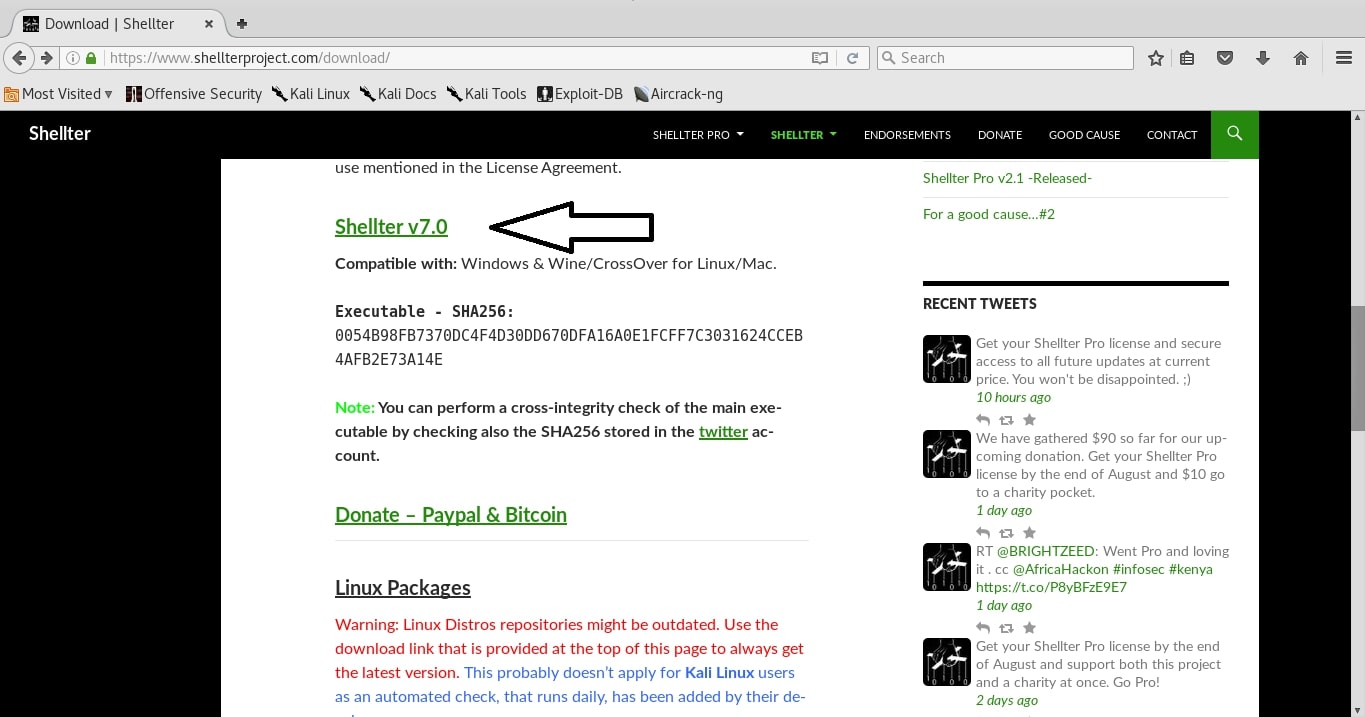
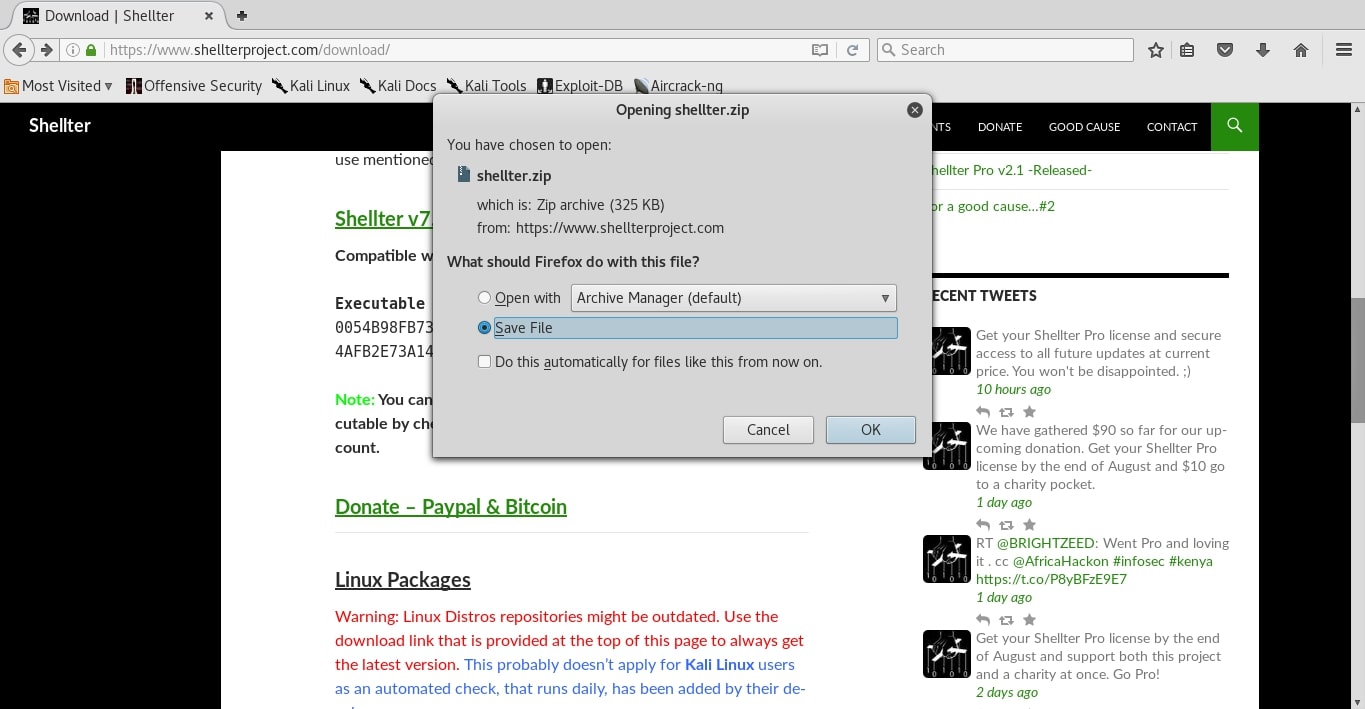
Click on the link and save the file as shown below.
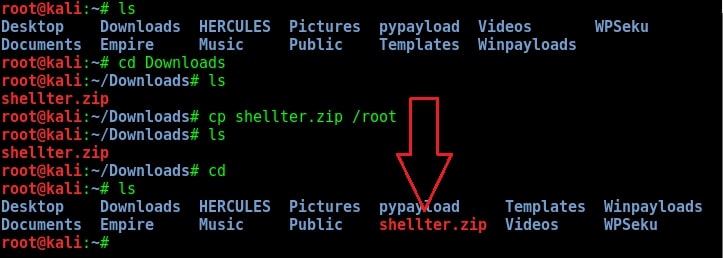
Once the download is finished, go to the Downloads folder. You will see the “shellter.zip” file as shown below. I copied the file to the root folder but if you want to keep the file in Downloads folder you can keep it. This step is not mandatory.
Want to Learn Ethical Hacking Step-by-Step?
If you’re serious about learning cybersecurity, a structured roadmap makes the journey much easier.
Download The Beginner Ethical Hacker Starter Kit (2026 Edition) and discover:
✔ The ethical hacking learning path
✔ Beginner-friendly security concepts
✔ Essential tools ethical hackers use
✔ The most common vulnerabilities explained
Now change the permissions of the zip file as shown below. Until you change the permission- s, you cannot unzip the files. After you change the permissions of the file, unzip the contents of the file using the “unzip” command.
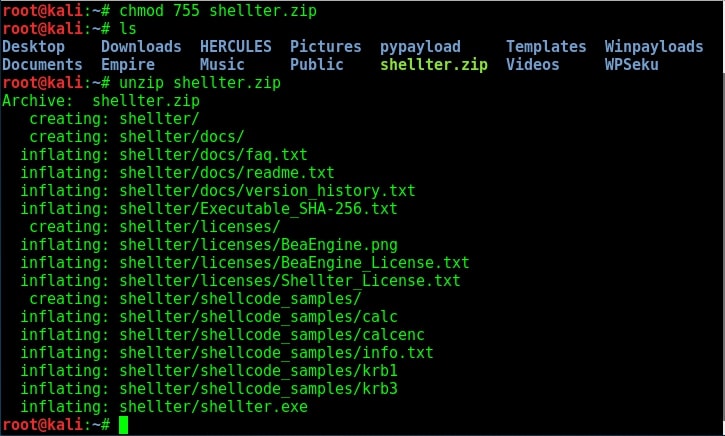
Type “ls“. You will see a new directory with name “shellter”. You have successfully installed Shellter in Kali Linux. Navigate into the directory “Shellter” to see its contents as shown belo- w. We will see how to use Shellter to bypass antivirus in our next issue. Until then, happy hacking practice.

Start Your Ethical Hacking Journey Today
Learning cybersecurity can feel overwhelming at first. The best way to start is with a clear roadmap and the right resources.
Download The Beginner Ethical Hacker Starter Kit (2026 Edition) and get instant access to:
Ethical Hacking Fundamentals
A beginner cybersecurity learning roadmap
Essential hacking tools every beginner should know
Common vulnerabilities explained simply



You did a great job in giving step by step instructions for users who will be new to Kali to install not only Shelter but any software on Kali! Keep it up
Hey idforensic, thanks for the compliment. Really happy to be helpful to you.