

Hello, aspiring Ethical Hackers. In our previous blogpost on network scanning, you learnt briefly about port scanning. In this article, you will learn about port scanning in detail and different port scanning techniques.
If you’re learning ethical hacking, cybersecurity or network security, you’ve probably come across the term port scanning. Port scanning is one of the most fundamental skills in network reconnaissance and security assessments. That’s because before security professionals can understand the risks facing a system, they first need to know what services are exposed to the network.
That’s where port scanning comes in. Think of a computer like a building. The IP address identifies the building itself, while ports represent individual doors. Some doors may be open, some closed and others may be restricted. Port scanning helps identify which doors are available and what services might be running behind them.
In this beginner-friendly guide, you’ll learn:
- What port scanning is
- Why it’s important
- Common port scanning techniques
- What information port scans reveal
- Common mistakes beginners make
- Safe ways to practice
New to Ethical Hacking?
Start your journey with The Beginner Ethical Hacker Starter Kit (2026 Edition).
Inside the free guide, you’ll learn:.
- Ethical hacking fundamentals
- Beginner cybersecurity roadmap
- Essential hacking tools
- Common vulnerabilities explained
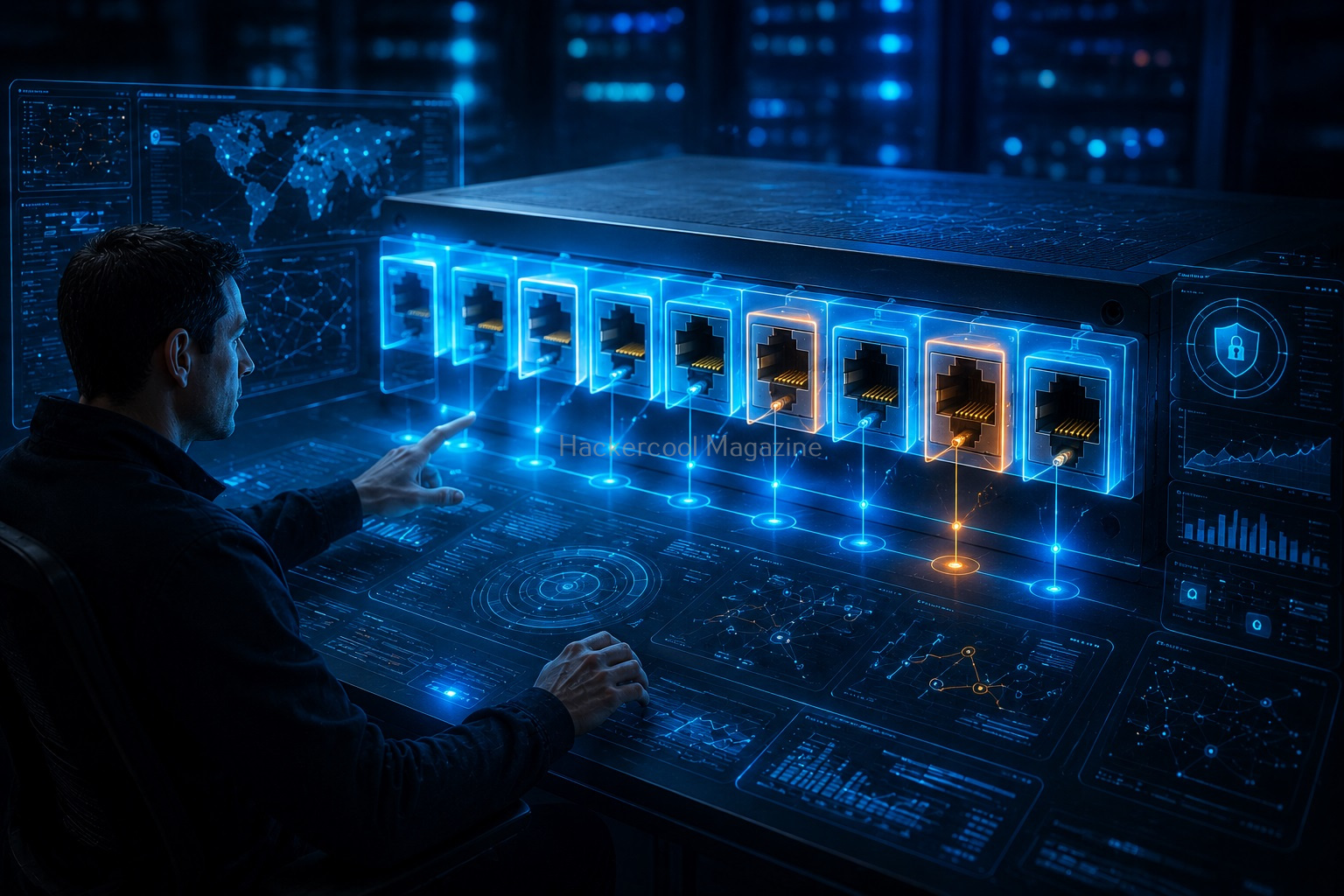
What is Port Scanning?
Port scanning is the process of checking network ports on a device to determine their status and identify available services. A port scan helps answer questions such as:
- Is the device online?
- Which ports are open?
- Which services are running?
- What systems are exposed to the network?
Port scanning is commonly used during:
- Network assessments
- Security audits
- Troubleshooting
- Asset discovery
- Ethical hacking engagements
In simple terms:
Port scanning helps you discover what services a system is making available to the network.

Understanding Ports
Before learning scanning techniques, it’s important to understand what ports are. A port is a communication endpoint used by network services. Examples of network services include:
- Websites
- Email services
- File transfer services
- Remote administration services
Each service typically listens on one or more ports. Think of it like this:
IP Address:
The building.
Port:
A specific door within the building.
Service:
The activity happening behind that door. Port scanning helps identify which doors are open.
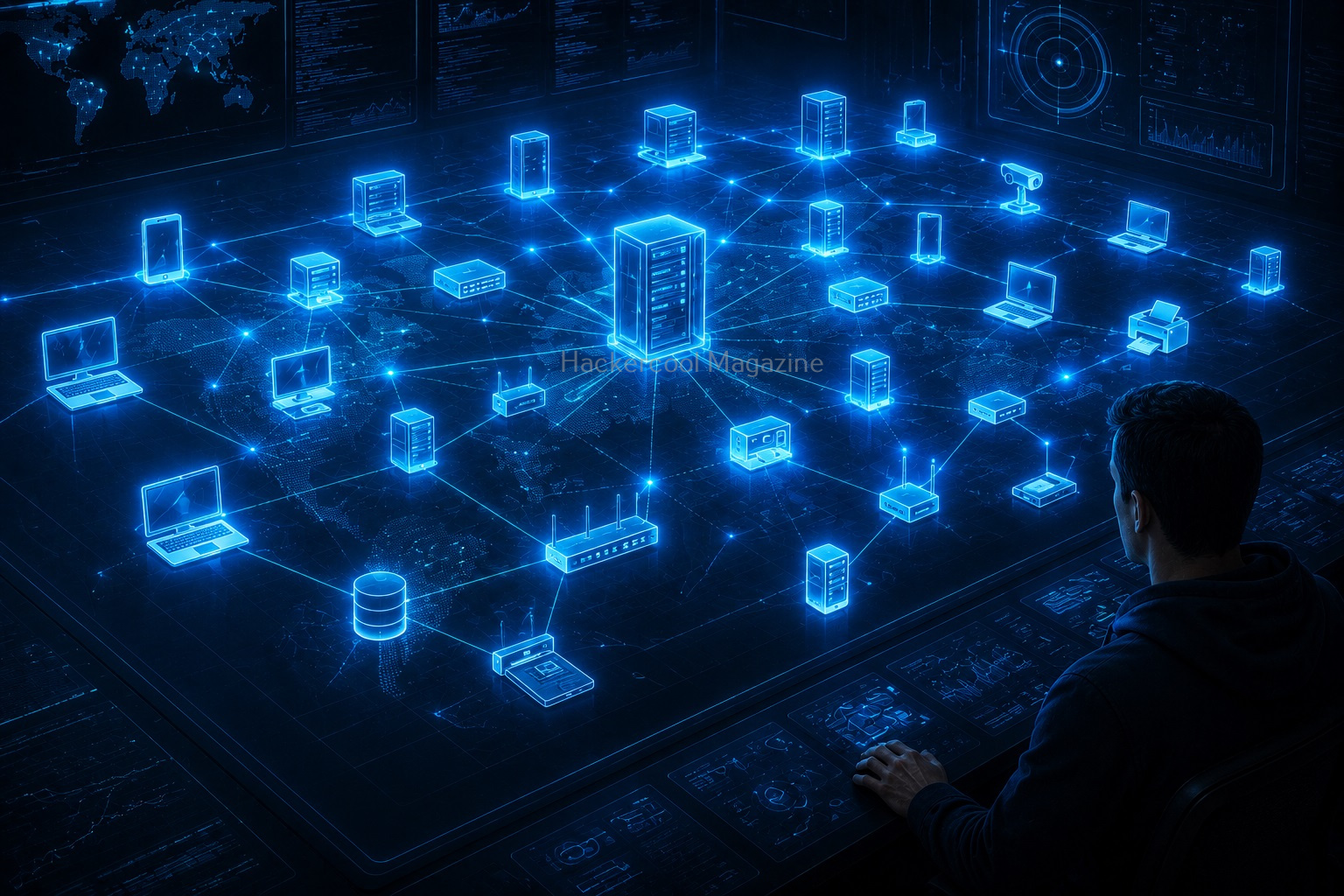
Why is Port Scanning Important?
Port scanning provides visibility into systems. Security professionals use it to:
1. Discover Services:
Identify what services are available.
2. Identify Exposure:
Determine what is accessible from the network.
3. Support Security Assessments:
Understand potential attack surfaces.
4. Troubleshoot Connectivity Issues:
Verify whether services are reachable.
5. Create Asset Inventories:
Build a picture of network resources.
Port States Explained
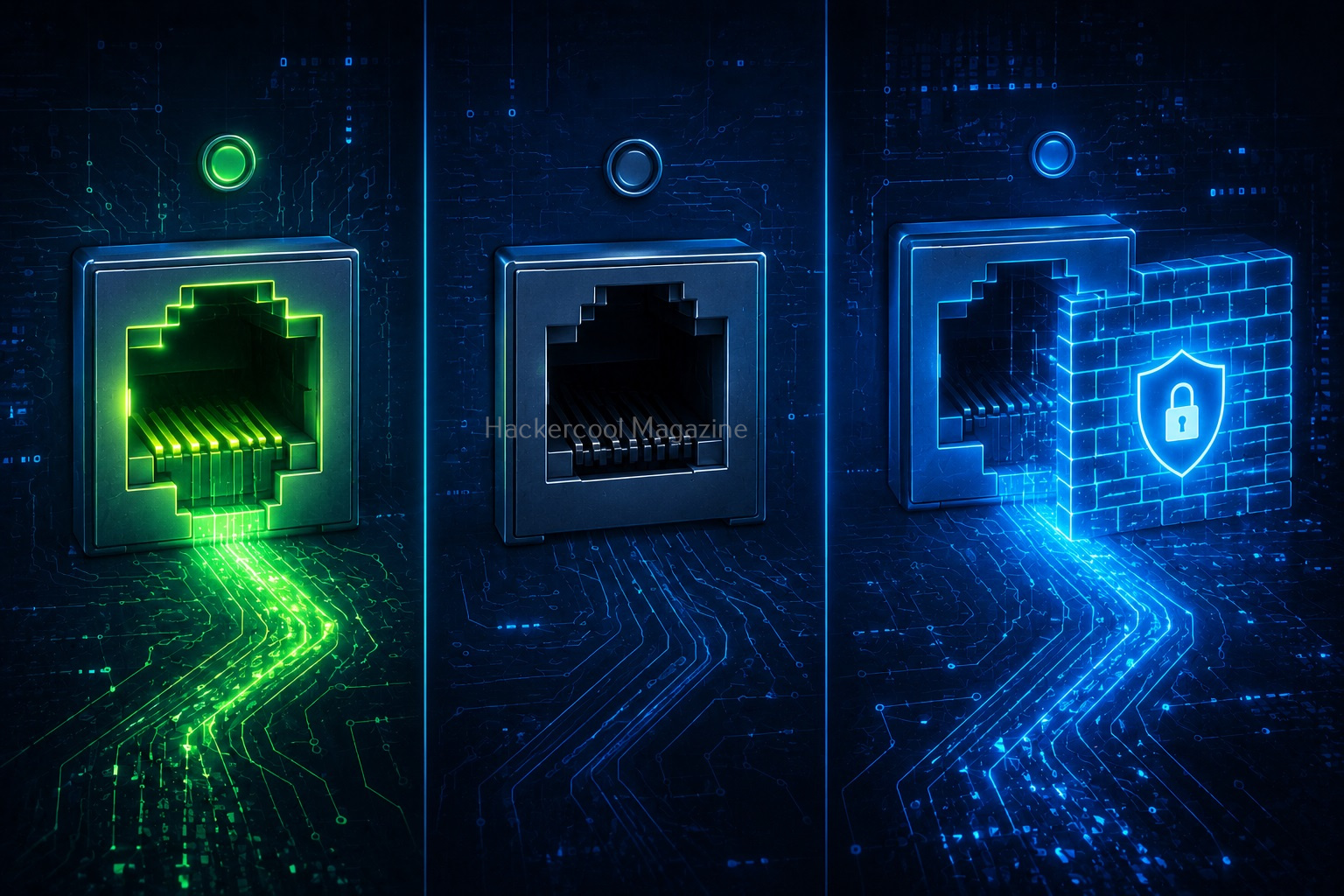
While scanning ports, The state of the port may be shown as being in one of the six categories given below.
1. Open Ports:
An open port means a service is actively listening for connections. Examples of such services include:
- Web services
- Mail services
- File sharing services
Open ports are often the primary focus of security assessments.
2. Closed Ports:
A closed port is reachable but has no service actively listening. The system is online but the specific port is unavailable.
3. Filtered Ports:
A filtered port means network controls prevent a clear response. This often occurs because of:
- Firewalls
- Filtering devices
- Security controls
Filtered ports can make analysis more difficult.
4. Unfiltered Ports:
An unfiltered port is a port that is accessible but cannot be determined whether it is open or closed. You will see this state only while performing the ACK scan.
5. Closed | filtered Ports:
A port is classified to this state when it can’t be founnd out whether a port is closed or filtered. You will see this result only while performing IDLE scan.
6. Open | filtered Ports:
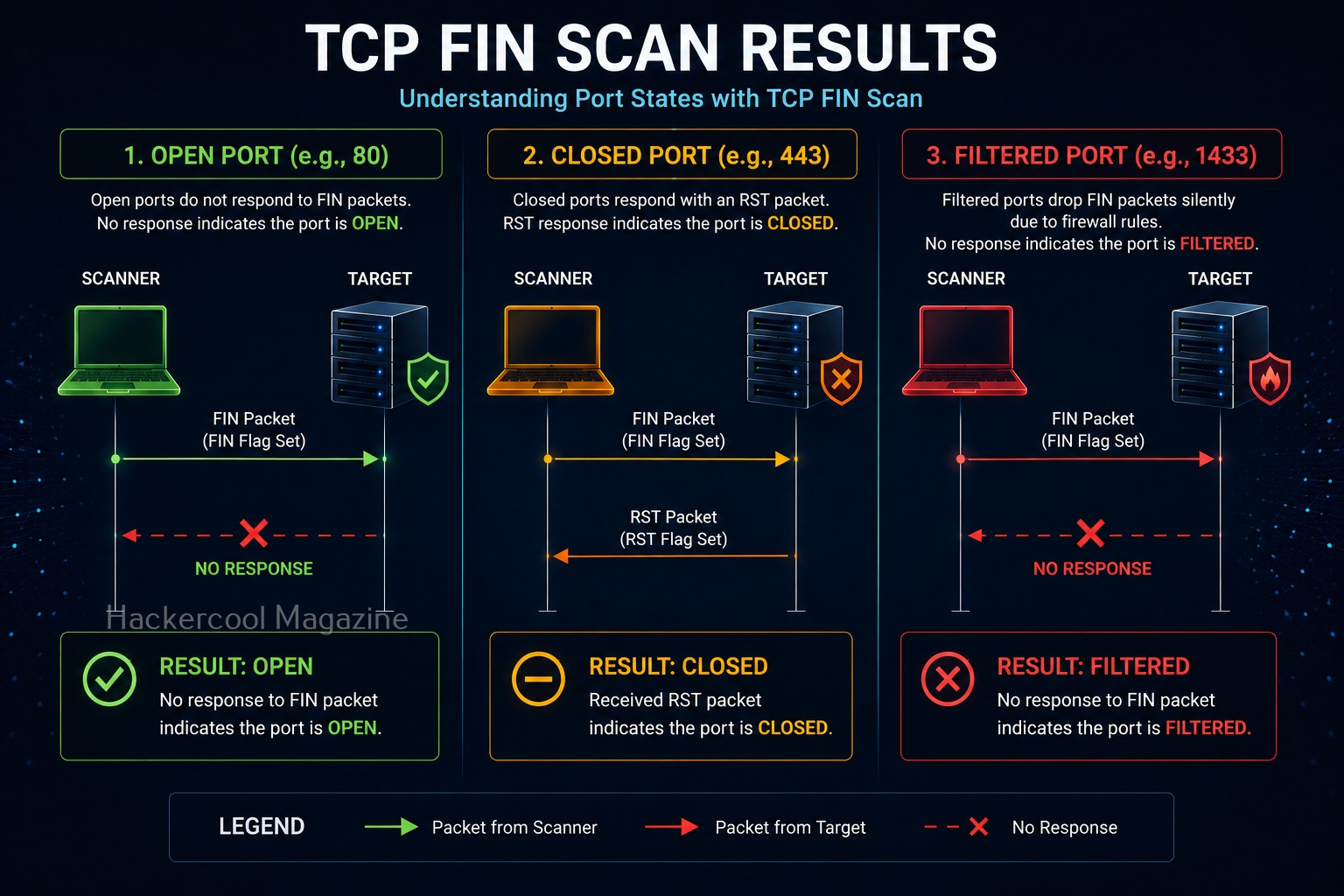
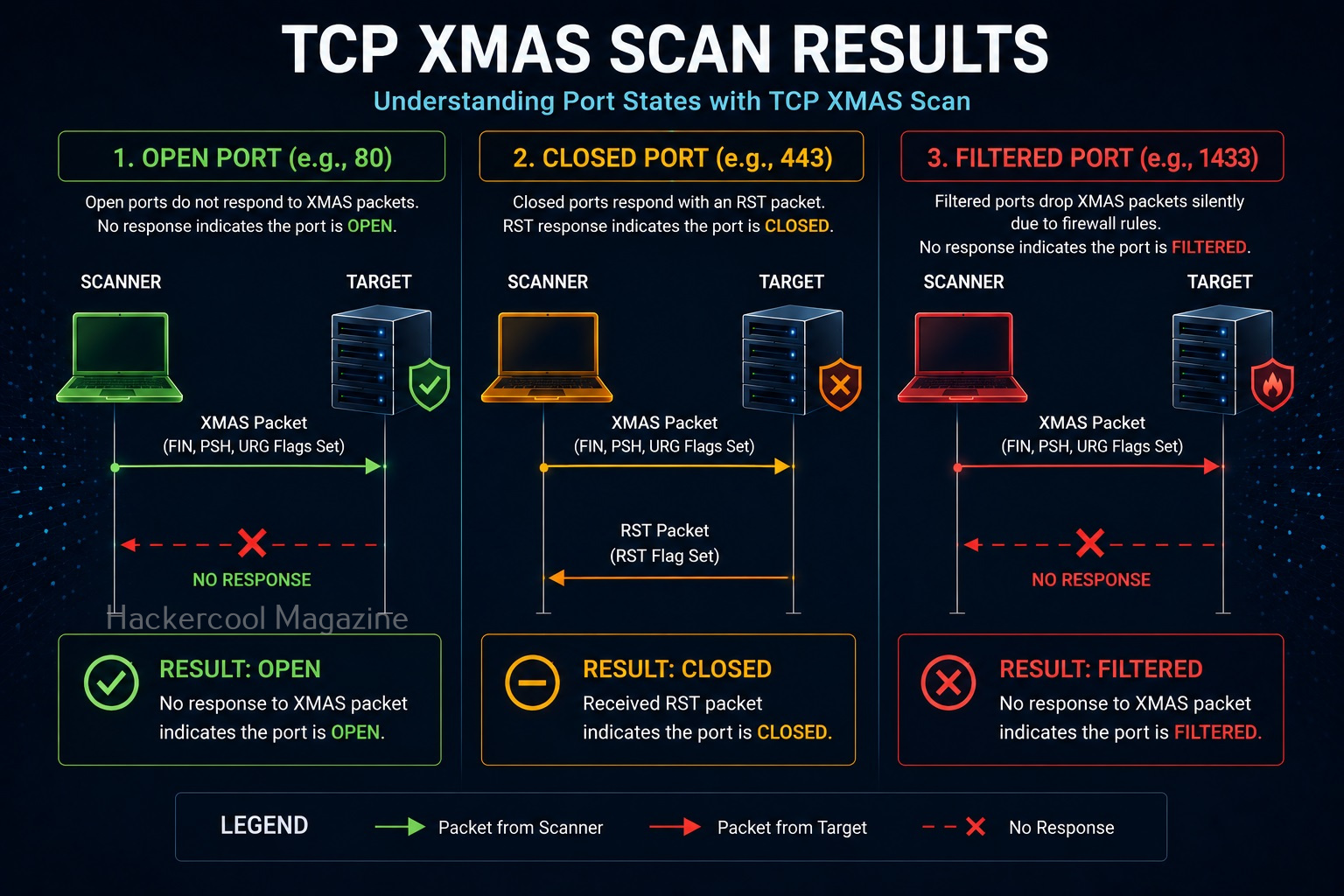
A port is classified as open | filtered when it can’t be determined whether a port is open or filtered. This happens for scan types in which open ports give no response. The UDP, IP protocol, FIN, NULL and XMAS scans classify ports this way.
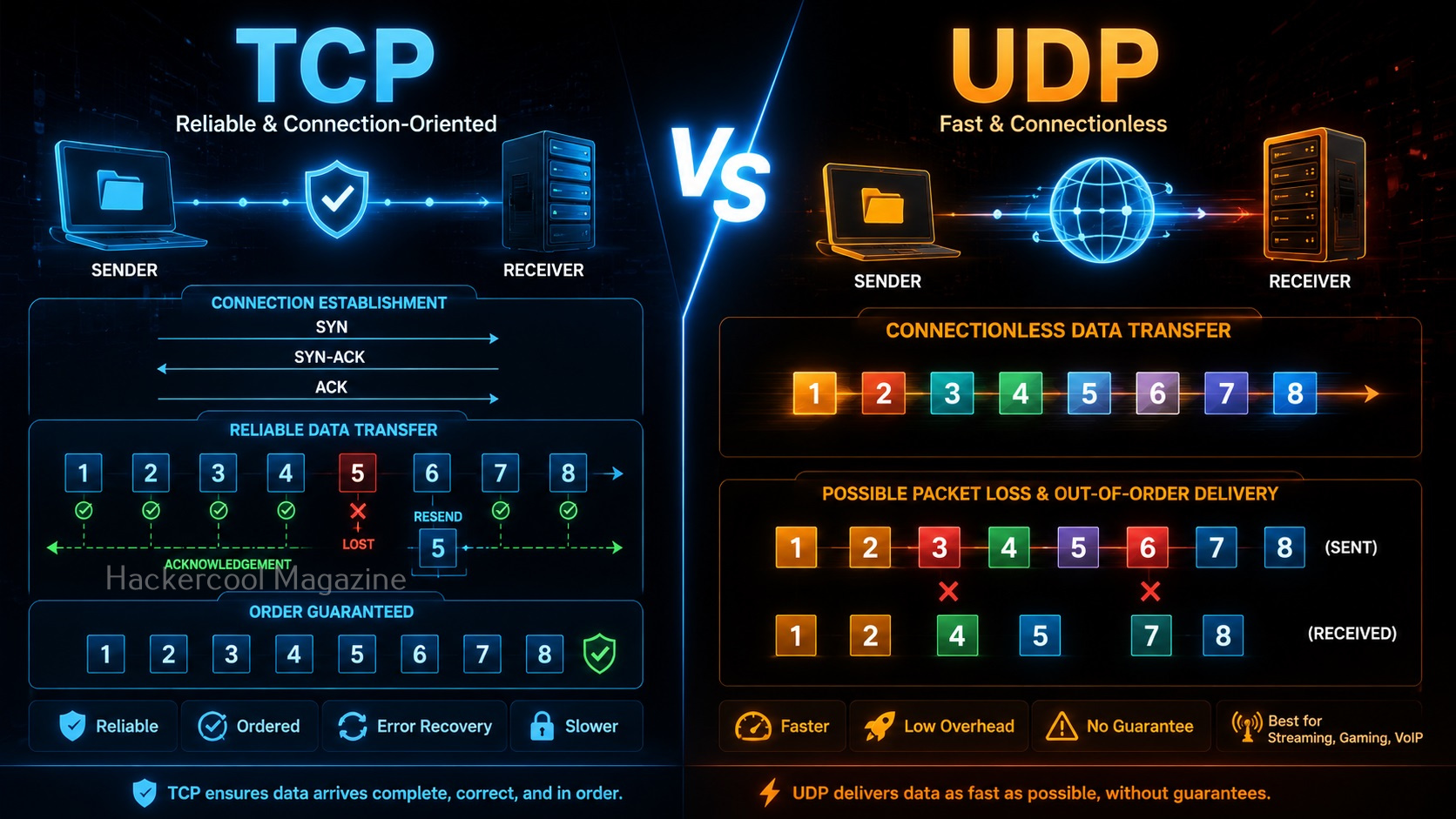
How TCP communication takes place?
In order to better understand the various port scanning techniques, readers need to first understand how comunicaton takes place between programs and applications on internet. You have read in our article on OSI model that the Transport Layer is responsible for reliable data transfer between end systems. Two protocols are mainly used for data transfer between devices and applications. They are:
- Transmission Control Protocol (TCP)
- User Datagram Protocol (UDP)
TCP is used when data accuracy, completeness and flawless delivery of data are important while UDP is used when speed and low latency are more important. Since data accuracy is important in most of the data transfers nowadays, TCP is preferred for most aplications.
To make sure that data is transmitting correctly and completely, Transmission Control Protocol (TCP) uses various flags in the headers. These flags are given below.

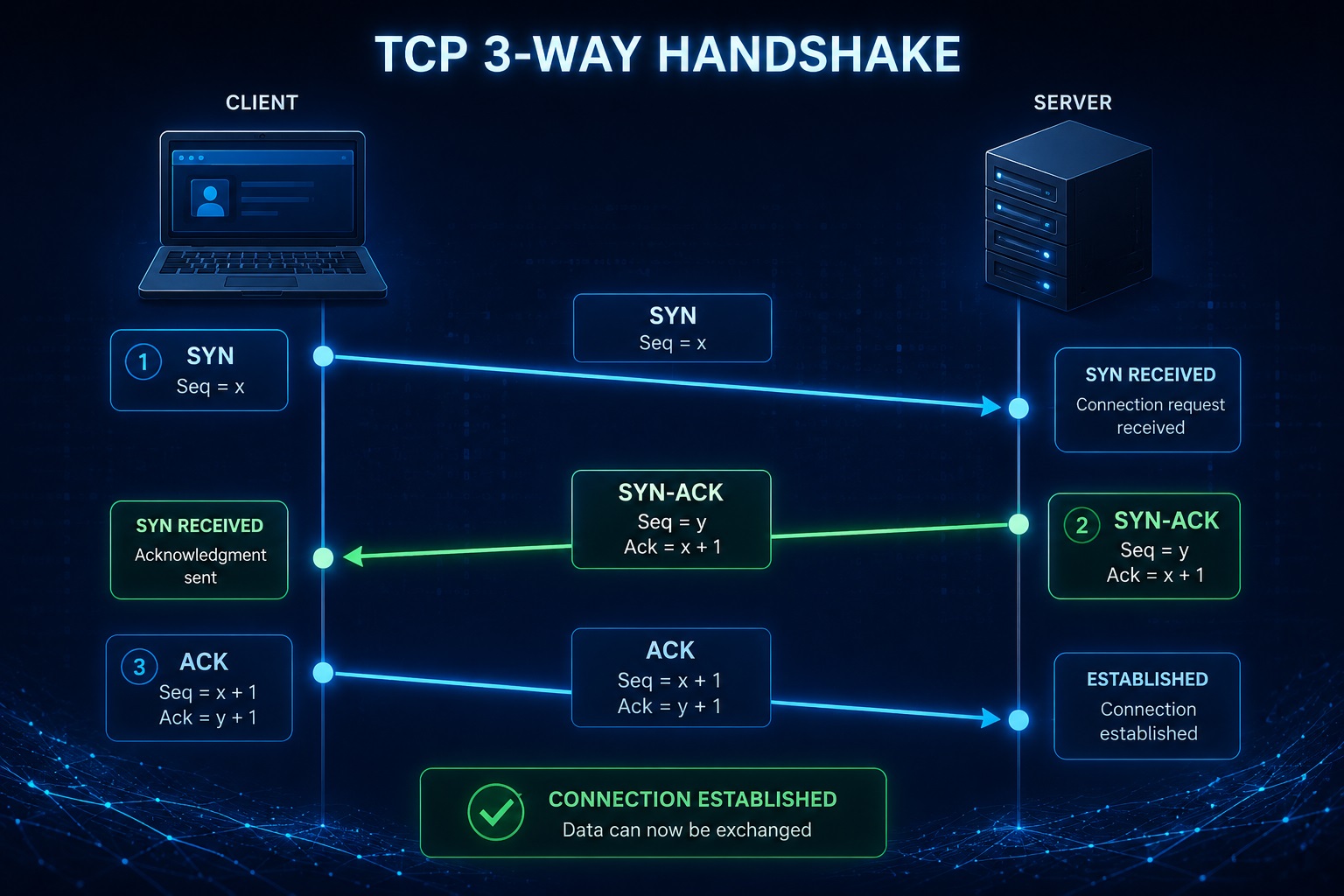
TCP Three-Way Handshake
For secure data transmission, TCP uses a technique called the Three-Way Handshake. In this, two devices establish a connection using a Three-Way handshake which is shown below.
- A client sends a TCP packet to the Server with SYN flag set.
- The Server responds with a TCP packet with both SYN and ACK flags set.
- The client replies to the packet with a TCP packet with ACK flag set.
After this 3-way handshake, both client and Server start sending and receiving data. Now, that you understood how TCP communication works, it’s time to see different port scanning techniques.
Common Port Scanning Techniques
There are multiple methods used to determine port status. Beginners should focus on understanding the concepts rather than memorizing technical details.
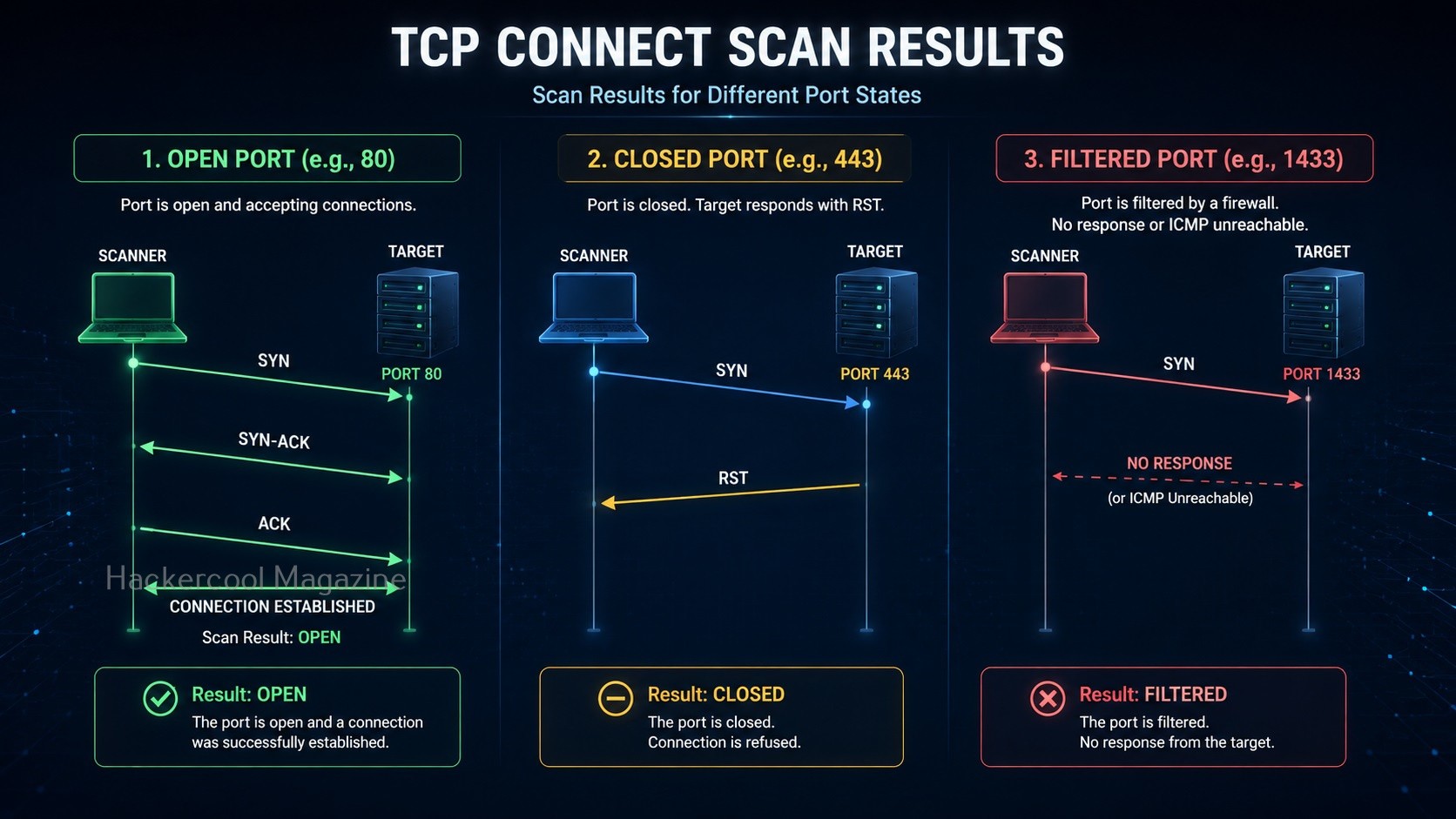
1. TCP Connect Scan:
One of the simplest scanning techniques. This method attempts to establish a complete network connection with the target service.
How It Works?
The scanner requests a connection. If the connection succeeds, the port is likely open. If it fails, the port is likely closed.
In this scan, port scanner like NMAP sends a TCP packet to a port with the SYN flag set. If the port is open, the target responds with a SYN/ACK flag set to packet. Then Nmap sends ACK packet. If the port is closed, the target sends a RST packet. If the target doesn’t respond, the port can be considered filtered.
Advantages:
- Easy to understand
- Reliable results
- Beginner friendly
Limitations:
- Creates more network activity
- Easier to detect
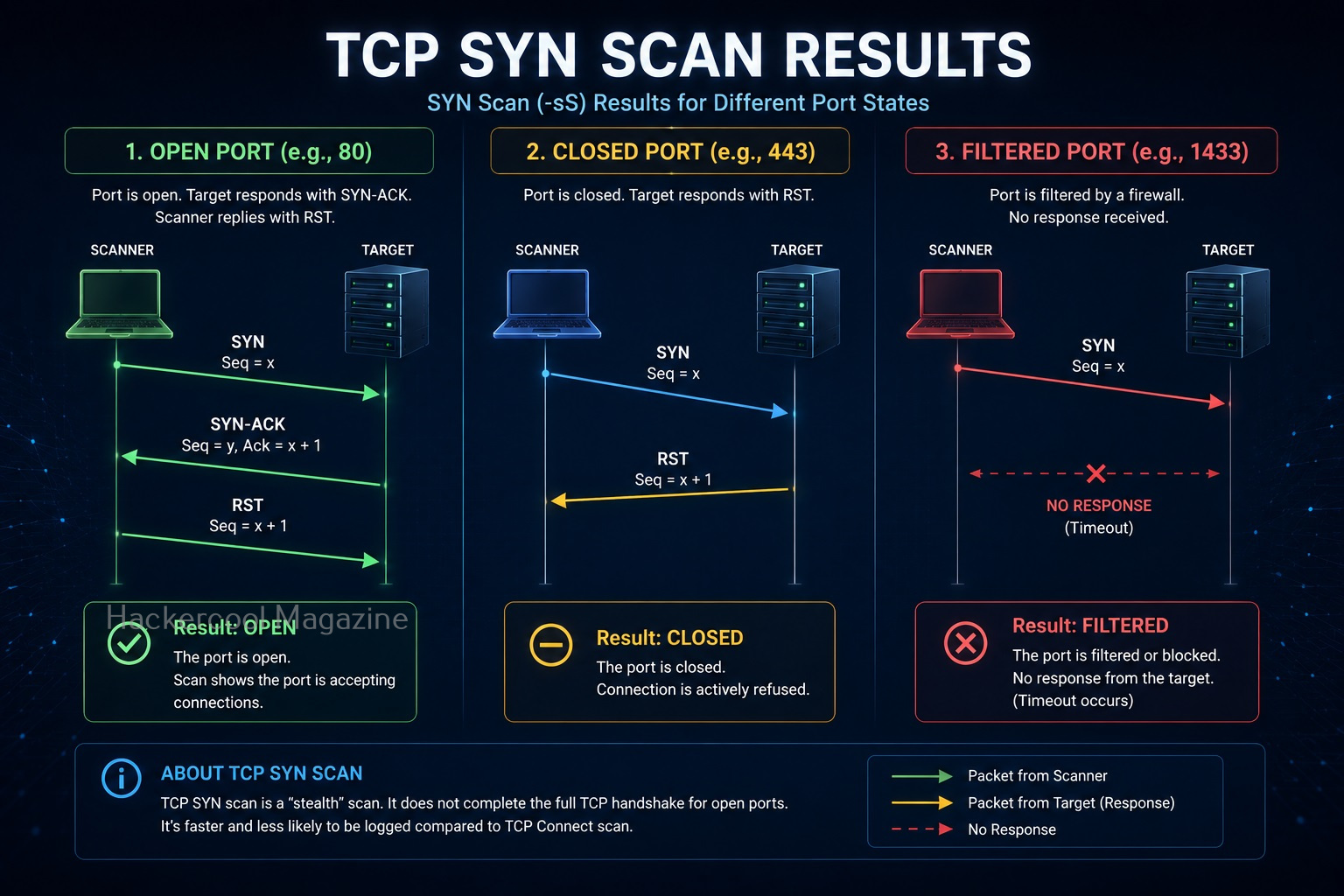
2. SYN Scan:
A commonly discussed scanning method. Rather than completing a full connection, the scanner checks how the target responds during the initial stages of communication.
In a SYN scan, a port scanner sends a SYN packet to the target port. If the port is open, the target sends a “SYN/ACK” set packet. Then, instead of sending a packet with ACK flag set, the port scanner sends a packet with RST flag set to terminate the connection. Since the Three-way handshake is not complete, it is also known as “half-open” scan. Similarly, since the TCP connection is not complete it is not logged and hence considered a stealthy scan. Also, unlike TCP connect scan, this scan is fast.
Why It’s Popular?
It can provide information efficiently while generating less activity than a full connection.
Beginner Takeaway:
The goal is still the same:
Determine whether a port is open. The difference lies in how the information is gathered.
Want to Learn Ethical Hacking Step-by-Step?
If you’re serious about learning cybersecurity, a structured roadmap makes the journey much easier.
Download The Beginner Ethical Hacker Starter Kit (2026 Edition) and discover:
✔ The ethical hacking learning path
✔ Beginner-friendly security concepts
✔ Essential tools ethical hackers use
✔ The most common vulnerabilities explained
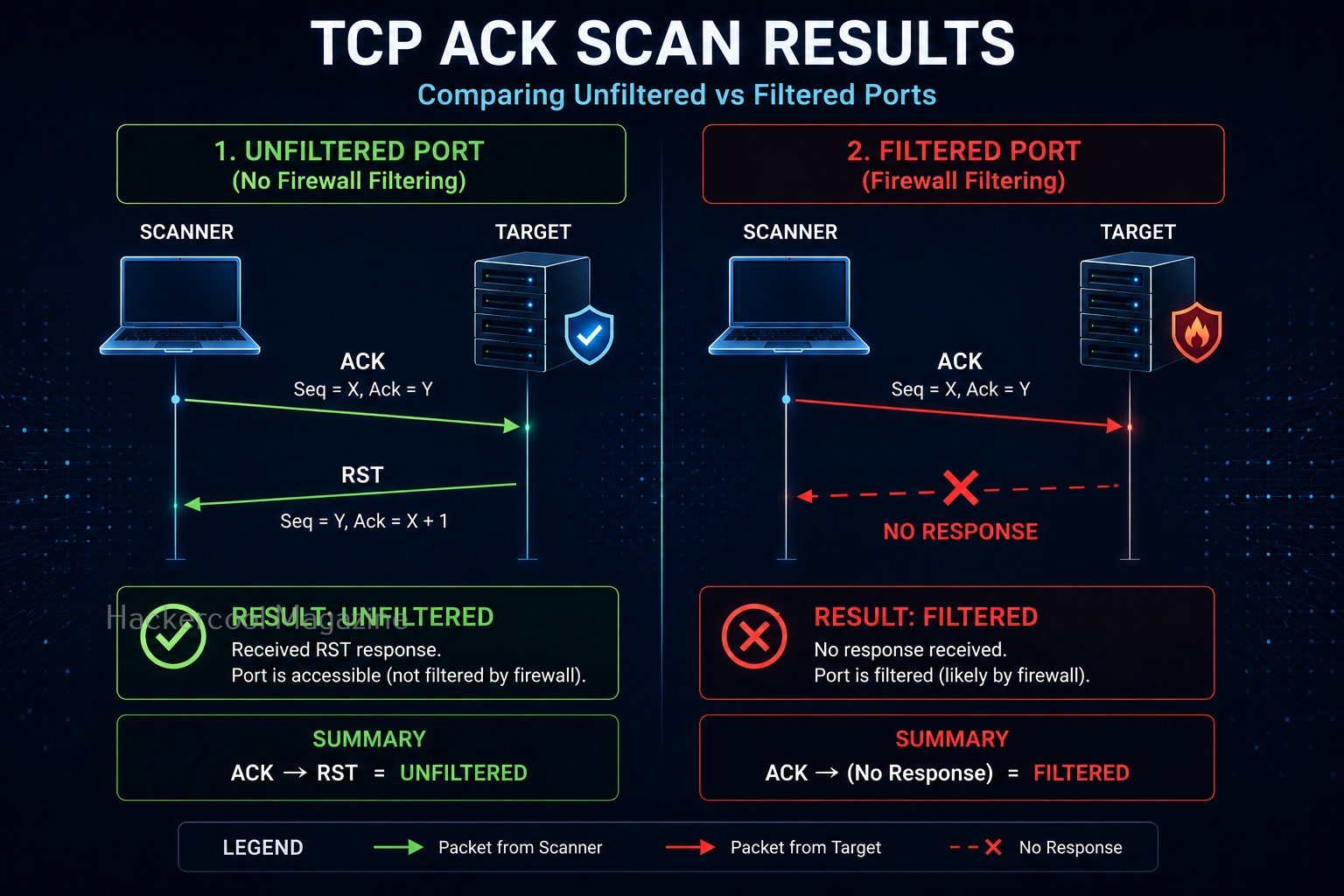
3. ACK Scan:
Unlike the above two scans, this scan is not used to determine if a port is open or not. In fact, it is used to determine firewall rulesets. In this scan, a packet with ACK flag set is sent to the target port. Here, both open and closed ports send a packet with RST flag set. These ports are labelled as unfiltered. If the ACK packet is dropped, the port is labelled as filtered.

4. NULL Scan:
In this scan, no flags are set while sending a packet to the target. If no response is received, the port is assigned as open/filtered. If an RST flag is received from the target port, the port is considered closed and if any ICMP unreachable error 3, code,1,2, 9,10 or 13 is received, it is considered as filtered.
5. FIN Scan:
In this scan, a packet with FIN flag set is sent to the target. The result is same as that of NULL scan.
6. XMAS Scan:
In this scan, flags FIN, PSH and URG flags are set to the packet and sent to the target port. The result is same as that of Null scan & FIN scan. Since the packet is lighted up like a Christmas tree when these 3 flags are set, it is known as XMAS scan. Learn about different port scan results.

7. UDP Scanning:
Not all services use the same communication methods. Some services use UDP instead of TCP.
Why UDP Matters?
Certain applications rely on UDP for communication. Examples include:
- DNS services
- Streaming services
- Various network protocols
Challenges:
UDP scans can be slower and harder to interpret. For beginners, understanding that TCP and UDP exist is more important than mastering advanced techniques immediately.

8. Service Detection:
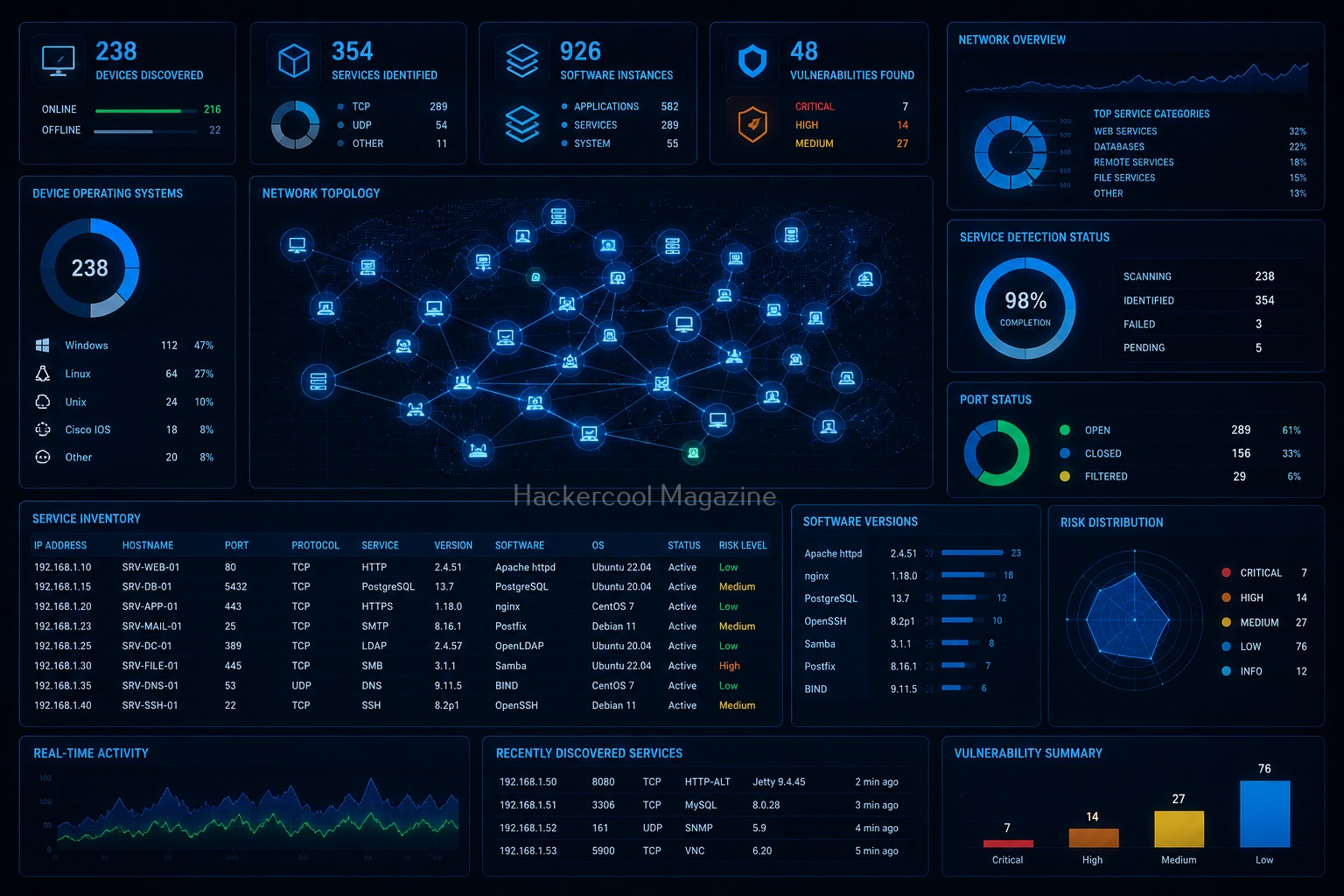
After identifying open ports, the next step is understanding what services are running. Examples include:
- Web applications
- Email systems
- File transfer services
This process helps build a more complete picture of the target system.
9. Version Identification:
Sometimes security professionals attempt to determine:
- Software versions
- Service information
- Configuration details
Understanding software versions helps assess potential risks and maintenance needs.
What Information Can Port Scanning Reveal?
Port scanning can reveal a surprising amount of information. Examples include:
1. Active Hosts:
It reveals which devices are online.
2. Open Services:
It reveals what applications are exposed.
3. Service Types:
The role of different systems.
4. Infrastructure Information:
How systems may be configured.
5. Potential Security Risks:
Exposed services often require further review.
Port Scanning and Ethical Hacking
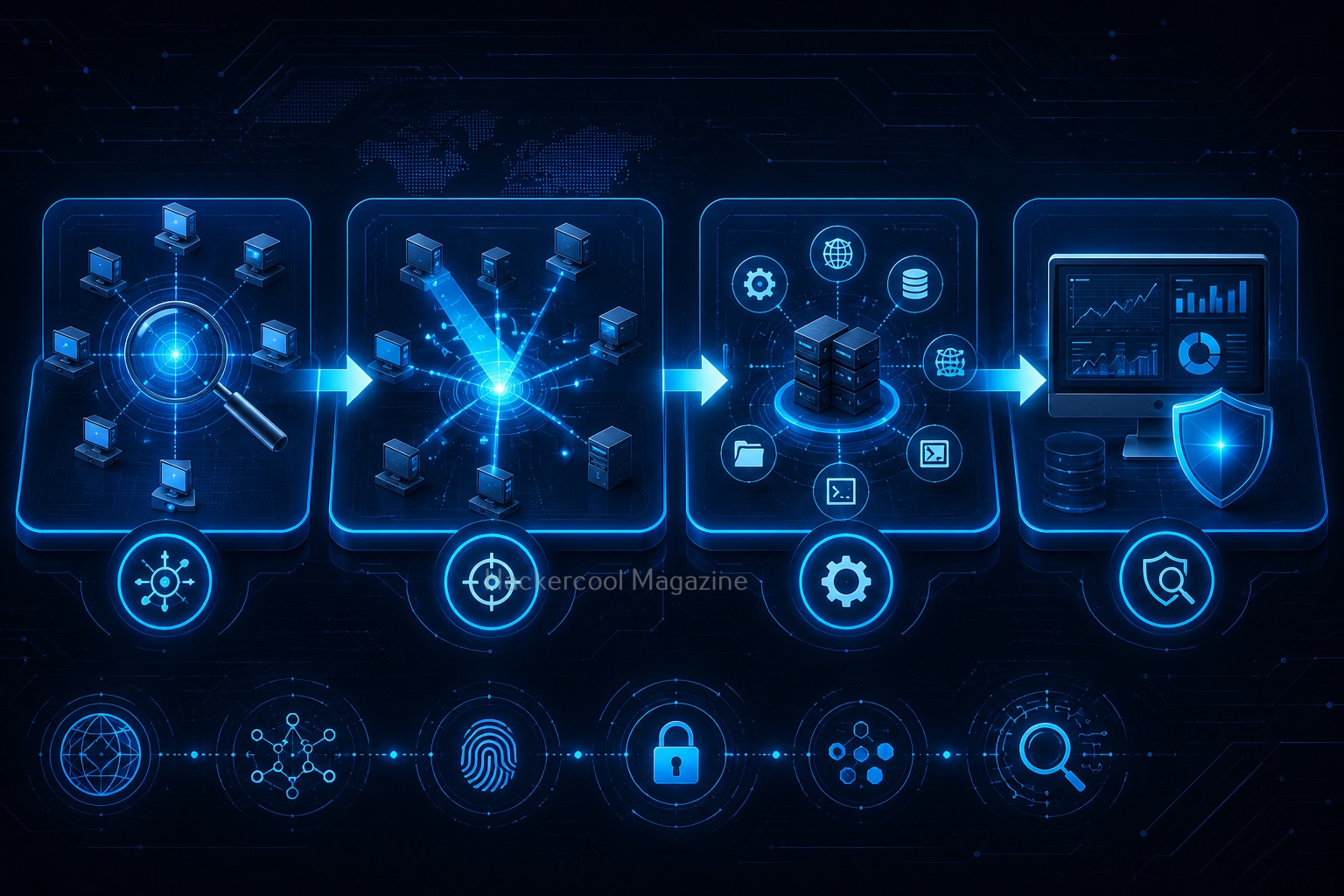
Port scanning is often part of the reconnaissance and enumeration phases of an assessment. A simplified workflow may look like:
- Information Gathering
- Host Discovery
- Port Scanning
- Service Identification
- Vulnerability Analysis
- Reporting
Port scanning helps bridge the gap between discovering systems and understanding their security posture.

Common Beginner Mistakes
Many beginners make the same mistakes when learning port scanning. You should avoid these.
1. Focusing Only on Open Ports:
Finding an open port is only the beginning. The real value comes from understanding what it means.
2. Ignoring Networking Fundamentals:
Without understanding networking concepts, scan results can seem confusing. Learn:
- IP addresses
- DNS
- TCP
- UDP
- Routing basics
3. Becoming Tool Dependent:
Tools help collect information. Understanding the information is what matters.
4. Not Documenting Results:
Always record:
- Findings
- Observations
- Questions
Documentation is a professional habit worth developing early.
5. Scanning Unauthorized Systems:
This is extremely important. Only perform scans on:
- Systems you own
- Home labs
- Authorized environments
- Educational platforms
Always remain within legal and ethical boundaries.

Safe Ways to Practice
You don’t need a corporate network to learn port scanning.
1. Home Lab Environments:
Create a small network using your own devices.
2. Virtual Machines:
Build isolated practice systems.
3. Training Platforms:
Use environments designed for cybersecurity learning.
4. Personal Systems:
Observe services running on your own devices.

Skills Developed Through Port Scanning
Port scanning helps build valuable cybersecurity skills.
1. Observation:
Learning to identify patterns.
2. Analysis:
Understanding network behavior.
3. Documentation:
Recording technical findings.
4. Troubleshooting:
Investigating unexpected results.
5. Network Awareness:
Developing a deeper understanding of system communication.
Why Every Ethical Hacker Learns Port Scanning
Port scanning remains one of the most fundamental reconnaissance skills because it helps answer a critical question:
What is exposed?
Before assessing security, you need visibility. Port scanning provides that visibility.
Whether you’re pursuing a career in:
- Penetration Testing
- Security Analysis
- Network Security
- Incident Response
Understanding port scanning will continue to be valuable throughout your cybersecurity journey.

Conclusion
Port scanning is one of the first practical skills many ethical hackers learn. It teaches you how systems communicate, how services are exposed and how security professionals gather information about networked devices.
Remember:
✔ Port scanning identifies exposed services
✔ Open ports often indicate active applications
✔ Different scanning techniques gather information in different ways
✔ Understanding results matters more than running tools
✔ Practice should always occur in authorized environments
For beginners, port scanning is an excellent introduction to the world of network reconnaissance and cybersecurity analysis. The concepts you learn here will provide a strong foundation for more advanced security topics in the future.
Start Your Ethical Hacking Journey Today
Learning cybersecurity can feel overwhelming at first. The best way to start is with a clear roadmap and the right resources.
Download The Beginner Ethical Hacker Starter Kit (2026 Edition) and get instant access to:
Ethical Hacking Fundamentals
A beginner cybersecurity learning roadmap
Essential hacking tools every beginner should know
Common vulnerabilities explained simply


