
Hello, aspiring ethical hackers. In our previous blogpost, you learnt how to use netcat for various purposes in ethical hacking. In this blogpost, you will learn about another such tool named Socat.
New to Ethical Hacking?
Start your journey with The Beginner Ethical Hacker Starter Kit (2026 Edition).
Inside the free guide, you’ll learn:.
- Ethical hacking fundamentals
- Beginner cybersecurity roadmap
- Essential hacking tools
- Common vulnerabilities explained
Socat, shortcut for SOcket CAT is a command line utility that enables bidirectional data transfer between two independent data channels. Actually, it can provide multiple functions. It supports many protocols like TCP, UDP, SOCKS4 and OpenSSL.
Bind and Reverse shells
The use of socat tool comes after you completed gaining access to target network or device. Here, it helps you in maintaining access as channel for communication.
Let’s see how to create bind shells with socat (learn about different types of shells). For this, we will be using Metasploitable2 as target system in our virtual hacking lab. Note that socat should be installed on both target and attacker systems for this to work. To create a bind shell, run this command on the target system as shown below.

Then on the attacker system, we need to run this command.

Here’s our bind shell.
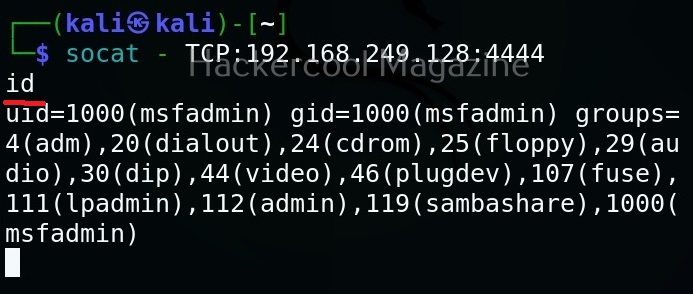
To create reverse shell, the above commands should be run on attacker and target system respectively.


Here’s our reverse shell.

Encrypted bind and reverse shell with socat
The above shells, although they are good, the data between them is transferred in plain text and is susceptible to sniffing and detection. No problems though. Socat can create an encrypted shell using OpenSSL.
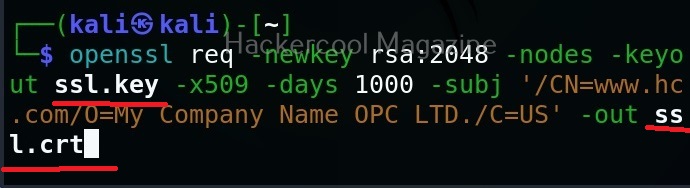
To create an encrypted shell, first, we need to create a SSL key as shown below. Two files with extensions “.crt” and “.key” are created as shown below.

Then, we need to join this two files into one file with “.pem” file as shown below.

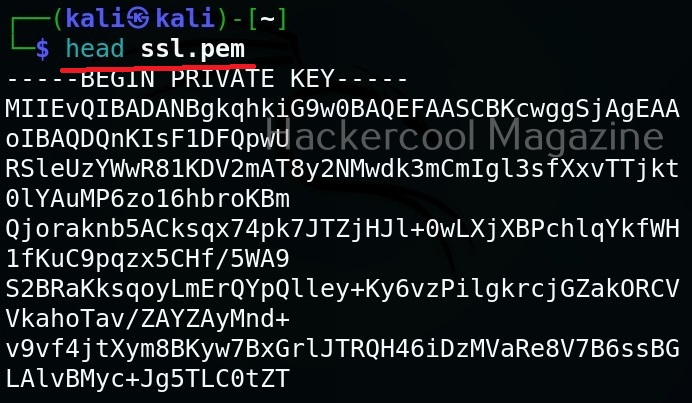

Now this file should be on the system on which we start our listener. For example, to create a bind shell, the “ssl.pem” should be on the target system. Then we need to run command as shown below.
Want to Learn Ethical Hacking Step-by-Step?
If you’re serious about learning cybersecurity, a structured roadmap makes the journey much easier.
Download The Beginner Ethical Hacker Starter Kit (2026 Edition) and discover:
✔ The ethical hacking learning path
✔ Beginner-friendly security concepts
✔ Essential tools ethical hackers use
✔ The most common vulnerabilities explained

Then, on attacker system we should run this command shown below.
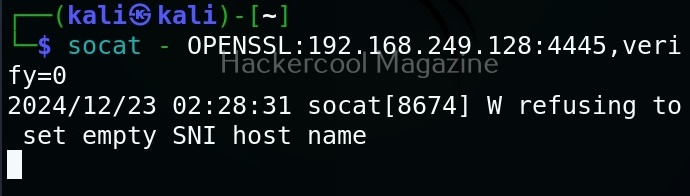
Here’s the shell.
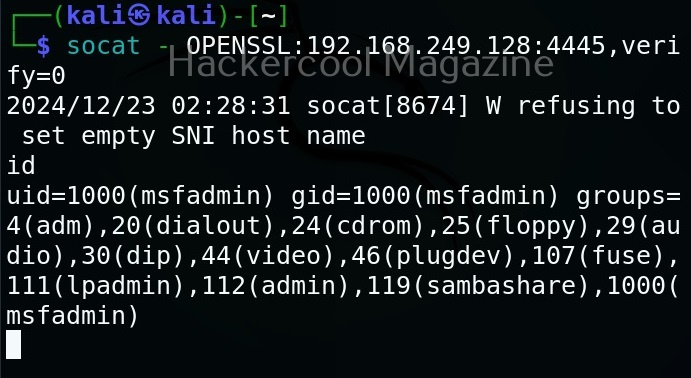
Similarly, we can also create a reverse shell.



File transfer
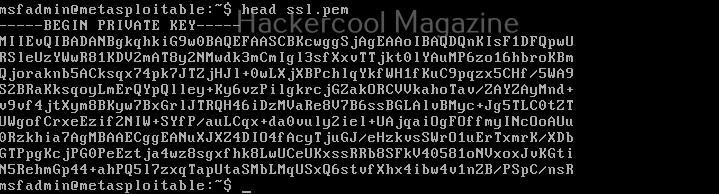
Socat can also be used to transfer files between two machines. For example, to transfer that SSL certificate we created above from attacker system to target system, the command to be run on the attacker system is shown below.

Then on the target system, we should run this command.


Start Your Ethical Hacking Journey Today
Learning cybersecurity can feel overwhelming at first. The best way to start is with a clear roadmap and the right resources.
Download The Beginner Ethical Hacker Starter Kit (2026 Edition) and get instant access to:
✔ Ethical hacking fundamentals
✔ A beginner cybersecurity learning roadmap
✔ Essential hacking tools every beginner should know
✔ Common vulnerabilities explained simply


