
Hello, aspiring ethical hackers. In our previous blogpost of Computer virus, you have learnt what is a virus, its functions and about different types of viruses. In this article, you will learn how to create a Virus manually.
New to Ethical Hacking?
Start your journey with The Beginner Ethical Hacker Starter Kit (2026 Edition).
Inside the free guide, you’ll learn:.
- Ethical hacking fundamentals
- Beginner cybersecurity roadmap
- Essential hacking tools
- Common vulnerabilities explained
What You Should Know First?
Before learning how viruses are created, it helps to understand these basic concepts:
However, note that it is only for educational and knowledge purposes and not for performing any malicious purpose. The aim of this article is to give you a basic understanding on how to create a virus. Let’s begin.
Creation of a computer virus consists of six steps. They are,
- Decide the function you want your virus to perform.
- Select a programming language in which you want to code your virus.
- Code the virus.
- Compiling the virus.
- Testing.
- Sharing the Virus.
Let’s learn about each step in detail.
1. Function of a virus:
Before you even start coding a virus, you need to decide what exactly you want your virus to do. In real-world, computer viruses perform many functions that include downloading and installing additional viruses, wiping data from the infected system and even taking complete control of the system. For example, I decide that my virus should open a Firefox browser when executed.
2. Choose your language:
After deciding the function of your virus, next thing you have to do is choose a programming language to code this virus. Computer viruses can be written in many programming languages like C, Deslphi, Visual Basic, C#, C++, Cobol, Ruby, Python etc. They can also be created using scripting languages like JavaScript, Batch script, Bash, PowerShell etc. Choose the programming or scripting language of your choice. For example, I want to write my virus in Batch scripting.
3. Write code:
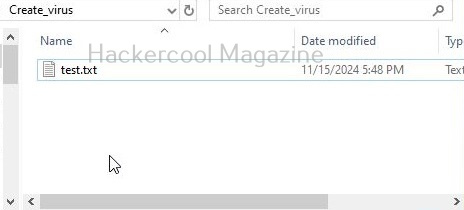
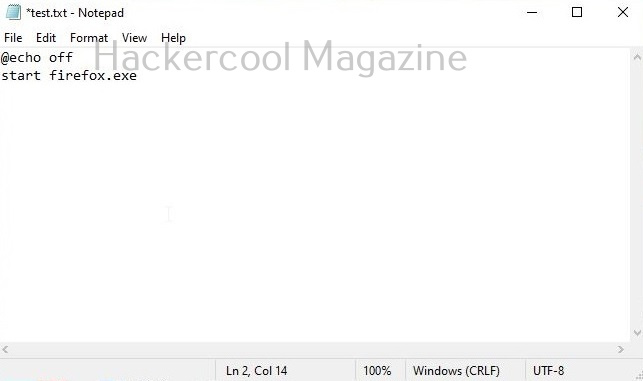
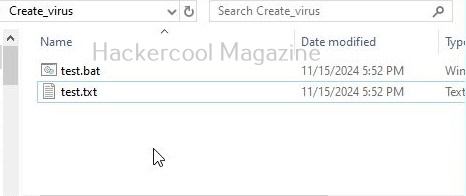
Once you select the programming language or scripting language, you need to code the virus. To code a batch script, all I have to do is open a notepad, add the code shown below and save the file as Batch file (with extension .bat)
@echo off
start firefox.exe
4. Compile (if necessary):
Compile the virus. Compiling is a process of converting source code into machine-readable code so that a computer can execute it. Since we have written our code in Batch, it doesn’t need any compilation. But programs written in C,C++, Python need compiling. Compiled programs are usually fast.
Where Does This Fit In Your Learning Journey?
Don’t learn cybersecurity topics in isolation .
See how this topic fits into your step-by-step path to becoming an ethical hacker.
5. Test the virus:
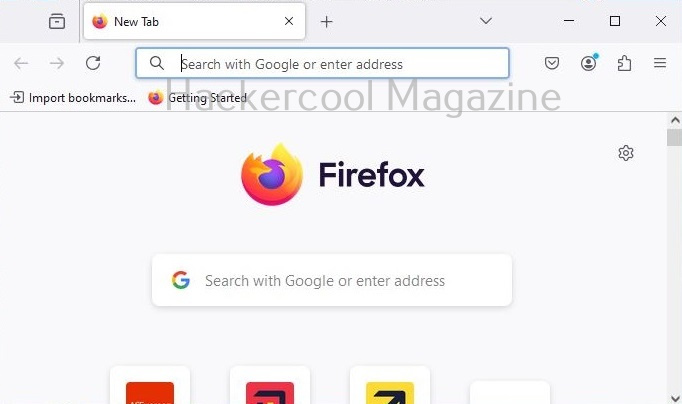
Once you have finished coding the virus and compiling it, test its working by executing the virus. I execute the Batch virus I created and it open Firefox browser as shown below.
6. Share the virus:
The last step is to share the virus to make your target user execute it. Normally hackers use social engineering or phishing schemes to spread the virus.
Ready To Build Your Foundation?
Go beyond individual tutorials with six beginner resources covering Networking, Linux, Windows, Web Fundamentals, Command Line Essentials and Virtual Labs.


