

Hello, aspiring Ethical Hackers. In our previous blogpost, you have learnt what is footprinting and various methods to perform footprinting. One such type of Footprinting is Email Footprinting or Email analysis.
Not just that. Emails are one of the most common ways cyber attacks happen. From phishing scams to malware delivery, attackers often use email as their first point of entry. That’s why learning email analysis is an important skill for anyone interested in cybersecurity or ethical hacking. The good news?
You don’t need advanced skills to start learning it. In this beginner-friendly guide, you’ll learn:
- What email analysis is
- Why it matters
- How to analyze emails step by step
- What suspicious signs to look for
New to Ethical Hacking?
Start your journey with The Beginner Ethical Hacker Starter Kit (2026 Edition).
Inside the free guide, you’ll learn:.
- Ethical hacking fundamentals
- Beginner cybersecurity roadmap
- Essential hacking tools
- Common vulnerabilities explained
What is Email Analysis?
Email analysis is the process of examining an email to determine whether it is safe, suspicious or malicious. This includes checking:
- Sender information
- Links
- Attachments
- Email headers
- Writing style
In simple terms, you investigate an email before trusting it.
Why is Email Analysis Important?
Cybercriminals rely heavily on email attacks because they target people directly. Email analysis helps:
- Detect phishing attempts
- Identify fake senders
- Prevent malware infections
- Protect sensitive information
Why Attackers Use Email:
Email attacks are effective because:
- People trust familiar brands
- Emails can create urgency
- Users may click without thinking
Even experienced users can be fooled.
Common Types of Malicious Emails
Before analyzing emails, you should understand some of the common malicious emails.
1. Phishing Emails:
These email are designed to steal:
- Passwords
- Banking details
- Personal information
Usually pretend to be:
- Banks
- Companies
- Online services
2. Malware Emails:
Contain:
- Malicious attachments
- Dangerous download links
Goal:
- Infect systems
3. Spoofed Emails:
The sender address is faked to appear legitimate.
4. Scam Emails:
Try to trick victims into:
- Sending money
- Sharing sensitive information
Step-by-Step Email Analysis Process
Let’s go through a simple beginner workflow of analysing emails.
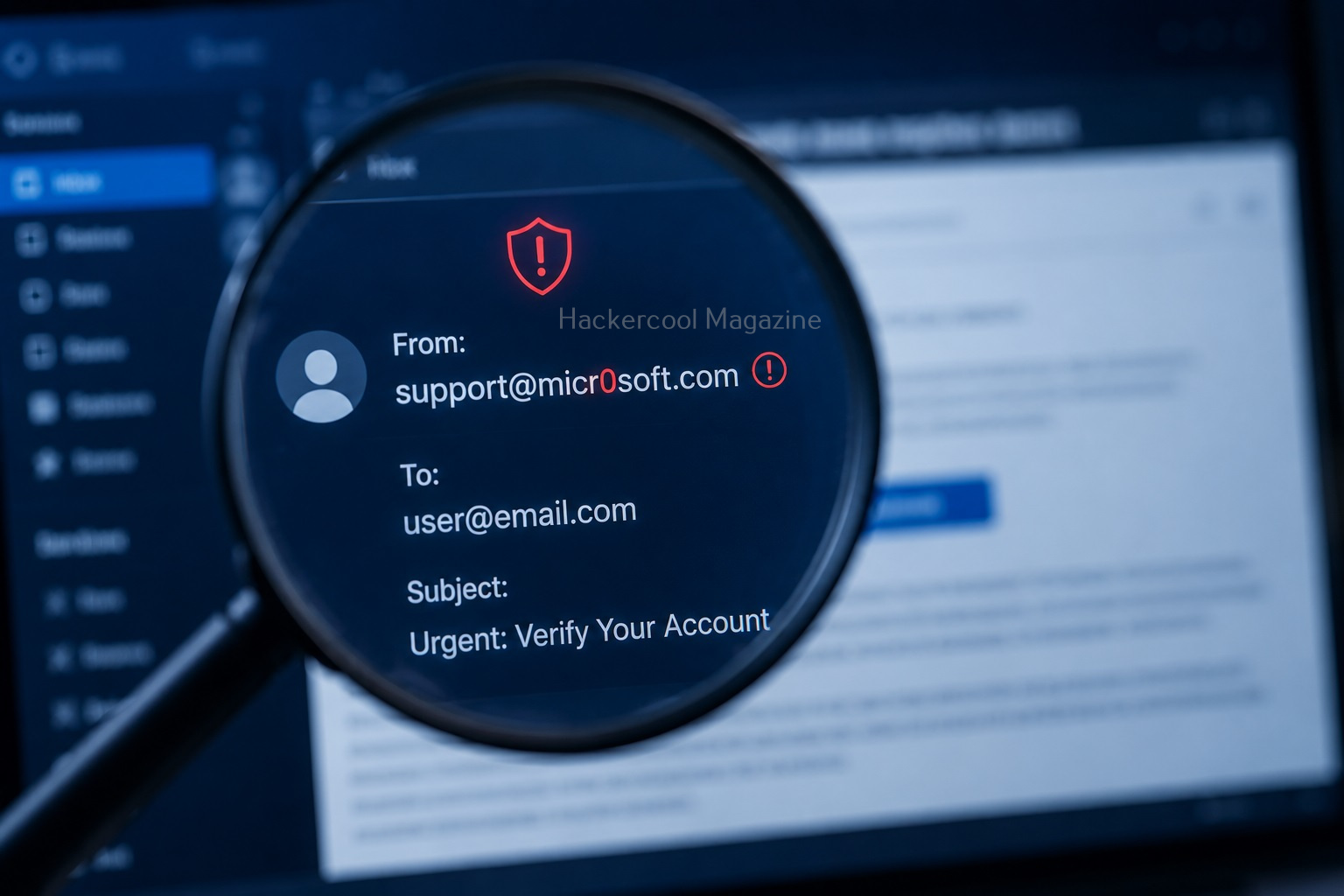
Step 1: Check the Sender Address:
This is the first thing you should inspect. Attackers often use:
- Misspelled domains
- Fake addresses
Example:
Real:
Fake:
Notice the subtle difference?
Step 2: Analyze the Subject Line:
Suspicious emails often create:
- Fear
- Urgency
- Curiosity
Examples:
- “Your account will be suspended!”
- “Urgent payment required!”
Attackers want you to react quickly.
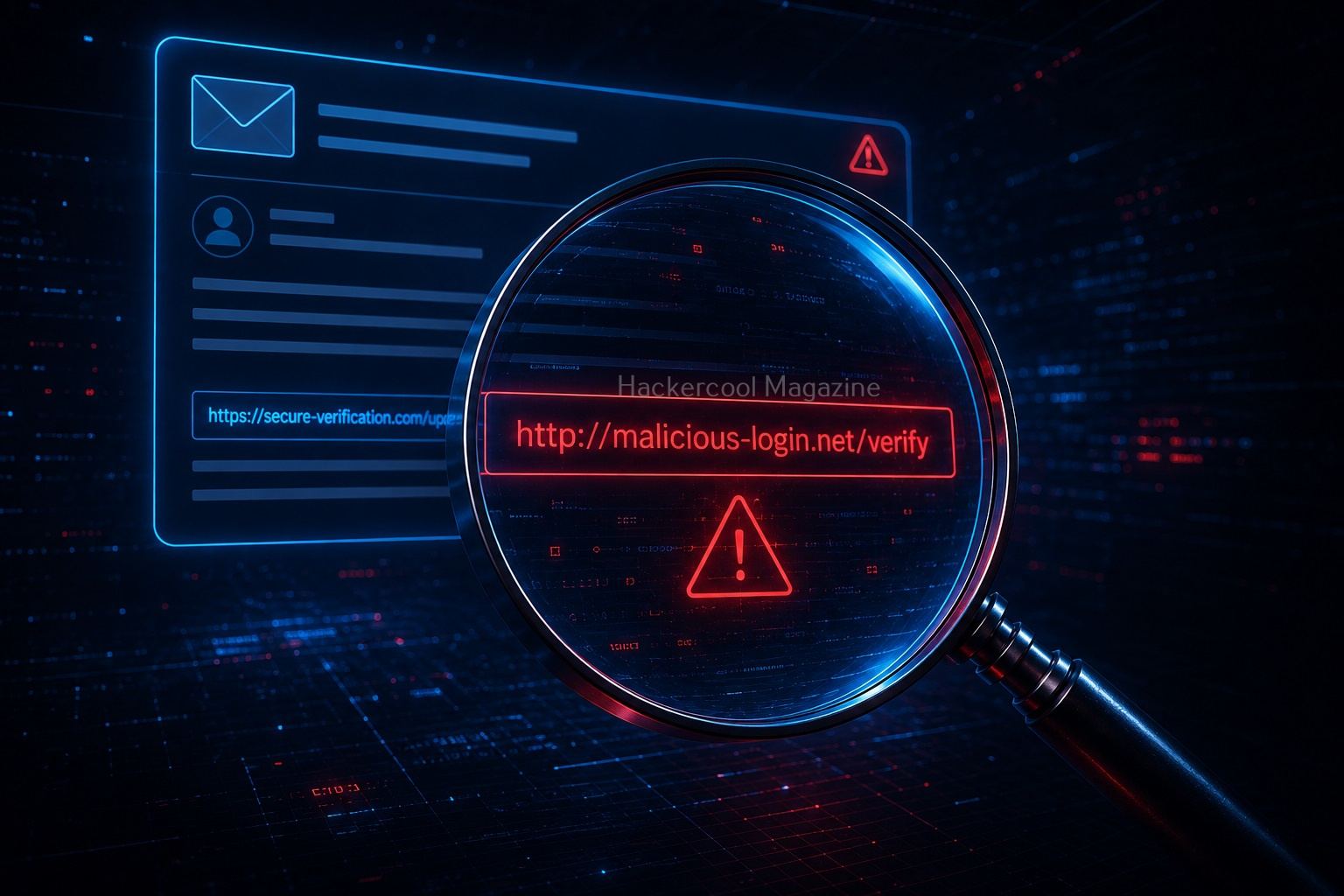
Step 3: Look For Suspicious Links:
Never trust links inside an email immediately. Hover over links and check:
- Destination domain
- Strange URLs
Red Flags:
- Random characters
- Shortened URLs
- Misspelled domains
Step 4: Inspect Attachments:
Attachments can contain malware. Be cautious with:
- ZIP files
- EXE files
- Office documents with macros
If unexpected, don’t open them.
Step 5: Check the Writing Style:
Many phishing emails contain:
- Grammar mistakes
- Unusual wording
- Generic greetings
Examples:
- “Dear user”
- “Dear customer”
Legitimate companies usually personalize emails.

Step 6: Analyze Email Headers:
Headers contain technical information about the email. They can reveal:
- Sending servers
- Email path
- Authentication results
Why Headers Matter:
Headers help identify:
- Fake senders
- Spoofing attempts
Beginners don’t need to master headers immediatel but learning basics helps a lot. Let’s show you a simple example of header analysis of a real-world email received on Gmail. Go to your Inbox and open a mail. Go to the vertical dots (move button) at the top right of the email and click on it as shown below.

Click on “Show original”.

This should show you the entire email headers of the particular mail.

Let’s learn about each header in detail.

Delivered To:
Email address to whom the mail has been delivered.
Received:
This header indicates all the SMTP servers through which this email has passed through before reaching to your Inbox. This contains server IP address, SMTPID etc.
X-Google-SMTP-source:
It shows the transferring email using a Gmail SMTP server. If this header is present, then it usually means this was transferred by GMAIL SMTP server.
X_Received-BY:
This header indicates the last visited SMTP server the mail reached before reaching your Inbox. It contains Server IP address, SMTP ID of the visited server and Date & time when the email was received by the SMTP server.

ARC-Seal, ARC-Message-Signature, ARC-Authentication-Results: ARC stands for Authenticated Receiver Chain (ARC). This is used to preserve email authentication results and to verify the identity of email intermediaries that forward a manage to its final destination (i.e. your Inbox).

SMTP-mailfrom:
You can see the IP address of the sender of the email.
Return-Path:
This is the path specified to go when email is bounced or not sent.
Received SPF:
SPF stands for Sender Policy Framework. This is used to prevent sender address forgery. It SPF is set to PASS, the Email source is valid, if it is softfail, it is likely the email source is fake and if it is having value Fail, source is invalid.
This is how Email headers can be analysed.
Want to Learn Ethical Hacking Step-by-Step?
If you’re serious about learning cybersecurity, a structured roadmap makes the journey much easier.
Download The Beginner Ethical Hacker Starter Kit (2026 Edition) and discover:
✔ The ethical hacking learning path
✔ Beginner-friendly security concepts
✔ Essential tools ethical hackers use
✔ The most common vulnerabilities explained
Step 7: Verify Before Taking Action:
If an email seems suspicious, don’t click immediately. Instead:
- Visit the official website manually
- Contact the company directly
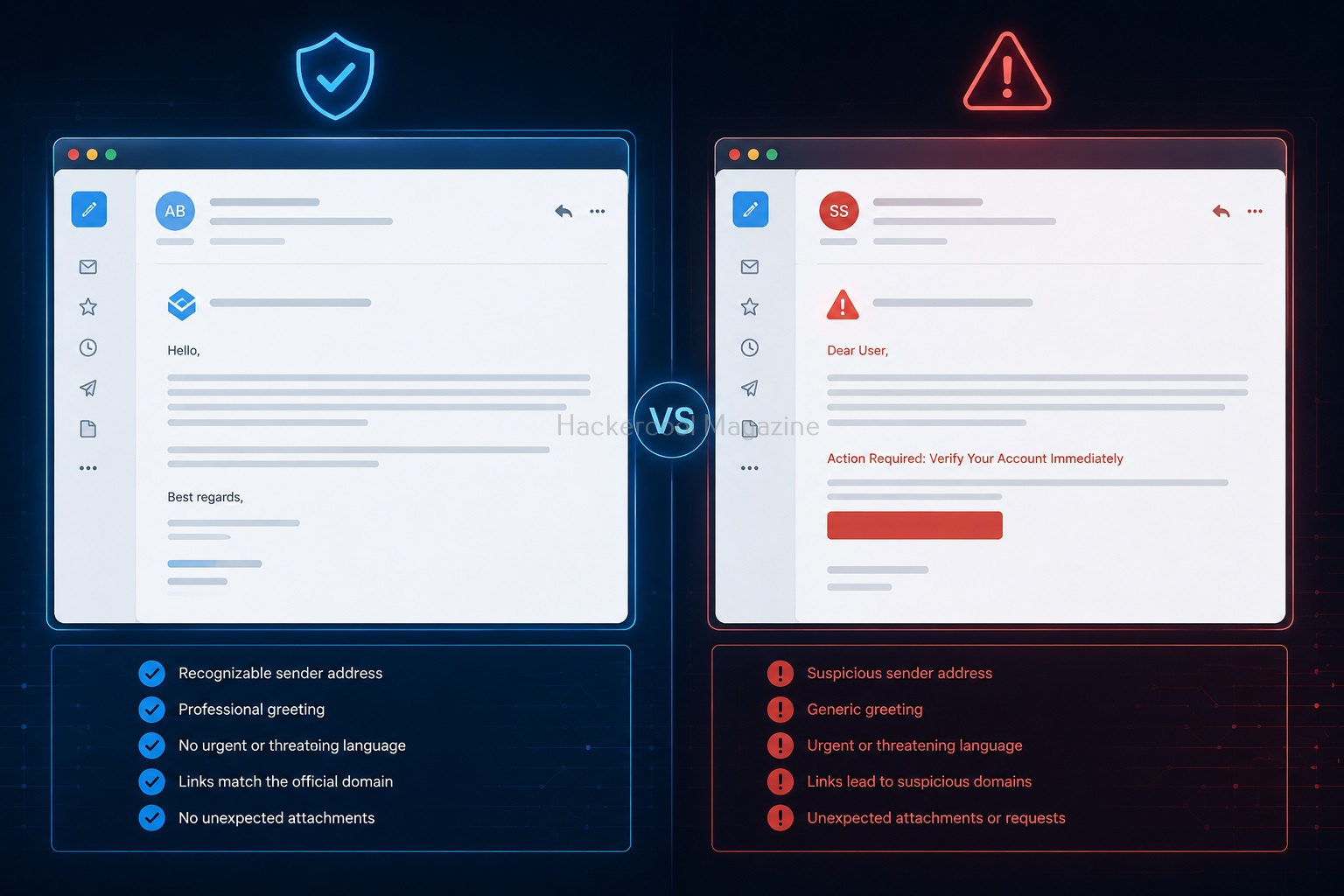
Real-World Example (Simple Scenario)
Imagine receiving an email saying:
“Your account has been locked. Click here immediately.”
You notice:
- The sender domain looks slightly different
- The link points to another website
- The email creates panic
These are classic phishing indicators.
Tools Used in Email Analysis
Beginners can use simple tools to help analyze emails. Common Tool Types:
- Header analyzers
- URL scanners
- Attachment scanners
These tools help identify suspicious indicators.
Common Mistakes Beginner Make
Avoid making these mistakes.
Trusting Display Names:
Attackers can fake names easily. Always inspect actual email address.
Clicking Too Quickly:
Urgency is a common attacker tactic.
Ignoring Small Details:
Tiny spelling changes matter.
Assuming “Professional Looking” Means Safe:
Some phishing emails look very convincing.
Tips to Improve Your Email Analysis Skills
Slow Down:
Most mistakes happen because users rush.
Think Like an Atatcker:
Ask:
- How is this trying to manipulate me?
Practice Regularly:
Analyze:
- Spam emails
- Example phishing emails
Compare Real vs Fake Emails:
This improves recognition skills quickly.
Legal & Ethical Reminder
When learning email analysis, never:
- Open suspicious files recklessly
- Interact with malicious links on real systems
Always:
- Use safe environments
- Practice responsibly

Why Email Analysis Matters in Cybersecurity?
Email analysis is important because:
- Many attacks begin with phishing
- Human error is a major security risk
Strong email analysis skills help:
- Protect individuals
- Protect organizations
Beginner Practice Ideas
Here are some ideas for beginners to practice email analysis.
1. Analyze Spam Emails:
Look for:
- Suspicious wording
- Fake domains
2. Study Example Phishing Emails:
Compare them with legitimate emails.
3. Learn Basic Headers:
Understand how email routing works.
How Email Analysis Helps Ethical Hackers?
Ethical hackers use email analysis to:
- Understand phishing techniques
- Test organizational awareness
- Investigate incidents
It builds both defensive and analytical skills.
Conclusion
Email analysis is one of the most practical beginner cybersecurity skills you can learn.
You don’t need:
- Expensive tools
- Advanced programming skills
You just need:
- Attention to detail
- Curiosity
- Practice
Key Takeaways
- Always inspect sender addresses
- Be cautious with links and attachments
- Analyze before trusting
- Think critically]]
Next time you receive an email: Don’t just read it. Analyze it. That’s how cybersecurity professionals think.
Start Your Ethical Hacking Journey Today
Learning cybersecurity can feel overwhelming at first. The best way to start is with a clear roadmap and the right resources.
Download The Beginner Ethical Hacker Starter Kit (2026 Edition) and get instant access to:
Ethical Hacking Fundamentals
A beginner cybersecurity learning roadmap
Essential hacking tools every beginner should know
Common vulnerabilities explained simply


