Wireshark is one of the most popular tools used by cybersecurity professionals, network administrators, ethical hackers and IT engineers to analyze network traffic. It allows users to capture and examine packets traveling across a network, helping them understand how devices communicate and identify potential network problems or security issues.
For beginners learning ethical hacking, Wireshark is an essential tool because it provides a practical way to understand networking concepts such as TCP, UDP, DNS, HTTP, HTTPS, IP addresses, ports and network protocols.
In this guide, we will explore what Wireshark is, how it works, its important features, common use cases and how beginners can practice network packet analysis safely.
NEW TO ETHICAL HACKING?
Start your ethical hacking journey with our FREE Beginner Ethical Hacker Starter Kit (2026 Edition).
Get beginner-friendly guidance to understand the fundamentals of ethical hacking and take your first steps into cybersecurity.
Before analyzing network traffic, beginners need to understand how devices communicate with one another. Learning networking fundamentals, including IP addresses, ports, protocols, DNS and TCP/IP, will make it much easier to understand the packets captured by Wireshark.
What Is Wireshark?
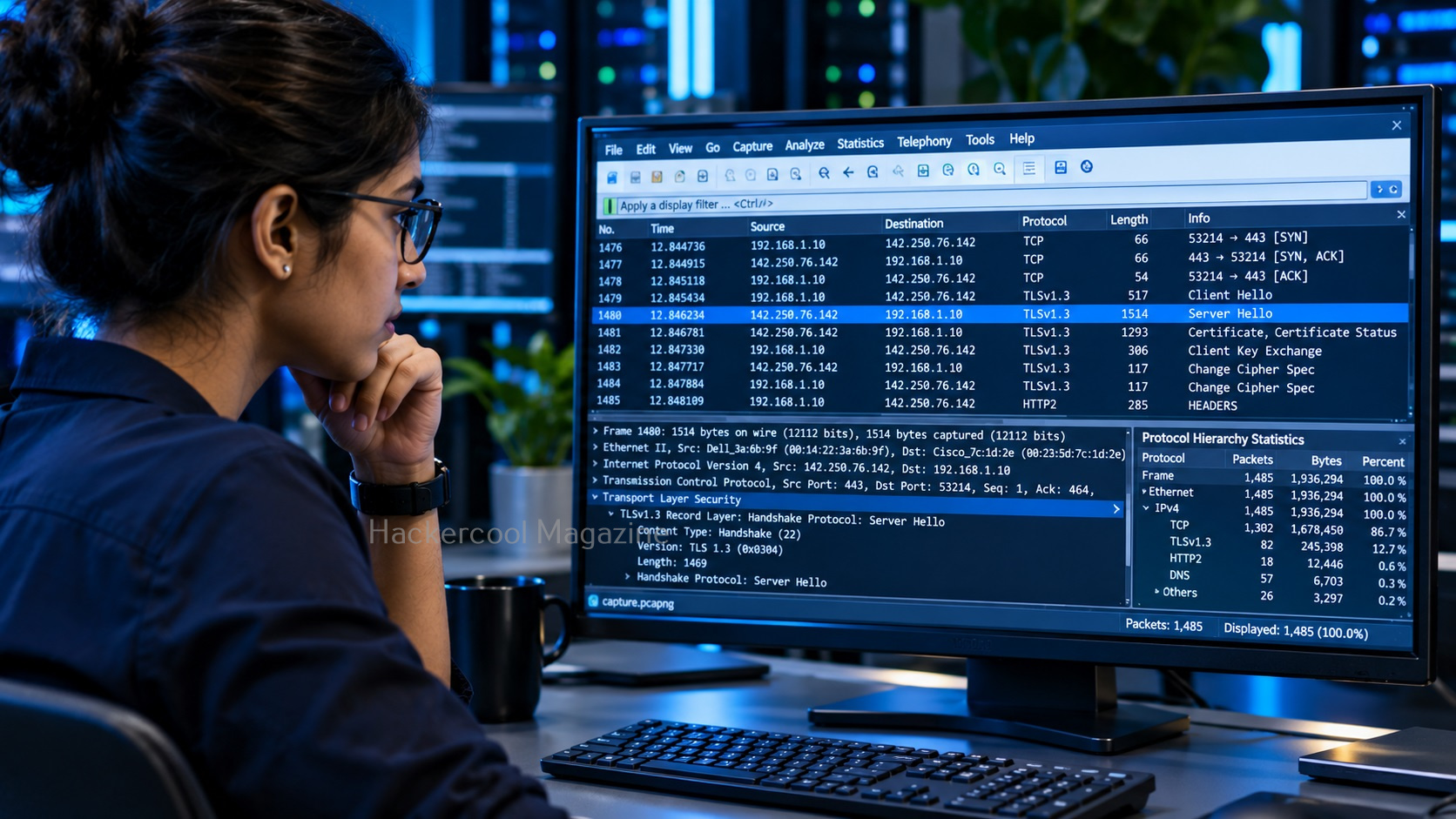
Wireshark is a free and open-source network protocol analyzer that allows users to capture and inspect network traffic in real time.
When devices communicate over a network, they exchange data in the form of packets. Wireshark captures these packets and displays their contents in a structured format, allowing users to examine communication between computers, servers, applications and network devices.
Wireshark can help security professionals understand:
- Which devices are communicating
- Which protocols are being used
- Which IP addresses are involved
- Which ports are being accessed
- How network connections are established
- Whether communication is encrypted
- Whether suspicious network activity is occurring
Wireshark is available for Windows, Linux and macOS. Wireshark is a network analysis tool. It does not automatically hack systems or reveal encrypted information.
How Wireshark Works?
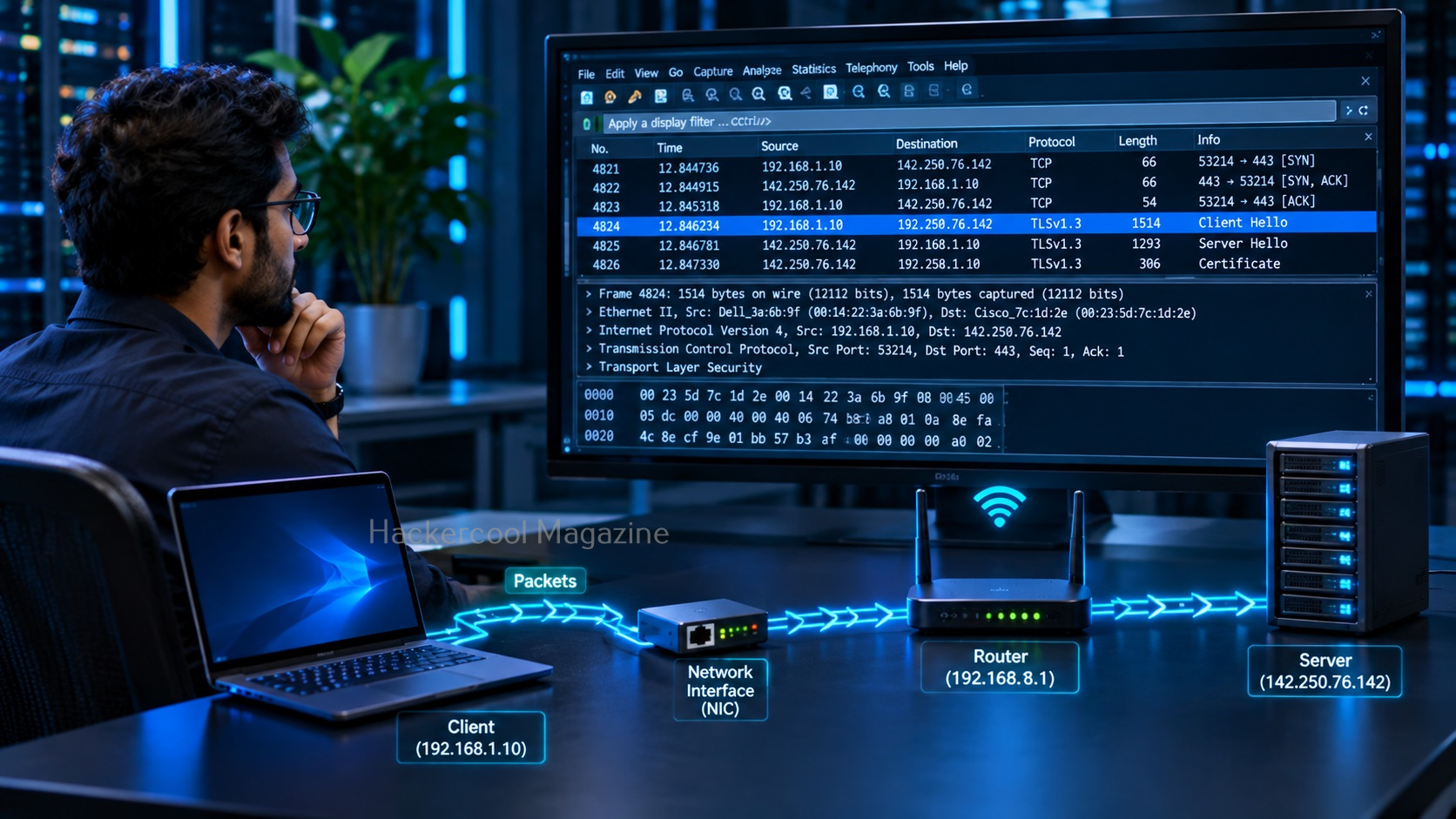
Wireshark works by capturing network packets from a network interface and displaying them for analysis.
When a computer communicates with another device, network traffic passes through its network interface, such as an Ethernet adapter or Wi-Fi adapter.
Wireshark uses packet capture libraries to collect traffic that the operating system allows it to observe.
The captured packets are then analyzed and displayed with information such as:
- Source IP address
- Destination IP address
- Source port
- Destination port
- Protocol
- Packet length
- Packet contents
- Timestamps
For example, when you visit a website, your computer may communicate with several services:
- DNS servers to resolve the domain name.
- The website’s server using TCP or QUIC.
- The web application using HTTP or HTTPS.
- Other services such as content delivery networks.
Wireshark can help you examine these communications and understand how they work.
Important Features of Wireshark

1. Live Packet Capture
Wireshark can capture network traffic in real time.
You can select a network interface such as:
- Ethernet
- Wi-Fi
- Loopback interface
- Virtual network interface
Once packet capture begins, Wireshark displays packets as they arrive.
Live packet capture is useful when investigating network connectivity problems, understanding application communication or monitoring activity within an authorized network.

2. Packet Filtering
A network can generate thousands or millions of packets. Analyzing all of them manually can be difficult. Wireshark provides filters that help users focus on specific traffic.
For example:
| Filter | Purpose |
|---|---|
ip | Display IPv4 traffic |
ipv6 | Display IPv6 traffic |
tcp | Display TCP packets |
udp | Display UDP packets |
dns | Display DNS traffic |
http | Display HTTP traffic |
icmp | Display ICMP traffic |
tcp.port == 80 | Display TCP traffic involving port 80 |
ip.addr == 192.168.1.10 | Display traffic involving a particular IP address |
Filters are one of Wireshark’s most important features because they allow beginners to focus on specific network protocols and communications.

3. Protocol Analysis
Wireshark understands hundreds of network protocols.
It can identify and display information from protocols such as:
- Ethernet
- IP
- TCP
- UDP
- DNS
- DHCP
- HTTP
- TLS
- ICMP
- SSH
Instead of displaying packets as raw hexadecimal data, Wireshark organizes information into protocol layers.
For example, a packet may contain:
- Ethernet information
- IP information
- TCP information
- Application data
This makes it easier to understand how data travels through a network.
4. Follow TCP Stream
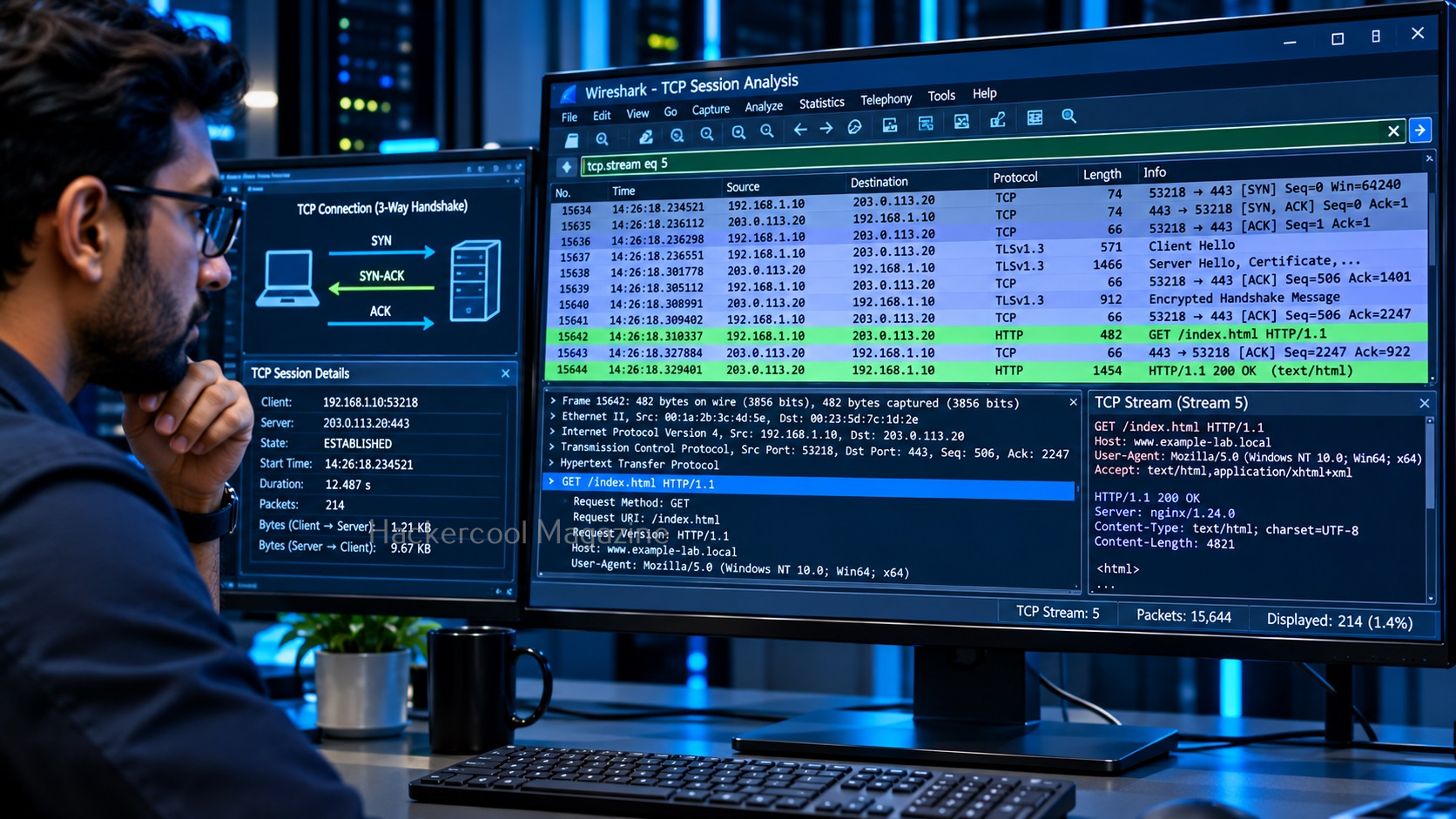
The Follow TCP Stream feature allows users to examine the communication associated with a particular TCP connection. Instead of examining individual packets separately, Wireshark can reconstruct the communication between the two endpoints.
This is particularly useful for understanding application-level communication and troubleshooting network problems.
However, encrypted communication such as HTTPS generally cannot be reconstructed into readable application data without appropriate decryption information.
Wireshark and Network Protocols
Wireshark is particularly useful for learning how common network protocols work.
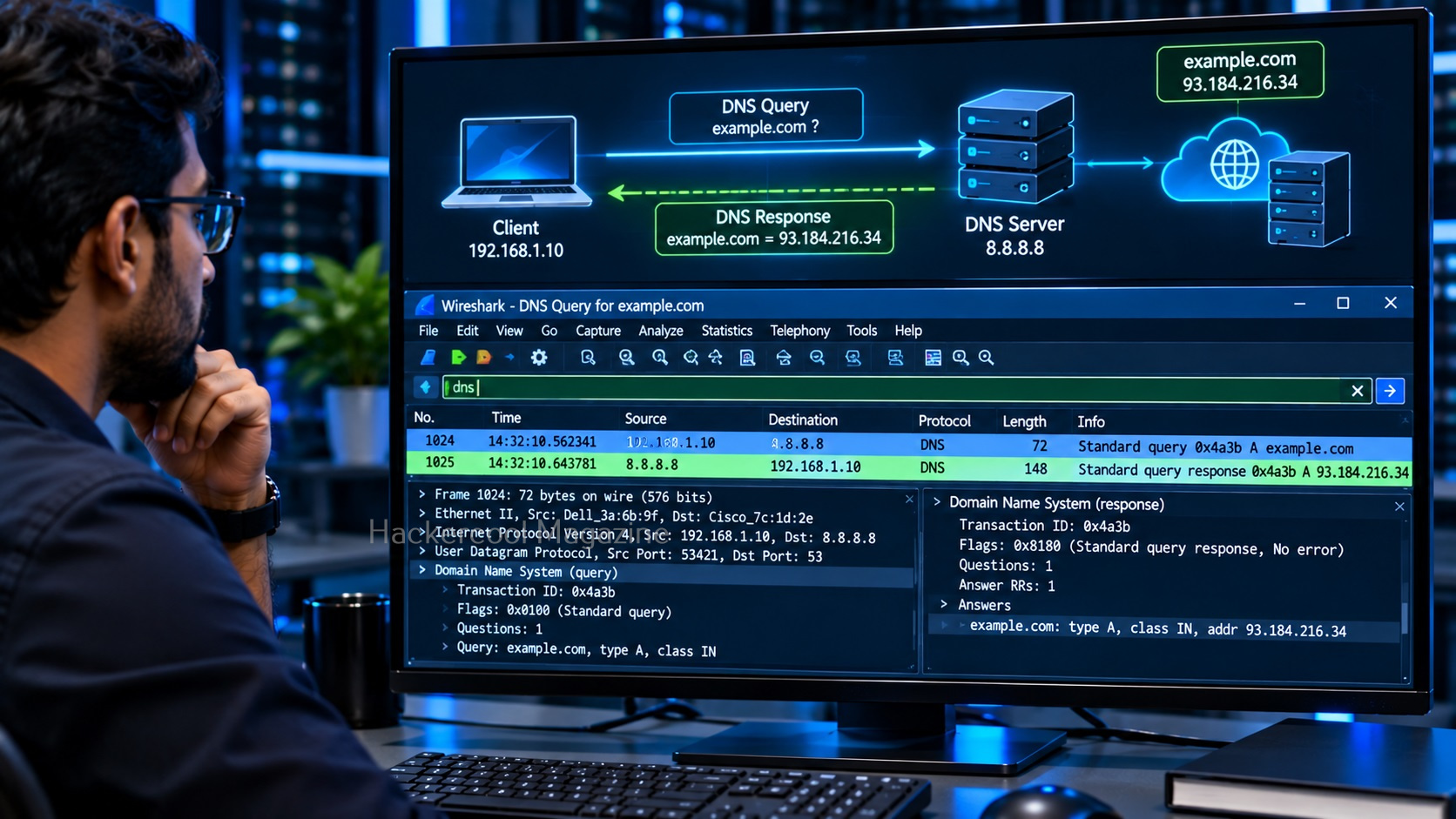
DNS
DNS translates domain names into IP addresses. When you visit a website, your computer may send a DNS query asking for the IP address associated with a domain name.
Wireshark can help you examine:
- DNS queries
- DNS responses
- Requested domain names
- Resolved IP addresses
- DNS response codes
DNS analysis is useful for troubleshooting connectivity problems and understanding network communication.
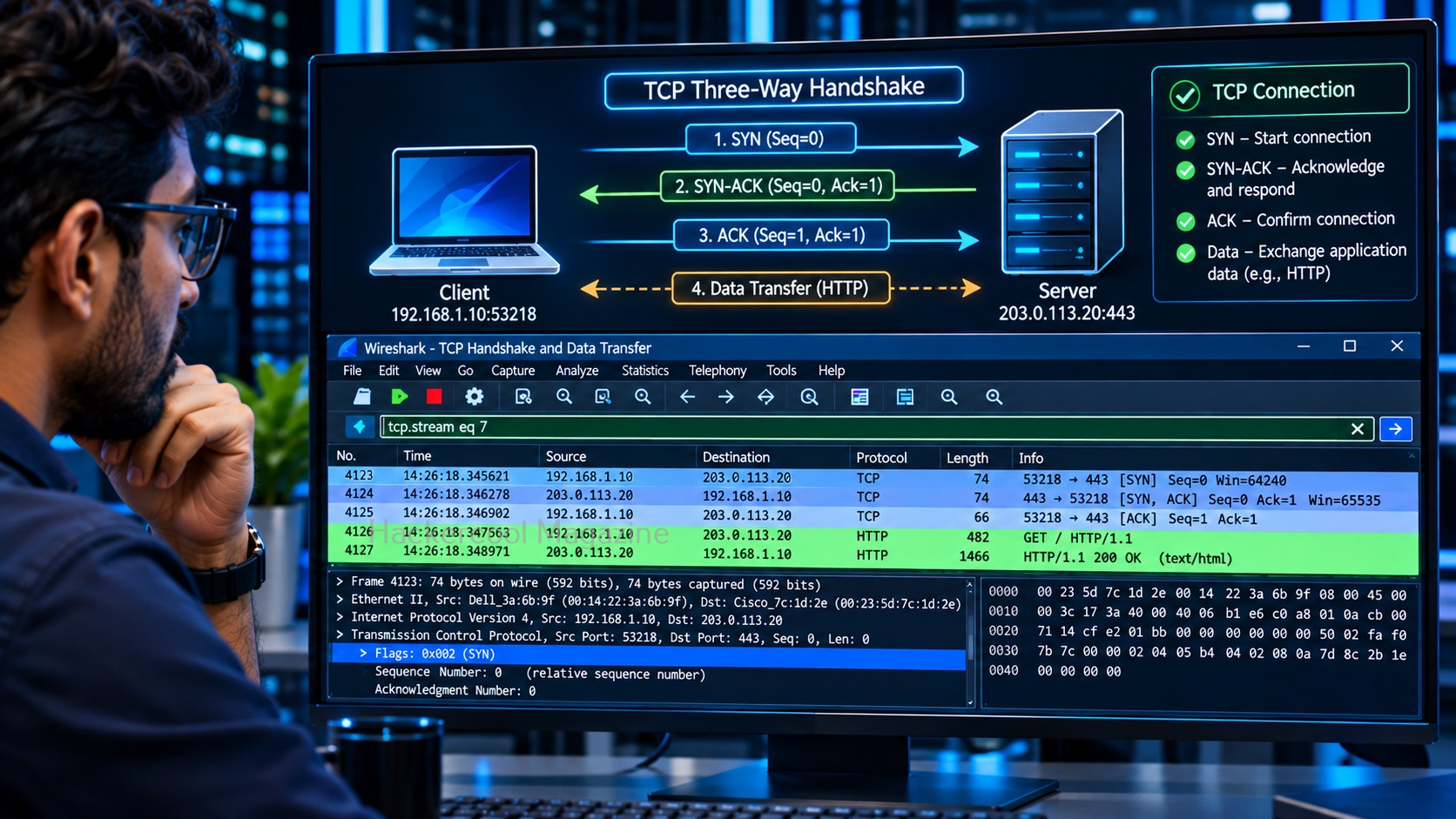
TCP
TCP is a connection-oriented protocol that provides reliable communication between devices.
Wireshark can help beginners understand:
- TCP connection establishment
- The three-way handshake
- TCP acknowledgments
- Retransmissions
- Connection termination
- TCP flags
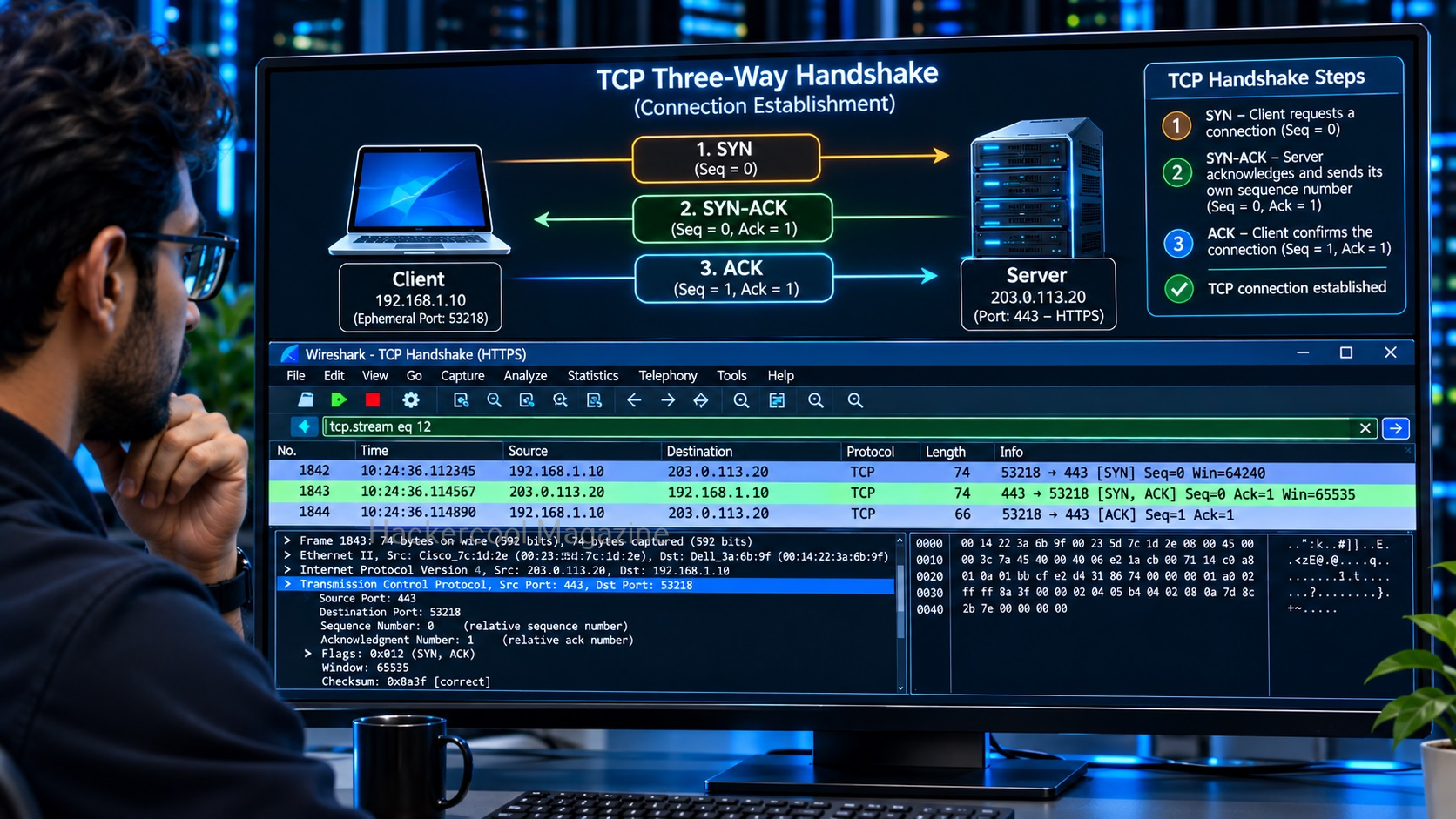
The TCP three-way handshake consists of:
- SYN
- SYN-ACK
- ACK
By examining these packets, beginners can understand how TCP connections are established.
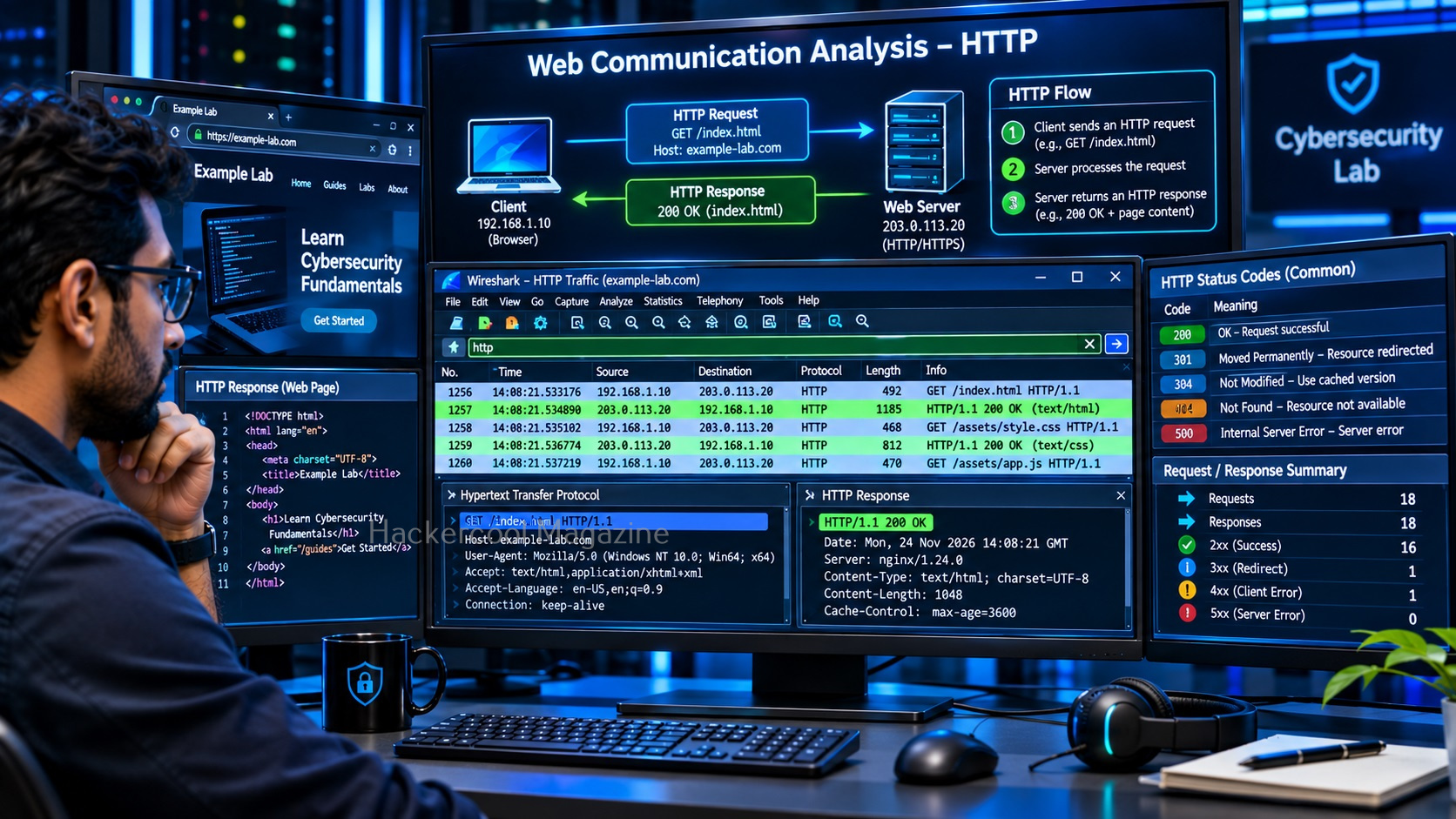
HTTP
HTTP is the protocol used for communication between web browsers and web servers.
Wireshark can analyze HTTP traffic and display information such as:
- HTTP requests
- HTTP responses
- Request methods
- Status codes
- Headers
- URLs
- Content types
However, HTTP traffic is not encrypted. Sensitive information transmitted over HTTP may be visible to someone capable of capturing the traffic.
Packet analysis can help security professionals understand how sensitive information travels across a network. When communication is not properly encrypted, credentials or other sensitive information may be exposed to someone monitoring the traffic. Understanding password sniffing helps beginners appreciate why secure communication protocols are essential.
This is one reason modern websites should use HTTPS.
HTTPS and TLS
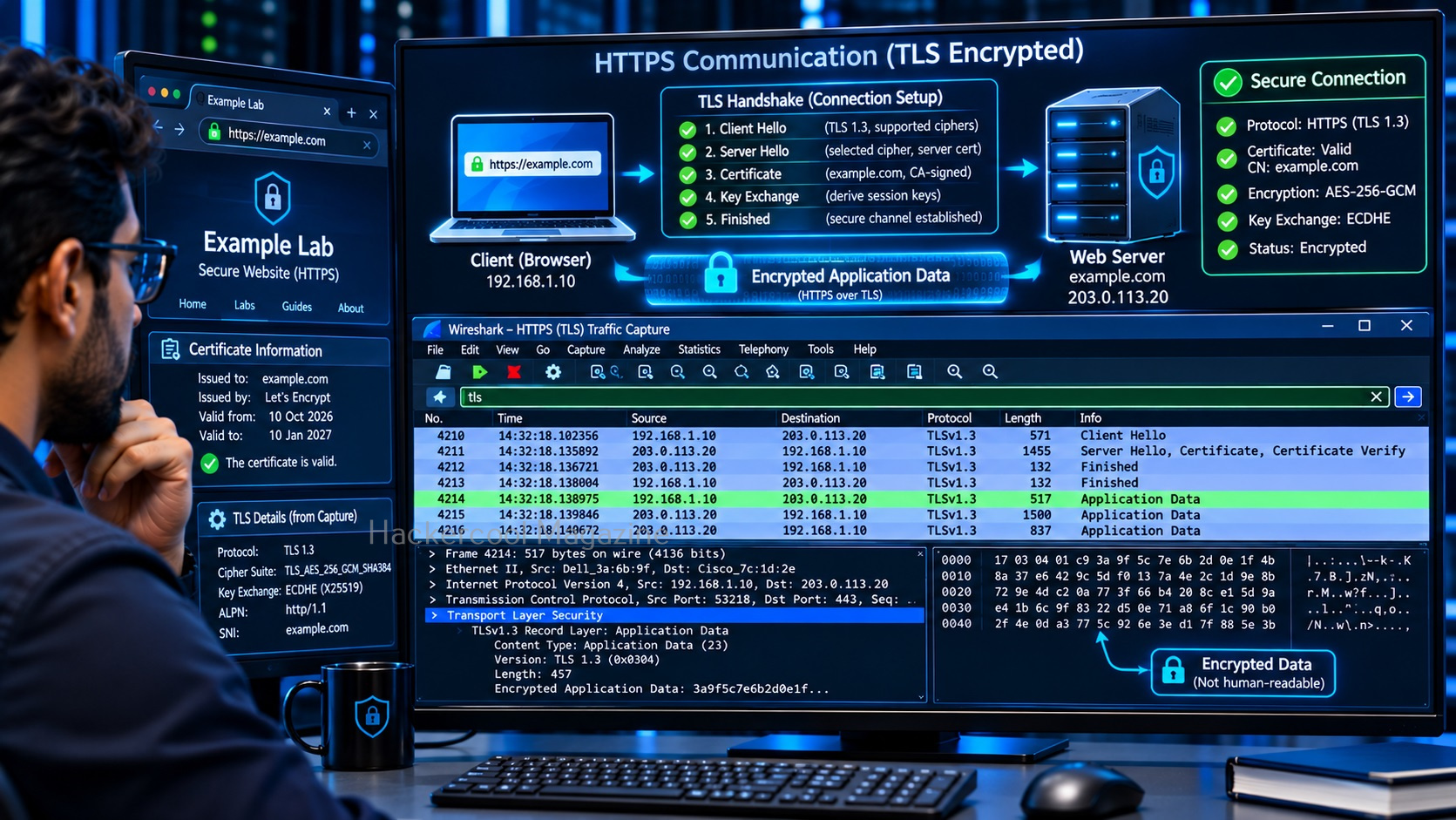
HTTPS uses TLS encryption to protect communication between browsers and web servers. Wireshark can still capture HTTPS packets but the application data is generally encrypted.
Wireshark can display information about the TLS connection, including:
- TLS handshake
- Server certificate information
- Encryption-related metadata
- Connection details
However, it generally cannot directly display the readable contents of encrypted HTTPS communication without appropriate decryption keys or other authorized configuration.
READY TO BUILD YOUR ETHICAL HACKING FOUNDATIONS?
Go beyond the basics. Develop the essential knowledge every aspiring ethical hacker needs.
Your learning package includes:
Networking Fundamentals
Linux Fundamentals
Windows Fundamentals
Web Fundamentals
Command Line Essentials
Virtual Labs
$1 INTRODUCTORY TRIAL
6 Foundation Resources + Full Magazine Access
Trial terms apply. Post-trial subscription billing is manual.
Common Uses of Wireshark
Wireshark is used in many cybersecurity and networking activities.
Network Troubleshooting
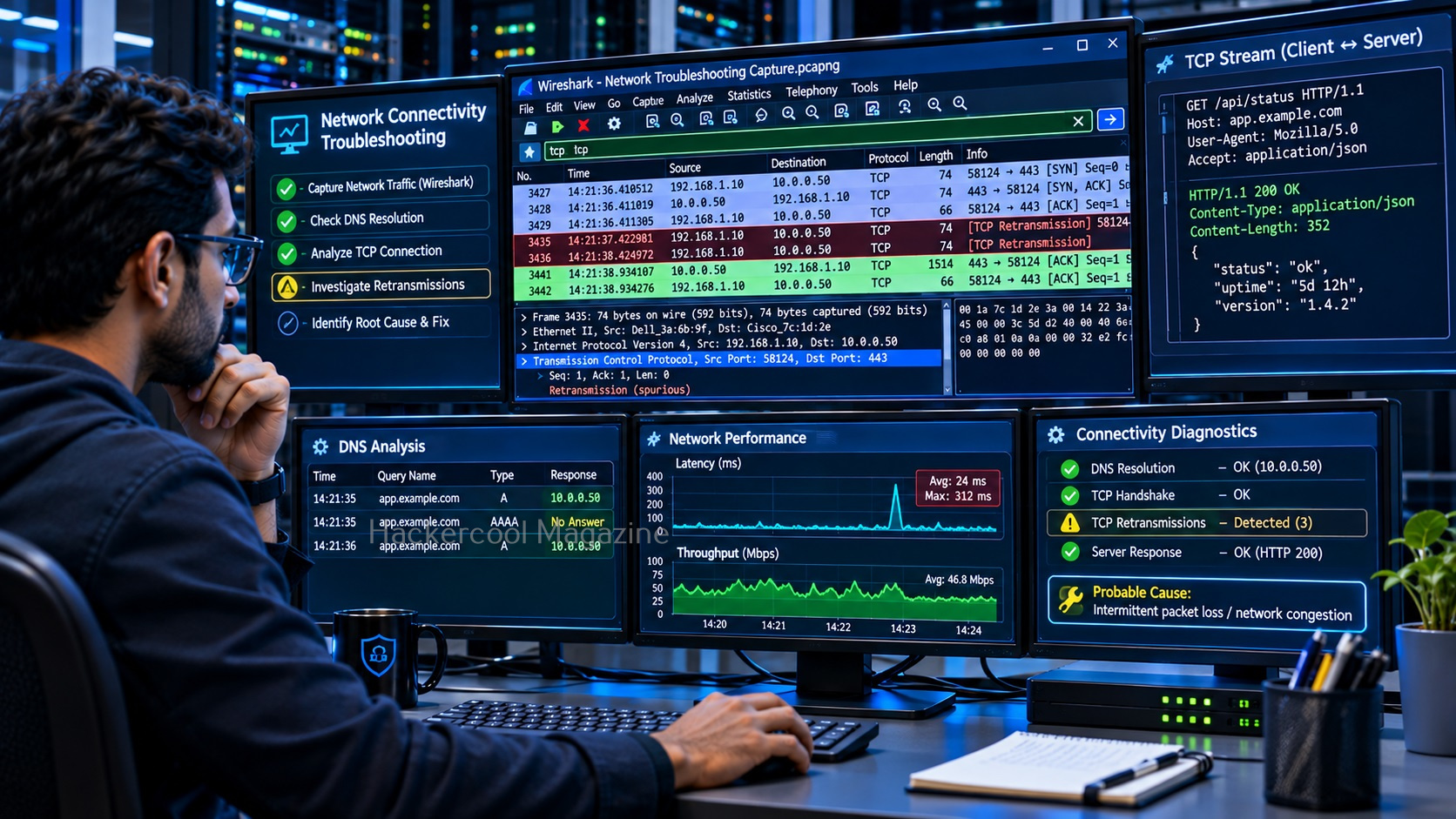
Network administrators use Wireshark to investigate:
- Slow network connections
- DNS resolution problems
- TCP retransmissions
- Packet loss
- Connection failures
- Unexpected network behavior

Cybersecurity Investigation
Security professionals can use Wireshark to examine suspicious traffic and investigate potential security incidents.
For example, packet analysis may help identify:
- Unexpected communication with external systems
- Unusual DNS requests
- Suspicious connection patterns
- Unencrypted communication
- Abnormal network behavior
Wireshark is often used alongside other security monitoring tools.
Learning Networking
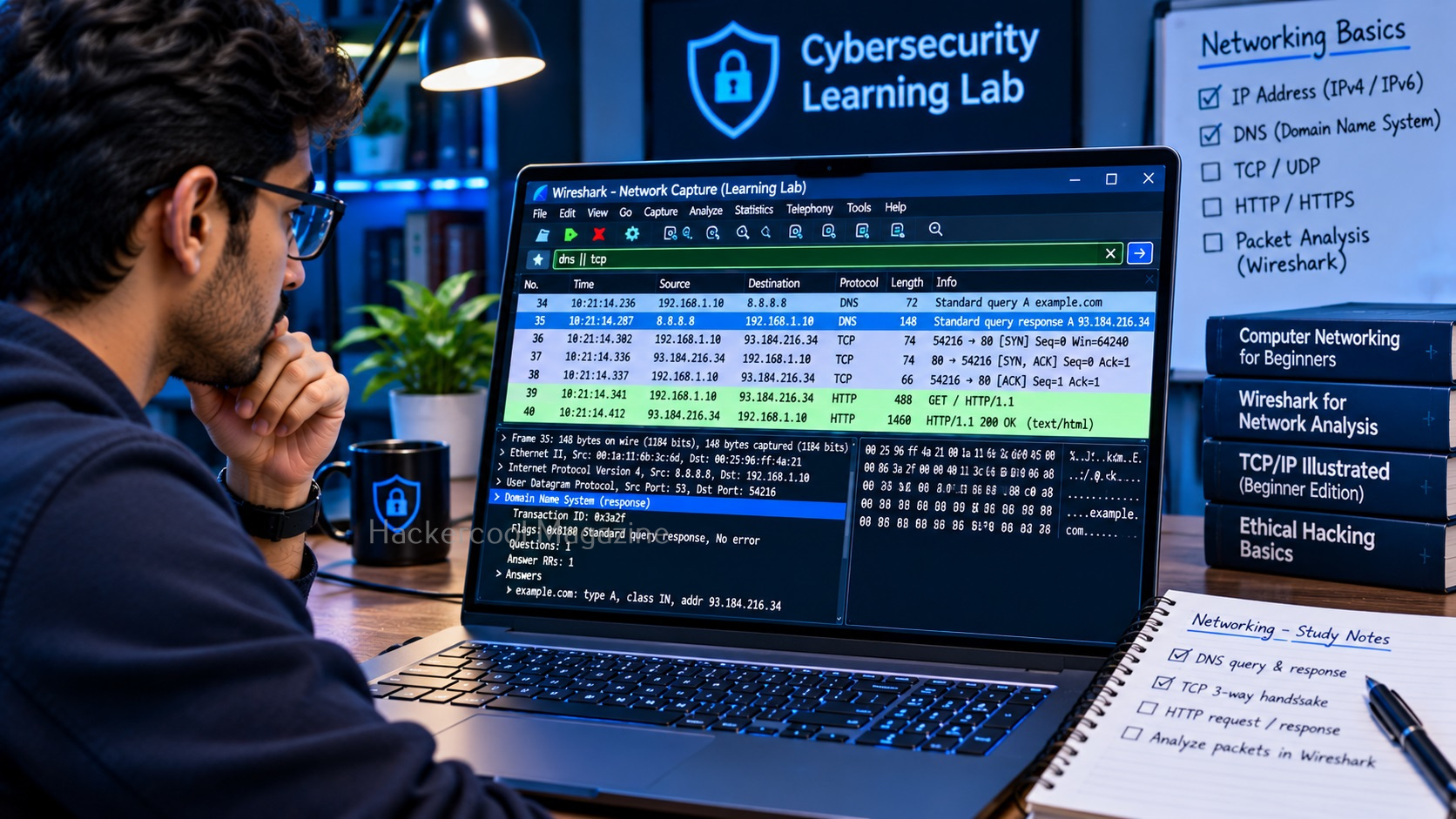
Wireshark is one of the best tools for learning networking because it allows beginners to observe protocols rather than simply reading about them.
You can see how:
- DNS works
- TCP connections are established
- HTTP requests are sent
- ICMP packets are exchanged
- Devices communicate over a network
This makes networking concepts much easier to understand.
Installing Wireshark
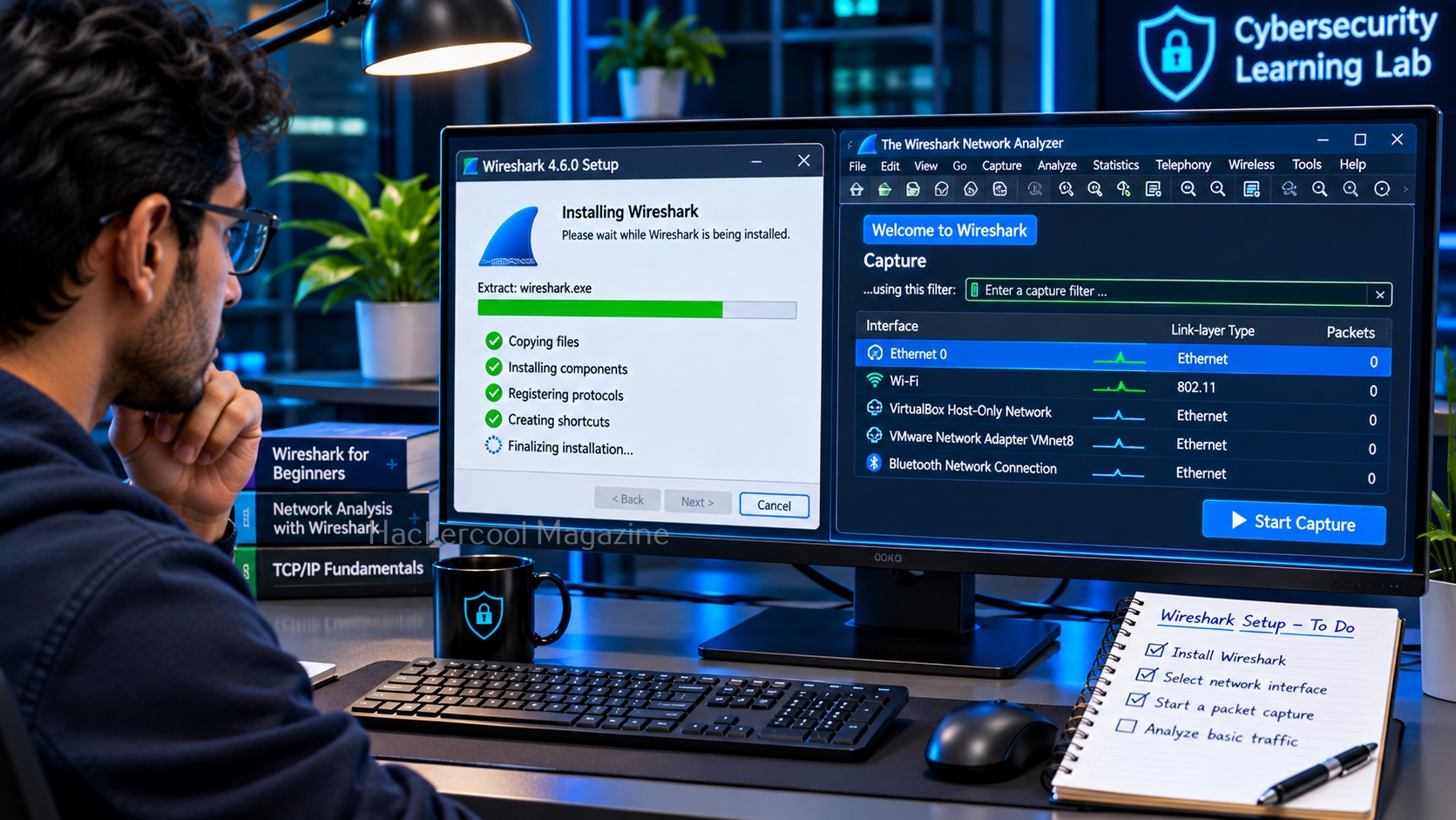
Wireshark can be installed on Windows, Linux and macOS.
Windows
Wireshark is also available for Windows, allowing beginners to analyze network traffic without installing a Linux distribution. Understanding Windows fundamentals can help users navigate the operating system, install applications and manage network-related settings.
Download Wireshark from its official website and follow the installation instructions. The installation process may include Npcap, which allows Wireshark to capture network packets.
Linux
Wireshark is commonly used in Linux-based cybersecurity environments and can be installed through the package manager of many Linux distributions. Understanding Linux fundamentals, including the terminal, filesystem and basic commands, can help beginners install and use network analysis tools more effectively.
Wireshark is available through many Linux distributions’ package repositories. For example, Debian-based distributions commonly provide Wireshark through their package management system.
macOS
Wireshark can be downloaded from its official website and installed using the macOS installer.
Always download Wireshark from its official website:
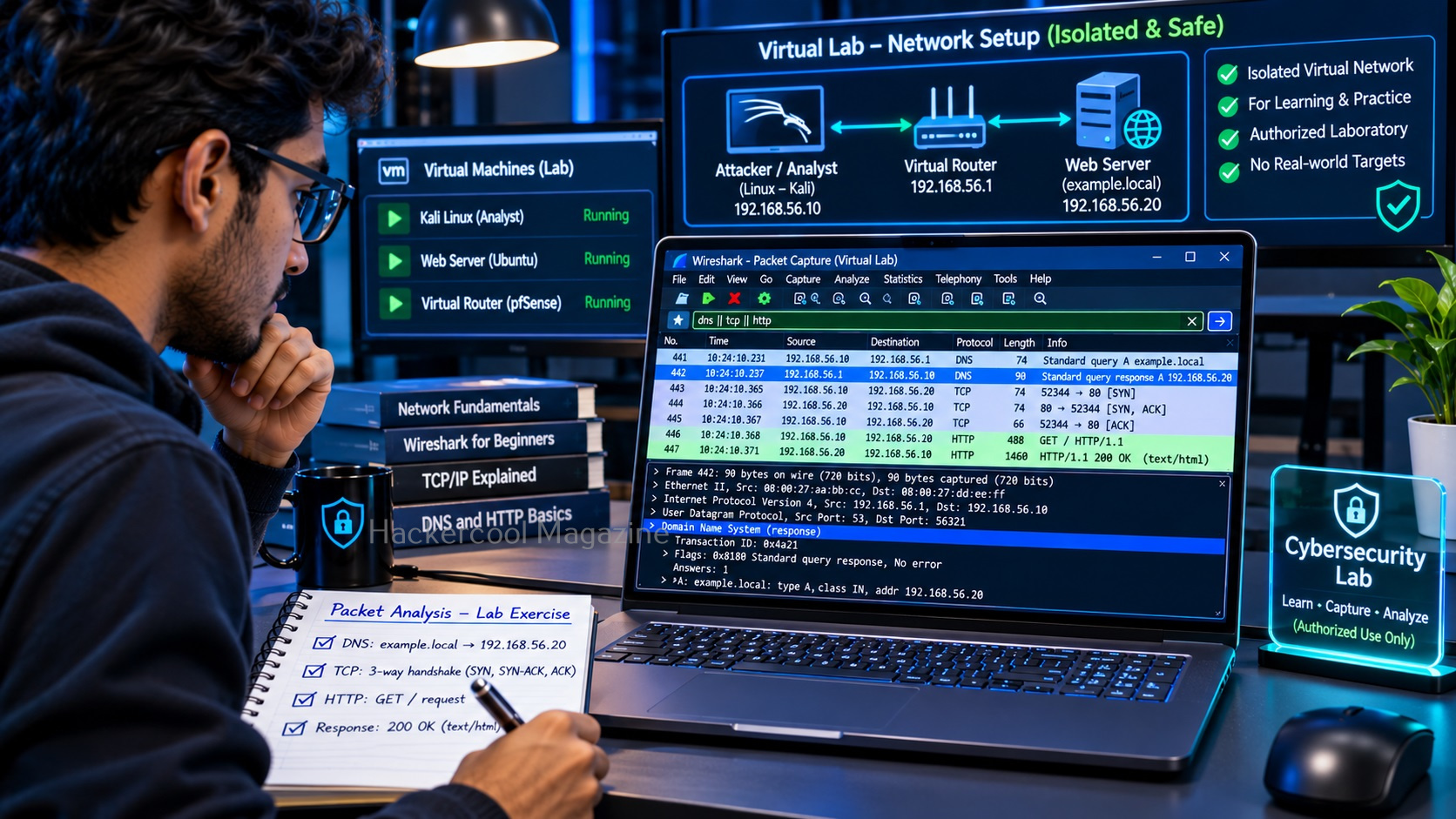
Beginner Wireshark Lab
The best way to learn Wireshark is by practicing in a controlled environment.
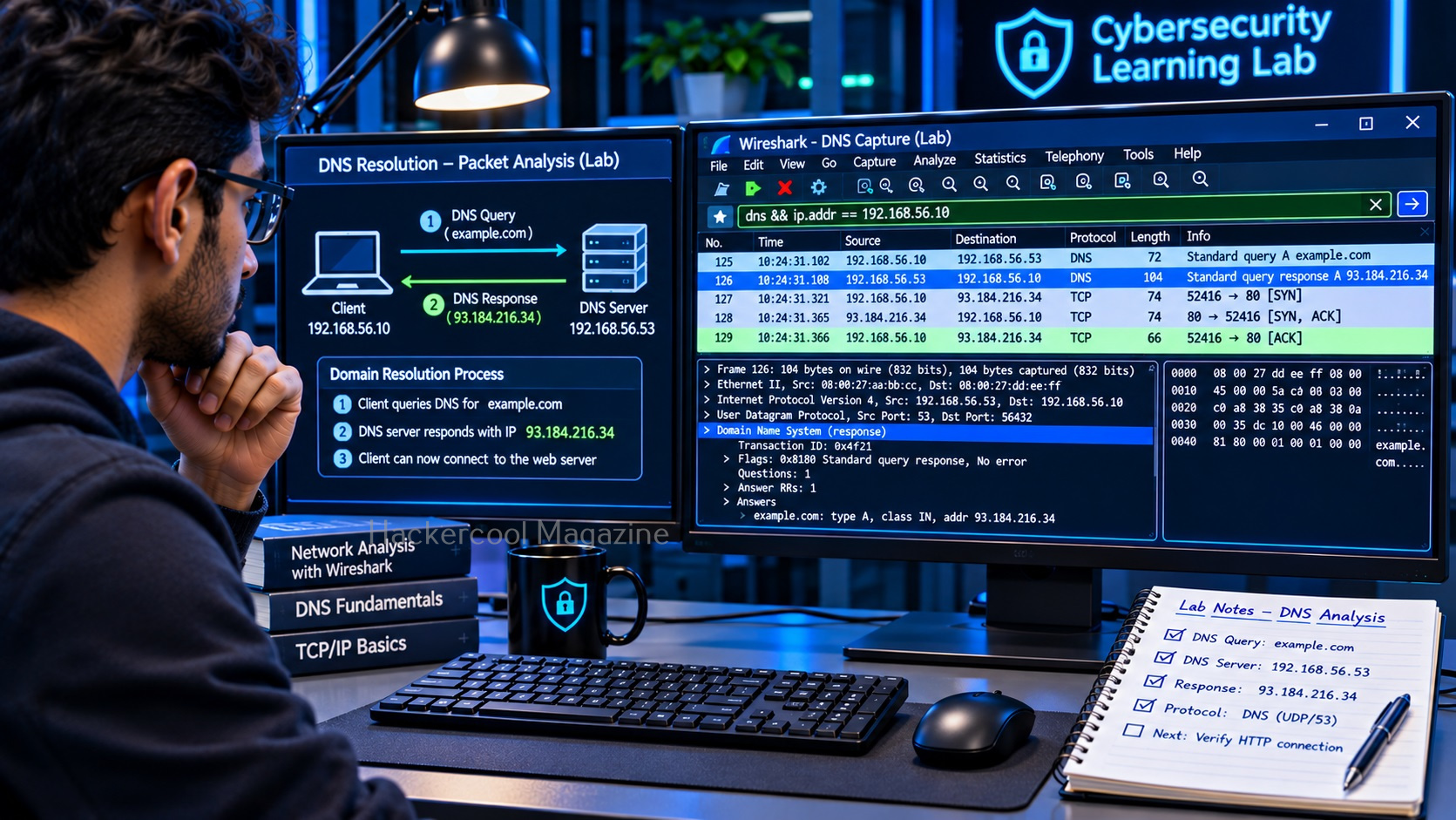
Lab 1: Capture DNS Traffic
- Open Wireshark.
- Select your network interface.
- Start capturing packets.
- Open a website that you are authorized to access.
- Stop the capture.
- Apply the filter:
dns - Examine the DNS queries and responses.
Observe how your computer requests information about a domain name.
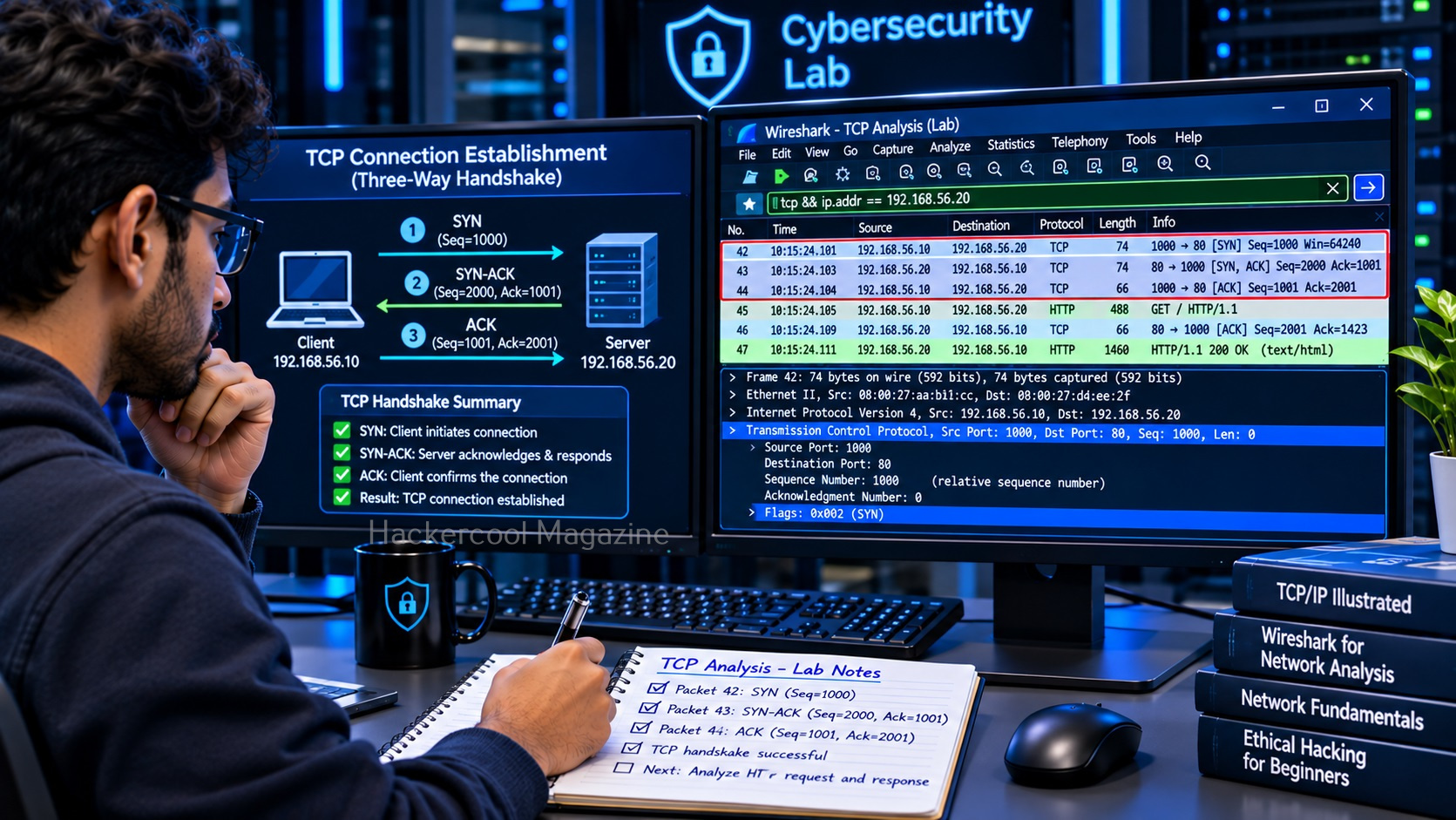
Lab 2: Analyze TCP Traffic
Apply the following filter:
tcp
Examine TCP packets and look for connection establishment. Try identifying the SYN, SYN-ACK and ACK packets associated with a TCP connection.
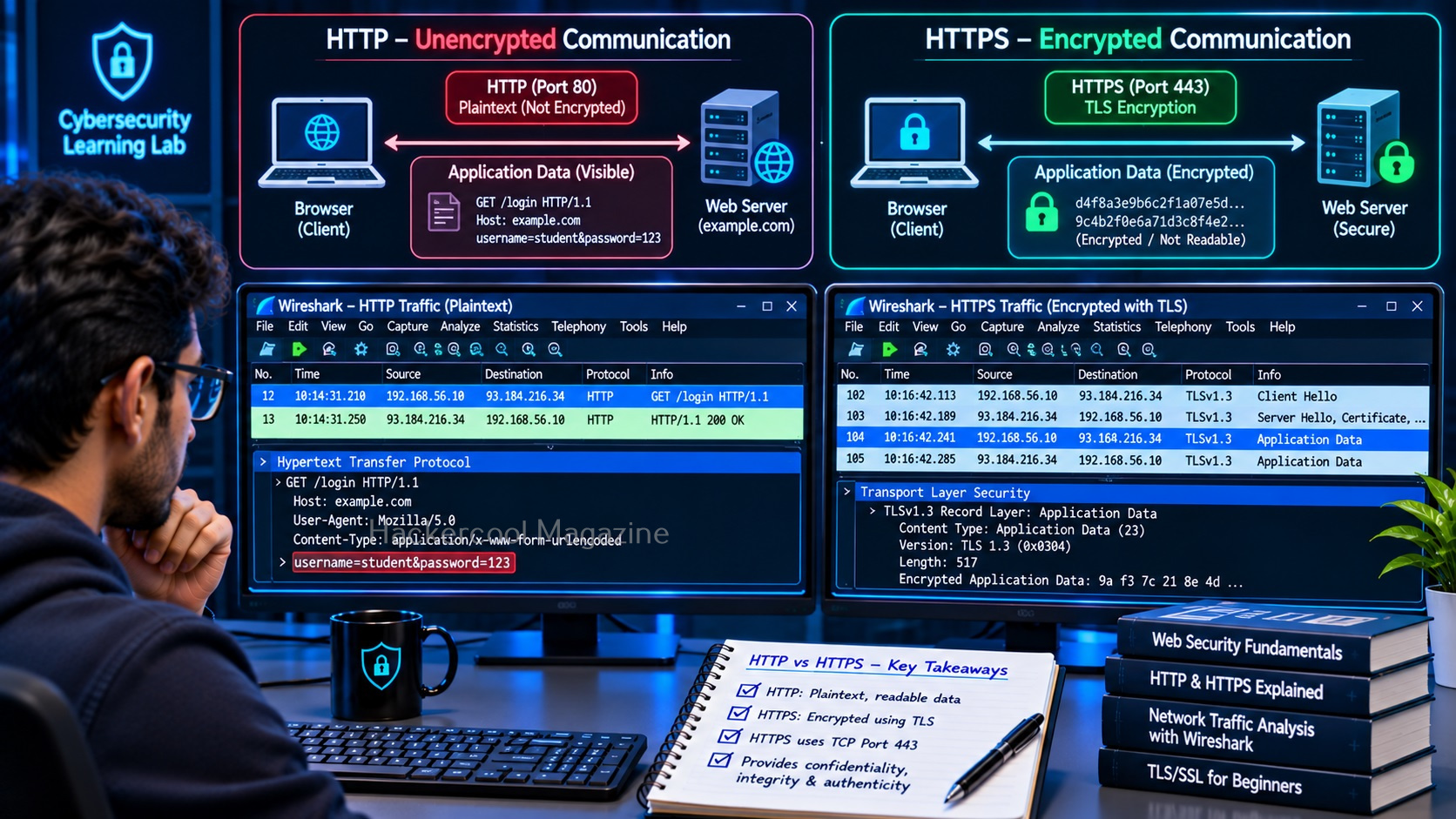
Lab 3: Examine HTTP Traffic in a Controlled Environment
Use a local test website or an authorized training environment.
Apply:
http
Observe the HTTP requests and responses. Compare the information visible in HTTP traffic with the information available in HTTPS traffic.
Wireshark can help beginners examine HTTP communication and understand how browsers interact with web servers. Learning HTTP, cookies, sessions and APIs provides the background needed to interpret web-related packets and understand the information exchanged between clients and servers.
Lab 4: Analyze ICMP Traffic
Apply:
icmp
In an authorized lab environment, observe ICMP packets generated by basic network diagnostic activities. This can help you understand how devices exchange network information.
After completing your Wireshark lab, document the packets you captured, the protocols you analyzed, the observations you made and what you learned from the exercise. Adding network analysis projects to your cybersecurity portfolio can help demonstrate your practical skills and your ability to investigate network activity.
Wireshark vs. Other Network Tools
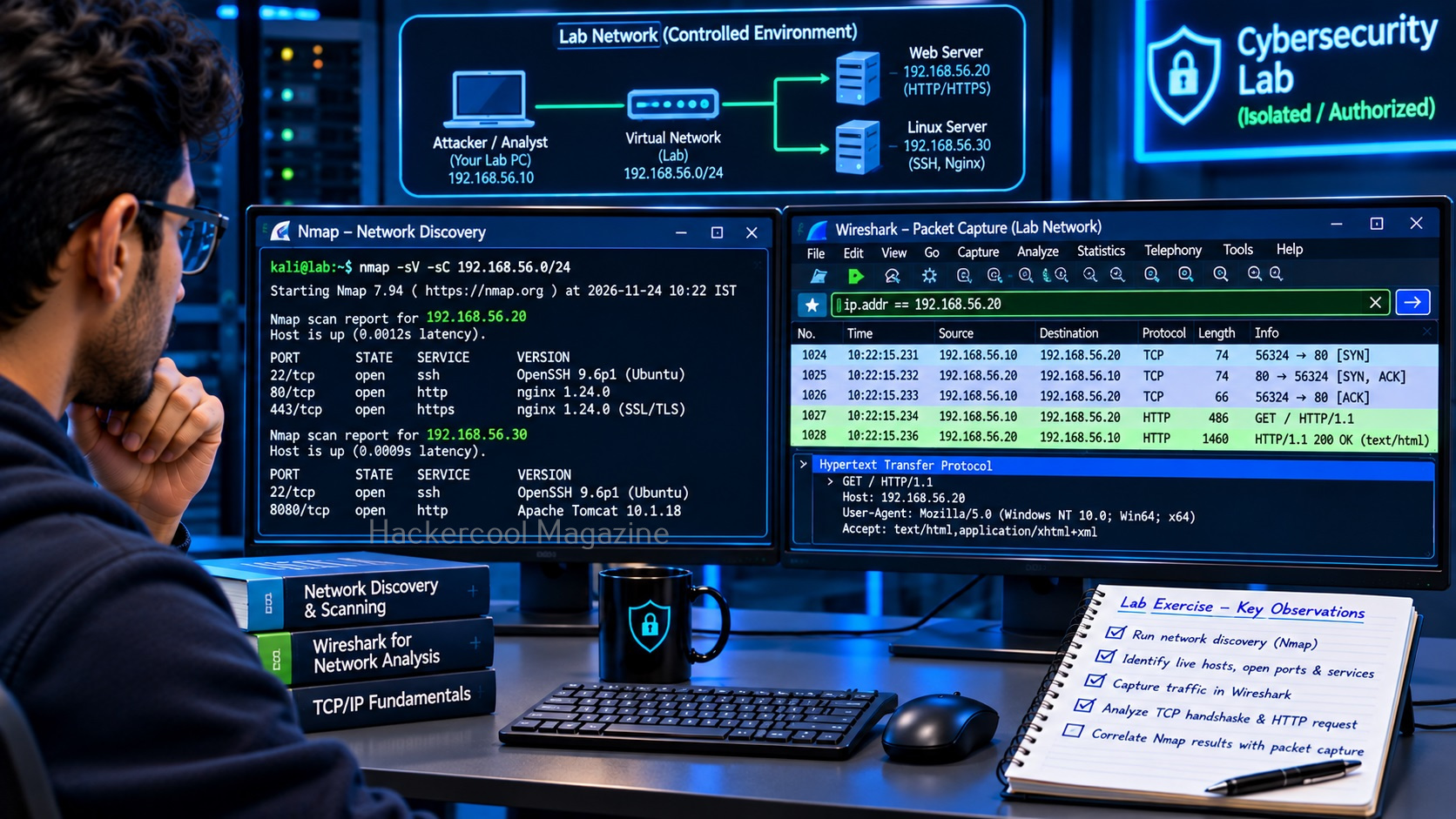
Wireshark is different from tools such as Nmap. Network discovery tools and packet analysis tools serve different purposes during network security assessments. While Nmap helps identify devices, open ports and services, Wireshark allows security professionals to examine the communication taking place between devices. Learn more about network discovery and scanning with Nmap.
| Tool | Primary Purpose |
|---|---|
| Wireshark | Captures and analyzes network packets |
| Nmap | Discovers hosts, ports, and services |
| tcpdump | Captures and analyzes packets from the command line |
| Netstat | Displays network connections and listening ports |
| Burp Suite | Analyzes and tests web application traffic |
Wireshark focuses primarily on observing and analyzing network communication, while Nmap focuses on network discovery and assessment.
Is Wireshark Useful for Ethical Hacking?
Yes. Wireshark is an important tool for ethical hackers because network traffic analysis helps them understand how systems communicate and identify security weaknesses.
Ethical hackers may use Wireshark during authorized assessments to:
- Analyze network protocols
- Investigate exposed information
- Understand application communication
- Identify insecure protocols
- Troubleshoot network behavior
- Examine traffic generated by security testing tools
However, packet capture may expose sensitive information. Wireshark should only be used on networks and systems you own or have explicit permission to analyze.
Wireshark is useful across several cybersecurity roles. Red Team professionals may use packet analysis during authorized testing, while Blue Team professionals and SOC analysts use network traffic analysis to investigate suspicious communication, troubleshoot incidents and identify potential threats. Learn more about Blue Team and SOC Analyst roles and how they differ from offensive security roles.
Conclusion
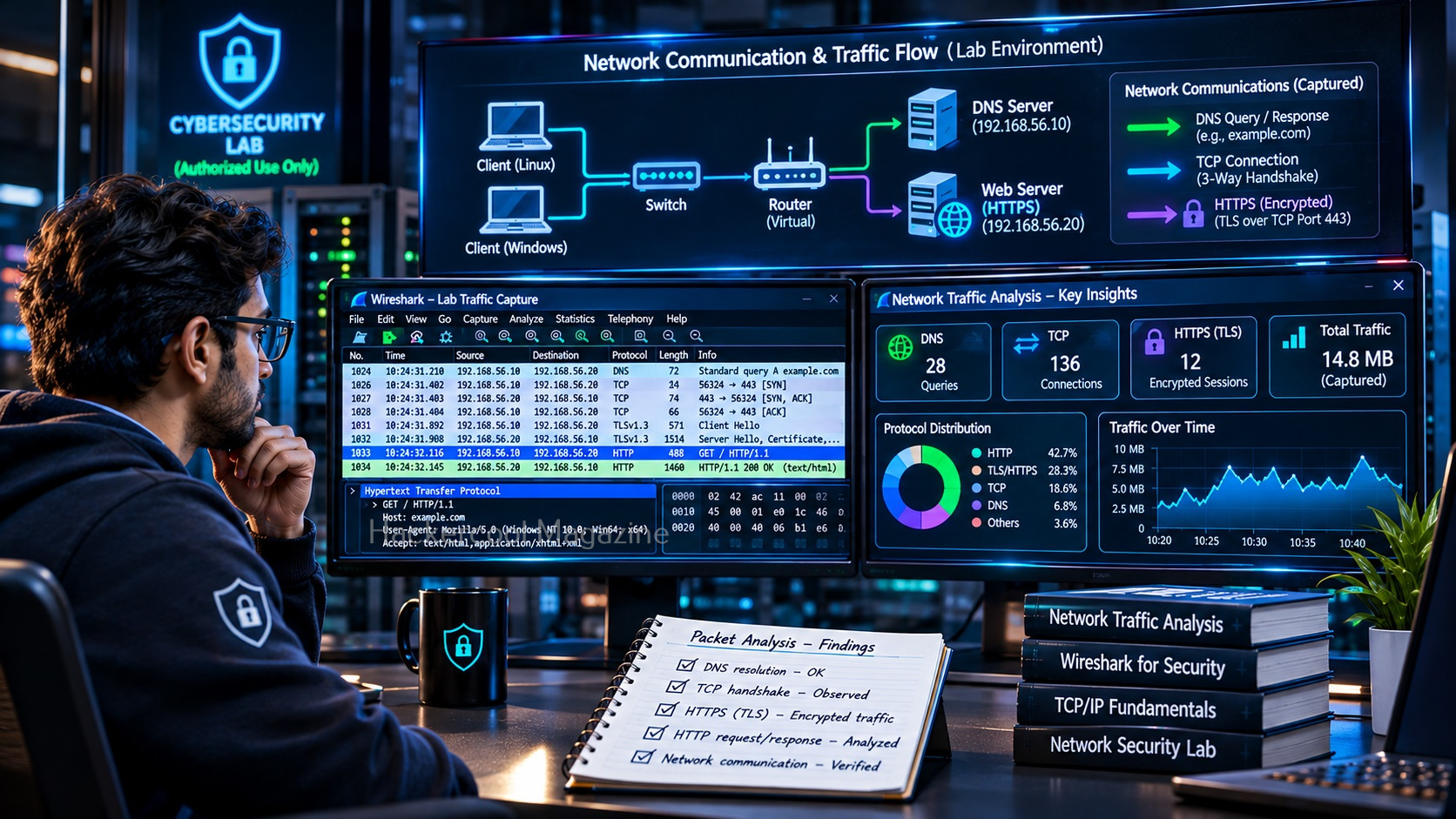
Wireshark is one of the most valuable tools for beginners learning networking and cybersecurity. It allows users to observe network communication, understand protocols, troubleshoot connectivity problems and investigate suspicious traffic.
By learning packet analysis, DNS, TCP, HTTP, HTTPS and network filtering, beginners can develop a strong foundation in network security.
Wireshark is particularly useful when combined with other cybersecurity tools such as Nmap, tcpdump and Burp Suite.
For beginners, the best approach is to start with simple packet captures, learn common network protocols and practice in an isolated and authorized laboratory environment.
YOUR ETHICAL HACKING JOURNEY STARTS HERE!
Not sure where to begin? Download our FREE 18-page Beginner Ethical Hacker Starter Kit (2026 Edition).
Take your first step towards building practical cybersecurity knowledge.